TechEd Europe 2014 Schedule Builder

As an attendee, the most exciting bit of the conference preparation is registration and booking travel. Then the excitement builds up with the release of the schedule builder – this is, historically, a list of the sessions that Microsoft is free to advertise and talk about at that point in time … other sessions are hush hush until the keynote 😉

The Schedule Builder is the tool that gives you the ability to list all of the sessions and check the ones that you want to add to your schedule. I typically break it down to time slots for the track(s) that I’m interested in, and check any session I like the sound of – and yes, I will double or even triple book … sometimes rooms are full, sometimes I change my mind, and sometimes I hear that sessions/speakers are excellent or not so good. Microsoft uses this information to plan room assignments for the sessions. Later on, you can sync the schedule builder to Outlook or download an ICS file – leave that as late as possible, maybe even until after you’ve attended the Monday foundational sessions.

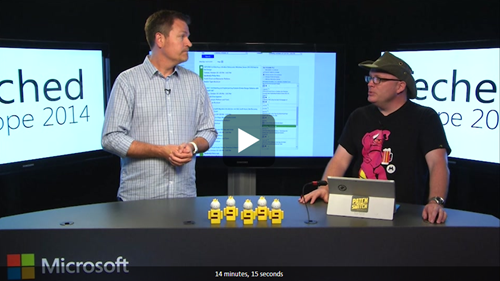
The TechEd Europe 2014 Countdown Show, presented by Microsoft’s Joey Snow (@joeysnow) and Rick Claus (@RicksterCDN), featured the Schedule Builder last week.
image

In fact, at the 8:30 minute mark, the guys even mention a certain Hyper-V session 🙂 Thanks, lads!

image

I love a free promo!

Check out the schedule builder if you are attending, and maybe even the CH9 Events app on your mobile device to have a handy digital builder with you on site.

Technorati Tags:

Microsoft News Summary – 16 September 2014

Windows 9 steals the headlines this morning. No; it is not out. No; you cannot download a preview yet. And yes; the person you know who says otherwise is an idiot. We know what we know – Microsoft is planning a sneak peek event for the enterprise audience on September 30th. There are no more facts than that.

Hyper-V

  • Emulex’s crappy drivers saga goes on: They claimed they fixed the VMQ issue. It looks like they never did any tests involving Live Migration.

System Center

Windows

  • It’s Official – Microsoft to Unveil “Next Chapter” for Windows on September 30: I think Paul Thurrott was the first to report this. It will focus on the enterprise audience – the one currently sticking with Windows 7. I guess it will be no more than a show and tell. I still believe TechEd Europe is the bigger reveal, as I reported back at TechEd North America. In the meantime, ignore every rumour and “expert” that you work with or is in the general media.

Azure

  • Azure Websites Virtual Network Integration: This is big – Azure Websites is happy to announce support for integration between your Azure VNET and your Azure Websites. Now you can integrate your websites with your VMs – in preview and only for Standard websites with up to 1 VNet connected.
  • How to host a Scalable and Optimized WordPress for Azure in minutes: Deploy the new instance from the preview portal, and be able to scale WordPress out to meet demand. Very nice solution – I could have used that for this site!
  • Azure Active Directory Basic is now GA: Azure AD Basic is now available for purchase through the volume-licensing channel – if like Premium then it will only be available through large enterprise VL programs, i.e. not Open, etc, but I don’t think SMEs want this feature, although they would like Azure RMS.

Security

Gaming

clip_image001


Microsoft News Summary – 15 September 2014

And in other news, I’ve run out of stock of my super-duper Windows 9 tablets powered by i9 processors.

Hyper-V

  • The Virtualization Fabric Design Considerations Guide is now available online and for download: This guide details a series of steps and tasks that you can go through to design a virtualization fabric that best meets the requirements of your organization. Throughout the steps and tasks, the guide presents the relevant design and configuration options available to you to meet functional and service quality (such as availability, scalability, performance, manageability, and security) requirements.

System Center Data Protection Manager

Azure

clip_image001

Microsoft News Summary – 12 September 2014

The big news yesterday was the leaking of screenshots of Windows “Threshold” (9). Most of them were more of the same, but we saw confirmation of some recently rumoured changes.

Windows

System Center Operations Manager

System Center Data Protection Manager

Azure

  • StorSimple Snapshot Manager: StorSimple Snapshot Manager is a Microsoft Management Console (MMC) snap-in that simplifies data protection and backup management in a Microsoft Azure StorSimple environment. You can use StorSimple Snapshot Manager to configure backup schedules and retention policies, generate on-demand backups, and clone or restore volumes.
  • The Microsoft Azure Sales Strategy for Small and Medium Enterprises: An article by me on Petri.com
  • Announcing Long Term Retention for Azure Backup: Previously, we had announced long term retention for cloud backups from DPM. With this month’s release of the Azure Backup service, we are extending that capability to cloud backups from all currently supported SKUs of Windows Server and Windows Server Essentials.
  • Getting started with Azure Backup: It’s nice and easy, but resellers really could use a central portal.

clip_image001

Retaining my backup of PowerShell scripts for 9 years!

Windows Intune

  • Intune to support iOS 8 on Day 0: Next week iOS 8 will be released to the public, and the Windows Intune service will be ready on Day 0 to manage devices on this new version of the platform. With Managed Domains, enterprise data will be tracked from its source, which will allow management systems to better separate corporate from personal data. Document Extensions will provide significant interaction between applications, introducing new extensibility opportunities that iOS hasn’t had previously.
  • Day Zero Support for iOS 8 with Intune: Earlier this week Apple released iOS 8 to developers (public release on 9/17), and the Windows Intune service is ready to support your use of it.
  • Data sent to and from Windows Intune and System Center 2012 R2 Configuration Manager: As a Windows Intune customer, you have entrusted Microsoft to help protect your data. Microsoft values this trust, and the privacy and security of your data is one of our top concerns.

Office 365

  • Microsoft withdrew KB2889866 from Windows Update: "We are investigating an issue that is affecting the September 2014 update for Microsoft OneDrive for Business. Therefore, we have removed the update from availability for now. We apologize for any inconvenience that this might cause." < You wouldn’t care if you followed my "wait 1 month before approving updates" advice.
  • Office 365 Certificate Update Will Affect Some Exchange Deployments: On Sept. 23, 2014, Microsoft is planning a certificate change to the Microsoft Federation Gateway. Organizations that have hybrid networks combining Office 365 services with Exchange Server or that use the Microsoft Federation Gateway to establish trust relationships need to set up a certificate update process before the Sept. 23 deadline to "avoid any disruption" in service, according to Microsoft’s Wednesday announcement.

Security

  • Azure Rights Management Administration Tool: Azure Rights Management Administration Tool installs the Windows PowerShell module for Azure Rights Management. Azure Rights Management provides the ability to enable the use of digital rights management technology in organizations that subscribe to the Office 365 services.

Miscellaneous

  • Microsoft stock hits highest price since 1999: With that in mind, Microsoft’s stock has hit a 52-week high today (Sept 6th), coming in at $45.93 at the time of closing, suggesting that Wall Street appears to approve of new CEO Satya Nadella’s direction for the company. FYI – the stock is now at $47.
  • Forget Conventional Wisdom, Microsoft (MSFT) Is A Growth Stock Again: Microsoft sales are growing at an annualized rate of over 25 percent again and the stock is up over 30 percent in the ensuing 7 months, well over double the increase in the broader market during that time.
  • (UK Government, William) Hague reassures MPs of data safety in Microsoft’s Dublin Data Centre: William Hague, the leader of the House of Commons, said there is nothing to fear after an MP said he was concerned about the security of parliamentary data stored on Microsoft’s Cloud-based servers in Europe. Billy-boy should read the news more, as one of his colleagues points out. This is exactly why Microsoft is fighting the US government on foreign-located data access.

Microsoft News Summary – 11 September 2014

More Azure changes. Keeping up with this is difficult!

Azure

  • More changes announced: VPN Support for Azure Websites, Scalable CMS in the app gallery, role-based access control, and more stuff were announced yesterday.
  • Update for Azure Backup for Microsoft Azure Recovery Services Agent: The agent now supports weekly backups with 120 retention points, and 9 years of retention (one recovery point every 4 weeks). You can use this version of the agent together with the Microsoft Azure Site Recovery service to protect virtual machines that are running on Windows Server 2012 R2 CORE SKU and Microsoft Hyper V Server 2012 R2 into Azure.

Office 365

Legal

Microsoft News Summary – 10 September 2014

In other news, Apple proves that wearable devices are a pointless Gartner-esque fad, and those preachy tax-avoiding frakkers, U2, suck donkey balls.

Hyper-V

System Center Operations Manager

  • OM12 Sizing Helper: This is a Windows Phone app version of the OpsMgr 2012 Sizing Helper document.

Azure

Miscellaneous

  • Microsoft rumored to be poised to buy Minecraft creator for $2 billion: This blocky game is the hottest thing with kids. I’ve spent many an hour *cough* helping *yes, helping* with constructions & adventures on an iPad and Xbox. And to be honest, it is a good problem solving game and it encourages kids to interact, based on what I’ve observed.

BEWARE! Microsoft Released September 2014 Update Rollups For Windows Server

Both Windows Server 2012 and Windows Server 2012 R2 (as well as their desktop OS and RT variants) received update rollups last night.

You know the drill: only install these updates before they are one month old if you want to shut down your business, get fired, and become an IT pariah. Let some other mug do the testing for you. You can do your own pilot testing and approve after that.

The WS2012 release includes a fix for SMB troubleshooting (including other fixes):

  • 2980749 Event log data for troubleshooting SMB in Windows 8 and Windows Server 2012

The WS2012 R2 release highlights for me are:

  • KB2984324 Clussvc.exe or cluster node crashes when a node sends a message to another node in a Windows Server 2012 R2 cluster
  • KB2982348 Broadcast storm occurs after a virtual switch duplicates a network packet in Windows 8.1
  • KB977219 Updates to improve the compatibility of Azure RemoteApp in Windows 8.1 or Windows Server 2012 R2

KB2990170 – MPIO Identifies Different Disks As The Same Disk

Microsoft posted a fix for Windows Server 2012, Windows 8, Windows Server 2012 R2, Windows 8.1, Windows Vista, Windows Server 2008, Windows 7, and Windows Server 2008 R2 for when multipath I/O identifies different disks as the same disk in Windows.

Symptoms

The code in Microsoft Windows that converts a hexadecimal device ID to an ASCII string may drop the most significant nibble in each byte if the byte is less than 0x10. (The most significant nibble is 0.) This causes different disks to be identified as the same disk by Multipath I/O (MPIO). At the very least, this may cause problems in mounting affected disks. And architecturally, this could cause data corruption.

Resolution

When you apply this hotfix, the conversion algorithm is fixed. Disks that were masked by this issue before you installed the hotfix may be raw disks that still have to be partitioned and formatted for use. After you apply this hotfix, check in Disk Management or Diskpart for previously hidden disks.

A supported hotfix is available from Microsoft Support.

KB2989586 – Stop Error 0x000000D1 After Installing Hyper-V Role On WS2012

Microsoft posted a hotfix for when you get a stop error 0x000000D1 after you install the Hyper-V role on a computer that’s running Windows Server 2012.

Symptoms

After you install the Hyper-V role on a computer that’s running Windows Server 2012, you may receive the following Stop error message:

0x000000D1 (parameter1 , parameter2 , parameter3 , parameter4 )
DRIVER_IRQL_NOT_LESS_OR_EQUAL

Notes

  • The parameters in this error message vary, depending on the configuration of the computer.
  • Not all "0x000000D1" Stop errors are caused by this problem.

Cause

This problem occurs because of incorrect handling of the IP address structure inside the Vmswitch.sys file.

A supported hotfix is available from Microsoft Support.

Attend My TechEd Europe Session –The Session Builder Is Live!

The TechEd Europe Session Builder is live and there you can find my session, CD-B329, From Demo to Reality: Best Practices Learned from Deploying Windows Server 2012 R2 Hyper-V.

Sure, the title is a mouthful Smile but here’s the short version of the sales pitch: I want to show you the bits of Hyper-V that are rarely talked about. These are the features that help you get your job done. They’re the ones that make the big headlines possible. They’re the ones that you think “I’d switch from vSphere to Hyper-V if it had X”. They’re the features that you asked for!

image

My session is on Wednesday from 10:15 until 11:30. I cannot wait!