A Beginners Guide To The MVP Summit (2024)

This is my updated post on providing information on what the MVP Summit is, what to expect, and some useful tips/tricks in the neighborhood.

This is a big update on a post that I wrote in 2012.

What’s an MVP?

The MVP (Most Valuable Professional) award from Microsoft is exactly that – an award for expert community services relevant to products or services that Microsoft offers.

Microsoft used to describe MVPs as:

MVPs are independent experts who are offered a close connection with people at Microsoft. To acknowledge MVPs’ leadership and provide a platform to help support their efforts, Microsoft often gives MVPs early access to Microsoft products, as well as the opportunity to pass on their highly targeted feedback and recommendations about product design, development, and support.

Now the description has changed a little but the spirit is still the same:

Microsoft Most Valuable Professionals, or MVPs, are technology experts who passionately share their knowledge with the community. They are always on the “bleeding edge” and have an unstoppable urge to get their hands on new, exciting technologies. They have very deep knowledge of Microsoft products and services, while also being able to bring together diverse platforms, products, and solutions, to solve real world problems.

There are thousands of MVPs from ~90 countries/regions around the world. Allegedly, there are 4,000 MVPs, but I think that number might be a little lower.

Each MVP is an expert in one (some have a few awards) are. I am an Azure MVP and most of my contact is with other Azure MVPs and the program managers for Azure technologies that I am interested in.

To achieve MVP status, one has to be nominated by an MVP or a Microsoft employee. A review process runs monthly to see if the candidate has 1 year of expert/relevant community (not as part of their employment) contributions and falls into the top X% of their award category. If they do, they are contacted and asked to sign an NDA. They are now an MVP until their next annual review when the process repeats – that starts in March and the renewal notification is in early July.

The NDA is a big deal – MVPs are getting behind the curtain and learning a lot of things that are not for the public: how things are done, getting into strategy discussions, hearing about things that aren’t even at private preview stage, and so on. People do breach their NDA, and they get kicked out. There is also an expected behavior, which also leads to some ejections.

MVP Summit

There are lots of benefits to being an MVP, but the MVP Summit is the crown jewel. Once per year, there have been exceptions to this, MVPs are invited to Redmond, Microsoft’s global HQ, to meet with the program managers (PMs) of the various Microsoft products and services. This is a conference where pretty much all of the content is under NDA.

This event is a big deal for everyone. MVPs want to go to mingle and learn about new things. Microsoft schedules the Summit for a sweet spot in their sprint planning cadence so that they can get feedback from MVPs on what they are planning.

There are lots of different kinds of sessions:

  • Educational: Deep dives on how something works.
  • Futures briefing: Here’s what we are planning on working on/releasing.
  • Discussion: We want feedback.
  • Leadership sessions: Various leaders – no names here but it’s not hard to guess – host sessions to discuss their strategies, their year, or answer questions.

Outside of this, there is formal and informal track sessions:

  • Tours: Go somewhere that the public never gets to see or hear about.
  • Hands-on labs: A chance to learn directly from the team that created something.
  • Privately organised meetings: Arrange private meetings with PMs to discuss relevant topics.

You can see how the MVP Summit is a conference like no other Microsoft conference!

Location

The MVP Summit is held in Redmond, a city east of Seattle that is dominated by the Microsoft campus.

Most MVPs opt to stay in the nearby city of Bellevue, which is between Seattle and Redmond. Bellevue is a lovely town with a main street featuring the Bellevue mall. On my first MVP Summit, around 15 years ago, most of us stayed in one of the few hotels in the area, such as the Red Lion, Hyatt, Westin or Hilton. Every time I return, a new set of tower cranes is erecting a tall building that develops into yet another hotel.

The accommodation system has changed, so MVPs book wherever they want. Some will organise before booking, and their cliques will book in the same hotel or nearby hotels. Years ago, Most Hyper-V and System Center MVPs would opt for the centrally located Hyatt. The Exchange MVPs were often to be found in The Westin, across the road from the mall and connected by a bridge to the Hyatt. A group of Germans would have stayed in the Red Lion which is a bit more remote but much more affordable. A few will choose to stay in a hotel closer to the Redmond campus but there’s little to do there and they are far from all the nighttime activities. These days, you’ll find us anywhere and everywhere, but still mostly grouped.

Transport plays a role in location. We used to have organised buses to ferry us to and from the campus. That is no longer the case so people are choosing their location based on public transport or car park availability/price.

The Campus

You will find Microsoft offices all around the greater Seattle area: Seattle, Bellevue, and of course, in Redmond where the Summit is located.

Microsoft Redmond Main Campus Map & Buildings https://campusbuilding.com/

The campus is huge, spanning ~100 buildings connected by roads with Microsoft-owned taxis and bus services. Cara parks are scattered all around the tree-lined streets and parks. You never can see too much from one location – a mix of parks, recreation areas, trees, and buildings always block your view. The buildings aren’t very tall, but they can go on quite a bit. When I was there last year, a light rail system was still being constructed to connect Redmond with downtown Seattle, to avoid the peak time traffic which barely moves on the highways – keep in mind that Boeing HQ/factory and Amazon HQ are nearby, along with lots of other big companies.

On a good moment a bus or car journey from downtown Bellevue should be between 15-20 minutes to your destination in Redmond. But traffic, especially in the afternoon and evening is pretty awful heading back south.

The campus is a mish mash of all kinds of buildings. You’ll find older buildings that date back decades. Microsoft has been itterating through these buildings, either renovating them or knocking them down and replacing them for the past few years. Each building is a self-contained unit with offices, meeting rooms/areas, kitchens, canteens, and shared parking areas. You can only gain entry to a building if you are expected or invited – so don’t bother getting into trouble.

The Summit is spread across many buildings. Building 33 is the conference centre and the bigger groups can be found there. But other groups can be anywhere around the campus. You can walk from building to building – there are plenty of footpaths if the weather is OK. This being the Pacific Northwest, rain is never far away. In that case, there are shuttles for certain routes, normally based out of Building 33. If you have a special destination that you need to get to and walking is not an option, then you can ask at reception for a taxi and a Microsoft car or bus will collect you at the door.

If there are any questions, one of the staff (traditionally wearing a purple top) will be ready to help. The folks here are probably doing one event after another all year around and know what they are doing.

One of the nice perks is a trip to The Commons and building 92. Here there are two cool things to visit.

  1. The Company Store: We have normally been granted a voucher to allow us to spend up to $200 (of our own money) in the Company store. You can find various hard to find bits and bobs, such as bags and clothing, that are sold at retail prices. But the real finds are the Microsoft accessories and software which are sold at cost price. Imagine getting several years of Microsoft 365 Home for less than the price of 1 year? Or Xbox GamePass? Make sure you talk to a staff member before purchasing if you are not a USA resident because activation will not work without doing some special stuff.
  2. The museum: You can walk through the history of Microsoft from day 1.

By the way, not far from Building 33 are Buildings 16 and 17. They share a courtyard that is a literal walk through the release history of Microsoft right through its early years.

Activities

A lot is going on during the MVP Summit. Imagine a conference that has a select few attendees, many of which get to know each other over the years. Even if you are a newbie, you probably know some of the others through come kind of community activities. It is rare that an MVP attends the Summit and doesn’t know anyone.

A lot of evening activities are arranged:

  • Microsoft will run receptions: These are normally directly after the last session in one (or several) campus building(s) and can last 1 hour or into the night. Food and drink is provided.
  • Sponsors: Some community groups or companies that want to get to know the MVPs can arrange a party in one of the local bars.
  • Informal: Friends will get together and arrange something – dinner, drinks, karting, whatever.

Outside of the Summit itself, you have Seattle and the surrounds to explore:

  • An outlet mall in Tualip about 45 minutes north of Bellevue. You would be amazed how many MVPs will be there the day before the Summit.
  • Downtown Seattle with the Pike Place Market, Space Needle, or a visit to the home of the Seattle Seahawks Cheathawks (Go Niners!).
  • Oodles of outdoor opportunities lime Mount St. Helens, Olympia National Park, or the Cascades (listen out for the dueling banjos).
  • The Boeing museum.
  • Shopping at the big stores like Wallmart and Target – fun for us from outside of North America.
  • The Bellevue mall with lots of shops (Apple), bars, and restaurants.
The view from the Seattle Space Needle

Eating and Drinking

Breakfast, snacks, and lunch are provided at the MVP Summit. When there is a reception, there are usually some light eating options. Coffee, tea, and bottled/canned drinks are everywhere (and free) in the buildings. So do not waste money in your hotel!

The question is where do you go before/after the Summit? That will be based on your hotel location, but many attendees opt for Bellevue so here are a few options.

Eating:

  • The Cheesecake Factory at the mall is a very popular option. Yes, it serves meals, not just dessert. Don’t get me wrong, the cake is amazing but only those of you with something wrong with you will have room for it after a meal. Do not have a starter/appetizer, because the meals are HUGE. Go straight to the main course. And you can, if you wish, get an amazing slice of cheesecake to eat in or takeaway in a handly container.
  • Palminos: It’s near the Westin, across the road from the Cheesecake Factory. I used to get breakfast there but it was already expensive before prices went up.
  • Dennys: If you want the American eat-till-you-collapse experience, then this is it. You will need to travel, but there is nothing like it. You will not eat again until late that night.
  • Fish, Chinese & Mexican: There are a a few options beside the Cheescake Factory, but it’s years since I went to any of them and really don’t recollect them.

On the bar side of things, there are few places around central Bellevue. Some of the MVPs feel like they must go to Joey’s beside the Hyatt. Personally, I think it’s an overpriced dump filled with posers and serving undersized drinks. The only good thing about the place is the car park out front, facing the Hyatt main door, where you’ll see a few cool cars. Otherwise, just keep walking. You’ll find a few bars on the walk down from the Hyatt (or up from the Westin) on the way to the mall. One spot, which is upstairs from the Cheesecake Factory, has become popular in recent years with MVPs.

Beyond central Bellevue, there are lots of other eating and drinking options. Washington State has a big craft beer thing going on, so it is worth wandering. You’ll also find other chain restaurants if you want to hop in car/taxi/Uber.

Travel

The local airport is SeaTac (SEA) Seattle-Tacoma. For the inbound trip, you should know that:

  • Baggage can take an eternity to arrive. I prefer to travel light with a carry-on bag. If I intend to come home with more stuff, then I bring a collapsable check-in bag. That way I can get out as quickly as possible.
  • The car rental station is in Canada. OK, that’s a stretch, but so is the shuttle journey.
  • The taxi and car-share pickups are across the road in the car park – follow the confusing signs.

For departure, you should know:

  • Traffic to SeaTax from Redmond is dreadful from early afternoon onwards. Expect delays and plan accordingly.
  • This is a typical old, dreaful, American airport. Check-in is cramped, and the queues for security can take well over an hour.
  • SeaTax does operate a priority queue system called Spot Saver.
  • There are limited/no dining options depending on the terminal that you are in. If you have time, then check out the central options before you head to the gate area. Or preferably, eat before you leave for the airport.

For those of you travelling from Europe:

  • Flights from Heathrow and Frankfurt are pretty quick at getting to Seattle. I’ve done the Dublin – Heathrow – Seattle route and its amazing how much quick the BA flight is.
  • There are two downsides to Frankfurt and Heathrow. I would need to allow 3 hours of a transfer in Heathrow. I used to be OK with short transfers in Frankfurt but I have heard bad things in recent years. And then, of course, there is immigration that you have to do in Seattle.
  • If you are doing a European transfer then consider a flight to Dublin and then the direct Dublin to Seattle route with Aer Lingus. Direct flights from Ireland to the USA can do immigration in Dublin Airport. It usually takes no more than 15 minutes and I’ve been second in line more often than not when I walked into the hall. After immigration there are few eating/dining options so take advantage of the main section in Terminal 2 first or splash out a few quid on the Lounge after immigration.

Many attendees will fly in on the Saturday before the Summit for two reasons:

  • Jetlag: UK/Ireland folks will have an 8 hour time differnce and be waking up at 2am for the first few days. It’s worse for folks east of here.
  • Unexpected content: When the Summit is announced, there are usually 3 days in the schedule with no agenda. You have to book flights early to get good prices. But if you fly in just the day before then you can end up missing out on content that the Summit or product groups add.
  • Tourism/shopping/meeting up: There’s a chance to go an do some stuff while you are dealing with jetlag.

Similarly, those who don’t have/feel pressure to get home often stay an extra day or two. It is not uncommon for the Summit or product groups to tack on content, such as a bootcamp on some hot button topics.

NDA

I did mention the NDA? Every session starts with a slide that says something along the lines of:

No photos

No social media posts

No recording

And guess what? Every year, we’ll see someone sticking their phone up, pointing their Surface, or whatever. And there are always stories of someone being ejected from the Summit and the program. The product groups are putting a lot of trust in attendees and some idiots just don’t listen.

Microsoft also expects similar attention to the code of conduct. You have people of all types from all around the world presenting and attending. The last thing you need is racism or some other kind stupidity. Respect is due to everyone.

What I Get From Summit

The MVP Summit is a “work” highlight for me every year. Obviously, I enjoy going for the NDA content. But it’s so much more.

I’ve been hanging out with the same small group of people for 10+ years now. In the last couple of years, that has expanded to include more people. The funny thing is that I work with one, live 20 minutes from another, and used to work with another. And I only ever see them in person at events like this! I have also made friends from around the world, that I also only ever get to meet at community events or The Summit – the summit is the guts of a week so I see them a bit more.

The sessions are a mixed bag. Some, like all events, can be rubbish repeats from Ignite, but feedback over the years has tweaked sessions. I know that some PMs even reach out in advance to get advise on what attendees are expecting. For the most part, the PMs stick to current/future stuff or bring a requested deep dive on something that is confusing the community. And sometimes, you learn how the sausage is made – those sessions provide an incredible value – some Hyper-V content from 12 years ago is still paying off in Azure (based on Hyper-V).

Some of the real value happens outside of the sessions. Sometimes a PM is lurking in the back and paying attention to questions. I’ve had PMs heatseek me after I’ve asked questions or given feedback – leading to follow up chats in the hallway, hastilly booked meetings, or follow up teams calls. When I was a Hyper-V MVP, I got to participate in some “spring planning” meetings with a small group of MVPs and PMs for Windows Server. There’s one popular feature that was added in Windows Server 2016 I distinctly remember describing how I wanted it to work – and that’s how it was released 🙂 Things like this are possible at the Summit because both the community experts and the PMs that help design the features are there and are intersted.

There is also a … I don’t know how to put this in words, but a sense of direction that you pick up at The Summit. The timing of The Summit (let’s forget the COVID years) is right when new ideas are swirling around all of Microsoft. You get a sense of these and shifts before the big public push, which may eventually appear at Build or Ignite later in the year. Sometimes it’s more subtle, and is never formally announced – it just gradually happens but you know about it.


Experts Live Europe 2023

I spoke at Experts Live Europe last week and this post is a report of my experience at this independently run tech conference.

Experts Live

I cannot claim to be a historian on Experts Live Europe (I’ll call it Experts Live after this) but it’s a brand that I’ve known of for years. Many of the MVPs (Microsoft Valuable Professionals) and community experts that I know have attended and presented at this conference for as long as it has been running. It started off as a System Center-focused event and evolved as Microsoft has done, transitioning to a cloud-focused conference covering M365 and Azure.

Previously, I never got to speak at Experts Live. When it started, I had mostly fallen off the System Center track and didn’t feel qualified to apply to speak. Later, as the conference evolved and our interests aligned, I was always booked to be on vacation abroad when the conference was running so I didn’t apply. This was a sickener because the likes of Kevin Greene and Damian Flynn raved about how good this event was for speakers and attendees.

This year, that changed and I applied to speak. I was delighted to hear that I was accepted and was looking forward to attending.

The organisation changed a little, but the central organiser, Isidora Maurer, was still at the helm. I knew that this would be a quality event.

Experts Live is a brand that has expanded and now includes local events across Europe. I’ve been lucky to speak at a couple of those over the years.

Prague 2023

This year’s conference was hosted in Prague, a beautiful city. I’ve spoken in Prague before but it was my usual speaker experience: fly in – taxi to the hotel – speak – taxi to the airport – fly home. This time, because flights home were a little awkward, I was staying an extra night so I could experience the city a little bit.

The conference center is just outside the city centre and the hotels were just next door. Many of the speakers booked into the Corinthian Hotel, a nice place, which was a 2-minute walk across a bridge or through a train station.

Attending

I arrived at the conference center to register on the last day, about 40 minutes before I was due to speak in the second slot. I registered quickly and was told to go upstairs. I did – and the place was a ghost town. I was sure that something was wrong. Whenever you go to a tech event, there are always people in the hallways either on calls or filling time because they don’t like the current sessions. I found the speakers’ room and did my final prep. Then I went to the room I was speaking in next, and it was packed. All of the rooms were packed. Almost no one was “filling time”. I’ve never seen that and it says a lot about the schedule organisers, the sessions/speakers, and the attendees’ dedication.

Another observation – that my wife made afterward while looking at event photos on social media – there were a lot more women at this event than one will usually see at other technical events. The main organiser, Isidora, is a well-known advocate for women in IT and I suspect that her activities help to restore some levels of balance.

My Session

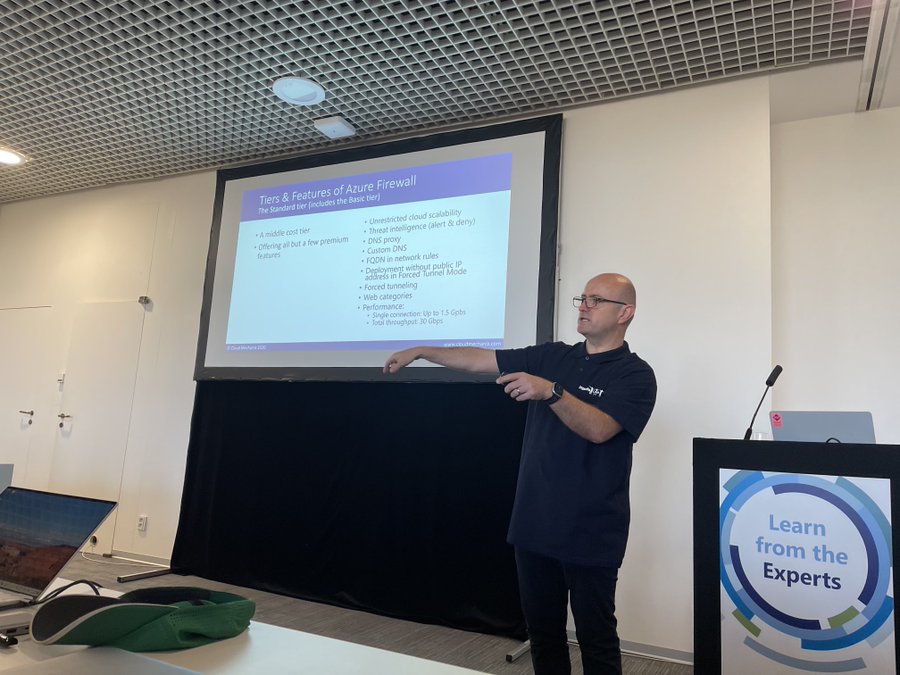
My session was called “Azure Firewall: The Legacy Firewall Killer“. In the session, I compare & contrast Azure Firewall with third-party NVAs, while teaching a little about Azure Firewall features and demonstrate a simple DevSecOps process using infrastructure-as-code.

Credit: Carsten Rachfahl, MVP

I had a full room which was pretty cool and there was lots of engagement after the session – throughout the day!

I attended sessions in all but one slot, catching the end of Carsten Rachfahl’s hybrid session, Didier Van Hoye’s session on QUIC, Damian Flynn’s Azure Policy session, and Eric Berg’s session on Azure networking native versus third-party options. All were excellent, as I expected.

It has been a long time since I’ve had the opportunity to attend technical sessions – the pandemic suspended in-person events for years, I can’t focus on digital events (for several reasons), and Microsoft Ignite is a marketing/vanity event now 🙁

Afterwards

The after-party featured some lovely snacks and drinks with some light-hearted entertainment. It was short – understandably – because many people were leaving straight away.

Entertainment for the evening was hosted for the speakers: we gathered at 19:00 and were taken on a riverboat tour where we had a few drinks and dinner while enjoying the city views in the warm autumn evening. It was quite enjoyable. And maybe, just maybe, many of the speakers continued on in various locations afterward!

Wrap Up

Experts Live is a very well-run event with lots of content spanning multiple expertise areas. I love that the sessions are technical – in fact, some of the speakers adjusted their content to suit the observed technical levels of the audience while at the event. In 2024, if you want to learn, then make sure you check out this conference and hopefully if I’m accepted, I’ll see you there!

Speaking Today At Global Azure Virtual (ONLINE)

I am presenting at 14:00 UK/Ireland, 3PM central Europe, 9am Eastern US in the Global Azure virtual/online Bootcamp. You can find the link to the session here on Day 3. Here is the session information that is missing from the event site:

Trust No-One Architecture For Services And Data

Security is always one of the top 3 fears of Cloud customers. In The Cloud, the customer is responsible for their network security design and operation. This session will walk you through the components of Azure network security, and how to architect a secure network for Azure virtual machines or platform services, including VNets, network security groups, routing tables, Private Link, VNet peering, web application gateway, DDoS protection, and firewall appliances.

Webinar – Getting More Performance From Azure VMs

I will be doing a webinar later today for the European SharePoint Office 365 & Azure Community (from the like-named conference). The webinar is at 14:00 UK/Irish, 15:00 CET, and 09:00 EST. Registration is here.

Title: Getting More Performance from Azure Virtual Machines

Speaker: Aidan Finn, MVP, Ireland

Date and Time: Wed, May 1, 2019 3:00 PM – 4:00 PM CEST

Webinar Description:  You’ve deployed your shiny new application in the cloud, and all that pride crashes down when developers and users start to complain that it’s slow. How do you fix it? In this session you’ll learn to understand what Azure virtual machines can offer, how to pick the right ones for the right job, and how to design for the best possible performance, including networking, storage, processor, and GPU.

Key benefits of attending:
– Understand virtual machine design
– Optimise storage performance
– Get more from Azure networking

Global ONLINE Azure Bootcamp

On one day every year, community members all across the planet get together at local events and host/attend sessions on Azure; this is the Global Azure Bootcamp. It’s been running on a Spring Saturday for years, and this year it is on April 27th.

Unfortunately, Microsoft Ireland wasn’t able to provide a venue so it looked like there would not be a local event in this part of Ireland. While I was at the recent MVP Summit, I threw out the idea of running an online version of the Global Azure Bootcamp … a Global Online Azure Bootcamp. The MVP Lead for UK& Ireland, Claire, loved the idea, ran off to the organisers of the global event, came back and said “do it!”.

So I did … I reached out to the speaker community and … was blown away by the response. So much so, that this will be a truly Global ONLINE Azure Bootcamp with content for all timezones:

  • We’re starting at 09:00 Perth/Bejing time
  • Finishing at 17:00 Seattle/Los Angeles time

The idea is that sessions will be pre-recorded and made available online on a scheduled basis on April 27th. That means anyone with Internet access anywhere on the planet can join this instance of the Global Azure Bootcamp – some of the presenters will actually be live-presenting elsewhere that day!

The content spans many tracks: dev, infrastructure, devops, data, AI, governance, security, and more. There really is something for everyone that is interested in Azure.

You can learn more here on the official event site.

This event has no sponsorship and it’s all be organized at the very last second. So here’s my ask:

Hopefully we’ll see (so to speak because we don’t have tracking) you there on the day!

Aidan.

Cloud Camp 2018 – It’s A Wrap!

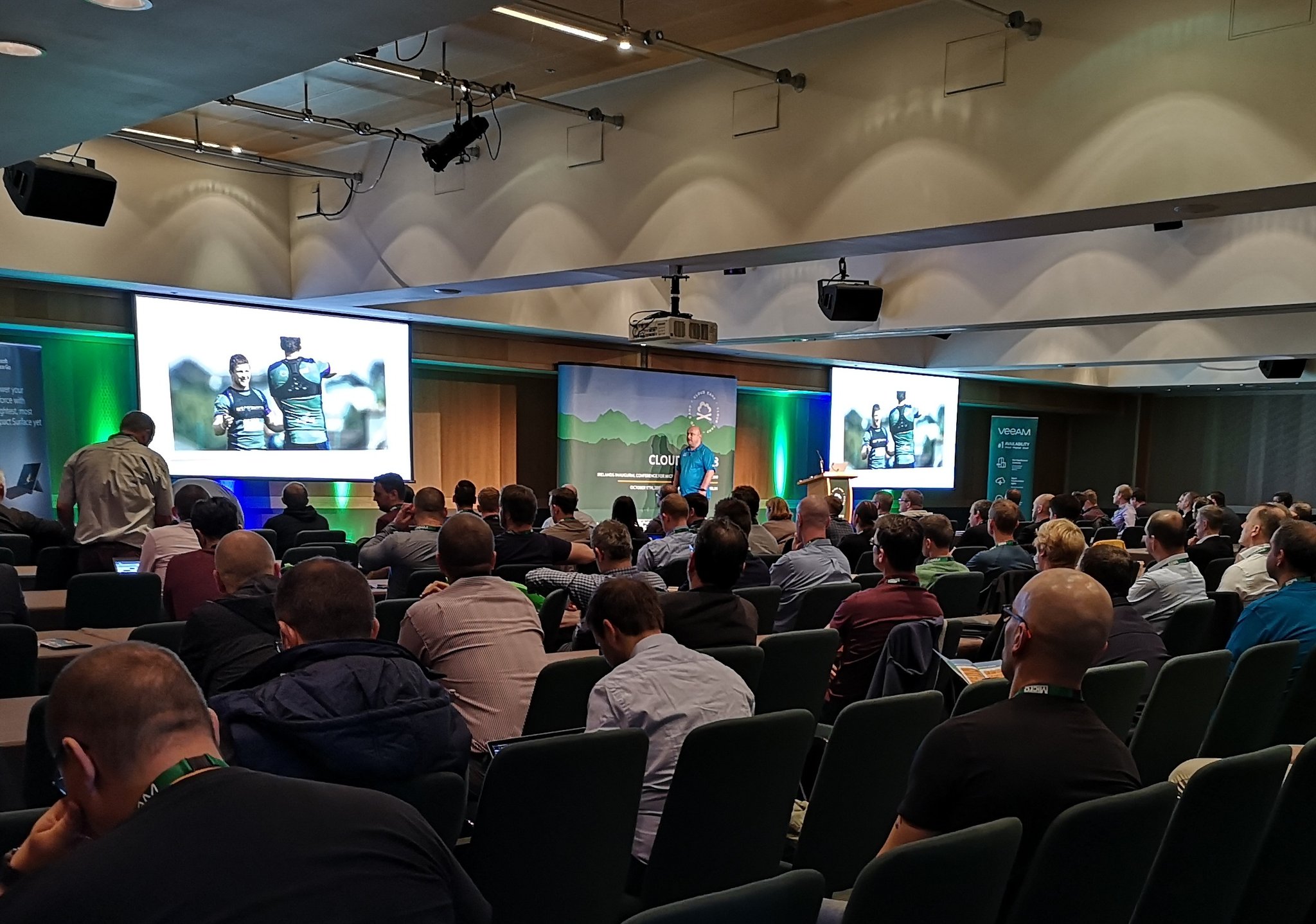
Yesterday, Cloud Camp 2018, run by MicroWarehouse and sponsored by Microsoft Surface and Veeam, ran in the Dublin Convention Centre here in Ireland. 4 tracks, 20 (mostly MVP) sessions, 2 keynotes, and hundreds of satisfied attendees. It was great fun – but we’re all a little tired today Smile

Photo by Gregor Reimling

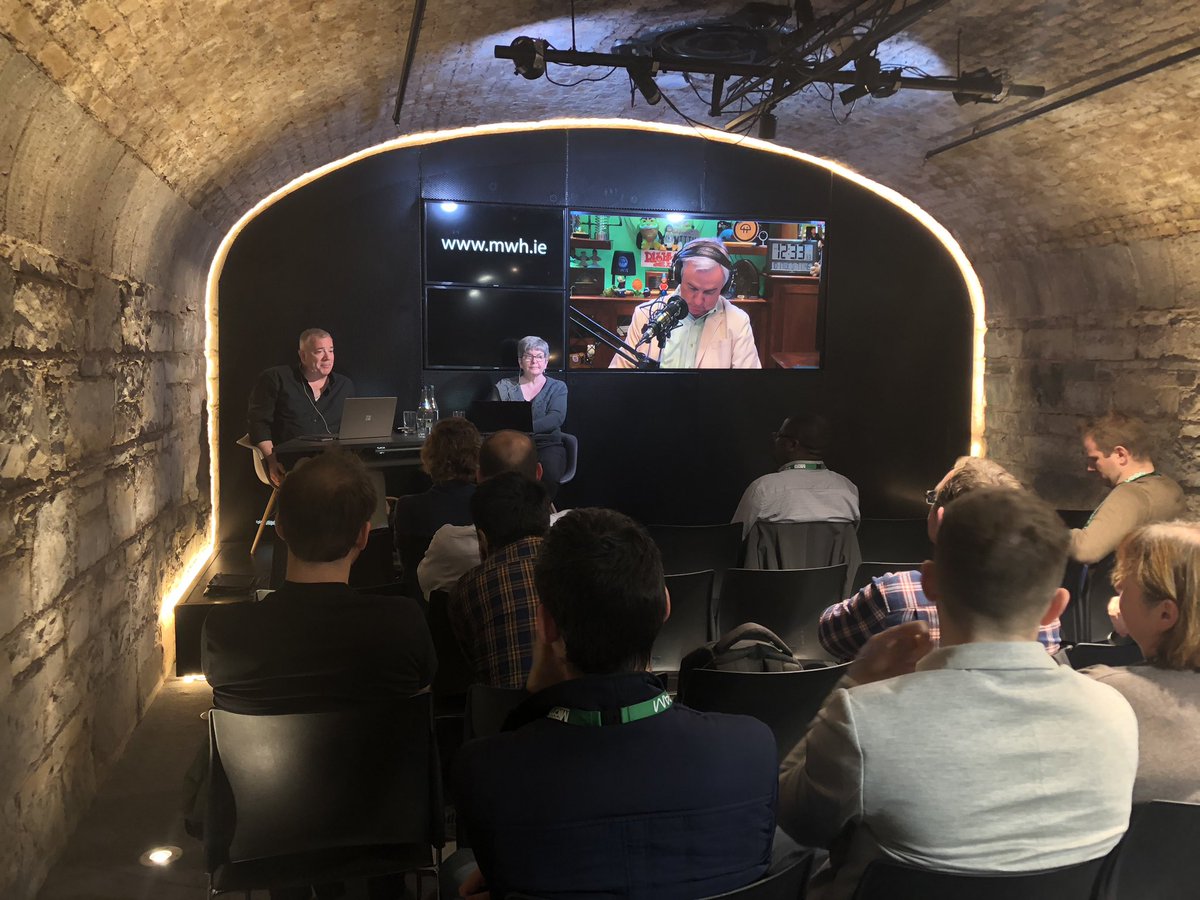
The message of the day was “change” and that was what I talked about in the opening keynote. In nature, change is inevitable. In IT, you cannot accept change, you’re pushed aside. Business pressure, security & compliance needs, and the speed of cloud make change happen faster than ever. And that’s why we had 20 expert-lead breakout sessions covering Azure IaaS, Azure PaaS, productivity, security, management & governance, Windows Server 2019 and hybrid cloud solutions. The conference ended with renowned Microsoft-watchers Mary Jo Foley and Paul Thurrott discussing what the corporation has been up to and their experiences in covering the Redmond giant.

We had a lot of fun yesterday. Everything ran quite smoothly – credit to John & Glenn in MWH and Hanover Communications.

After the conference, Paul & Mary Jo hosted their Windows Weekly podcast from Dogpatch Labs in the IFSC.

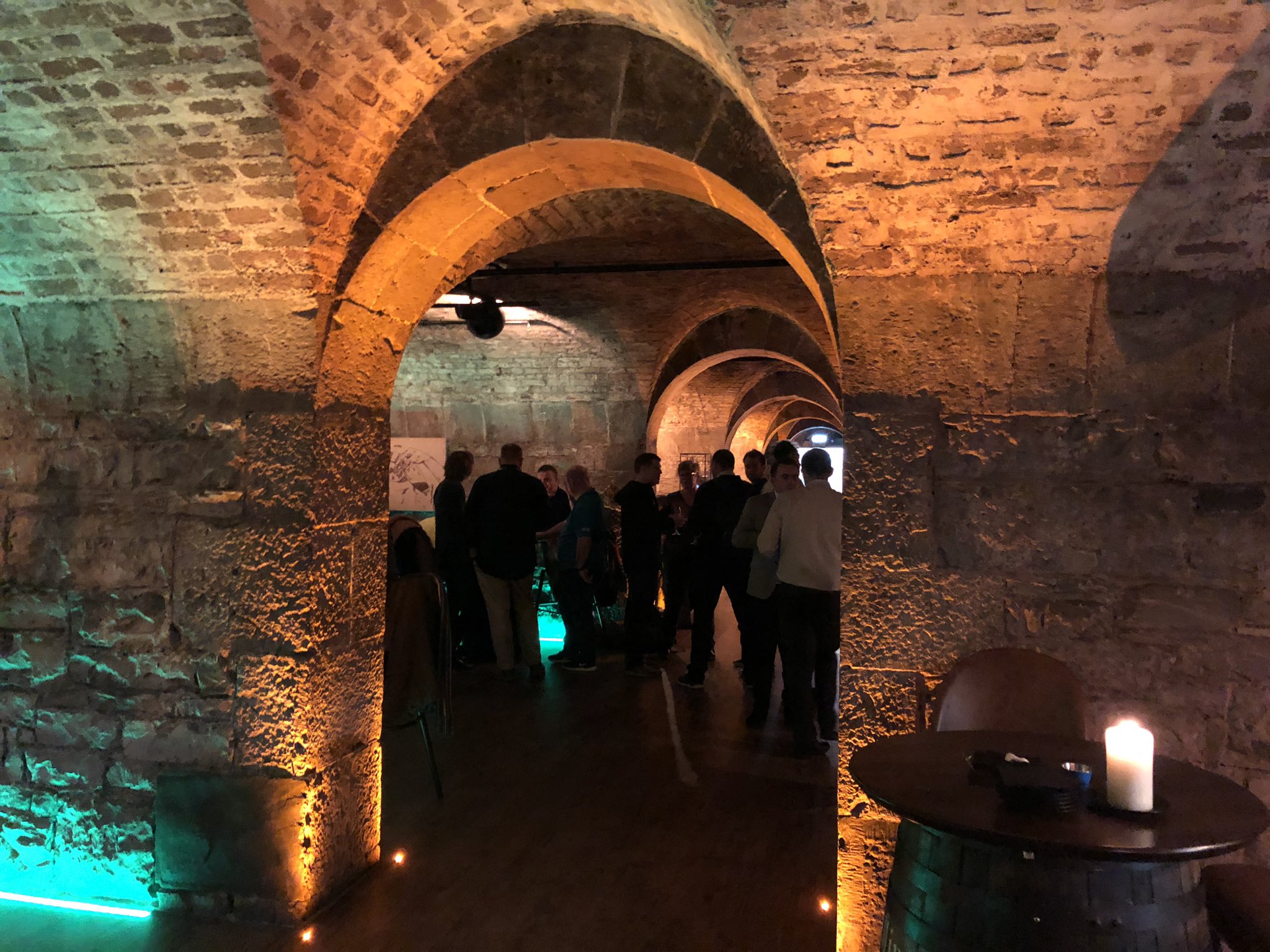
And then we had a small after party in Urban Brewing next door, where one or two beverages might have been consumed until the wee hours of the morning Smile

Picture by Gerald Versluis

Thank you to:

  • MicroWarehouse for running this event – Rory for OK-ing it and the team for promoting it.
  • John and Glenn who ran the logistics and made it so smooth
  • Hanover Communications for the PR work
  • All the breakout speakers who travelled from around Ireland/Europe to share their knowledge and experience
  • Kartik who travelled from India to share what Azure Backup are up to
  • Paul & Mary Jo for travelling from the USA to spend some time with us
  • Alex at TWiT for make sure things worked well with the podcast
  • Everyone who attended and made this event possible!

A Twitter competition with the #CloudCamp18 tag was run – a winner will be selected (after the dust settles) for a shiny new Surface Go. At one point the #CloudCamp18 tag was trending #3 for tweets in Dublin. Now I wonder what will happen with #CloudCamp19?

My Microsoft Ignite Strategy

Microsoft Ignite is running from Monday 24th until Friday 28th in Orlando, Florida, next week. Here’s how I plan to consume from this conference.

Why Am I Attending?

There are two answers to this question, depending on what you mean by the question.

Why would I care to consume content from Ignite? That’s simple – Ignite is a cornerstone event in the Microsoft calendar for techies. If you work with business software from Microsoft, then this is when the big stuff gets announced, and this is the best opportunity to learn from the product groups. Even as an MVP, I have a unique opportunity to interact and learn from product groups, but they focus a huge amount of effort on this particular week. The breadth of content is huge – over 1000 sessions covering almost every aspect of enterprise software from Microsoft. In this era of constant change, it’s foolish not to try to keep up. The real question should be – why would I not want to learn at Ignite?

As for the second interpretation of the question: why attend Ignite when every session will be live streamed and available to download within 48 hours? The realities of life are that if I’m around at the office, or even working from home, the phone will ring, the email will ping, and I won’t get a chance to focus on the content. I have a young family, and at night, they come first. Attending the conference gives me a chance to focus. It’s a few days away, but the value carries over for at least the next year, and beyond.

Note Taking

I always take lots of notes at Ignite – long-time readers of my blog know this because my notes are posts on this site. I open Live Writer and start typing as the speakers are talking. You’d be amazed how often I end up googling my own articles!

If you’re not a blogger, then I’d recommend opening OneNote and taking notes for each session. If work sent you, consider sharing the notebook with your colleagues. If you’re part of a team that is attending, then cerate a shared notebook, split up and attend different sessions – you’ll exponentially grow the organisational learning and value from the conference.

Sessions

I don’t get any real value from the opening keynote. It’s all too airy-fairy and marketing speak for the general news media. For me, the meat starts immediately after the opening keynote. For the last few years, there have been “breakout keynotes” straight after the Satya Nadella session. That’s when the likes of Jeff Woolsey (Windows Server) and Scott Guthrie (Azure) flood us with news and features. As with the last few years, I will be attending lots of Azure sessions. And if it’s like last year, almost every session will have additional announcements. There’s no “how to” learning here, it’s more of a “what’s possible” learning experience – I can figure out the “how to” at home once I know what to look for. To be honest, “how to” learning doesn’t work when there’s only 60-75 minutes and you cannot do hands-on.

I typically only attend the 75 minute breakout sessions. Scattered about the hallways and expo hall are the theatre sessions, which are where most of the non-Microsoft speakers are talking. These are typically 10 minute sessions. There’s some value here, but the nuggets are so small, and the timing doesn’t work for me – this is the sort of thing I can get from a blog post or a YouTube/Channel 9 video. But that’s not true for everyone – some of the theatre sessions had massive crowds last year – bigger than many of the breakouts.

Hands-On Labs

My calendar is filled out with breakout sessions, but I often change my planning based on my gut feel for what’s being presented. Sometimes a track is dull, sometimes the same speakers are doing the same content 3-4 times but with different session titles, sometimes I hear of something exciting that I didn’t expect, and sometimes I hear about a great session that filled out but is being repeated.

When I first attended TechEd Europe, one of the best learning experiences I had was in the hands-on labs (HOLs). This gives you a chance to try things out in a sandbox environment. I haven’t done this in years, but I could be tempted to try out some AI, data, or Kubernetes labs if there are any.

Social

I’ve got friends in this business that I only ever see at conferences. MVP Kevin Greene only lives 20-30 minutes from our house but I see him a handful of times per year – we have pretty full family/work lives. I enjoy meeting up with Kev, Damian Flynn, ex-MVP and now Azure CAT John McCabe, and a bunch of other MVP and Microsoft friends that I’ve met over the years, and even some folks that I know over social media. There’s plenty of opportunity to be social at Ignite. Tuesday is party night (watch out for invitations), but most evenings Microsoft has a “mini-party” in the expo hall – which is also a great place to learn. And of course, there’s the conference closing party on Thursday night in Universal – the Hogwarts ride is pretty cool, Spiderman is fun, and Hulk looks damned scary (it would make me puke but my eldest daughter did it 4 times in a row) – Rip Ride Rocket looks worse!

Say “Hi!”

I will be easy to identify. I’ll be wearing a Cloud Mechanix T-Shirt.

DmwPKudXsAIVN2B

Be sure to say “hi”; I don’t bite … often Open-mouthed smile

Lots of Conference Stuff Coming Up

A busy few months are coming up. Work on Azure, etc, with MicroWarehouse continues to be extremely busy, Cloud Mechanix continues, and that’s all before some speaking that I’m doing.

Evolve, National Conference Center Birmingham, UK – September 10

I’ll be presenting my “Azure PaaS for the Server Engineer” session at this community event. PaaS can be scary for server people – imagine a world with no servers! Not so quick! It turns out that this stuff isn’t so alien and our role is increasing, not shrinking in the dev side of Azure. Join me to learn more.

IP Expo Europe 2018, EXCEL London, UK – October 3-4

At this conference, I will be representing Altaro. The session I’m doing is a new one called “Solving the Azure Storage Maze”. Azure storage offers a confusing variety of storage options, and figuring out up from down can be mind boggling. My plan is to make this easy for people, boiling it down to a few simple questions/choices.

European SharePoint, Office 365, Azure Conference Copenhagen, Denmark – November 26-29

This event is pretty big, but historically it’s been a SharePoint thing so those outside of that community don’t know of it. I’ll be talking about getting more performance from your Azure VMs, including planning, implementation, and management.

Microsoft Ignite 2018, Orlando, USA – Sept 24-28

I registered to attend Ignite yesterday. I did not apply for any speaking positions. Speaking at Ignite is a buzz, but I do lots of speaking. The obligations of that are required of speakers in the expo hall are too much for my liking. I’d rather be a normal attendee that makes the most of the Monday-Thursday content. This year, I will be doing lots of Azure, but I’ll also be trying to catch up on Windows Server. Ideally, I’d have a time turner at this conference, but no one has invented that yet.

Cloud Camp 2018, Convention Centre Dublin, Ireland – Oct 17

I’m one of the organisers behind this event, sponsored by MicroWarehouse, that will feature expert community speakers (mostly MVPs) from around Europe. An opening keynote will set the scene for 20 breakout sessions across 4 cloud, productivity & security, and Windows Server 2019 & hybrid tracks. And then a closing keynote with Mary Jo Foley and Paul Thurrott will wrap things up. It’s going to be quite the show!

Call For Speakers – Cloud Camp, October 17th

My employers, MicroWarehouse, are running a community event in the Dublin Convention Centre on October 17th. Cloud Camp is a tech event, with four tracks covering:

  • Azure Infrastructure: Virtual machines, storage, networking, etc
  • Azure Platform: Web Apps, Containers, etc
  • Productivity & Security: Office 365, EMS, etc
  • Windows Server 2019 & Hybrid: Windows Admin Center, virtualization, clustering, storage, networking, private cloud, etc

UPDATE: We have enough submissions on Office, Intune, and M365 overviews. We need more on Azure IaaS and Azure PaaS. But we really want sessions on Windows Admin Center, Windows Server 2019, and data protection using Azure Information Protection & Client App Security.

9563009141_9152529403_z

Samuel Beckett bridge and Dublin Convention Center – Daniel Dudek, https://www.flickr.com/photos/dansapples/9563009141

We’re looking for speakers from around Europe to fill the slots. Expenses are being covered:

  • Flights
  • 2 nights accommodation – the nights before and after the event
  • Tickets to the event

If you’re interested in speaking then please submit your bio and session proposal(s) here.

Q&A Webinar with Ben Armstrong (Microsoft/Hyper-V)

Altaro are hosting an “AMA” webinar where you will get the chance to ask your burning questions to Ben Armstrong (previously known as The Virtual PC Guy), Principal Program Manager at Microsoft, and one of the brains behind Hyper-V … and thus the platform of Azure!

if you’ve ever wondered where some of my uber-detailed posts on odd little hyper-V details came from … it was from Ben. He’s got tonnes of stories, lots of info, and this shouldn’t be missed if you have the chance to tune in.