Sample Chapter: Mastering Windows 7 Deployment

Last year was pretty busy.  Not only did I write Mastering Hyper-V Deployment (with MVP Patrick Lownds helping), but that project was sandwiched by me writing a number of chapters for Mastering Windows 7 Deployment.  That Windows 7 book is due out somethime this month.

If you browse onto the Sybex website you can get a sneak peak into what the book is like.  There is a sample exceprt from the book, along with the TOC.

The book aims to cover all the essential steps in a Windows 7 deployment … from the assessment, solving application compatibility issues, understanding WAIK (and digging deeper), learnign about WDS for the first time (and digging deeper), more of that on MDT, and even doing zero touch deployments using Configuration Manager 2007.  A good team of people contributed on the book from all over the place … and the tech reviewers were some of the biggest names around (I wet myself with fear when I saw who they were).

Give it a look, and don’t be shy of placing an order if you like what you see 🙂

Community Event: From The Desktop to the Cloud: Let’s Manage, Monitor and Deploy

We’ve just announced the details of the latest user group event in Dublin … it’s a biggie!  I’ll be presenting two of the deployment sessions, on MAP and MDT.

Join us at the Guinness Store House on February 24th at 09:00 for a full day of action packed sessions covering everything from the desktop to The Cloud, and maybe even a pint of Guinness afterwards.

We have our a fantastic range of speakers ranging from MVPs to Microsoft Staff and leading industry specialists to deliver our sessions ensuring a truly unique experience.  During this day, you will have the choice of attending sessions of your choice, covering topics such as Windows 7/Office 2010 deployment, management using System Center, and cloud computing for the IT pro (no developer content – we promise!).

We have our a fantastic range of speakers ranging from MVPs to Microsoft staff and leading industry specialists to deliver our sessions ensuring a truly unique experience. During this day, you will have the choice of attending sessions of your choice, covering topics such as Windows 7/Office 2010 deployment, management using System Center, and cloud computing for the IT pro (no developer content – we promise!).

We promised bigger and better and we meant it.  This session will feature 3 tracks, each with four sessions.  The tracks are:

  1. The Cloud: Managed by Microsoft Ireland
  2. Windows 7/Office 2010 Deployment: Managed by the Windows User Group
  3. Systems Management: Managed by the System Center User Group

You can learn more about the event, tracks, sessions, and speaker on the Windows User Group site.

You can register here.  Please only register if you seriously intend to go; Spaces are limited and we want to make sure as many can attend as possible.

The Twitter tag for the event is #ugfeb24.

74% Of Workers Plug Personal Devices Into Work Network

I’ve just read a story on techcentral.ie that discusses a Virgin Media (UK-based ISP) report.  It says that 74% of company employees are bringing personal devices into work and plugging them into the company network.  This is the sort of thing I was talking about in my previous millenials post.  It’s also the sort of thing that has impacted decision making by corporates: personal preferences for a better appliance or utility can improve the working experience, and the corporate decision making process.  We have to decide how we respond?

Do we try to block everything?  We can try.  Group Policy and utilities like DeviceLock can lock down what is plugged into PCs.  Network Access Protection (Windows)/Network Access Control (Cisco) can control what is allowed to connect to the network.  I’ve taken the device lock approach before.  But a valid business case always overrules global policy, and you might be surprised how many people come up with “valid” business cases.  Soon the policy resembles swiss cheese, only affecting the minority of users.  The result is that IT is disliked – it’s a blocking force once again.

The user-centric approach that we’re seeing with private cloud, App-V, and System Configuration Manager 2012 is an example of how we need to think.  My millenials post also suggests a way forward.  Maybe we need to allow personal appliances, but use those policy tools like Network Access Control to place the appliances into networks that are not central, kind of like the guest network that is often used.  Or maybe we need to change how we think about the PC altogether and treat the entire PC network as a guest network. 

The latter approach might work very well with the user-centric approach.  If end users are using their own PCs, tablets, and phones, then we cannot apply corporate policy to them.  Maybe we just provide user-centric self-service mechanisms and let them help themselves.  Or maybe things like VDI and/or RemoteApp are the way forward for LOB client delivery.  If everythign was cloud (public/provate) and web-client based then application delivery would be irrelevant.  Maybe it’s a little bit from column A and a little from column B?

It’s a big topic and would require a complete shift in thinking … and a complete re-deployment of the client network, including LOB application interfaces.

Office 2010 Deployment Guide

Microsoft released this guide for deploying Office 2010 a little while ago.

“This book provides information about how to plan a deployment Microsoft Office 2010, including how to plan for virtualization and Remote Desktop Services”.

Some other documents were also released:

Technorati Tags: ,

P2V Migration for Software Assurance

This new solution is available for download now.

Microsoft P2V Migration for Software Assurance automates the delivery of an updated and personalized Windows 7 operating system while backing up and converting the legacy Windows XP or newer desktop and its applications for seamless use within Windows 7.

Microsoft P2V Migration for Software Assurance uses the Microsoft Deployment Toolkit (MDT) and Sysinternals Disk2vhd to convert a user’s existing Windows XP or later client environment to a virtual hard disk (VHD), then automates the delivery of an updated and personalized Windows 7 operating system containing a virtual machine (VM) with the user’s previous Windows environment, applications, and Web browser. The user’s previous virtual desktop retains its existing management components, domain membership, and policies. The process also publishes applications and the browser so that the user can access them seamlessly within the Windows 7 Start menu.

Technorati Tags: ,,

System Center Configuration Manager 2007 R3 RTM

Microsoft announced last night that ConfigMgr (SCCM) 2007 R3 had RTM’d.  R3, like R2 before it, is not a service pack.  It is a new release level that requires new licensing (covered by software assurance).  The deployment will require an update, described in KB977384.  This hotfix is required for the following computers that are running System Center Configuration Manager 2007 Service Pack 2 (SP2):

  • Primary and secondary site servers
  • Remote administrator console servers
  • Remote provider servers
  • Client computers

ConfigMgr 2007 R3 can be referred to as the power management release.  Steve Rachui of Microsoft goes into some depth on this in a blog post.  Long story short: You can audit and report on power utilisation and costs in your organisation.  You can identify waste using these reports.  Using collections, you can apply a power policy to Windows computers.  Then you can compare your earlier reports with new reports to see how and what you have saved.

As Steve notes, there are some other changes:

  • Delta AD Discovery: Changes are picked up instead of doing a full discovery.
  • Dynamic Collection Updating: One of the time consumers in new deployments is the time required for collection membership update intervals.  This new interval type is used in a few key scenarios where time is critical.  MS is recommending sparse usage.
  • Pre-Staged Media: This is aimed at organisations who offload OS deployment to the OEM.  Media can be created from your OSD and sent out to the likes of Dell who build your PCs OS in their factory.
  • Scalability: Up to 300,000 clients are supported in a hierarchy. 

Doing a Windows 7 Assessment in the Real World

Last night I talked about how I needed to use ConfigMgr to help with my MAP assessment.  Today, I had to drop MAP.

I have to be realistic with this project.  The site has a mix of PCs.  Some are old and some are new.  There are 32-bit and 64-bit processors.  Some users require 4 GB RAM or more (and thus 64 bit processors).  And as with everyone, money cannot just be thrown at a problem.  In this project, PCs with what we see as inferior processors will be recycled (or donated) after being securely wiped.  New PCs will be purchased, prepared, and given to power users.  Their old PCs will be reconditioned and re-used.  PCs with not enough RAM or disk will be upgraded where possible.  64-bit operating systems will be used where possible but it is likely that most will be 32-bit (unless more than 3 GB RAM is required).

And this is where MAP fails:

  • It doesn’t tell me what size a disk is, only that it has a certain amount of free space.
  • It doesn’t give me information about 64-bit processor functionality.
  • It doesn’t give me hardware model information so that I can check if I can put more than 2 GB RAM into the chassis.

I also had another problem with MAP.  Remember that this is a site where there are lots of old machines with old builds.  Remote access of WMI (even with all the permissions and policies configured) doesn’t seem to work.  Plus people are in and out with laptops so I have to time my scan perfectly.

So I went back to ConfigMgr and its reports.  The benefit is that an installed agent will do the hardware inventory and report back to the ConfigMgr server.  No remote WMI required.  This makes it more reliable.  I also get a scan when the agent is installed.  And I’ve done that 3 ways:

  1. ConfigMgr push.
  2. Start-up script.
  3. Sneaker-net: This is a crusty network and I noticed that the agent push was not as successful as it should have been.

There are some basic reports for Vista and Windows 7 assessments.  I stress basic.  The same problems exist here.  But the reports gave me a template that I could work with.  I started off by creating a report that queries for the number of each of the different models of computer on the network.  That gives me the information I need to check hardware maximum capacities.  I then created a collection that contains all agent managed desktops and laptops.  I took the Windows 7 assessment report, cloned it, and rewrote the SQL query for the report.  I then ran that report against my new managed client computer collection.  It gives me the following for each computer:

  • Computer name
  • Computer model
  • CPU model, speed, and 64-bit support
  • Physical memory
  • Physical disk size

I’ve enough information there to plan everything I need.  I can dump it into Excel and work away to create my reports.  I can price hardware component upgrades and computer replacements.  I can plan the OS deployment.  It would have been nice to do this with MAP but unfortunately the basic nature of the reports and the lack of an agent (for circumstances such as those that I’ve encountered on this project) did not help.

ConfigMgr continues to rock!  Plus I was able to show it off to some of the folks at the site.
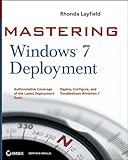
Newest Book: Mastering Windows 7 Deployment

No sooner than Mastering Hyper-V Deployment is done, I’m working on Mastering Windows 7 Deployment.  I’m contributing 6 chapters to this one and I’m half way through writing the draft editions.  This book is providing all the steps and all the methods to do a Windows 7 deployment project using the MS product set.  I don’t know what the schedule is at the moment.  I’d suspect early next year will be the RTM.


Springboard Learning Portal

Doing a Windows 7 deployment project?  Heck, are you doing a Windows Server 2008 R2 build project (the deployment and imaging solutions are the same)?  Get yourself over to the Microsoft Springboard site where you can learn all about the deployment technologies and solutions.  Springboard has added a new site: the Springboard Learning Portal:

springboardlearningportal

Quoting Stephen L. Rose: “The Springboard Windows 7 Learning Deployment Portal is designed to guide IT Pro’s deployment education by:

  • Enabling individuals to measure their proficiency and knowledge against key benchmarks
  • Identifying specific skills gaps or areas of weakness to address
  • Create personalized learning plans through direction to resources based on the areas and scope of knowledge gaps
  • Provide informal knowledge checks through learning and re-assess areas initially identified as knowledge gaps
  • Recognizing critical Windows 7 deployment skills and helping to build IT Pro confidence to deploy Windows 7

The Deployment Learning Portal content and methodology helps to bridge the gap between Springboard’s online managed experience content and formal training”.