BitLocker & My Personal Laptop

My personal laptop contains some stuff that I don’t want to lose control of, including the original Word documents for a few books.  As such,I take precautions to protect that content.

My laptop runs Windows 7 Ultimate Edition.  That includes a feature called BitLocker which can encrypt an entire disk.  With a TPM 1.2 chip enabled in the BIOS, I enabled that, saving the recovery key to a USB stick.  I want to keep that key safe – just in case.  So I moved it from the USB stick to a folder on my laptop.  That folder is replicated to my other machines using Live Mesh.  That means I can access the recovery key for the laptop from anywhere using my Live ID.

My data is secure, and I can recover the laptop if something should go awry.

Technorati Tags: ,

Nice Feedback is Soup for the Soul

I think I’ve mentioned before that writing a book is hard work.  To be honest, when you’re going through the 3rd and 4th edit, you sometimes start to wonder if it’s all worth it or not. 

But then when you get positive feedback, sometimes by email or by Twitter, it can perk you up quite a bit.  Here’s a little sample of that for Mastering Hyper-V Deployment:

“… thank you for your awesome Hyper-V blog- it has really helped me get moving on Hyper-V. I purchased your book, Mastering Hyper-V Deployment earlier this week and found that to be even more valuable” – Paul

“… read it for the book review and I must say it is great” – Carsten

“…Great book” – Michael

“Handing out 16 copies of Aidan Finn’s Mastering Hyper-V Deployment book http://amzn.to/aKCQXj to the students of my #hyperv course” – @hvredevoort

Then there is the feedback on Amazon where Mastering Hyper-V Deployment is averaging 5 stars:

“Just got the book and reading half way through. A well written book with a lot of good explanation and diagram to assist user to understand the hyper v deployment. Keep up the good work” – Lai Yoong Seng

“The book has proven to be a big timesaver because it (1) cuts through the bureaucracy of the Microsoft-provided documentation and the hours researching product information on the web and (2) it covers details that will help me avoid problems later.  This is one of the few network admin books I have read cover-to-cover.” – S. Tsukuda

I found this book to be a very easy read and overall it had a great flow. Being an IT professional, I have read a lot of technical books and most are tough to read cover to cover. I had no issues reading through Mastering Hyper-V Deployment because Aidan’s style of writing is natural and he writes at a technical level that can translated by anyone, not just a Hyper-V expert. I highly recommend purchasing this book if you are planning to deploy Hyper-V R2 or have already done so.” – A. Bolt

“Best of all, you’ll get almost all the answers to the questions you’ve been thinking about. It’s all about details, but it’s always easy to get into it. You’ve been asking to yourself whether you should use snapshot on a VM running SQL ? the answers found from different sources on internet may be confusing you. In this book you’ll learn why not to use it or when you should use it and how to avoid any problem doing it among many other details to be aware of.” – Thomas Lally

“Appropriate for all Hyper-V users from the beginner to the expert, it goes beyond deployment and is definitely the administrator’s aid and if using guidance here your Hyper-V solution should remain in good shape.” – Virtualfat

“This is an excellent introduction to Hyper-V which is Microsoft’s Enterprise Software Solution. I particularly like the way the book is laid out, it is similar to a project plan to assist you if you were deploying your own Hyper-V project.  There is lots of very good information contained and this book is an asset to anyone who is planning a Hyper-V Deployment.” – Mr. J. Kane

One of the more interesting comments have been reported to me (from two independent sources) was from the Microsoft European HQ in Reading, UK.  Some of the Microsoft consultants there have stated that they thought Mastering Hyper-V Deployment was the best Hyper-V book they’ve read, including those from MS Press.  It would be an understatement to say that put a smile on my face!

Credit for the quality of Mastering Hyper-V Deployment must also be shared with the editors from Sybex, Hans Vredevoort (technical editor), and Patrick Lownds (co-author).

Last year was tough.  I was getting pretty tired of the editing process as we circled the end of Mastering Windows 7 Deployment.  I pushed through and eventually it was released a few weeks ago.  Today I got this nice message on Twitter from @miamizues

“Your co authored book on windows 7 deployment is our departments new bible, thank you”.

I was just a part of a big team of people who wrote, edited, and reviewed that book, but that was especially nice to hear.

Thank you to those concerned for taking the time to pass on or share the nice words.

And there are also plenty of online and in-person friends/colleagues who’ve said some nice things and supported me.  You know who you are and thank you!
0xC0000034 with SP1 on OEM Windows 7 Installations

This morning I read about a crash issue with Service Pack 1 for Windows 7 on machines that came with the preinstalled OEM copy of Windows 7.  Nick Whittome posted a description and various workarounds on his Facebook page.

EDIT: there were some issues with the Facebook link so you can go to a post on TechNet instead.

Technorati Tags: ,

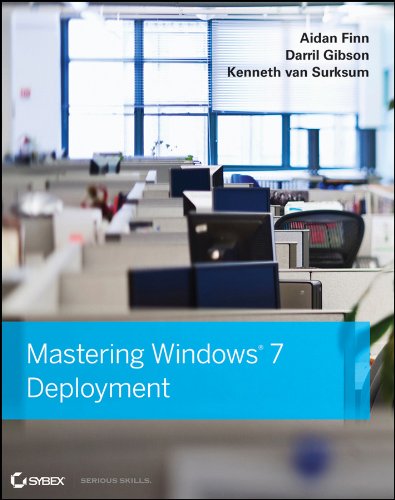
Mastering Windows 7 Deployment is Published

I’ve just recived an email from Sybex to say that the third book that I’ve been involved with, Mastering Windows 7 Deployment, has just started shipping from their warehouse(s).  Right now, Amazon.com is still on preorder but that will likely change in the coming hours or days.  The Wiley (Sybex is part of the Wiley group) site is live right now.

Who contributed?  Me, Darril Gibson (trainer/consultant, also of Mastering Windows Server), Kenneth van Surksum (Dutch MVP and well known blogger), Rhonda Layfield (deployment MVP, author, speaker, trainer), not to mention deployment MVPs/gurus Johan Arwidmark and Mikael Nystrom.  It was quite a cast to work with!  Big thanks to anyone I worked with on the project, especially those in Sybex who worked on the project.

The book takes a very practical look at how to do a Windows 7 deployment project.  It starts out by doing the assessment using MAP.  From there, issues with application compatibility are dealt with.  You learn about WAIK, using WDS, MDT, user state transfer, and even how to do zero touch installations using System Center Configuration Manager 2007 (including R2/R3).  I’d buy it if I wasn’t one of the contributors 🙂

WAIK for Windows 7 SP1 is Released

Microsoft has released WAIK for Windows 7 SP1.  This new release supports:

  • Windows 7 Service Pack 1
  • Windows Server 2008 R2 SP1
  • Windows Server 2003 with Service Pack 2
  • Windows Vista SP1
  • Windows Server 2008 family
  • Windows 7 family
  • Windows Server 2008 R2 family

“The Windows® Automated Installation Kit (Windows AIK) is a set of tools and documentation that support the configuration and deployment of Windows operating systems. By using Windows AIK, you can automate Windows installations, capture Windows images with ImageX, configure and modify images using Deployment Imaging Servicing and Management (DISM), create Windows PE images, and migrate user profiles and data with the User State Migration Tool (USMT). Windows AIK also includes the Volume Activation Management Tool (VAMT), which enables IT professionals to automate and centrally manage the volume activation process using a Multiple Activation Key (MAK)”.

Sample Chapter: Mastering Windows 7 Deployment

Last year was pretty busy.  Not only did I write Mastering Hyper-V Deployment (with MVP Patrick Lownds helping), but that project was sandwiched by me writing a number of chapters for Mastering Windows 7 Deployment.  That Windows 7 book is due out somethime this month.

If you browse onto the Sybex website you can get a sneak peak into what the book is like.  There is a sample exceprt from the book, along with the TOC.

The book aims to cover all the essential steps in a Windows 7 deployment … from the assessment, solving application compatibility issues, understanding WAIK (and digging deeper), learnign about WDS for the first time (and digging deeper), more of that on MDT, and even doing zero touch deployments using Configuration Manager 2007.  A good team of people contributed on the book from all over the place … and the tech reviewers were some of the biggest names around (I wet myself with fear when I saw who they were).

Give it a look, and don’t be shy of placing an order if you like what you see 🙂

SP1 is Available Now

Service Pack 1 for Windows 7 and Windows Server 2008 R2 is available to volume license customers and MSDN/TechNet subscribers.  There’s not much more to say at the moment.  I’ve blogged it all before.

I’ll be coming back to Dynamic Memory when I get a chance.  I’m pretty tired right now after a day of assembling servers, and I’ve got 2 presentations to prepare for next week – a side benefit of that will be a lab where I can grab screenshots for a nice long blog post.

Reminder: Service Pack 1 for Windows 7 and Windows Server 2008 R2

This is a quick reminder that the release-to-web of SP1 for Win7 and W2008 R2 will be tomorrow for anyone on a volume licensing deal, or MSDN/TechNet.  I think most people won’t be in a mad rush to deploy it, but those of us doing Hyper-V virtualisation will be very keen to get our hands on it.  As blogged previously there are a few changes under the covers that’ll impact non-Hyper-V folks but most of them won’t notice any difference other than a build number.

I’d expect the download to appear at around midday Redmond time which is 20:00 GMT or 21:00 CET, or in the following hour.  That seems to be when most big releases happen.

Windows Server 2008 R2 Service Pack 1 “RTM”

The news has broken that Windows Server 2008 R2 and Windows 7 SP1 has been “released to manufacturing”.  In other words, development and testing have been completed.  TechNet/MSDN customers get access to the download on Feb 16th.  It will go GA on Feb 22nd.

Last year I listed the then-included features of the service pack.  The big two are RemoteFX (HD graphics via RDP for Remote Desktop Services Session Hosts and Hyper-V VDI) and, of course, Dynamic Memory for Hyper-V (memory allocated to VMs as required).

Those who are using VMM should know that the changes affect VMM as well.  VMM 2008 R2 RTM will not be aware of the RemoteFX or Dynamic Memory features.  There is a Service Pack 1 on the way (it’s an RC release now) to add support.  Normally, an update for VMM will follow an associated Hyper-V update 90 days.  But the VMM team has shared that you can expect to see Virtual Machine Manager 2008 R2 SP1 within 30 days of W2008 R2 SP1.

I’ve set up a cluster with both service packs.  You need to know that the VMM PRO management packs for OpsMgr also need to be updated in OpsMgr.  You can find them in the VMM SP1 media.  They will require updated dependencies.

You may have noticed that my Hyper-V blogging was a little quiet as of late; that’s because we didn’t have much new stuff to talk about.  I plan to get going again in the near future with these new features arriving on our doorsteps soon.

Community Event: From The Desktop to the Cloud: Let’s Manage, Monitor and Deploy

We’ve just announced the details of the latest user group event in Dublin … it’s a biggie!  I’ll be presenting two of the deployment sessions, on MAP and MDT.

Join us at the Guinness Store House on February 24th at 09:00 for a full day of action packed sessions covering everything from the desktop to The Cloud, and maybe even a pint of Guinness afterwards.

We have our a fantastic range of speakers ranging from MVPs to Microsoft Staff and leading industry specialists to deliver our sessions ensuring a truly unique experience.  During this day, you will have the choice of attending sessions of your choice, covering topics such as Windows 7/Office 2010 deployment, management using System Center, and cloud computing for the IT pro (no developer content – we promise!).

We have our a fantastic range of speakers ranging from MVPs to Microsoft staff and leading industry specialists to deliver our sessions ensuring a truly unique experience. During this day, you will have the choice of attending sessions of your choice, covering topics such as Windows 7/Office 2010 deployment, management using System Center, and cloud computing for the IT pro (no developer content – we promise!).

We promised bigger and better and we meant it.  This session will feature 3 tracks, each with four sessions.  The tracks are:

  1. The Cloud: Managed by Microsoft Ireland
  2. Windows 7/Office 2010 Deployment: Managed by the Windows User Group
  3. Systems Management: Managed by the System Center User Group

You can learn more about the event, tracks, sessions, and speaker on the Windows User Group site.

You can register here.  Please only register if you seriously intend to go; Spaces are limited and we want to make sure as many can attend as possible.

The Twitter tag for the event is #ugfeb24.