Some Holiday Present Ideas

Here are some ideas for Christmas presents you can give for your techie partner, kids, or yourself Smile

Lego Technic Unimog

We techies tend to enjoy figuring out how things work.  Much of my childhood was spent playing with Technic Lego.  Strangely, many of my hours last Christmas were also spent building this thing!

It’s a massive Unimog truck, with working steering, suspension, and differential. Even the engine block has moving parts. And the pneumatic crane is driven using pistons which are driven by a battery powered motor.  If you want you can add another motor (not supplied) into the cabin to drive the thing. So whether you live in a rain soaked country and have time to burn, or you have kids who love this kind of thing, this is a cool one.

Samsung ATIV Smart PC 500T

The Microsoft Surface RT might get the hype, but this machine (that I bought) is a real work & play machine.  On it you can play all those Microsoft Store games and install those apps.  But you also can install VLC, Visio, Office including Outlook, video codecs, browser plugins, Silverlight, and manage your servers using RSAT.

The keyboard is functional on your lap when you’re at a conference trying to take notes.  And as I found a couple of days ago, the stylus (which hides nicely in its dock) is great with OneNote for handwriting your notes.  The keyboard (optional) also adds battery life to the device … up to 14 hours, or 10 hours video play time.

I’m loving my device.  When I bring it to work it’s docked and a keyboard/mouse device.  At home on the couch, it’s a touch device.  And I’m looking forward to using it to travel to the MVP summit and having enough battery to get to Seattle without hunting for a power point to top up the battery every time I move in the transfer airport.

To Broaden The Mind!

Maybe you’re the reading kind of person and you want to prep yourself for the new year of work!

Microsoft Private Cloud Computing is out and will teach you how to configure the fabrics and manage the compute cluster of a Microsoft private cloud using System Center 2012 Virtual Machine Manager (VMM).  The reviews on Amazon and on blogs have been excellent so I’ll let them convince you Smile

Or you could pre-order Windows Server 2012 Hyper-V Installation and Configuration Guide which you can expect to arrive in February or March.  The amount of information and level of detail is huge – there’s no System Center in this book, and chapters that were planned to be 40 pages are turning out to be 80 pages more often than not.

SanDisk Ultra 64 GB MicroSD With SD Adapter

Got one of the 32 GB Surface RTs and upset you only have 14 GB of free space?  Or maybe you have one of the Intel based devices like me, and want to synchronize SkyDrive onto the device?  Then you want to take advantage of expandable storage.  Most tablets are taking a MicroSD card (check your spec for type and maximum supported capacity).

image

I’ve ordered this 64 GB MicroSD that comes with an SD adapter.  That means that I can use the MicroSD card in my tablet and pop it into the adapter to use it in my ultrabook.  Maybe I can even use it in my DSLR if I’m caught without additional card capacity.  I don’t have mine yet; it’s in the post.  SanDisk is one of the reliable companies in this space (and before I get someone posting a ratty comment, even good manufacturers have the occasional glitch).

For Entertainment

Maybe you want to have a read and get your mind off of work (sort of) for a while.  I’ll wrap up with some techno thrillers for you that I’ve read this year.

Trojan Horse is the second novel by Microsoft’s Mark Russinovich of SysInternals fame.  It features the same central characters as the first novel.  It was written several years ago and, scarily, predicts hoy cyber-espionage would evolve before security services were (in the real world) able to defend against it.  This book is much better than the first book, which had a rather dull ending.  I read it pretty quickly which is usually a good sign.

Kill Decision is the third book (that I know of) by Daniel Suarez, a former tech consultant.  Suarez is considered by many to be the ultimate tech thriller author, taking technology that is real, pushing it just a tiny bit, and creating a world that you can believe, instead of the “the-big-red-button-makes-it-magically-go” type of thing that drives me nuts.  This novel is not the third in the Daemon/Freedom series; it’s a whole new story line based on things like the predator drones that we hear of being used by the USA in the Middle East.  It’s a good novel, maybe not as addictive as the Daemon series, but still a good read.

The last suggestion is in the political/fantasy realm: A Song Of Fire And Ice, which you may know as A Game Of Thrones on TV (by HBO).  AGOT was the first novel of 5 that have been released so far.  You can get the first four in a boxset.  I read them all back-to-back, followed by A Dance Of Dragons.  The TV show is good, but it’s nothing compared to the books.  There so much more story, detail, plotting, deceit, and so forth, in the books that a TV show could ever offer.  The TV show does succeed at condensing it all and presenting a visualization, but the books are fantastic.  Let me get this straight: the only other fantast books I’ve read were The Hobbit and Lord Of The Rings … which I hated because it took Tolkein 10 pages to say something that should be said in 1 paragraph.

So there’s my tips.  Do with ‘em what you want Smile
The Great Big Hyper-V Survey of 2012 Is Extended

As you might have read on Hyper-V.nu yesterday, we (myself, Hans Vredevoort, and Damian Flynn) have decided to extend the deadline for The Great Big Hyper-V Survey of 2012.  The goal is to spread the word and get more people involved.

Hans is offering 2 copies of Microsoft Private Cloud Computing to people who help to publicise the survey (see Hyper-V.nu for details).  I’m offering a copy of the book as a prize to one lucky person: send me proof that you’ve completed the survey (a screenshot) and I’ll put you in for a draw for a signed (by me) copy of the book.  To enter you must:

  • Complete the survey
  • Send me a screenshot with proof of you completing the survey

I will draw a winner after Dec 1st when we are closing the survey.  I’ll contact the winner, and give them 48 hours to send me postal details before I select a different winner.

You can learn more about the survey here.  And here’s a video by Carsten Rachfahl (MVP) with me and Hans talking about the survey:

Create Lots Of Hyper-V Virtual Machines From A CSV File Using PowerShell

A friend of mine works for a software company, looking after a test rig for one of their product families.  The test rig is based on Hyper-V, and they have to frequently provision lots of virtual machines to test new products.  We were chatting about how they do this a few weeks ago and I thought “I bet I could do that using PowerShell, and I bet I could create a very nice solution too”.  What I wanted: A PowerShell script that would make lots of Windows Server 2012 (WS2012) Hyper-V VMs from a comma separated values (CSV) file.  I also thought that this would be a great demonstration of PowerShell during WS2012 Hyper-V demos that I’m frequently doing.

So I put some work into it.  The concept is based on a previous script that I wrote, but I took it to the Nth degree.

Here’s how my script works:

  1. You create a CSV file that specifies the configuration of each VM (1 row per VM).
  2. You edit the script to read that file (easy change near the top)
  3. You run the script
  4. The results are recorded in a log file that you specify in the script (a second easy change near the top)

I’ve put instructions in the script.  I’ve also supplied a sample CSV file in the zip file to show three different types of VHDX creation.

The script allows you to specify the following in the CSV:

  • Storage location of the VM
  • Name of the VM
  • Processor count
  • Virtual memory, including Dynamic Memory if you want
  • VHDX type and configuration, including Fixed, Dynamic, and Differencing

So how could you use the script?

  • Maybe you want to create lots of pooled or personal VMs
  • Possibly you need to deploy a demo lab with lots of VMs
  • Maybe you are like my friend, working in a large software test environment, and you’d like to deploy lots of VMs, and you’d like to be able to vary the specification and build of those VMs

There’s nothing to stop you from editing the script and either adding/removing functionality.  If you find it useful, then go ahead and use it.  In fact, if you do use it, then tell me how because I’ll be interested.

This script is not supported by me.  Use and/or modify the script at your own risk.

Please note that this script is mine and you may not re-share it without my permission.  Please link to this blog post instead.

You can download the script and sample CSV file from here.

Possible improvements:

  • Add remote host functionality
  • Add cluster functionality
  • Start VMs

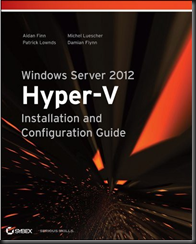
This information has been brought to you by Windows Server 2012 Hyper-V Installation and Configuration Guide (available on pre-order on Amazon) where you’ll find lots of PowerShell like in this script:

image

Samsung ATIV Smart PC 500T Windows Tablet & Keyboard

On Friday I took delivery of my new Samsung ATIV Smart PC 500T.  This is an Intel Z2760 powered Windows 8 Pro tablet; it’s not Windows RT like in the Surface.  I wanted something that I could install Visio, VLC, codecs, etc, on.

The Review

The device has an 16:9 ratio 11.1” screen, making it bigger than the Surface or an iPad.  But, it’s lighter than a Surface because it has a plastic back instead of VaporMG.  It feels smoother in the hand than a Surface to me.  The processor is an Intel, but it’s not a Core i processor.  Instead, it’s been saddled with the awful Atom brand.  It is not the Atom of old.  It’s Intel’s answer to ARM.  And that’s why there are no vents, no fans, and the body has no heat, even after 6 hours of usage.  There is 2 GB RAM which is enough for Windows Store apps and for my Office 2013 usage.  If you need more, then look at the “pro” tablets with Core i CPUs and 4 GB RAM (much shorter battery life).

The screen has 5 point multi-touch and stylus support.  The stylus comes with the tablet and slides into the back.  It’s moulded in such a way that is hidden in the body of the tablet (9.9 mm at the thickest point).  You’ll hear Apple say that a stylus is not required for a modern tablet.  I say it is useful; I spent this morning in a briefing taking hand written notes on a lined page in OneNote 2013 on my tablet without any concern over battery, knowing that my note will be synced onto SkyDrive when next online.

I also bought the optional keyboard.  The tablet docks into the keyboard giving you a work and travel friendly ultrabook experience, something that the Surface floppy hinged keyboard can only do on a flat surface such as a table.  The keyboard also gives you an extra battery.  The life of my device listed at 14 hours, or 10 hours video play.  I used it most of Saturday and Sunday to watch video, read Kindle, surf, play games, etc, and it lived up to the promise that was made.  Docking the tablet is a process of pushing it down (after removing the sticky “feet” from the slots in the tablet), and waiting for the audible plug and play response.  A big button gives a click to release the tablet from the two locks.

The touch pad is a gesture pad with Windows 8 support.  Unusually for a touchpad, it is not sensitive to accidental touch.  In fact, it’s the opposite, requiring a more forceful touch than I’m used to.  Being an 11.1” screen device, the keyboard is an OK size, not much different than I’m used to.  You get an extra 2 USB ports on the keyboard.

The speakers are shit.  You’ll need that audio jack on the top.  There’s a USB port on the tablet, as well as a MicroSD port to extend your storage.  Devices with a modem can take advantage of the SIM slot on the top.  And there’s a micro-HDMI port on the left hand side under the audio control.  Unlike the Surface, there is also a handy auto-rotate disable/enable button. 

The screen quality is good.  I give the Surface the edge; it’s hard not to because the Surface’s screen is one of the best around – we photographers value contrast and “pop” rather than pixel counts (as in retina).

As a device, I’m very happy.  I expect this to become my primary device, unless I’m in photography mode and I want something with more RAM and CPU for Photoshop.  I’ve ordered a 64 Gb MicroSD card to extend the storage so I can sync SkyDrive, another thing you can’t do with Windows RT.

My Experience

I bought the device from Misco.ie (also trading as Misco.co.uk).  I prefer to buy from a brick shop in case big ticket items have a problem, but these were the only guys I could find with stock.  The device arrived on Friday afternoon in the office.  And it would not power up.  OK, maybe the battery was flat.  I charged it for about 90 minutes and still nothing.  So I was left to think it was Dead on Arrival (DOA).  I called Misco.ie and part way through a call, I was hung up on.  I called back, was put through to a non-English speaking person in Samsung’s support desk who had never heard of the device, and was hung up on again.  Now I was angry.  I called Misco (they are in England) again and the support desk person had a real attitude, a real “innit” geezer.  I was promised he’d called Samsung, arrange a collection, and call me today.  So far, nothing.  I don’t expect a call from them.

But as you’ve figured out by now, I got the device working.  I brought it home from the office and sat it on the charger from 18:00 until 22:45.  I was about to give up: I picked it up (still charging) and was tapping the power button.  Nothing.  I looked up at the TV, kept tapping (inpatiently), and noticed a blue light.  The power LED came on.  I pulled the power and it still ran.  I shut it down, powered it up, restarted, etc.  I can’t be sure what was wrong, but it appears to me that the tablet was resting on the power button during shipping and drained the battery.  Maybe it wouldn’t start until it was 100% charged!?!?!?!  3 days later and it’s working perfectly.

But my advice:  Don’t buy from Misco.  Ever.  Seriously: Never.

By the way, the price of the tablet is approximately 69% more expensive in Europe than you can get it in the USA on Amazon.com.  That is pure robbery, Samsung.

Technorati Tags: ,

Talking Live Migration & Hyper-V Replica With Carsten Rachfahl (MVP)

Carsten Rachfahl (VM MVP like myself) is a busy man.  At every event, he’s there with camera, tripod, and microphone, to record video podcasts on Hyper-V.  Carsten does a nice job at spreading knowledge, in a way that few others are doing, and takes it very seriously.  At Dell/Quest TEC2012 in Barcelona, he got myself, Hans Vredevoort, and Didier Van Hoye to do a number of them, and once again a few weeks later at E2EVC in Hamburg.

You can find the TEC2012 interview that Carsten recorded with me on his site.  In the video, we talked about Windows Server 2012 Hyper-V Live Migration and Hyper-V Replica.

I expect Carsten will be armed with his camera at MVP Summit 2013.  Hey Carsten, forget fools like me; you know you cannot leave Redmond this time without a video with Ben!

Technorati Tags: ,

Windows 8 VDA Licensing For VDI

I won’t be answering any questions on this post.  If you have any questions then ask your reseller, LAR, or distributor (if you are a reseller) – that’s what you pay them for.  The other important note that this post is correct (or as correct as I can verify) based on how things are at this time (written on 14/Nov/2012).
 
Microsoft has made some great improvements with licensing.  Windows Server licensing is simple, and virtualisation has been simplified no end – those of you who disagree with the latter really need to stop overthinking things because it is simple.  Windows 8 started out great too; a nice small set of SKUs.  But then they started figuring out licensing for virtual desktop infrastructure (VDI) and Windows To Go … and this stuff is a mess.  Start reading and you’ll soon see why I’m redirecting everyone to bring their their unique scenarios and questions to their reseller/LAR/distributor.  I just don’t have the time.
 
One thing that didn’t change was the need for VDA (Virtual Desktop Access) in some form.  You cannot just buy a copy of Windows XP/Vista/7/8, install it in a VM, and let people have at it.  You need to license your VDI client devices with VDA (in some form), and that’s what has changed.
 
There are a number of scenarios, depending on the client device:
Windows PCs
 
There are two ways to license this:
 
  1. You attach Software Assurance (SA) to company PCs using Windows 8 Pro. This gives you Windows 8 Enterprise and the many benefits of Software Assurance.  This includes VDA.
  2. You do not attach SA to your PCs.  This might be because you don’t want to buy SA, or because the client PCs are the users’ home PCs.  In this case, you have to buy VDA for each VDI client device.
Company Owned Windows RT Tablets As Companion Devices
This is where:
 
  • The user uses a PC with SA as their primary device AND
  • The company supplies the user with a Windows RT device as their companion device that will be used as a VDI client.
There is a new SA benefit called Windows RT Companion VDA Rights.  With this right, the VDA granted to the primary PC that has SA is also extended to the Windows RT device.
 
Let me be very clear on this:
 
  • The VDA right does not extend to BYOD or employee-owned Windows RT devices.  It only extends to company owned Windows RT devices.
  • The VDA right does not extend to any other kind of company owned tablet, including iPad, Android, or Windows 8 (home or Pro).
Yes, I know; your company is more likely to purchase Windows 8 Pro tablets, which do not get this right, and BYOD is a hot topic, and employee owned devices (even Windows RT) also do not get this right.
Employee Owned Devices Outside The Company Firewall
 
This is where an employee will access the VDI VMs from personally owned devices outside of the company firewall, i.e. from the Internet, and not from inside the office.  There are two options:
 
  1. If you have SA for the user’s primary device (company owned PC + Windows 8 Pro), then you get a right called Roaming Use Rights at no extra cost.  To quote Microsoft: “Roaming Use Rights allow the primary user any licensed device to access a virtual instance of Windows running in the datacenter (VDI) or Windows To Go from non-corporate devices such as personally-owned or hotel business center PCs while away from the office”
  2. Without SA on a primary device, then you have no choice but to buy VDA for the employee owned devices.
Employee Owned Devices Inside The Company Firewall (BYOD To Work)
 
This is when an employee brings their own device to work (inside the company firewall) to access VDI.  Once again, there are two options:
 
  1. If you have purchased your licensing through Select, Enterprise Agreement, Enrollment For Education Solutions, or School Enrollment AND you have purchased SA for the user’s primary device (company owned PC + Windows 8 Pro), then you can purchase a Windows Companion Subscription License (CSL).  This entitles the user to bring up to 4 of their devices to work, and use them as VDI clients.  Note that an SA customer doesn’t need CSL if the devices are being used only from outside of work (the company firewall).
  2. Sorry: if you are licensed via OEM, Open, OV, or OVS, then it appears that you must not want to do BYOD.  You’ll have no choice but to buy VDA for each employee owned device being brought to work for use as a VDI client.
Everything Else
 
Off the top of my head, this appears to be company owned devices such as Windows 8 Pro tablets, company owned iPads or Android, company owned phones, etc, and company owned Windows RT devices where the primary device doesn’t have SA.  In this case, you need to buy VDA for each client device.
 
I know; it’s a mess.  What if BYOD devices are allowed in the office but must be outside the firewall?  I don’t know that one yet.  Why are company owned Windows 8 Pro tablets lesser citizens than Windows RT?  I’m guessing that MSFT must think that a Windows 8 Pro tablet would only ever be a primary device, and that’s a big generalised assumption.  You can find the information here.
 
Technorati Tags: ,,

No Mistakes This Time, Mr. Eurocrat – The Windows 8 Browser Chooser

I’ve not seen the Browser Chooser yet on my Enterprise installations of Windows 8, but it popped up today on the Windows 8 (home) demo machines we got at work last week.  The first screen (below) tells me that I have an important, possibly life altering, choice to make.

image

I’m then presented with my options.  IE10 was the 4th choice both times.

image

You might not notice it, but you can scroll the list of possible browsers to get something different to the first 5:

image

And there’s more:

image

I’ve never heard of most of those browsers.  What the hell is a FireFox? Didn’t Clint Eastwood steal that from the USSR for President Reagan to bomb furniture stores?  Smile with tongue out I picked IE10 and was rewarded with some congratulations:

image

Simples!

Technorati Tags: ,

Reminder – Add Windows 8 and Windows Server 2012 To Your Patching System

Don’t forget to configure whatever patching solution you’re using to support Windows 8 and Windows Server 2012 if you have those OSs deployed.  We got our first security patches for the current OSs this week.  I just ran a check in the office and found I had to do some engineering to get patches deployed.  Oooh – there’s a reason to configure Cluster Aware Updating on your WS2012 Failover Clusters Smile

KB2741477 – Can’t Add NICs To VM on W2008 R2 Clustered Host

Microsoft has released a hotfix for when you cannot add network adapters to a virtual machine on a Windows Server 2008 R2-based failover cluster.

Consider the following scenario:

  • You create a failover cluster on some computers that are running Windows Server 2008 R2 SP1. 
  • You enable the Hyper-V role on both cluster nodes.
  • You configure a virtual machine as a cluster resource.
  • You try to add a network adapter to the virtual machine by using the Refresh Virtual Machine Configuration wizard.

In this scenario, you cannot add the network adapter successfully until the virtual machine is removed from the cluster.

A supported hotfix is available from Microsoft.

Very Important Note on Multichannel & Failover Clusters

SMB Multichannel is when SMB 3.0 can automatically (no configuration required) use:

  • Multiple channels over a single NIC (as well as multiple cores on a CPU, instead of just core 0)
  • Multiple NICs between the “client” (an application server such as IIS 8.0, SQL Server, or Hyper-V) and the file server (including a Scale-Out File Server).

SMB Multichannel enables a client and server to make full use of available bandwidth, e.g. you can fill a 10 GbE NIC with SMB traffic, while SMB Direct (RDMA) enables you to do this without the CPU being a bottleneck – by offloading the traffic from Windows.

Jose Barreto (Microsoft) has been writing a series of blog posts on using SMB 3.0 file shares.  The latest post has a very important note in there:

… when using a clustered file server, you must configure a separate subnet for every NIC for SMB Multichannel to use the multiple paths simultaneously. This is because Failover Clustering will only use one IP address per subnet, even if you have multiple NICs on that subnet. This is true for both classic file server clusters and the new Scale-Out file server clusters.

That means that your client access networks on the Scale-Out File Server cluster nodes (and the corresponding “clients”) must be on different subnets, or SMB Multichannel will not make use of them.  Remember: the SOFS role uses the IP addresses of the cluster nodes.

Make sure to check Jose’s latest post and his blog to learn more.