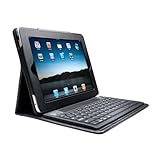
Kensington Bluetooth Keyboard for iPad or iPad 2

I’ve blogged before how much I love my iPad.  I read from it (Kindle for ebooks and Zinio for emagazines), I watch TV and movies on it, and it’s a handy lightweight browser when just lounging in the house.  But despite all that, the real reason I bought it was so I could take notes (Evernote) at conferences.  The battery life is simply amazing.  Unlike with a netbook or laptop, I can last all day long without searching for that lost city of gold AKA a free power socket at an IT conference.

But the sucky thing about note taking with the iPad is the keyboard.  I got used to typing on the screen, but I just cannot get used to the constant need to frequently shift through lower case letters, upper case letters, character set 1, and character set 2.  I mentioned to one of my colleagues that I’d be going to the Build conference and that I’d want to take lots of notes on my iPad.  And that’s when he introdoced me to the Kensington Bluetooth Keyboard for iPad (1).  We (work) happen to distribute these in Ireland so that made it easy for me; I swapped it out for my usual cover and gave it a go.

Yes, it adds weight and thickness to the iPad.  Not a big deal.  It gives me a functional QWERTY keyboard.  That is a big plus.  I can type away with no issue.  I was told that the keyboard would be a little spongy.  It’s like that to protect the screen when folded up.  It’s a little weird at first but doesn’t slow me down.  It does require charging via a USB lead so that must be remembered.

Note that there is different model of keyboard for the iPad 2.

My personal review: well worth the money if you want to take lots of notes or write a lot on the iPad.

28 Days Before Build Windows … And News of Hyper-V

It is 28 days (and a bit) until the sold out Build Windows conference.  I was looking forward to it.  And then today, I skimmed through the latest vTax blog post by Jeff Woolsey (Principal Group Program Manager, Windows Server Virtualization), and at the end he said this:

“At Microsoft’s Worldwide Partner Conference 2011, we demonstrated some of the new capabilities of Windows Server “8,” specifically around Hyper-V. With an ability to create VMs with more than 16 virtual processors and built-in replication with Hyper-V Replica, Microsoft is showcasing its deep commitment to its customers, and our relentless pursuit to provide even more value, at no extra cost. These are just 2 of the hundreds of features coming in the Microsoft Private Cloud, of which you’ll be able to find out more about at Microsoft’s BUILD conference, September 13th-16th in Anaheim, CA”.

What the deuce?!  My tickets are booked and I cannot wait.  I have a Kingston keyboard for my iPad so I can blog the good news all day long … but maybe, just maybe, I might end up blogging with a Windows 8 tablet instead.  Now wouldn’t that be cool it if was so?  Must not get my hopes up …

Whitepaper–Everything You Need To Know About Implementing Hyper-V

A while ago I was asked to write a document that explained Hyper-V and reasons to use it for virtualising a server farm.  What makes this one different is that it isn’t for my usual techie audience; instead the target audience of this guide is the IT manager, executive, or techie that is new to virtualisation.  I just notice on Twitter that it was release last month.

The paper is published by PC Pro in association with Microsoft.

Whitepaper – Planning Hyper-V CSV and Backup

I have just published a guide or document to discus the subject(s) of Hyper-V Cluster Shared Volume (CSV) and backup.

Windows Server 2008 R2 introduced many new features for those of us who use Hyper-V. One of the big ones was something called Cluster Shared Volume (CSV). This allowed us to do something that VMware users take for granted and that we could not do before this release of Windows Server: store many virtual machines, which are running on many hosts in a cluster, on a single storage volume. The benefit of CSV is that it simplifies administration, reduces the possibility of human engineering error, and even makes the private cloud a possibility.

A structure depends on the foundation that it is built upon. The same is true of a virtualisation infrastructure. The foundation of Hyper-V (or XenServer or vSphere) is the storage design and implementation. What appears to be not very well understood is that backup design is intrinsically linked to your storage architecture. One must be considered hand-in-hand with the other in the Hyper-V world. Get that wrong and you’ll have unhappy users, an unhappy boss, and maybe even an unhappy bank manager when you are no longer employed. When you get to grips with the basics you’ll be empowered to implement that ideal virtualisation platform with optimised backup.

This document will cover:

  • What is CSV and how does it work?
  • How backup works with CSV
  • Designing CSV for your compute cluster
  • Disaster recovery with multi-site clusters
  • “Planning” for the private cloud

The document continues.

Thanks to Altaro for sponsoring this document.

The Great Big Hyper-V Survey of 2011

The survey is now closed and the results can be found here.

As a blogger/author/speaker, it’s very easy to fall into the trap of assuming that everyone works in a similar way and environment as I do.  My experiences are based on:

  • When I was managing Hyper-V/System Center directly in a hosting environment
  • Talking to people online
  • Helping people as a consultant, or in my current role as a partner technical advisor

Most of my experiences are in Ireland, and it’s rare to see a virtualisation cluster of more than a few nodes in these parts.

And this is why me, Damian Flynn (another Hyper-V MVP), and Hans Vredevoort (Failover Clustering MVP), have joined forces to bring you the …

GREAT BIG HYPER-V SURVEY of 2011

The goals are:

  • We learn a bit more about what everyone is up to
  • We can share the findings with everyone so you can learn what everyone else is up to

This survey will run from this morning until 5th of September.  We want to publish the results later that week, which just so happens to be the week before the Build Windows conference.  We’ll be publishing the percentages breakdowns, and also trying to figure out trends.

In the survey, we ask about:

  1. Your Hyper-V project/environment
  2. Your Hyper-V installation
  3. Systems management
  4. What you considering to do in 2012

There is no personal information, no company specific information.  Microsoft has zero involvement.  They’ll see/read the results the same way you do, on the blogs of myself, Damian, and Hans (Hyper-V.nu).

The whole thing will take just 5 minutes; the more people that contribute, the more we will all learn about what people are up to, and the more we’ll be able to tweak blog posts, speaking, training, writing, etc, to what is really being done.  If this goes well, we’ll do another one in 2012, 2013, and so on.

So come on …. give the greater community 5 minutes of your time.

EDIT:

Please spread the word of this survey: blog, (re)tweet, Facebook, Google+, LinkedIn, even MySpace/Bebo it!

New Microsoft Movie? System Center Operations Manager Knows What You Did Last Summer

It is rumoured that Microsoft Studios is developing a new movie called System Center Operations Manager Knows What You Did Last Summer. The tagline is “Always watching … Always recording”. Some say that VMware CEO Paul Maritz might be playing the role of the villain. *SPOILER* Others say that Steve Jobs is killed in the opening scene. *SPOILER*

image_thumb[1]

Altaro Launches Hyper-V Backup … And How To Win an Unlimited Copy!

“Hyper-V Backup in 5 clicks – Hyper Easy, Hyper Speed, Hyper Effective” … that’s the tag line for a new Hyper-V backup solution from Altaro, called Hyper-V Backup, that launched today.  Features include:

  • Hot backups with VSS integration
  • Restore to a different host
  • File level restore
  • Different backup schedules for different VMs
  • Supports Hyper-V Server
  • Restore a VM to the same host but with a different name (cloning)
  • Reverse Delta Incremental Backup
  • Hyper-V cluster aware
  • Restore from older backups if you want
  • Plan for disasters
  • Backup Hyper-V snapshots

image

At this point, I would also like to welcome Altaro to my blog as a sponsor:


COMPETITION

Want a free copy of Unlimited Edition of Altaro Hyper-V Backup?  Then here is what you need to do.

  • Step 1: Follow me on Twitter
  • Step 2: Add the word Altaro to your Twitter profile

I will be choosing 1 winner for this software on Monday morning at 9am (Irish time).

Review

I’ve not had a chance to play with Hyper-V Backup yet but I’m looking forward to getting a chance to give it a try.  In the meantime, you can read more about it over with my friends on Hyper-V.nu.

Technorati Tags: ,

Cloud and Increased Uptime – Is it a Myth?

Some of the hype about (public) cloud services is that they’ll give you increased levels of uptime.  I propose that this is a myth.  There’s been lots of headlines about downtime (some being quite brief) for the likes of GMail and BPOS.  Last night, storms in Dublin cause electrical issues for the Amazon and Microsoft cloud data centres which led to service outages.  Microsoft claims that the Amsterdam data centre will kick in for the Dublin one during an outage but it appears that this did not happen last night.  It’s funny because not only are these data centres unbelievably complex, and therefore susceptible to failure, but they can be incredibly simple too, which also can lead to failure.

These data centres may have incredible built-in levels of fault tolerance, but somewhere there is always a single point of failure.  I’ve personally seen them hurt two operators in the past 4 years.  One was a single point of fault in an electrical supply, right where incoming power met the UPS/generator (I’m no electrician).  That one caused an incident that was referred to as “black Friday” when 1/3 of the Irish internet went offline for less than an hour but the exponential traffic backlog caused an issue for a weekend.  The other was a central router in a tier IV data centre that decided to crap itself.  That one lasted just 10 minutes, but this was supposed to be a “zero single-point-of-failure” tier IV data centre that charged it customers like it was a tier IV data centre.  Somewhere deep down, despite all the clustering, despite the redundant diesel generators, despite the international replication, despite the automation, there is usually one or more single points of failure, such as being vulnerable to a lightning strike.  We understand that even Google, Microsoft, and Amazon have data centre failures from time to time, now let’s continue dealing with the uptime comparison myth.

How often does your internal Exchange service fail?  How often is your internal SharePoint/file services offline?  We’re a typical small business with a single Exchange server.  It was off briefly last week when a switch died.  We were on it straight away and replaced it.  Maybe 10 minutes of downtime.  Note: I am not involved in day-day internal IT all that much.  I would be very happy in saying that in the last 4 months, something like BPOS has had more downtime than our internal Exchange server.  Our file server hasn’t had any downtime since I’ve been here.

Go have a look at the downtime history of those public cloud services.  Then go look at how often your on-premises services have downtime.  I bet your IT folks are doing a better job than you think.

I hate it when I hear people saying that the (public) cloud will increase uptimes of your IT services.  To me, it’s a BS myth.  There are other reasons to consider the cloud, but I am not willing to agree that uptime is one of them. 

Technorati Tags:

Survey Says? Hyper-V Engineers Are More Manly

Hyper-V engineers are virtually whipping the competition

Last night a reputable source reported that Hyper-V engineers are more manly than those who manage other virtualisation technologies. Some say that Hyper-V engineers have higher levels of testosterone, matched only by Olympic weightlifters. Others say that Hyper-V engineers make DBAs tremble with fear as they walk past their cubicles.  Whatever the case, who would want to compete with that!?!?

Artists impression of a VMware engineer

Technorati Tags: ,,