Microsoft has shared a guide or document on the use cases of and installing Client Hyper-V on Windows 10. The countdown continues.

Technorati Tags: Windows 10,Hyper-V
A blog covering Azure, Hyper-V, Windows Server, desktop, systems management, deployment, and so on …
Microsoft has shared a guide or document on the use cases of and installing Client Hyper-V on Windows 10. The countdown continues.
This is one of those rare occasions where I’m going to say: put aside everything you are doing, test this MS15-068 patch now, and deploy it as soon as possible.
The vulnerabilities could allow remote code execution in a host context if a specially crafted application is run by an authenticated and privileged user on a guest virtual machine hosted by Hyper-V. An attacker must have valid logon credentials for a guest virtual machine to exploit this vulnerability.
This security update is rated Critical for Windows Hyper-V on Windows Server 2008, Windows Server 2008 R2, Windows 8 and Windows Server 2012, and Windows 8.1 and Windows Server 2012 R2. For more information, see the Affected Software section.
The security update addresses the vulnerabilities by correcting how Hyper-V initializes system data structures in guest virtual machines.
I don’t know if this is definitely what we would call a “breakout attack” (I’m awaiting confirmation), one where a hacker in a compromised VM can reach out to the host, but it sure reads like it. This makes it the first one of these that I’ve heard of in the life of Hyper-V (since beta of W2008) – VMware fanboys, you’ve had a few of these so be quiet.
Note:
Microsoft received information about this vulnerability through coordinated vulnerability disclosure. When this security bulletin was originally issued Microsoft had not received any information to indicate that this vulnerability had been publicly used to attack customers.
It sounds like a reasonable organization found and privately disclosed this bug, thus allowing Microsoft to protect their customers before it became public knowledge. Google could learn something here.
So once again:
[Update]
Some digging by Flemming Riis (MVP) discover that credit goes to Thomas Garnier, Senior Security Software Development Engineer at Microsoft (a specialty in kernel, hypervisor, hardware, cloud and network security), and currently working on Azure OS (hence the Hyper-V interest, I guess). He is co-author of Sysinternals Sysmon with Mark Russinovich.

Didier Van Hoye, myself and Carsten Rachfahl (all Hyper-V MVPs) were at Microsoft Ignite last week and we met up at the end to record a chat between the 3 of us, where we discussed some of our highlights from the conference. You can catch this video on the Hyper-V Amigos site.
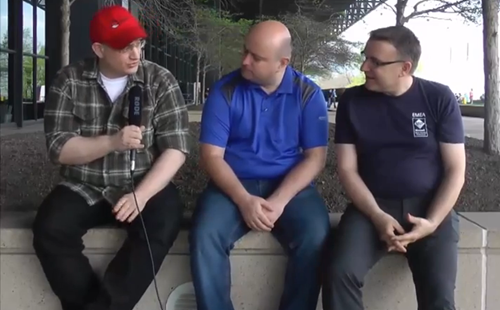
Oh yeah, it was painful watching myself in this video 🙂 That was the last time Carsten will let me hold a microphone!
Thank you to the 424 (!) people who answered the survey that I started late on Friday afternoon and finished today (Tuesday morning). I asked one question:
What kind of UI installation do you use on Hyper-V hosts?
Before I get to the results …
Me and some other MVPs used to do a much bigger annual survey. The work required by us was massive, and the amount of questions put people off. I kept this very simple. There were no “why’s” or further breakdowns of information. This lead to a bigger sample size.
We got a pretty big sample size from all around the world, with results from the EU, USA and Canada, eastern Europe, Asia, Africa, the south Pacific, and south America. That’s amazing! Thank you to everyone who helped spread the word. We got a great sample in a very short period of time.

However (there’s always one of these with surveys!), I recognize that the sample is skewed. Anyone, like you, who reads a blog like this, follows influencers on social media, or regularly attends something like a TechNet/Ignite/community IT pro events is not a regular IT pro. You are more educated and are not 100% representative of the wider audience. I suspect that more of you are using non-Full UI options (Hyper-V Server, MinShell or Core) than in the wider market.
Also, some of you who answered this question are consultants or have more complex deployments with a mixture of installations. I asked you to submit your most common answer. So a consultant that selects X might have 15 customers with X, 5 with Y and 2 with Z.
So, here are the results:

70% of the overall sample chose the full UI for the management OS of their Hyper-V hosts. If we discount the choice of Hyper-V Server (they went that way for specific economic reasons and had no choice of UI) then the result changes.
Of those who had a choice of UI when deploying their hosts, 79% went with the Full UI, 5.5% went with MinShell, and 15% went with Server Core. These numbers aren’t much different to what we saw with W2008 R2, with the addition of MinShell taking share from Server Core. Despite everything Microsoft says, customers have chosen easier management and troubleshooting by leaving the UI on their hosts.

Is there a specific country bias? The biggest response came from the USA (111):
In the USA, we find more people than average (but still a small minority) using Core and MinShell. Next I compared this to Great Britain, Germany, Austria, Ireland, The Netherlands, Sweden, Belgium, Denmark, Norway, Slovenia, France and Poland (not an entire European sample but a pretty large one from the top 20 responding countries, coming in at a total of 196 responses):
It is very clear. The market has spoken and the market has said:
Those of you who selected Hyper-V Server did not waste your time. There are very specific and useful scenarios for this freely licensed product. And Microsoft loves to hear that their work in maintaining this SKU has a value in the market. To be honest, I expect this number (10.59%) to gradually grow over time as those without Software Assurance choose to opt into new Hyper-V features without upgrading their guest OS licensing.
I have had one opinion on this matter since I first tried a Core install for Hyper-V during the beta of Windows Server 2008. I would only ever deploy a Full UI. If (and it’s a huge IIF), I managed a HUGE cloud with HA infrastructure then I would deploy Nano Server on vNext. But in every other scenario, I would always choose a Full UI.
The arguments for Core are:
In my experience, and that of most people. servers are not cattle; they are not pets either; no – they are sacred cows (thank you for finding a good ending to that phrase, Didier). We cannot afford to just rebuild servers when things go wrong. They do need to be rescued and trouble needs to be fixed. Right now, the vast majority of problems I hear about are network card driver and firmware related. Try solving those with PowerShell or remote management. You need to be on the machine and solving these issues and you need a full UI. The unreliable HCL for Windows Server has lead to awful customer experiences on Broadcom (VMQ enabled and faulty) and Emulex NICs (taking nearly 12 months to acknowledge the VMQ issue on FCoE NICs).
Owning a host is like owning a car. Those who live in the mainstream have a better experience. Things work better. Those who try to find cheaper alternatives, dare to be different, find other sources … they’re the ones who call for roadside assistance more. I see this even in the Hyper-V MVP community … those who dare to be on the ragged edge of everything are the ones having all the issues. Those who stay a little more mainstream, even with the latest tech, are the ones who have a reliable infrastructure and can spend more time focusing on getting more value out of their systems.
Another survey will be coming soon. Please feel free to comment your opinions on the above and what you might like to see in a survey. Remember, surveys need closed answers with few options. Open questions are 100% useless in a survey.
That’s the subject of my next survey.
Please feel free to use the results of the survey if:
My session now has a time slot: you can come listen to what you can do now with Hyper-V on Tuesday, May 5th, at 5:00 PM until 6:15 PM.

I have a one question survey for you:

If you are a consultant or have multiple answers then please select the most commonly deployed option. Don’t select your preferred option, but what is really used most often.
Please tweet, Facebook, LinkedIn, whatever, this survey to get as big a sample as you can. You’ll see the results as they go along after voting.
Microsoft has posted my Windows Server 2012 R2 Hyper-V session on the Microsoft Ignite schedule builder.

Note that it should read “Windows Server 2012 R2”.
Currently, the day/time is January 1st at 12am. Yup, there will be fireworks and some auld lang syne. Please ignore the day/time and add the session to your builder if you are interested in the content. Hopefully a day/time will be fixed soon.
My session is on Tuesday May 5th at 5:00 pm – 6:15 pm.
The details of my session have been confirmed. The session is called “The Hidden Treasures of Windows Server 2012 R2 Hyper-V”, and the description is:
It’s one thing to hear about and see a great demo of a Hyper-V feature. But how do you put them into practice? This session takes you through some of those lesser-known elements of Hyper-V that have made for great demonstrations, introduces you to some of the lesser-known features, and shows you best practices, how to increase serviceability & uptime, and design/usage tips for making the most of your investment in Hyper-V.
Basically, there’s lots of stuff in Hyper-V that many folks don’t know exists. These features can make administration easier, reduce the time to get things done, and even give you more time at home. These are the hidden treasures of Hyper-V, and are there for everyone from the small biz to the large enterprise.
I went WS2012 R2 because:
The session isn’t on the catalogue yet but I expect it to be there soon.
I really enjoyed presenting today on the next version of Hyper-V with Rick Claus (Microsoft) and Andrew Syrewicze (Hyper-V MVP). We had some tech glitches at the start and during the session, which always makes a session memorable 
We ran out of time at the end. Andy was the moderator but his ISP crapped out, so we didn’t get a chance to do Q&A properly.
If you have any questions then please either hit us on Twitter or post a comment below.
Thank you to Altaro for hosting this webinar! Make sure to check out their excellent backup products, which also features a free version.
Nothing will make a Hyper-V admin bald faster than storage issues. Whether it’s ODX on HP 3par or networking issues caused by Emulex, even if the blip is transient, it will crash your VMs. This all changes in vNext.
The next version of Hyper-V is more tolerant of storage issues. A VM will enter a paused state when the hypervisor detects an underlying storage issue. This will protect the VM from an unnecessary stoppage in the case of a transient issue. If the storage goes offline just for a few seconds, then the VM goes into a pause state for a few seconds, and there’s no stoppages, reboots, or database repairs.