TechEd NA 2014 – Windows Azure Pack versus OpenStack

Speaker: Damian Flynn, MVP

OpenSource options

  • Eucalyptus.
  • Apache CloudStack: open sourced by Citrix.
  • Open Nebula: Poor support for hypervisors. Not there for Hyper-V.
  • OpenStack: Youngest of the four.

Then we have the Microsoft Cloud OS.

A handful of the room are running open source cloud, managing Hyper-V. Windows Azure Pack and SMA are the front end to VMM/SPF.

OpenStack clearly dominates the forum chatter.

Cloud OS Basic Deployment

Management network for WAP, SysCtr stamp, Network resources (NVGRE g/w) on Control Plane and External networks, and Compute on Control Plane and External networks.

Tip: download Damian’s deck from the Channel 9 site in a few days.

Architecture of OpenStack

Portal manages network, compute, image and blob. Identity drives all of those. Block storage also added.

The names of the components are … random codenames, e.g. Horizon, Heat, Trove, etc. See Damian’s deck. Same 3  networks are used, but the stack is simpler.

Hypervisors

  • WAP: only supports Hyper-V. vSphere and XenServer are supported by SysCtr.
  • OpenStack: Hyper-V, vSphere, XenServer/XenCloud, KVM, QEMU, UML

Hyper-V gets “a fair amount of love” from OpenStack. Microsoft Cambridge UK are writing support for OpenStack.

Storage

  • VMM will manage the storage fabric elements. Based on industry standards like SMI-S and MSFT-owned stuff like SMB 3.0/Storage Spaces.
  • OpenStack: Swift does BLOB/file-based storage. Cinder does block based storage. Relies on a lot of work by the storage vendors.

Library

  • SCVMM: Store images here. Tag those images using POSH.
  • Openstack uses Glance: Uses a workflow. Unlike what is in SCVMM. Glance needs to do a lot of prep work –before- deploying a VM. Cloud OS uses Hyper-V KVPs for a lot of that work on running VM during deployment phase.

Identity

  • Cloud OS: WAP authentication sites. Authenticate against local DB, .net (build your own stuff), or using ADFS (potentially any authentication system via federation).
  • OpenStack: Keystone. Everything must talk to Keystone to authorise actions. Keystone does better role-based access control – what a user can do within their tenancy.

User Experience

  • Cloud OS: WAP Admin and Tenant portals.
  • OpenStack: Horizon. Single portal doing some admin and tenant roles.

Damian says “God damn this is complicated” regarding OpenStack administration. A nightmare to figure out where you start and what to do.

Italian company called Cloud Based IT that make a product to make OpenStack work. They configure Windows with all that jazz you need. And it’s way out date.

Damian reckons RedHat would have been a better choice for his lab. Went with Ubuntu. Installing: easy. Configuring: not so easy.

Roadmaps

  • OpenStack: Public. Modules built within the stack.
  • Cloud OS: Microsoft do not talk futures publicly. MSFT focusing on bringing in partners to expand the eco system. SDK allows you/others to build add-ons.

OpenStack

  • MSFT engineering supporting 3rd party platforms.
  • Openstack is “free” – requires LOTS of engineering to customise and deploy

Cloud OS

  • One platform
  • Built on proven & documented System Center
  • Familiar and fully supported tech

Requires an incredible amount of work with HUGE hidden costs. Don’t let “free” fool you or your boss.

TechEd NA 2014 – Speaker Idol Qualification

Today I took part in one of the qualification heats of Speaker Idol – think X Factor or American/Pop Idol where you have 5 minutes to audition with a presentation, some judges comment, and you either get through to the final or not. There were 3 heats (Monday to Wednesday), each heat winner goes through, and one wildcard goes through to the final. The overall winner wins a speaker slot at TechEd North America next year.

I competed with a … different presentation.

The funny bit is that I knew that Mark Minasi (a friend) is one of the judges. I didn’t win but I got great comments. I was nervous … but I got the wildcard slot for the final tomorrow (Thursday). I was told to do a tech talk tomorrow – that will keep me occupied tonight. Tomorrow at 12:30 CET (18:30 Irish/UK time) will be be there presenting.

Technorati Tags:

TechEd NA 2014 – Introduction To Microsoft Azure Automation

Speakers: Eamon O’Reilly (System Center automation) & Beth Cooper (same team)

What System Center has done has been extended into Azure. Both in preview. About half of the room are familiar with Orchestrator, the basis of what we will see this morning.

Pretty full room – pretty small room unfortunately.

Benefits

  • Optimize and extend existing investments: Based on POSH. Integrates existing systems.
  • Deliver flexible and reliable services: quicker. Reuse.
  • Lower costs and improve predictability: reduce manual errors.

Concepts

Same as SMA: runbooks, jobs, and assets.

Appears under Automation in the Azure portal.

Capabilities

All runbook management/authoring/testing can be done in the Azure portal. Has a HA engine. Also has suspend/resume/checkpoint features of SMA. All based on POSH workflows so if you have a cmdlet, you can do it.

Pricing

Free in preview. Pricing based on 3 points:

  • Job run time: time from start to complete. 500 minutes on free plan. $20/month (standard plan) gives you 10,000 minutes
  • Number of runbooks: 20 for free in free.
  • Integration module size: 5 MB on free plan.

You can register for the preview on the Azure preview site. This week is the time to do it. Preview is limited to East USA region.

Demo

Create a new automation account. Sample runbooks to be found on script centre. Tags are present to search/filter runbooks, like in SMA. Also has draft (what you are editing) and published runbook status. So you can have a published runbook and edit a new version.

Almost everyone in the room is using PowerShell. IT pros in Ireland are 5 years behind the USA, at least, and this is not a question of scale.

You can manually start a runbook or schedule on. Example: shut down idle VMs at end of workday and power them up at start of workday – save the runtime cost of VMs in Azure.

Automation Accounts

  • Organise automation by group of individual contributor
  • Accounts live in different regions.
  • Create up to 30 accounts

Automation Dashboard

  • For analysis and troubleshooting operations
  • Access problem jobs to get up and running quickly – focus on them instead of the lots of others that are OK

Authoring

  • Author: Create workflow runnbooks. Call existing runbooks in library
  • Manage & browse and insert assets in runbooks: Modules & activities, credentials, variables, connections, schedules
  • Test: Run and see results within authoring window.
  • Troubleshoot issues
  • Publish: Edit draft before publishing

Manage Runbooks & Jobs

  • Dashboard view: view jobs over time. Find jobs that need attention
  • Runbooks view: Filtering of jobs based on status and date. ID authoring state (new, in edit, published). Filter by tags to find runbooks.
  • Jobs view: Histor of jobs per runbook. Who last updated/when. Input parameters and output. Drill into each job to view streams generated to help troubleshooting. Stop/suspend/resume job.

Assets

  • Connections: Information to connect to a particular system. System specific settings.
  • Update to new versions of integration modules
  • Credentials
  • Variables
  • Schedules

Central set of resources that can be used by all runbooks, like in SMA.

Demo

WIN_20140514_090006

Has application insights enabled. If there’s an error on his site, The runbook triggers an action when an alert is created. A response is triggered whenever an alert is detected. All done using inline runbooks. Note: the alert detection method he used was to search for an alert email in GMail via an RSS feed.

Another demo.

WIN_20140514_091209

They’re using SharePoint to store and change control their runbook scripts. A runbook is monitoring the status of scripts in the SharePoint document library (list item), using a custom SharePoint module. This uses a connection asset. They see a script go into a “ready to test” status in SP and that triggers a child runbook. It appears that the action is that the runbook is updated in Azure and moved to “production” status in SharePoint – they don’t really explain but that’s not really the point anyway. The demo was connections to external resources.

Typical Scenarios

Azure automation is more than just about Azure resources. Posh offers huge extensibility via modules.

  • Monitoring & remediation: Alert on a VM. Monitor for new services to ensure management. Notify subscription owners of underutilized VMs that are wasting money.
  • Change control and provisioning: Deploy a VM, and enable monitoring. Deploy a new service and configure endpoints for alerts. Deploy from GIT and automate tests and swap to production if passes. Monitor SharePoint online for approval to update a service and do that once approved.
  • Patch/Update/Backup orchestration: Use traffic manager to patch IaaS VMs without downtime to services. Enable regeneration of storage account keys while avoiding downtime. SQL backup on a schedule. Backup and restore IaaS VMs.

Leave remote management of Azure VMs enabled and Azure Automation can reach into those VMs’ guest OSs.

Anything you do twice: Automate it.

Takes time to create automation, but the more you do it the quicker you do it. And the time you invest up front will save you time in the long term.

TechEd NA 2014–SCVMM Bare Metal Host Deployment

Speakers: Damian Flynn, MVP and Marc Van Eijk, MVP.

Confusing topic for many. The guys are very experienced in the real world so a good session to take notes from and share.

Environment Preparation

  • Rack the servers and configure the BMC card.
  • Build an OS image and add it to the library.
  • Configure DNS aliases for BMCs, set up certs (if required), and set up VMM Run As profiles, e.g. join a domain, log into BMC, etc.

Infrastructure Services

  • Set up WDS for SCVMM
  • You need a DHCP scope for your bare metal hosts for the deployment phase. The hosts will get static IPs after deployment.
  • Prep SCVMM – Import WDS, add OS image to the library (and refresh), add a Run As account for the domain join, and add a Run As account for the BMC.

The deployment

  • Configure the networking stack in SCVMM
  • Do a deep discovery to get hardware of the host
  • Deploy the VHD as boot-from-VHD on the host, install drivers, join domain, configure networking, enable Hyper-V,  etc.

YOU NEED TO UNDERSTAND YOUR TARGET

Concepts of the network in SCVMM

  • Logical network: A role
  • Network site: Part of logical network
  • Subnet/VLAN ID: A subnet that’s a part of a site
  • IP Pool: A pool of IPs for a subnet

A VM Network is an abstraction of a logical network. Required to connect NICs to a logical network.

Demo of Logical Network

Marc asks who has used VMM. Almost everyone. Who has done bare metal deployment: Very few. Who was successful first time: one brave person puts his hand up (I mock him – seeing as he is a friend).

Marc does:

  1. Create a host group.
  2. Creates a logical network called management. He sets VLAN-basd independent networks. There will be converged networks that are split up based on VLANs.
  3. Creates a network site called host that is set to be available on the host group. He sets a VLAN on 0 for PXE boot, and sets the IP subnet.
  4. Additional network site for Live Migration with a different VLAN
  5. Then he adds a third site for cluster communications with a VLAN. So one logical network with 3 network sites.
  6. Creates IP pools for each network site. Use to assign static IPs during deployment. Configures gateway and DNS settings for the management network.

Note that there is no need to do anything special to enable NVGRE. No subnets, logical networks, or anything else. A check box was left checked to allow NVGRE to be used when creating the logical network.

  1. Creates a new logical network called Cloud Network. This is what would appear in WAP when a customer creates a virtual network – so choose a suitable name.
  2. Checks “allow new VM networks ….” to use NVGRE.
  3. Creates a site with a VLAN and associates with the host group.
  4. Now he creates an IP pool for that site/logical network. The number of IPs in the pool will limit the number of VMs. No DNS or gateway settings.

So now we have two logical networks: Management and Cloud Network. The Cloud Network appears to be used for the PA Space.

  1. A third logical network called tenant VLANs
  2. Network site: Names the site after the VLAN ID.
  3. Adds more network sites, named based on the VLAN IDs.
  4. Adds IP pools.

WIN_20140513_154431

These VLANs appear to be used for tenants.

  1. Creates VM network for host/management.
  2. Creates VM network for cluster.
  3. Creates VM network for live migration.
  4. Creates a VM network for tenant A and another for tenant B

Back to presentation.

Network Design

Note that for VMM to create a team, you need to create a logical switch. BAD! Needless creation of virtual switches and limits things like RDMA. Complet convergence also not good for some storage, e.g. RDMA or iSCSI storage. Might do some convergence and non-converge your storage networks.

Benefit of logical switch

Repeatable consistency.

Note: also required for NVGRE, unless you want to go to PowerShell hell.

The design they are deploying:

image

Demo

  1. Create an uplink port profile to define a NIC team. This one is created for HNV/Tenants. Selects the Cloud Network and the tenant VLAN network sites. Also makes sure the enable NVGRE check box is left enabled.
  2. Creates an uplink port profile for the mangagement network. Now adds the cluster, host, and live migration network sites.

What he’s done: configure the above two network teams from the diagram and defined which networks will pass through the respective teams.

  1. Creates a logical switch for management. Selects the management uplink port profile and selects the teaming option. Even if you have just one NIC, you can add a NIC later and join it to the team. Now to define the convergence by adding virtual ports. A step in this is to define port classification – this does QoS. Select Host Management and match with management network – repeat for the reset of management networks.
  2. Creates a logical switch for tenants. And also teams with the tenant HNV uplink port profile. Adds three adapters (port profile classifications) for QoS – low, medium, and high (out of the box – weights of 1, 3, and 5).

WIN_20140513_160608

  1. Next up: create a physical computer profile. Choose a host profile. Select the virtual hard disk from the library that will be the host OS. Now the fun bit – network configuration in Hardware Configuration.
  2. Tip: Expand this dialog using the control in the bottom right corner.
  3. It starts with a single physical NIC with the management role. Add 4 more physical NICs.
  4. First and second added to the logical switch of management.
  5. Configure 3rd and 4th to the tenant logical switch.
  6. Edit the original physical NIC and select “Create a Virtual Network Adapter as the management NIC”. Set the transient physical newtork adapter as NIC 1. Apply a classification – host management. Set the IP Pool as Host.
  7. Add 2 virtual NICs. Connect 2st to logical switch management. Set to Live Migration. Connect the 3rd to the mangement logical switch and configure for cluster.
  8. Can also do some other stuff like filtering drivers from the library for precise PNP.
  9. Continue the wizard – set domain join and runas account. Set the local admin password, the company info and product key. An answer file can be added to customize the OS more, and you can run tasks with GUIRUNONCE.
  10. You can skip the default VM storage path for clustered hosts – VMM will control this in other ways later.

Deployment Demo

  1. Kicks off the wizard from the host group. Provision the new machine.
  2. Select a host group that has a valid host profile. Select the host profile.
  3. Kick off the deep discovery. The host reboots into WinPE to allow VMM to audit the host h/w. With CDN enabled, you can pre-bind NICs to logical switches/teams. Without it, you’ll need to know which NIC is plugged into which switch port, then you can bind NICs to right logical switches. The server schedules a shutdown after the audit.
  4. In VMM you can finish the host configuration: naming of the host. Binding of NICs to logical switches if you don’t have CDN in the host. If you’re quick, the server will not shutdown and the setup will kick off.

Notes

Converging things like SMB 3.0 or Live Migration through a logical/virtual switch disables RSS so you limit 10 GbE bandwidth to 3.5 Gbps or thereabouts. Can create multiple management OS vNICs for SMB multichannel, where VMQ dedicates a queue/core to each vNIC.

My approach: I do not converge my SMB/cluster/storage rNICs. They are not teamed, so they are basic logical networks. No need then for logical switch.

TechEd NA 2014 – In-Depth Introduction To Service Management Automation (SMA)

Neil Person PFE is the presenter.

What is PowerShell Workflow?

Introduced with Posh 3.0. Common syntax  but different execution. Uses Windows Workflow Foundation (WF). Used by SMA.

Windows Azure Pack (WAP)

A collection of on-premise Azure tech. Gives you a true cloud: multi-tenant and self-service, with presentation of broad network access and reusable resources provided by Hyper-V and SCVMM. Add-ons provide the measurement billing.

What is SMA?

A process automation tool built on WF that has native integration into WAP. A component of System Center Orchestrator. The files to install it are on the SCORH media. A unit of automation is called a runbook. They are built using POSH workflows in SMA, rather than GUI in SCORCH.

HA and scalable infrastructure.

SMA and WAP

WAP provides a GUI to SMA. You can admin the SMA system and edit SMA runbooks in WAP. You do not need WAP to run SMA, but SMA provides a console to manage it. Once you integrate SMA into WAP, you can use SMA runbooks for WAP activities, e.g. creation of a VM triggers a runbook for post-deployment configuration.

WAP is not a service provided by tenants. It is a service used by the cloud admins to automate work. Might benefit the users/tenants.

Authoring, admin and execution

Can edit in WAP Portal or PowerShell ISE. Tags are used to categorize runbooks – Folders are not used. Runbooks can transition through states: draft, published, or in-edit. There are several ways to execute runbooks – Posh module, a web service. A job is an instance of an executed runbook.

SMA Architecture

3 components:

  • Posh module
  • Web service – the centre of SMA – authenticating users, accepting requests, etc. Deploying this creates an SMA database.
  • Runbook workers.

Requests made, maybe via Posh module or via HTTP to the web service. The request is placed in the SMA database. Results might be sent to the web service. Runbook workers pick up jobs from the database and send job state information back to the database – if using state persistence functionality.

Install and Post-Install

Deploy the SMA components. Deploy multiple runbook workers for HA. Deploy WAP if you want that integration and console. Configure the WAP integration.

Automation in WAP is where you work with SMA. You need to register the SMA endpoint to integrate SMA with WAP. Any runbooks that you’ve created will appear.

SMA also appears under VM Clouds as Automation tab in WAP. This requires a second integration. You can use “an existing endpoint” from the previous step.

There are PKI requirements that have not been covered. Also some admin rights stuff.

There are a bunch of sample runbooks that you’ll see when you install it.

Tags

Runbooks are tagged for sorting or filtering. Runbooks can have more than one tag. Gives a multiple result possibility that folders cannot offer. Useful for nested runbooks where a runbook is reused for several greater tasks.

Managing a runbook

Created via the New menu is used in WAP. Drill into the runbook to see more. Use Configure to tag the runbook and enable logging. Authoring is where you can build the runbook from within the WAP GUI. There are draft and published tabs. SMA will put in a script block (snippet) for the workflow in draft to get you started. The code that you add is PowerShell. He uses Get-ADUser as a simple “hello world” demo to dump data on the output stream (write-output).

The test button gives you immediate feedback on code syntax. Publish the code, and then you can run the runbook. A job is created. It goes from queued to starting as a worker picks up the job from the database.

He copies the code into ISE. He runs it in ISE to test the code. It’s just a POSH workflow. Now he has code from the SMA module. His code runs get-smarunbook to query all the runbooks. Then Import-SMARunbook to import a PowerShell script to create a new runbook. Publish-SMARunbook will publish the runbook, readying it for execution. A new job is createed by running Start-SMARunbook. Get-SMAJob queries the status of the job. The output stream is showsn with Get-SMAJobOutput. And finally he deletes the runbook with Remove-SMARunbook.

Note he has a variable for the web service endpoint that is used as a parameter in each of the above cmdlets.

Assets

A collection of globally available settings we can use in any runbook. A connection asset is used to conenct to an external service. More than just username/password/server name. In ConfigMgr, the site code might be there. Might have a place for a certificate. Similar to what you see in SCORCH. A variable is used to share data across multiple runbooks. Credentials can use PSCredential or certificate to embed ID in a script securely. A schedule allows you to automate the scheduling of runbooks.

Checkpoint/Suspend

We can checkpoint a runbook. This is a save state action. Not like Hyper-V. For example, a script is creating a user and configuring it. If the script is interrupted after creating the user, a resumed execution will continue from the last checkpoint, therefore not trying to create the same user a second time.

Checkpoint-Workflow

Don’t go nuts with them. They have a performance impact. Be judicious, e.g  after a critical action or after doing something that cannot be repeated.

A runbook can be suspended – pause and resume. Let the runbook do stuff, let someone inspect the work, and then resume execution to finish the runbook.

Nesting Runbooks

Don’t create a massive runbook. Use nested smaller runbooks. This encourages code resuse and higher quality runbooks that are more heavily tested.

A parent runbook orchestrates the execution of child runbooks. We can start a runbook inline by referencing the name of the child runbook and passing it any required parameters. They appear as one job. All of the output is rolled up into that one job thanks to your inline execution. Synchronous execution.

Start-SMARunbook is a second way to start child runbooks. The child runbook gets its own job. Output is specific to that job. Asynchronous execution.

Inline Script

Some code that you have lying around might not work. They can be encapsulated in an inline script. The workflow creates a POSH session to run that encapsulated script. Any returned data goes into the workflow. Checkpointing and suspending won’t work inside inline script, but can be done before or after the inline script.

$variable = inlinescript {

code

}

Demo

Parent runbook is taking in parameters that will need to be provided when starting a job. This parent will kick of children to create a user, populate groups, move the user to an OU, and send and email to a  manager.

Get-AutomationPS<something> is used to pull inforation from SMA assets into POSH variables so that they become usable in the runbook code.

EmulatdAutomationActivites module allows you to run the runbook locally on a PC as if it was in SMA.

He calls the child runbooks simply by using the names of the published runbooks in the script as if they were cmdlets.

He publishes the scripts, and filters the tags in WAP. He goes into Assets and clicks Add Setting to add the required assets for the parent runbook. He starts the parent runbook. The parent’s required parameters are supplied via a pop up screen. A single job is created because inline runbook execution is used. The job runs – it creates a user, configures it, and sends an email to the manager.

Post-VM Deployment Servicing Demo

In VM Clouds we see that the VM Create action is tied to a runbook. Run this action will trigger this runbook. He wants to rename the guest OS computer name from the WAP-default random name to match the VM name in Hyper-V.

The scipt goes into a loop until the VM is up and running. He does this using Suspend-Workflow.

That’s all folks. SMA as a concept is pretty simple, as is SCORCH. The magic is in the code that you write. Learn PowerShell.

TechEd NA 2014–Cloud Optimized Networking In Windows Server 2012 R2

I am live blogging this session. Press F5 to get the latest updates.

Bob Combs and Greg Cusanza are the speakers. Each are PMs in the Windows Server data centre networking team.

Bob starts with a summary of 2012 R2 features.

The scenarios that they’ve engineering for:

  • Deliver continuously available services
  • Improve network performance
  • Advanced software defined networking
  • Networking the hybrid cloud
  • Simplify data centre networking

The extensible virtual switch is the policy edge of Hyper-V. Lots of built in features such as Port ACLs, but third party’s extend the functionality of the virtual switch too, including 5nine.

Those port ACLs were upgraded to Extended ACLs with stateful inspection in WS2012R2. The key thing here is that ACLs now can include port numbers, not just IP addresses. This takes advantage of cool design of vNIC and switch port in Hyper-V. The rules travel with a VM when it migrates. That’s because the switch port is an attribute of the vNIC, not of the vSwitch. Policies apply to ports so policies move with VMs.

A few people in the room know what RSS is. About 90% of the room are using NIC teaming. About half of the room have heard of Hyper-V Network Virtualization.

Greg takes over. Greg shows a photo of his data center. It’s a switch with 5 tower PCs. Each PC has 2 NICs. 2 hosts, with virtual switch on the 2 NIC team. Host1 runs AD, WAP and SPF VMs. Host 2 runs VMM and SQL VMs, and some tenant VMs. One storage host, running iSCSI target and SOFS VMs. 2 VMs set up as a Hyper-V cluster for the HNV gateway cluster. There is one physical network.

Note that the gateway template assumes that you are using SOFS storage.

The host networking detail: Uses vNICs for management, cluster, and LM. Note that if you use RDMA then you need additional rNICs for that. He’s used multiple vNICs for the storage (non RDMA) for SMB Multichannel. And then he has a vNIC for Hyper-V Replica.

VMM uses logical networking to deploy consistent networking across hosts. Needed for HNV.  Uplink port profile creates the team. Virtual switch settings create the virtual switch. Virtual adapters are created from port profiles. If a host “drifts” this will be flagged in VMM and you can remediate it.

Remember to set a default port on you logical switch. That’s what VMs will connect to by default.

Then lots of demo. No notes taken here.

The HNV gateway templates are available through the Web Platform Installer. The 2-NIC template is normally used for private cloud. The 3-NIC template us normally used for public cloud. Note, you should edit the gateway properties to edit the network settings, admin username/password, product key, etc. During template you should edit the VM/computer names of the VMs and their host placement. They are not HA VMs. Guest clustering is set up within the guest OS. This is because guest clustering service HA is faster to failover than VM failover (service migration is faster than guest OS boot up – quite logical and consistent with cloud service design where HA is done at the service layer instead of fabric layer).

TechEd North America 204 Press Conference

James Well, Julia White, Mark Russinovich, and Brad Anderson are here for the keynote press conference, hosted by Joey Snow.

Key thing to take away: cloud can add value to everything you do – Brad Anderson. Enterprise mobility: integration across enterprise and Office 365. Cloud will manage Office on devices of all types, be that program, policy, or data. Azure Remote App will allow you to remote apps from the cloud to Windows, IOS, or Android.

Mark R: Talks about ExpressRoute for hybrid cloud. Azure Files brings consistency to hybrid cloud. Already  available in private cloud.  File sharing as a service (PaaS) in Azure so VMs can access shared files. Azure Site Recovery brings failover to the cloud for on-premise. Greatly reduces cost of DR & compliance. Manage anti-malware can deploy MSFT endpoint protection easily. Store logs in blobs. Symantec and Trend Micro have partnered with same portal and powershell. Trend Micro also allow encryption like BitLocker, with the key’s stored on your own site.

James Well: .Net stuff on cloud scale applications.

Julia: How do I secure data? New security and privacy stuff. Content categorization and security for data loss prevention. Files can be encrypted in OneDrive and SharePoint. New series of videos and blogs on the Office 365 Trust Center.

Brad: IT pros have concerns about their impact in the company. What has happend 6-2 months after adopting cloud? Their ability to contribute to the company has increased. MSFT has to help the world understand. Once a company embraces an element of cloud, the company and IT pros want to adopt more. These are “on ramps”.

Question: “Windows Server will fulfil the roles in your data center – 6 years ago. Has that changed to Azure?”. Brad – Azure is Windows Server. You deliver the best platform for your organization using a combination of on-premise and cloud. Do anything you need based on Windows Server and Azure. Mark – clarifies that it is Server and System Center. Brad – Azure is based on Hyper-V.

Question: Will Azure Site Recovery Manager require System Center? Brad – yes, it requires SCVMM.

NOTE – they lost the SME market.

Question: 3 differences between Azure RemoteApp and others. 75-80% of “VDI” is actually app remoting (session host) and not actually VDI. Reasons: costs. To build this for scale of users, you need lots of infrastructure. MSFT has that already, so you can use it with elastic demand/costs, without spending CAPEX.

Live Blogging From TechEd North America 2014 Keynote

Welcome to Houston where the keynote hall is full and they’re filling the overflow rooms for the Brad Anderson-led keynote at TechEd North America 2014. I am here with Petri IT Knowledgebase, sitting in the press section at the front of the hall.

I  live blogged as the event went on. Don’t expect much if anything in the way of Windows or System Center news. This will be a cloud year, where new features come out every 6 or so weeks, thanks to a cloud development cycle. I also do not expect Satya Nadella here.

Speaking of which; Nadella courted devs at a number of events in recent months, including Build. What will Microsoft do this week to convince influential IT pros that Azure won’t steal their jobs and that they are still important to Microsoft (they don’t feel that way lately)?

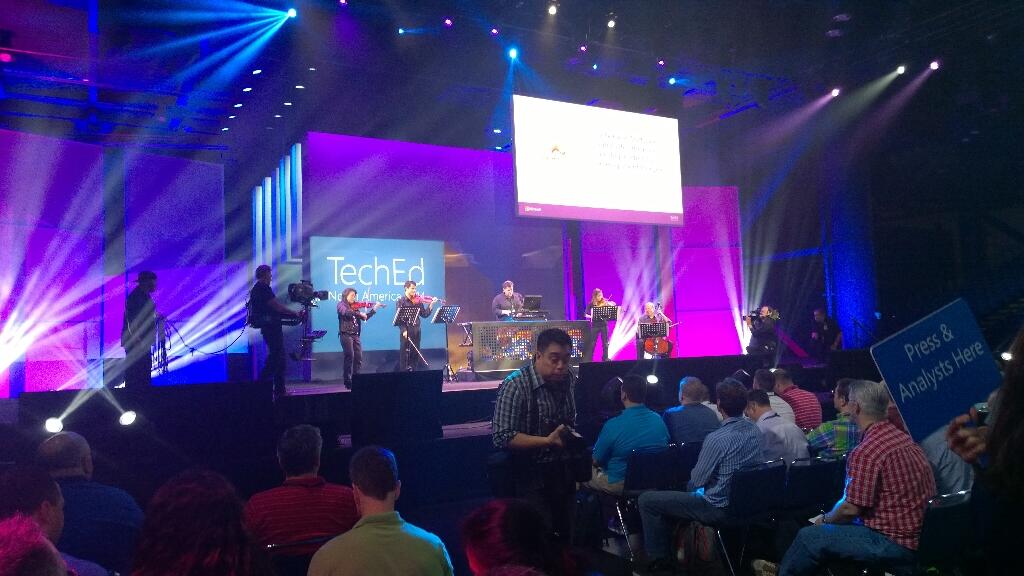
Right now a classical/electrical band called Flash Drive is playing pop muzak.

After a few songs they get a good reception. Now the 2 minute long teched countdown show kicks off with Joey Snow and Rick Claus.

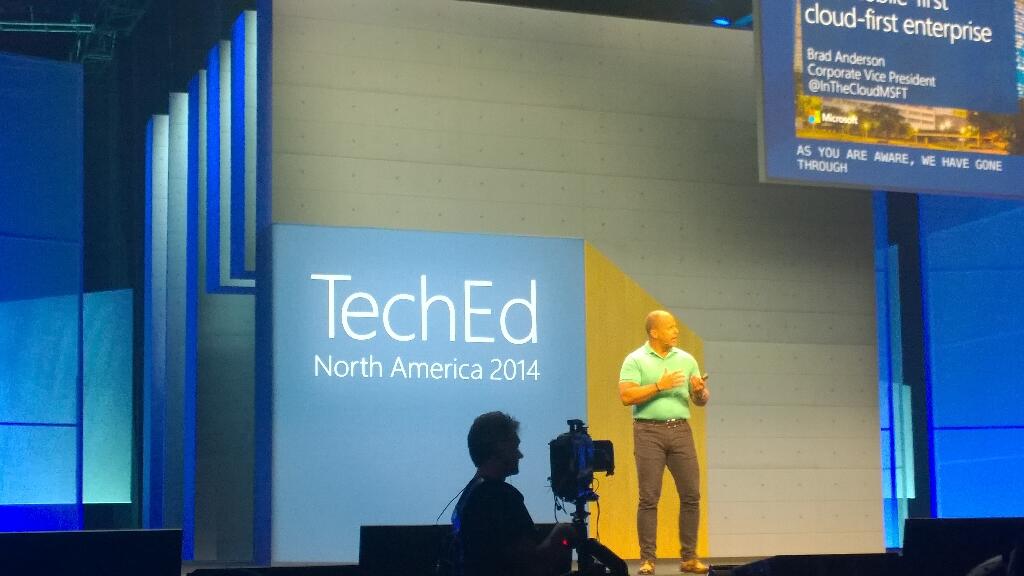
Brad Anderson comes out sans-Aston Martin. He professes love for the new reign of Satya Nadella. As expected, Brad talks about devices and data of previously unimaginable growth. Cloud will be core to everything we do to manage devices (ever connected world) to derive insights from that data. There are no more devices than people on the planet.

On comes a video with some dude in black and white. It’s a new world, with low contrast film. It’s devices-devices-devices. No monkey boy dancing. Airy fairy stuff about storing data in trees. Yes; trees. I guess these guys are from MSFT Research.

Brad wants to talk about IT Pros. “IT pros are literally at the centre of cloud first and device first clouds”. “No longer think of public cloud as seperate; it is integral to your data center from this point forward”.

Three capabilities required when you consider a cloud. Choosing a cloud vendor wisely is critical for your future:

  • Hyper-V scale: able to grow fast than you. Only 3 companies operate at this scale. This scale drives innovation in infrastructure.
  • Enterprise capabilities and enterprise grade cloud. Financially backed SLA.
  • Hybrid: Works with on premise, partner hosted cloud, and public cloud all integrated. Only MSFT does this.

Right now, only MSFT meets all three requirements.

How could we change our industry if we had unlimited computing power. Here comes Respawn’s Titanfall, an Azure-powered online-only game. It had over 100,000 VMs on day 1, powered up around the world, with clients connected to the closest data centre. No worry about location or performance. They have solid and even compute capacity. They scale up and down as required to meet customer demand. They power lots of game functionality on the server, which they could not do on a console. 150 employees company has hundreds of thousands of VMs around the world.

16 regions. A new core is deployed every 5 seconds. 2 billion authentications a day being done by Azure Active Directory. They take this functionality and trickle it down to hosting partners (WAP, Hyper-V, and System Center). Windows Server Hyper-V is the common foundation across private, hosted, and public cloud. No lock in. Flexible expansion, shrink, and mobility.

IaaS new features:

  • Cloud app discovery Preview. This looks VERY cool.
  • Compute intensive VMs – more RAM and more VMs, with RDMA Infiniband at 40 Gbps.
  • Virtual networking enhancements
  • ExpressRoute is GA for MPLS networking. 2 circuits for every connecting for fault tolerance. Note that Telecity is now a partner.
  • Azure Files Preview: SMB 3.0 sharing of files for VMs.

Software-defined storage (Storage Spaces) is used by Azure.

On to SQL 2014. In memory gives 30x increase without re-writing application, just by adding RAM to existing h/w.

Azure Redis Cache is in preview. API AManagement Preview is in preview too.

Out comes Josh Twist to talk about API Management. Wellmark is an American insurance company and Azure customer. He talks about this feature without explaining what it is. I’m lost.

Back to Brad with more announcements:

  • Anti-malware is being added to Azure. Microsoft Endpoint protection. Partnering with Symantec and Trend Micro.
  • Encrypted storage for Office 365.
  • Azure Site Recovery: Hyper-V Replica to Azure. review in June. This is BIG. Use HRM for orchestration.

Here comes Matt McSpirit to talk about the latter. Azure Site Recovery can be your secondary site if you don’t have one. Can manage replication between sites and to Azure. Centralized management of the replica VMs. VMs can be encrypted while at rest.

Site recovery makes networking easy. Can map networks between primary and secondary site. Map on-premise networks with Azure virtual networks.

A recovery plan orchestrates failover, test, planned, or unplanned. It will cleanly shut down VMs and replicate final changes in the event of a planned failover ( a flood is coming).  You can inject manual tasks into the orchestration.

We move on to identity, another MSFT USP. SaaS is powered by identity. For example, Office 365. Discover how many they are using with Cloud App Discovery. Often some 250 unmanaged SaaS apps in a company. IT has no control. IT needs to take control and manage identity and security.

Office on the 3 mobile OSs will be brought under management. Protection of files: Azure Rights Management Services (ARMS). Part of the EMS bundle for EA customers. The protection travels with the files: only the right people can access the files, even with accidental leakage.

Azure RemoteApp is Mohoro. It’s a RDS session host system designed to run in Azure. You upload LOB apps into Azure and users access them from cross-platform devices. AWS desktop as a service is a square wheel compared to Azure RemoteApp.

Demo: User signs into SaaS app using AD ID via ID federation into Azure AD.  80% of employees admit using non-approved SaaS apps. Cloud App Discovery tool allows admins to discover what apps are being used and how. Now IT can bring these apps under company control. Azure AD has 1300 templates for SaaS single-sign on.

Azure Remote App preview is GA today – note it is not live yet in the Europe regions. Publish apps over the highly performing RemoteFX protocol to devices of different OSs – Windows, iOS, Mac OS X, and Android. A little nod to Citrix.

Now on to the dev audience. I sleep.

I wake up. Now Brad is talking about users. Sadly, people have lost interest in the dev content and are leaving.

“Work like a network”.

Humans can achieve if we focus. There is a flood of information that distracts. Need to move from information to action. Information is locked within boundaries inside organizations. BI stuff now. Yawn.

Demo on BI with old content from Barcelona promo video.

Back to Brad to talk about Office. Ugh, sounds like more BI.

Julia White to talk cloud productivity with Intune and Office 365. Basic demo of doc sharing in OneDrive for Business. Tell Me in Word Online is shown to help find how to do formatting. Can share from OneDrive for Business into Yammer. Yammer: IT managed social experience.

Back to Brad. More people leaving the hall. Not nearly as bad as Elop in 2009 (that was BAD) but a section of the audience has lost interest. This will be a talking point IMO.

Back to summarise. MSFT believes in cloud and getting us to embrace it.

Event: TechCamp 2014 On June 19/20 In Dublin

Another community event is coming on June 19th and 20th in Citywest in Dublin. This time, with TechCamp 2014, we’re switching to a more “here’s how to do it” style of presentation. Based on feedback, we’ll have 1 track per day, over 2 days. Day 1 (June 19th) will focus on Hybrid Cloud, mixing Windows Server, System Center, and Microsoft Azure content into one track. On day 2 (June 20th) the focus switches over to the public cloud, and products like Office 365 and Windows Intune.

Most of the speakers are MVPs sharing their knowledge and experience with these technologies, with keynotes by local Microsoft product-line managers.

You can choose to register for either or both days.

Please retweet, post on Facebook, LinkedIn, share with workmates, customers, etc.

image

Microsoft News Summary – 9 May 2014

Another quiet 24 hours ahead of TechEd: