Intel HD Graphics Family Disabled By Windows 10

I upgraded a couple of Ultrabooks to Windows 10 in the last week and both displayed (sorry!) the same issue; the graphics driver was not working correctly. My Toshiba KIRAbook couldn’t share to an external display. My Lenovo Yoga S1 had the same problem.

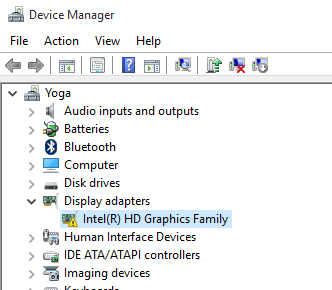
I opened Device Manager and saw the above issue –  a yellow exclamation on the Intel HD Graphics device. Opening the properties revealed that:

Windows has stopped this device because it has reported problems.

Ah, so it appears that Microsoft shipped an untested driver for the most common graphics adapter in laptops and tablets. Is it any wonder that the likes of Samsung prevents Microsoft from updating their drivers?

FYI, Microsoft ships a lot of bad drivers and you should always get the device-specific drivers from the manufacturer of your device.

I checked for software updates from Toshiba and Lenovo and had none, so I went to the source. Intel has a set of drivers shared online. I downloaded “Intel® HD Graphics Driver for Windows® 10 64bit (3rd Gen & BYT)”, published on 7th August (hard to tell with you Americans and your non-standard date formats). I:

  1. Downloaded the zip file
  2. Extracted it to a temporary location
  3. Ran the setup executable from there.

Trying to update the driver from Device Manager didn’t do anything – Windows claimed that the Microsoft driver was more up to date. It might be, but it’s sh1te. Running the setup program fixed the problem.

[Update]

Please read this follow up post on how to prevent installations of Microsoft-supplied drivers from Windows Update.

Note: I later did a clean installation on my Yoga after installing an SSD. The default driver from Microsoft actually worked out of the box. So there appears to be different behaviour on upgraded machines than on cleanly installed machines.

There’s no need to tell us if you saw no problems at all.

Technorati Tags: ,

Some Thoughts & Comments From WPC 2015

Here are some things that I thought were noteworthy from Microsoft’s Worldwide Partner Conference 2015 in Orlando this week. Keep reading even if you don’t work for a Microsoft partner, because this stuff affects anyone working in the Microsoft world.

These may be paraphrases because I wasn’t taking precise notes.

“Cortana is everyone’s assistant”

Not it’s not, when on the phone (the most mature version) it’s only supported in 10 countries. You can make it work internationally by screwing up your regional settings. This is what we call The Curse of Zune.

“I love my iPhone”

The Microsoft employee that said this live on a keynote stage was summarily executed backstage. Holy crap on a cracker!

“Cortana Analytics ….. <Snores>”

See The Curse of Zune. I’ll care when Cortana is relevant.

“Cortana Analytics will help businesses all over the planet”

Uh, no. It’ll help the USA at first, and then a max of 10 countries. Don’t believe me? Check out … I dunno … history.

“Sea Otters!!!!”

Apparently, this is why 12,000+ Microsoft partners flew to Orlando this week, according to Terry Myerson. Strange, because Sea Otters are native to the Pacific coast.

“Laissez le bon Windows rollez”

My reaction to Bryan Roper’s Windows 10 demo. OK, he’s Cuban-American and not cajun, but that’s what I thought (and tweeted) at the time. Best demo of Windows 10 I’ve seen yet, and LOVED the energy. The hat beats the hair, easily. We need more Roper in keynotes.

“Microsoft to expand its Surface distributor count from a couple hundred to a few thousand worldwide”

This is huge news. It means nothing to most people, but for the last 3 years my employers have said “sorry, we can’t sell that” over and over and over. To finally open the sluice gates through the channel to business, Microsoft’s new $1 billion business could double or treble in a year.

*Yawn*

Seriously, Microsoft, trim those keynotes down to 2 hours. Down … to … two … hours. Oh my!

“Soon you will see premium Microsoft phones designed for Windows 10”

Nice timing – I’m due an upgrade from my provider. Me wanty Continuum.

“CSP program to include Azure, Enterprise Mobility Suite (EMS) and CRM Online, in addition to Office 365”

Again, means nothing to most of you, but this opens up a joint syndication channel to end customers via the channel. It’ll simplify purchasing, and force big changes in the channel too.

“New sync engine coming to OneDrive for Business”

This is badly needed. Two reasons I hear from partners that use DropBox with customers instead:

  • Constantly failing sync that is costly to repair
  • Problems with file path limitations

“There will be 5 more #Azure regions opening in the next few months”

Wowzas! South Korea is rumoured, though Finland was too. India is to come online with 2 regions before the end of this year.  Canada is getting two in 2016 (Toronto and Quebec City).

“Microsoft cloud partner competencies shifting to adoption instead of sales”

Competencies are the incentive-based expertises that partners must qualify to achieve. One measure has been amount of associated licensing sold to the partner’s customers. This is changing, as it it internally with Microsoft’s sales people, from monetary value to adoption. This is to counter “shadow sales” of cloud services that are more like sneaky discounted inclusions in volume licensing deals rather than requested purchases.

“WPC 2016 will be in Toronto”

Start camping out for your sessions now. The reviews that I heard of of the last WPC in Toronto were horrific – big crowds, tiny rooms, and few people able to attend sessions.

“You’ve got to have technical people dedicated to keeping up with Azure”

Keeping up is my job. It’s impossible for one person to keep up. Either have a team of subject matter experts that have time allocated to do this, or get serious about attending regular tech updates. And this isn’t just Azure, it’s EVERYTHING Microsoft from 2 years ago onwards.

“We’ve got to become more technical”

Microsoft COO Kevin Turner told this to partner sales people, account managers, owners and Microsoft subsidiaries, many of which have drained away technical roles over the last 5 years. Fact is, folks, Azure is a technical sale. No solution design, no pricing, no sale. Please move on.

“Continuum is my favourite feature of Windows 10”

Satya Nadella agrees with me. If Continuum-capable flagship Windows phones can be put into the hands of enterprise users with Office 365, then we have a game changer. But Microsoft needs to fix the channel. Their fascination with telecoms companies ha crippled the phone. Even Apple is selling unlocked phones via distribution now.

First Impressions – Intel Compute Stick

A nice little gadget appeared on my desk at work today: An Intel Compute Stick. Here are my first impressions of this device.

Available at:

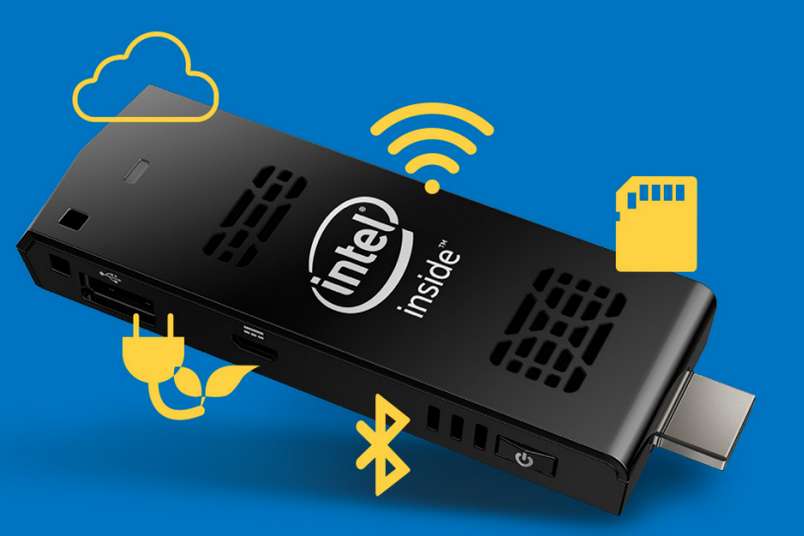
So what is an Intel Compute Stick? It’s a teeny tiny PC designed to plug into a HDMI display (monitor or TV). The device runs full blown Windows 8.1 (with Bing) on an x86 CPU (64-bit instruction set according to the spec page). It sets up just like a normal PC, and runs programs and apps like a normal PC. Think of it as an x86 Windows tablet without a monitor (hence the HDMI port). The device is powered by USB (phone lead) – I found that the supplied lead and DC power adapter were required because the Sony TV I tried it with didn’t output enough power.

IntelComputeStick

Intel Compute Stick turns HDMI devices into PCs [Image credit: Intel][/caption]The device has a number of ports:

  • USB 2.0: Required to set up the machine and pair a Bluetooth (4.0) keyboard and mouse (the eventual devices you’ll use to interact with the Stick)
  • Micro-SD: Add on up to 128 GB of storage to supplement in internal 32 GB (18.9 GB free)
  • Power

The device spec:

  • Quad-core 1.3GHz Intel Atom Z3735F – no EPT so you won’t run Client Hyper-V or WS2016 Hyper-V on here
  • 2 GB RAM
  • 32 GB storage (18.9 GB free)
  • WiFi 802.11bgn

IntelComputeStickSpec

The spec of the Intel Compute Stick [Image credit: Intel][/caption]Setting the machine up was tricky because it did require a USB keyboard. I had fun because I tried to set it up while it “drew” power from the TV and eventually it died. Rebooting it on DC power lead to a loop of repair modes, so a keyboard was required to navigate the options. There is no Bluetooth pairing button, so I set up the eventual peripherals using Settings in Windows. After that, it was Windows 8.1 as usual. The machine is not going to be confused with Alienware, but it is fast enough for what it’s intended for: light usage and media streaming. I streamed HD videos over wireless and it handled it well enough.

Let’s not be foolish here; the Intel Compute Stick will not replace the family PC. However, if you’re like me, and you like to have a “PC” connected to your TV (MiraCast suffers audio/video timing issues), then here’s another option (not the only one). What I would like to try is presenting (monitor in the conference room or HDMI projector) with this device instead of using the wireless display adapter.

[Update]

A next-gen version of the Intel Compute Stick will feature:

  • Intel Core M processor
  • 4GB of RAM
  • 64GB of SATA storage
  • USB 3.0
  • 802.11ac WiFi
  • Support for 4K displays
  • MHL (draw power from TV via USB)
Technorati Tags: ,

Microsoft News – 13 March 2015

Quite bit of stuff to read since my last aggregation post on the 3rd.

Windows Server

Hyper-V

Windows Client

Azure

Office 365

Intune

Miscellaneous

Presenting Using Microsoft Wireless Display Adapter

Yesterday was the first time that I came “this close” to my prefect presenting peripherals setup. I’ve wanted to be able to present from a tablet without the tether of a VGA or HDMI cable for years but it has never been possible. I have tried various things, but none worked out … either the performance sucked, the screen resolution was too low, or it just flat-out didn’t work at all.

Then came along Miracast, powered by hardware and enabled in Windows 8.1 with no drivers required. Last year Microsoft launched the Wireless Display Adapter (Amazon.com, Amazon UK). This is a dongle that plugs into HDMI capable TVs and projectors, and is powered by USB (from the display device or direct from power). I picked one up last November in the USA, and my employer just started distributing them to resellers (not direct via retail) in Ireland.

Previous to yesterday, I have been using my dongle to project ripped video and Netflix to the TV. It works perfectly, sending video and audio to the TV. There are times when I work from home when I’m sitting on the couch working on my laptop while video streams to the TV. And in theory, I could even use the TV as a second monitor! And yes, I’ve even used the TV for rehearsing presentations.

But yesterday was the first time that I presented using Miracast via the Microsoft Wireless Display Adapter. I brought along a cheap Windows tablet with Office installed and the dongle was plugged into a nice HDMI ready projector, and power came direct from a socket. The tablet connected flawlessly. However, PowerPoint killed the tablet … 1 GB RAM is just not enough. I ended up using my KIRAbook to present … wirelessly. It was nice to set up in the room where I wanted to be instead of behind a podium. Sure I would have liked to have roamed … but it was not to be.

Anyway, next time, I’ll have a Toshiba Encore that has 2 GB RAM and I’ve verified that PowerPoint will work on. And that will allow me to roam, using presenter mode on the tablet and have my notes in front of me.

FYI: the dongle works really well. But we have a Sony display (a TV without a tuner) at work that we cannot get dongles to work with. Everything else has worked fine.

Technorati Tags: ,,

Microsoft News – 23 January 2015

If you’ve just emerged from a cave or from under a rock, then you might like to read about Windows 10 and HoloLens. It’s been amazing to see how in “90 minutes”, the image of Microsoft has done a 180 degree turnaround. The carefully orchestrated and timed announcements on Wednesday were very effective.

System Center

Windows Client

Azure

Office 365

  • New Office Visio Stencil: These stencils contain more than 300 icons to help you create visual representations of Microsoft Office or Microsoft Office 365 deployments including Microsoft Exchange Server 2013, Microsoft Lync Server 2013, and Microsoft SharePoint Server 2013
  • Azure RMS Migration Guidance: The Azure RMS Migration guidance contains a whitepaper with step-by-step guidance and links to cmdlets and tools to migrate on-premises Active Directory Rights Management Services (AD RMS) server key and templates to Azure Rights Management services (Azure RMS) while preserving access to protected content.

The Windows 10 Briefing–21 January 2015

I am attempting to live blog this event. Hit refresh to see more.

It took me some time to get on the stream. Terry Myerson is talking stuff about things. Just get to the main course already. No one likes dry lettuce.

image

He goes on to talk about developers, helping them find their next billion customers with Windows 10. Customers are spread across many versions. This fragmentation makes it challenging to develop for them. Microsoft has developed heavily.

And I gave up. The stream died. Twitter is all a chatter with the abject failure of this stream.

Must do much better, Microsoft. And fire whomever is responsible for this catastrophe.

After 30 more minutes, Joe “Hair” Belfiore is wasting valauable time talking about the Cortana, a feature that only works for a tiny percentage of the world’s population. It’s a waste of time, developers, and program managers.

In the meantime, I saw that Windows 10 will have free upgrades from Windows 8.1 and Windows 7. Excellent news.

image

Now on to Windows Phone. It doesn’t look different to 8.1

image

He shows the flow keyboard, Yawn, Then on to messaging. Third party messaging apps (IP from telecoms or Skype) can be integrated into  the OS tool.

Universal apps now. This is a critical subject to get apps running across all Windows devices of all kinds, hopefully getting devs to write more for Windows.

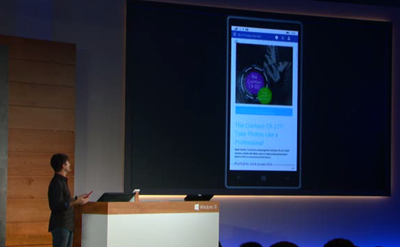
Touch-first Word, Excel, and PowerPoint will be included on Windows Phone and “small” tablets. You should get a full fidelity document experience with these versions of Office.
image

Recent Documents will roam from device to device. Useful.  He allegedly runs a PowerPoint deck from the phone to the big screen. Hmmm … no he wasn’t doing it wirelessly (admits he used a cable).

There will be a universal app version of the Outlook app for PC, tablet, and phone. He shows this now. Editing an email uses the full Word engine.

Calendar on Windows Phone has colour!!!! Wooo! Photos needed fixing badly. New universal app there too for PC and phone (and tablet – get the message about universal apps?). The Photos app will aggregate photos from OneDrive and local device. The collection view removes duplicates from the view. Auto-enhance will be turned on by default to present the images with more colour, etc. They auto-create collections and create a hero image. You can share this album – it’s in the cloud.

In 1-2 months, you can store your music in OneDrive. Playlists will sync between all devices.

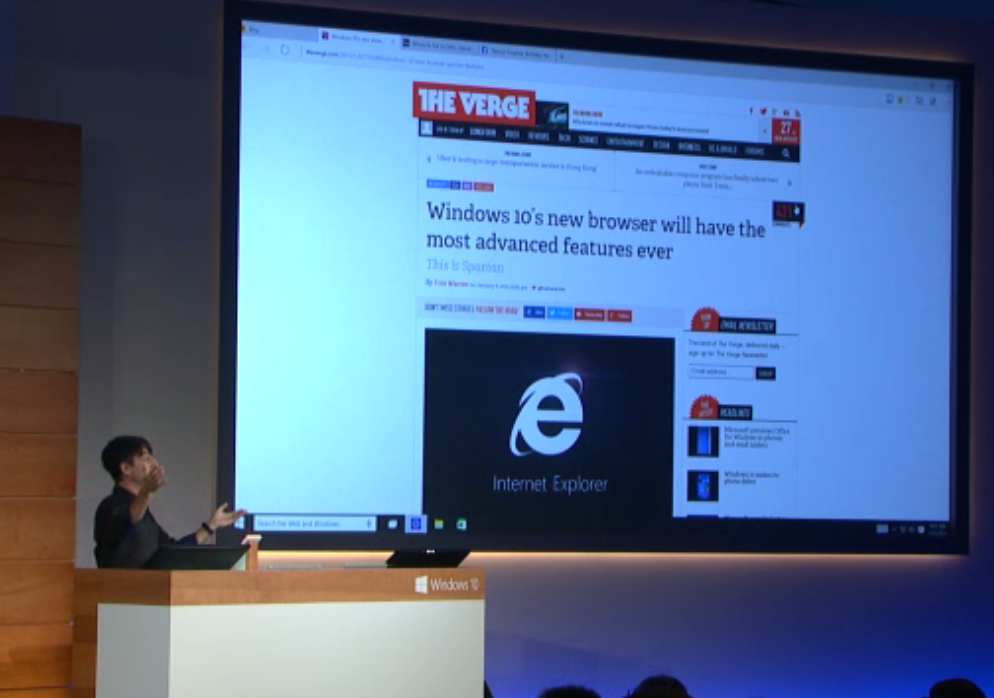
Now onto the last app. Here comes Project Spartan, a new web browser. This is not the IE of the past. There is a new rendering engine. Three new features to make you more productive:

  • How you communicate with others about the web. There is a note-taking mode, which they used when news of Spartan was leaked and on The Verge. BTW, The Verge was not the first to report on Spartan – I think it was Mary Jo Foley. You can use touch, stylus or keyboard to mark-up a page. You can clip or save a page with your mark-up, maybe to OneNote. You can also share the page.
  • Focus on the action of reading. There is a reading mode, giving you a standardised way to read content on the web. There is a reading list in the core browser. That’s a mobile experience so you can read the articles on any device …. yes, the content is saved offline so you can read on the plane, etc. There is built-in PDF support.
  • Cortana. Fuck off Cortana you Zune impersonator.

Spartan will be on PC in later builds, and phone later again. It is a universal app for all devices.

image

That’s the end of the hair for now.

Phil Spencer comes to talk about entertainment and gaming on Windows 10. He’s the head of Xbox. Cool stuff!  There will be an Xbox app on Windows 10.  It’s a social networking app from what I can see.

image

They show two players cooperating in a game from Xbox One and Windows 10 PC. This was never possible before. Will it really work? The hardware performances will vary quite a bit. They show streaming of a game from Xbox One to a PC. That is very cool.

Windows 10 is coming to Xbox One. This is great news for devs who want to bring their apps to the TV. But … gaming will remain the center of attention for Xbox One.

A new build of Windows 10 for the PC is coming in a week. And then to Windows Phone in February.

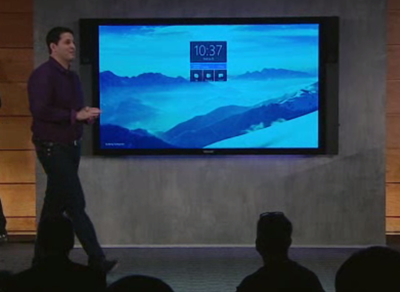
Now they show off the new Microsoft Surface Hub (the 4K 84” TV with integrated compute). It detected the demo person when she came in. It has cameras, NFC, and all that jazz. There’s lots of software features to get meetings working, and to share content after the meeting (think of it as automated minutes). And it’s Windows 10.
image

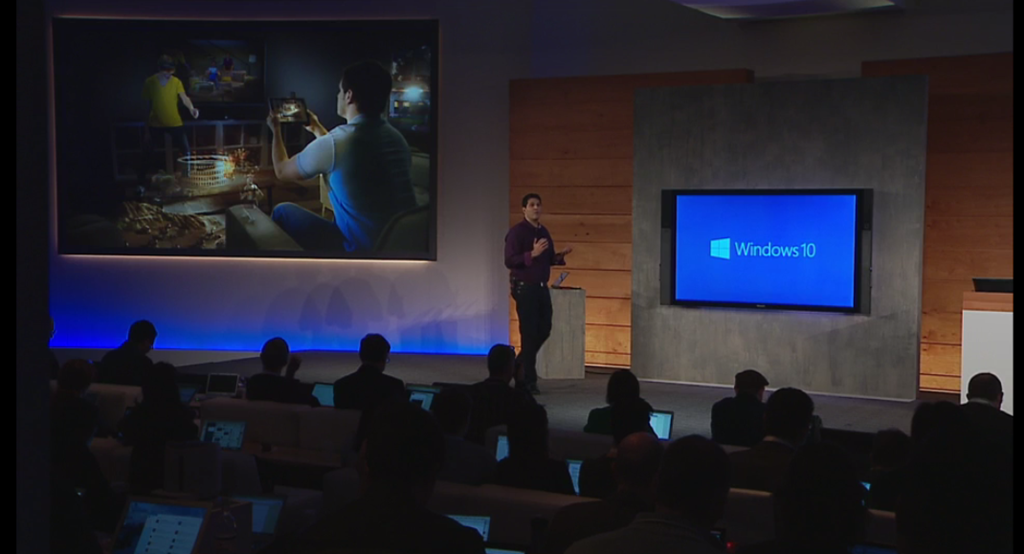
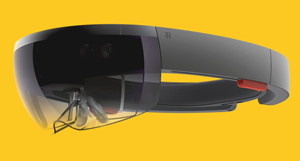
Windows Holographic is presented via a video. It appears to be one of those concepts that will not appear. MSFT used to make these videos all the time. It’s based on some glasses that super-impose images on the real world. Great concept. Not unimaginable because there are phone apps that do this sort of thing.

image

Holographic APIs are in Windows 10 on all devices.
image

Project HoloLens’ key achievement—realistic holograms—works by tricking your brain into seeing light as matter. “Ultimately, you know, you perceive the world because of light,”

They do some live demos. This stuff is amazing looking. We see a person pointing at mid-air, but we also see her view of stuff that’s imposed on her view of the world by the glasses.

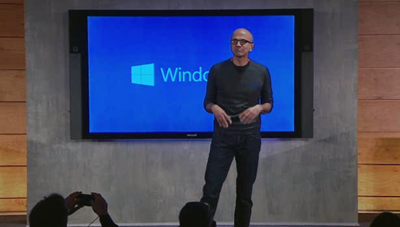
Satya Nadella comes out to talk about Windows 10 and HoloLens.
image

They want people to move from needing Windows, to wanting Windows, to loving Windows. They’re being very realistic about the position that Ballmer has navigated the company to. Service, mobility, and cross-platform are Satya’s new mantra for 2015.

He says “Windows as a service”. Customers will get a continuous stream of innovation. There will be a focus on mobility of experiences – enabled by one OS. Windows will continue to be the best place for Microsoft experiences. But MSFT will have services everywhere.

Myerson is back out. The media will get to try NASA mars explorer, Skype and Minecraft on HoloLens. He also says “Windows as a Service”.

Here is a blog post by Terry Myerson summarizing the announcements.

Technorati Tags: ,

Microsoft News – 17 December 2014

Things have settled down a little after last week’s surprise Azure announcements.

Hyper-V

Azure

Office 365

Microsoft Partners

Licensing

  • Price increases in 2015!! SPLA/hosting licensing costs are going up. Hosters will have no choice but to pass that on to their customers.

Miscellaneous

Microsoft News – 5 December 2014

It’s December, and not much happens then in the world of Microsoft. However, we do have GA of Azure RemoteApp (RDS in the cloud) on the 11th!

Windows Server

Windows Client

Azure

Intune

No Prompt To Connect To Microsoft Wireless Display Adapter

My quest to be able to present wirelessly via Windows 8.1 Miracast from a tablet continued. When at the MVP Summit in early November I ordered a Microsoft Wireless Display Adapter from the Microsoft Store (the brick and mortar store in Bellevue had none).

A few weeks ago I tried the device with a large Sony display TV that we have in the boardroom at work. The dongle is powered via USB – the intention is that you plug this into any available USB port in the TV. The dongle connects to the TV via HDMI. That’s easy to connect up and it only takes the device a few seconds to power up. It prompted me to connect my device.

So I tried my Toshiba KIRAbook. And then I tried my Lenovo Yoga. Both have compatible processors. And neither could connect. I had two symptoms:

  • The Microsoft Wireless Display Adapter did not appear in the device search results
  • If I could see the device to connect to it, I was not prompted with a PIN to confirm the connection and it would time out.

I thought I had a dud device – and me being back in Ireland would make a return impossible. I knew it wasn’t a regional issue because I know of a company in Ireland using one and MVP Didier Van Hoye confirmed that his one is working.

So I gave up … sort of. Today I had time (finally) to test it out again. This time I connected the USB port to a phone power adapter and plugged it straight into an electrical outlet. The HDMI port went into a TV. And then I tested with:

  • Toshiba Encore 8” Windows 8.1 tablet
  • Toahiba KIRAbook

And the connection worked. Right now, Family Guy (Netflix USA) is streaming video and audio to the TV from the KIRAbook.

So the problem is (I believe) that not all TVs output enough power via their USB port to adequately meet the needs of the dongle. The solution is to power the dongle directly from an electrical socket.