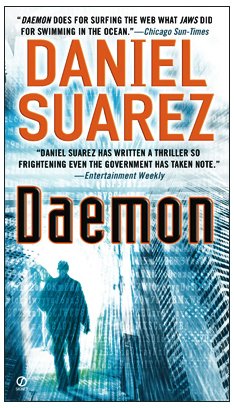
Book Review – Daemon by Daniel Suarez

The story of Daemon  is that a games development genius dies, but that doesn’t stop him from wreaking havoc on the world.  Before he dies, he uses the AI from his games to create a distributed network to enact his will.

This book has what Zero Day didn’t: a hook, something to keep you turning the pages.  In fact, I found it quite addictive.  I was reading it before work, at lunch, and going to bed early to read more.  I finished it this morning and immediately ordered/downloaded the sequel, Freedom.

Whereas Zero Day featured an extremely believable scenario, Daemon goes a little bit more into the sci-fi end of things to add an element of danger.  However, it is still rooted in the believable.  I can’t watch a movie or read a book that features “go hack now” scenarios.  But this book was based on things like trojans, in-game AI, RSS feeds, GPS, and so on.  It just stretched what we know about a little to enable the plot, but kept this acceptable an acceptable limit for me.

Over and over, in this book, you’ll see how hacks take advantage of poor patch control.  Spotting a trend?

I reckon that if you work in IT, or find computers interesting, then there’s a really good chance that you’ll like Daemon.  This book can be ordered on Amazon.com.

Technorati Tags: ,

Finished Reading Zero Day by Mark Russinovich

One of the nice things about not having constant deadlines is that I can “chillax”.  I’ve been getting a lot of reading done on my Kindle/iPad combination.  And the latest book I’ve read is Zero Day, the debut novel by famous Windows insider guru Mark Russinovich.

The book centres around an independent IT security consultant who stumbles on a worldwide IT security threat, and then goes on from there.  I normally cannot stand any form of entertainment that features IT.  There are usually so many holes in the technology that is the centre of the plot that I focus on those rather than on the story.  Not so here, as you would expect.  The IT stuff appears accurate to me, and technical terms like a rootkit are dealt with at a high enough level that your granny will know all about them when she finishes the book.

The story is OK.  I think it was missing a little something, a hook, … I dunno, I’m no novelist!  It’s just that I finished it and was left wanting something more from it.  But that’s just my opinion; lots of others have loved it and Mark Russinovich broke the news yesterday that a publisher has agreed to publish a follow up.

Where the book scores points is that it gets across that businesses are failing to get the most basic IT security practices right.  Things like patching and antivirus still are not being done.  And that probably goes back to an old soapbox rant of mine: many decision makers don’t value IT, and therefore don’t understand how it can benefit a business if dealt with strategically or put it at the risk of complete destruction if the right staff aren’t hired and best practices aren’t implemented. So if you are in IT and want a Secret Santa gift for the CIO/CEO, give them a copy of Zero Day Smile

I’m now reading Daemon by Daniel Suarez.  I’m just a short way into it but it’s started out well.  Leo Laporte and Steve Gibson both recommended it on the TWiT security podcast a few weeks ago.  I’ll blame them if it sucks Winking smile

Technorati Tags: ,

ConfigMgr 2007 Management Point Won’t Install – Failed to Create the CCM_Incoming Virtual Directory

I’ve been working on a customer site for the last few days in my old stomping ground: System Center Configuration Manager (SCCM) 2007.  It’s a new deployment in a mature Windows XP network.  Today started out as a nightmare.  I had all the prereqs done but the install of the primary site server was not going well.  The management point just would not install.  The SMS_MP_CONTROL_MANAGER was reporting that:

“MP Control Manager detected MPsetup has failed to create the CCM_Incoming Virtual Directory.

Possible cause: The IIS IWAM account has expired, been disabled, or has invalid or too restrictive logon hours. You may verify this information by running the net user command line for the IWAM account. (i.e.: "net user IWAMMachineName)

Solution: Use the output to verify that the account is enabled, and logon is possible during the time of installation. Note: You can use "net user" to modify the account properties.
Possible cause: The IIS IUSR account has expired, been disabled, or has invalid or too restrictive logon hours. You may verify this information by running the net user command line for the IUSR account. (i.e.: "net user IWAMMachineName)

Solution: Use the output to verify that the account is enabled, and logon is possible during the time of installation. Note: You can use "net user" to modify the account properties.
Possible cause: The designated Web Site is disabled in IIS.

Solution: Verify that the designated Web Site is enabled, and functioning properly”.

I knew that all IIS components were installed and configured correctly: I use my Zero Touch chapter from Mastering Windows 7 Deployment as my ConfigMgr prereqs check list!  Using that, I can normally get an all green install.  But something here was wrong.  I suspected a security issue … who knows what’ll impact you in a mature network.  I googled and a number of people reported corrupt IIS metabases caused issues.  A reinstall of IIS and ConfigMgr ensued but no result.

Now I was sure an external factor was at fault.  I’d heard that some security feature had screwed up the XP machines in the past.  Something to do with Conficker.  I had GPO, antivirus, and a 3rd party management product in my sights.  We started deploying a new VM that would be dropped into an OU with blocked inheritance to prevent anything from screwing with the clean OS.  Meanwhile, I returned to the already deployed (and new) VM and Google. 

Then I found this thread on MS TechNet Forums.  The user, tymque, had found that a hack to prevent Conficker had changed some permissions to the SVCHOST registry key and the WindowsTasks folder and this broke the management point installation.  I found the default permissions on MS Support (on a Conficker subject page).  I compared the default permissions with what was in place.  They were different!  I made the required changes manually and then the management point installation (manually running mp.msi) worked.  To be safe, I ended up doing a clean reinstall of the entire site server … and got an all green as expected.

I never did find out what hacked those permissions: a bit of time pressure on this project.

Using RSA Security Tokens for VPN, etc?

Then get them replaced now.  RSA were hacked and lost control over their master keys.  This has led to hacks against RSA customers – confirmed by RSA in an open letter to their customers.

I’ve never been keen on the concept of RSA tokens.  Now we learn that they stored the master keys live on the network with a route to the net by the looks of it!!!! Even the most basic certification training course on CA admin will teach you to use an offline root CA.

Technorati Tags:

How HM Treasury Was Allegedly Attacked & How to Defend Against It

I was listening to The Guardian’s Tech Weekly podcast on the way into work this morning and they were discussing some of the recent announcements from the British government about the cyberwar research that the MoD/GCHQ is doing.  In the discussion they mentioned that there was a recent attempted attack on HM Treasury (department of finance), and that the attacks allegedly came in two forms:

  • Drive-by browsing: this is where a user innocently goes onto a legitimate website, but an outsourced advert uses a browser vulnerability to inject some software onto the user’s computer.
  • Malware attachments: Some piece of dodgy software is sent as a normal looking attachment in an email.  This file has some sort of built in attack, like a trojan downloader, and the PC becomes a bot (something the attacker can remotely control by commands that the downloader will pull down from a service or website running on the Internet).

I am not a security expert.  In fact, most of the self-proclaimed security experts that you meet are not security experts.  I have met real security experts.  They speak a whole other language that we IT Pros don’t understand.  I’ve also met “security experts” with their recently downloaded checklists who do more damage than good.  The good news is that there is lots that you can do to protect yourself from attacks such as the above.  The bad news is that there is no 100% perfect defence.  For example, antivirus scanners detect already known threats.  Someone has to get hit somewhere before a threat becomes known.  Let’s stay positive and see what could be done to protect against the above two attacks.

Defending Against Drive-By Browsing

Drive-by browsing has been around for some time.  I’ve attended presentations by Microsoft’s Roger Grimes (serious security dude), where he talked about the website of a certain conservative news broadcaster.  They sold advertising space on their website.  Other than the space, they had no control over content.  That was done by the online advertiser.  And they probably did more outsourcing or bidding.  Allegedly, browsing this website could cause you to become a victim of an attack that was built into one of these outsourced adverts.  You’d just browse the site and *BANG* your PC downloaded a trojan downloader.  In other words, it was 0wned.

The most basic defence against drive-by attacks is to keep your browser up to date with security fixes.  Don’t be a fanboy sheep: all browsers are vulnerable.  I remember listening to another podcast (TWiT Windows Weekly) a few months ago where they discussed how Safari took seconds to smash, and Chrome/IE lasted a bit longer but eventually gave in at some hack-athon.  Google and Microsoft are constantly releasing updates.  Google do it via new versions of Chrome.  Microsoft do it through security hotfixes.

If you run anything but the smallest business then you need to manage these updates.  This is one of IE’s strengths because it can be updated immediately (or after internal testing) via Windows Updates, WSUS, and System Center (Configuration Manager 2007 or System Center Essentials 2010).  There really is no excuse for a business not to be doing this, monitoring patch update levels, and remediating any deployment issues.

This adverts are effectively downloading a trojan installer.  A proxy malware scanner can help defend against this.  Forefront Threat Management Gateway (TMG) includes a Malware Inspection Filter, as do many other firewall and proxy products.  I’ve always like the ISA (now TMG) family because they are AD integrated, and I can reuse security groups and user accounts for rules and exceptions.

Malware Attachment

The problem with email is that is pretty open, and trusting.  If I know the name or IP address of your SMTP gateway then there’s nothing to stop me from creating a malformed email that appears to come from someone you know and trust, and attaching a piece of malware to do bad things to your PC (and then your network).

Last night I read about some executive of a large corporation who sent out a memo to all employees to instruct that they should confirm the source of all emails before opening them. That certainly is one way to prevent the opening of an attachment. I just wonder if this executive answered the 20,000+ phone calls from his employees when they called to confirm that he really sent that email. Let’s get real – people have jobs to do and they cannot spend 3/4 of the day calling people to see if so’n’so really sent an email. Why would we have email at all in that case?

Sure we can do a bit of user education.  I don’t need to open an attachment with a .EXE file extension.  I don’t need to read an email from the wife of some deposed king.  And I really don’t need pills for you-know-what Smile  Common sense education helps.  But as Steve Riley has said in presentations in the past: the vulnerability lies in the meat that sits between the chair and the keyboard.  If we cannot fix that. then maybe we need to wrap our email system in defences to counter those weaknesses.

Lets start with the mail server.  Stick some malware scanning on there, like Forefront for Exchange (or another solution).  That will protect the server against external threats.  I know you’ll interject here with another suggestion (and I’ll get there).  Think about how IT is changing.  Consumerisation of IT has caused users to bring all sorts of devices onto our networks.  Lord knows what they connect to when they are not on our network.  And those same devices will be used to connect to the company’s mail services.  You need to protect the company’s email (and reputation) against those internal threats.

Next up is the online malware scanning service, such as Forefront Online Protection for Exchange (FOPE) or others.  The company’s MX record points to this, all incoming email is scanned for spam and malware, and then sent on to the company’s SMTP gateway.  You’re in complete control – you can even integrate the management of Forefront for Exchange with FOPE via a free (I believe) management console (it also can manage Forefront for SharePoint).  Now you can filter out the incoming rubbish before it gets to the company’s expensive Internet connection, and you have a layered defence.

Third Party Update Catalog

We aren’t finished yet.  Antivirus scanners are not perfect, especially when it comes to custom written or brand new threats.  The more serious attacks out there are not done by script kiddies in a basement; they’re done by organised crime, your competitors, and state agencies.  They have the time and money to create new programs to leverage discovered vulnerabilities.  For example, it’s one thing to scan for Conficker, it’s another thing to fix the vulnerability that it attacks so you can prevent anyone else from attacking it.

So you can use Windows Update, WSUS, ConfigMgr, or SCE to patch Windows.  Great!  The attachment that was used in the allegedly attack on HM Treasury was allegedly based on an Adobe product.  How often do you see Adobe products looking to update themselves to fix some security issue?  It feels to me like it happens a few times a week.  I bet most of you, and your users, disable these annoying updates – and that’s what the attacker is betting on!  They can write a custom attack, build it into a PDF (or whatever), send it to a user in your organisation using a crafted email that appears innocent enough, it’ll sail through the scanners (because it is an unknown attack), the attachment is opened in a vulnerable reader, and *badda bing* the attacker now has control of a PC on your network.

*PANIC* This is where you uninstall Adobe Reader, Flash, etc, and use third party alternatives – not so fast, my friend! (Why do I keep quoting Lee Corso?).  Adobe products, like every other, has vulnerabilities.  If you think those other readers don’t then you’re fooling yourself.  If you’re a big enough target, then an attacker will figure out what third party reader you use via social engineering, and craft an attack for that.  With Adobe, you at least have a way to force updates for your users.

No, we cannot trust users to run Adobe updates by themselves, just like we cannot trust them to run Microsoft updates for themselves.  Adobe has created software update catalogues that we can use in System Center Configuration Manager (MSFT’s main way to adopt/control consumerisation of IT) and System Center Essentials.  This will allow you to centrally download, test, approve, and deploy updates to relevant machines in an automated, and scheduled manner, with deployment deadlines.  Now you can force those vulnerable PCs to update, and secure your network against those vulnerabilities.

Summary

With all this you get layered defences.  Is it 100% secure?  No.  Like I said, I’m honest enough to say that I’m not a security expert but I know that with the above systems, you could protect yourself against the same attack that allegedly targeted HM Treasury (based on the information that I heard this morning).  Combine this with protection for PCs, servers, SharePoint, Lync, and so on, and you’ll have a nice fortress.  You can’t rely on people to protect the castle, and that’s why you need an automated portcullis approach like this.  The responsibility then falls on you as the gatekeeper to ensure that the gate is built correctly.

Note: I don’t know why some people always assume that virtual machines (on any hypervisor) assume that security should be any different for them.  The virtualised workloads still need the same levels of protection that they physical alternative would.

Microsoft Exchange Online Services Unbundled

This post is as much for me as anyone else – the array of products from Microsoft is mind boggling.

Once upon a time, Microsoft launched Exchange Hosted Services.  Based on the name alone, it sounded like Microsoft were now hosting Exchange mailboxes, like some of their hosting customers had already been doing.  But no, it was in fact a service that provided:

  • Online filtering of spam and malware
  • Archiving
  • Limited mailbox DR
  • Web portal
  • Mail encryption

Then along came BPOS (the product naming team strikes again) and that included mailbox hosting.  At least that’s been renamed to Office 365 –> but I’m encountering a lot of people who thing that’s just an alternative to the Office you install on your PC!

You can subscribe to a bunch of online services for Exchange

Exchange Hosted Services is still sold as a bundle including those 3 products.

Technorati Tags: ,,

System Center Update Catalogs for Third Party Products

Ever notice how many problems are caused by drivers or firmware?  Ever notice how often Adobe releases a new version of Reader or Flash to solve a security issue, and how many legacy versions are running on your network – thus making your Windows Updates process pretty irrelevant?  Ever wish you had a way to centrally deploy fixes for those problems?

One of the nice things about System Center Configuration Manager and System Center Essentials is that up can potentially distribute updates for just about anything.  For example, SCE 2010 has a wizard for adding catalogs for Dell, HP and Adobe products.  That means their system updates become something that can be distributed via Windows Updates!

Note: You would not want to do this for Hyper-V hosts – remember to treat them like change controlled mainframes.  Use your ability to filter update approvals using groups to control which machines will receive these updates automatically via Windows Update.

You are not limited to catalogs from the above companies.  You can even create your own catalog using the System Center Updates Publisher.  And some companies like IBM provide catalogs that you can add using their provided URLs.

Forefront TMG (or any Firewall) & Virtualisation

I was asked today about using (W2008 R2 SP1 Hyper-V) Dynamic Memory and Forefront Threat Management Gateway (TMG).  To be honest, I hadn’t looked at TMG on virtualisation before – Microsoft has a huge product catalogue.

I searched, and found a long and detailed article on the subject.  The guidance starts with understanding the network role of the TMG installation in question.  That means understanding workloads (network and server) that the VM will be handling.  This leads to some general TMG configurations, which will obviously affect resource requirements and performance.  We are reminded that the TMG VM will be sharing a host with other VM workloads, and therefore a spiking TMG VM could affect resource utilisation of other VMs.  Consider this when sizing hosts or placing virtual machines.  The TMG group recommends doing a 2 week proof-of-concept or assessment to gather empirical data for this sizing process.  TMG will eat CPU and memory.

Speaking of memory, a SQL back end is used for logging.  This is normally an Express install.  This edition (at the moment) doesn’t have the ability to deal with expanding memory such as Hyper-V Dynamic Memory.  The minimum RAM for TMG is 2 GB.  Well, SQL Express has a “one GB memory limit for the buffer pool”If you decide you must enable DM on your TMG VM(s), then maybe you should set the start up memory setting for a TMG VM to 2048 MB.  That will leave SQL Express in a healthy state in terms of memory (knowing how much to take at startup) and will ensure that TMG always has the minimum required.  You can set your maximum memory setting to what you find is required after your assessment.

Physical networking is discussed.  Any VLANing or DMZ/edge network designs for a physical installation should still apply.  Don’t redesign or compromise the network design to suit virtualisation; do redesign the virtualisation hosts to suit the network and security requirements.

Ideally, a host used for providing capacity to network security VMs should not run other VM roles, e.g. you ideally won’t mix Exchange VMs and TMG VMs on the same host.  But hey, sounds great in mid/enterprise environments but a bit pricey for SMEs.

There’s lots of advice on lock down policies, patching, and enabling BitLocker on the parent partition.  And of course, only provide access to the parent partition as and when is (business critically) required.

An interesting one which might answer many forum questions, the TMG group recommends that internal and external virtual NICs should not share virtual switches.  That means you should ideally use different physical NICs for those networks, and maybe use different virtual NICs that are created by your network provider (e.g. Broadcom, HP NCU, etc).

There is a reminder to disable everything except the virtual switch protocol in the parent partition NICs that are used for external virtual switches.

You should have a way to log into or manage/monitor the parent partition separately from the virtual machine workloads.  In other words, have a dedicated parent partition physical network card that is not used by virtual networks.  This will allow you to manage the parent partition and it’s other workloads if something like a DOS attack happens and the internet facing NIC for the TMG VM is being hammered.

For your virtual machine disks, it is recommended that you place OS, SQL logs on different drives.  If you are using host server internal disks then you’ll need to create different LUNs.  Things aren’t that simple in a SAN where virtual disk systems are used, because different LUNs are actually striped across the same disks in the disk group.  I’d consider a CSV with all VHDs on there.  And then you get into the normal CSV/backup design decision making process.  Remember to keep IOPS requirements (from the assessment) in mind.

The article ends with a discussion of various virtual networking designs and how they will impact on the performance of your TMG VM.

A Factual Analysis of Cloud Computing VS The USA Patriot Act

Note: This article applies to public cloud computing.  Private clouds where you own the equipment and software in your computer room/data centre are not affected.

Regular readers will know that I used to work in the hosting business and that something I warn people to be aware of is the USA Patriot Act – a legacy of George W. Bush’s war on terror (some might argue it was a war on freedom) and that lives on under the “moderate” Democratic government a decade later.

The ZDnet article, “Case study: How the USA PATRIOT Act can be used to access EU data”, by Zack Whittaker is an excellent analysis of the problems that the Patriot Act causes for non-American organisations with cloud services provided by USA owned companies, no matter where their subsidiaries or data centres are located.

I’ve been able to attend a number of cloud computing events since the trend kicked off.  Those who have invested themselves in the likes of Amazon, Azure, or Google, will vehemently deny that the Patriot Act applies.  Some of them will toss their toys out.  They kind of remind me when Irish PM Bertie Ahern told us critics to go commit suicide when we questioned the health of the economy (he resigned a few months later when he finally saw the financial tsunami that was coming).  Their lack of willingness to discuss or listen should make you wonder.

Last year I asked an Amazon evangelist about the Patriot Act and how it would apply to data stored in Amazon’s European data centres.  The rather cocky answer was that it wouldn’t because the Amazon company in Ireland was an Irish registered company.  Indeed it is, but it is also owned by a USA owned corporation that must comply with the Patriot Act.

A few years ago at the Microsoft BPOS launch, I asked a MSFT speaker about the Patriot Act (I am a bold boy!).  He had to admit that there was an issue even if the data stayed in the Dublin data centre.  But straight away, MSFT sales and marketing were out talking about geo-location and how that was the solution to data protection issues.  Some of us knew that to be BS, and others went and developed their HR SaaS, or whatever, applications on Azure (I did have a few giggles, I have to admit, thinking of the impending ex-employee versus employer lawsuits that could follow).  Finally Steve Ballmer admitted to the issue at a CEO conference … but try stop sales and marketing!

For you nay-sayers, here’s a couple of bits from this excellent article:

“The bottom line is that both Microsoft and Google — and therefore any other cloud service provider operating in Europe — cannot provide satisfactory guarantees that data supplied by EU customers and housed in datacenters on European soil will not leave the European Economic Area under any circumstances”.

“These subsidiary companies and their U.S.-parent corporations cannot provide the assurances that data is safe in the UK or the EEA, because the USA PATRIOT Act not only affects the U.S.-based corporations but also their worldwide wholly-owned subsidiary companies based within and outside the European Union”.

I’ve met loads of people who love EC2.  I know an Azure MVP and he’s fallen for it as a developer.  All quite understandable.  To me, things like Office365 do offer amazing opportunities in the right circumstances.  Will anything change regarding the Patriot Act?

Rumour is that Amazon and MSFT lobby strongly over this issue.  Some believe they had a lot to do with some of the contentious pieces of the Cyber Security Act being stripped out.  I’d believe it – the USA might be the big player in cloud computing right now, but if data laws continue to cause concerns then what’s to stop a Chinese operator dominating there, or a French/UK/German operator dominating in Europe, or a South American provider dominating down there?  That would put a seriously big pinch on Amazon’s plans to be online content kings of the world, and Microsoft’s plans to dominate PaaS/SaaS just like they’ve dominated Office software.  Maybe there will come a time when the USA government will cop on and relinquish these communist-like demands over hosters.  That would be of benefit to us all.  But we have learned from history that both USA political parties are willing and able to undo freedoms at a moment’s notice; we only have to look at the original drafts of the Cyber Security Act to see that.

So are people listening to the warnings?  As I’ve already alluded to: no they’re not.  The louder voices of those who are already invested are drowning out those urging caution.  And there are those who see those oh-so-tempting low sticker prices of an Azure or an EC2 and then don’t want to listen to anything else.  I’ve had those conversations in the past.  To be quite honest, most people don’t want to listen.  It’s like telling a gambling/spending addict they they shouldn’t get that sixth credit card.  They either berate you for questioning “progress”, try to change the topic of conversation to that of technical features, say that the Patriot Act will never be used against them (it’s known to have been used over 80 times – and the fact is that data that is susceptible to the PA is at risk to not being protected by the European Data Protection Act), or they engage the lah-lah-lah arguement.  I gave up; that’s why I’m not in the hosting business any more.

So give the ZDnet article a read.  It’s well constructed, telling the story of the author’s investigation.  He uses a case study and approaches some big service providers directly to get their official responses on the issue.

Now, let me get back to folding that tin (aluminium) foil hat to keep those pesky NSA satellites out of …

Technorati Tags: ,

BitLocker & My Personal Laptop

My personal laptop contains some stuff that I don’t want to lose control of, including the original Word documents for a few books.  As such,I take precautions to protect that content.

My laptop runs Windows 7 Ultimate Edition.  That includes a feature called BitLocker which can encrypt an entire disk.  With a TPM 1.2 chip enabled in the BIOS, I enabled that, saving the recovery key to a USB stick.  I want to keep that key safe – just in case.  So I moved it from the USB stick to a folder on my laptop.  That folder is replicated to my other machines using Live Mesh.  That means I can access the recovery key for the laptop from anywhere using my Live ID.

My data is secure, and I can recover the laptop if something should go awry.

Technorati Tags: ,