Rebuilt the UX31E Ultrabook

I rebuilt my Asus ultra-slim laptop over the weekend.  I’ve never been the biggest fan of OEM builds because of the 3rd party stuff that gets included.  On went Windows 7 Ultimate with the intention of migrating from my Latitude which will probably be rebuilt with some Hyper-V version (it has more RAM and eSATA).

After dealing with the drivers (conveniently placed on the hard disk by Asus) and putting on the usuals (thanks to ninite) I installed a few bits of the Asus software, including power stuff and a boot accelerator.

Some info:

  • The power stuff customises the power options.  The battery saving one boosts Windows 7 battery life to around 7 hours.
  • The machine starts in around 2 seconds from cold, then hits the boot loader.
  • A cold boot & logon takes 24 seconds, with things like Office 2010 installed.
  • Wake from sleep (open the lid) is less than 1 second.  The hardest bit here is finding the gap between the lid and the keyboard because the machine is so thin.

All this will only get better with Windows 8.  I already see that on my old netbook and the DevPrev release from last September.

Glad I didn’t toss the Asus packaging yet – I found two dongles:

  • A USB one for adding a NIC
  • A micro VGA converter for connecting a VGA lead. 

Some manufacturers have native VGA and NIC ports in the chassis but have to sacrifice thickness to fit them in.

Technorati Tags: ,

Put My Money Where My Keyboard Is – Bought An Ultrabook

Back in December 2011, I blogged about the variety of Intel-based Ultrabooks on the market and how they offer a cool, slim, light, and still powerful Windows based alternative to the MacBook Air.  I had hands-on with the cracking (that’s good) Toshiba Z830 and Sony VPCZ21M9E.

Yesterday, as I returned from the Hyper-v.nu event in Amsterdam, I made my way into the electronics store near the E terminal, often a place with bargains (compared to Irish costs).  And there I found the i5 version of the Asus UX31E (also comes in i7).  After a quick double check online of the spec on airport’s the free Wi-Fi, I decided to buy it for the price (under €1,000).

It’s a 128 GB SSD, 4 GB RAM, HDMI out, USB 3.0, 7 hour battery life, very slim machine.  It is silent.  It boots up so quickly.  It wakes from sleep instantly.  The chassis is brushed aluminium and it looks very classy.

My main reason to get it was to get a light normal usage machine.  It’ll fit beautifully in my camera bag without adding bulk to prevent the bag being carried onto a flight.  With USB 3.0 I can strap on an external drive for additional data (photos) and do Windows To Go for Windows 8 beta and RC when they come out.  RTM will go on immediately to further extend battery life.

Technorati Tags: ,,

The Ultrabook – A Windows Laptop To Match The MacBook Air

Let’s face it, the MacBook Air is a sexy wee thing compared to the usual Windows laptop.  It’s slim, it’s light, it’s got long battery life, and it’s airline carry on baggage friendly.  Yes you can run Windows 7 on one of those, but it’s a pricey way to go, and I guess there would be complexity issuesif you needed a h/w repair (I really don’t know).

Until recently we haven’t had a true Windows laptop alternative to compete with the MacBook Air.  That changed this year with Intel’s Ultrabook standard.  The one I’ve gotten to see is the Toshiba Z83X (disclaimer: at work we distribute Toshiba and Sony mobile devices).  This 13.3” machine comes with i3, i5 or i& CPUs, 128 GB SSD, USB 2.0 and USB 3.0 ports and HDMI video output.  And, it is as thin and light as a MacBook Air.  It’s a native Windows machine, and it’s cheaper than a MacBook Air. 
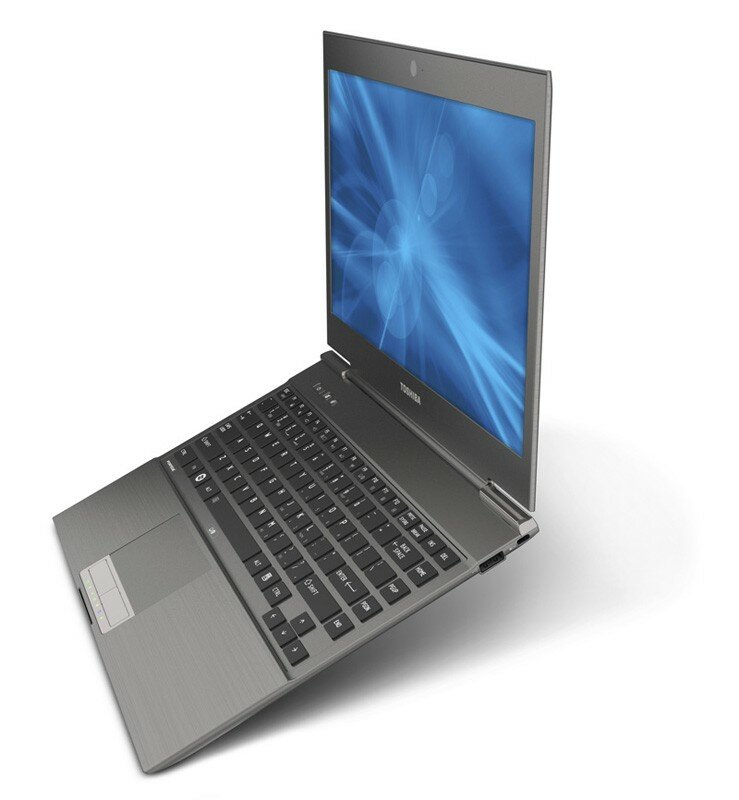
Toshiba Z83X

Reviews have been good on that machine, giving a balance between power (claimed up to 7 hours), battery life, and price.

I like the look of the Acer Aspire S3 Ultrabook too.  The S3-951-6828 has an i5 CPU, 4 GB RAM, and a 240 GB SSD.  There is also a claim of up to 7 hours battery life, possibly enough to do a transatlantic hop without charging.
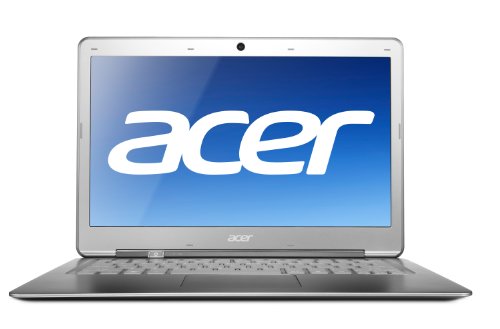
Reviews have been mixed on the S3, but it comes with a nice spec at a competitive price.

If you want to go nuts then have a look at the ASUS UX31 Zenbook.  This has an i7 CPU, 4 GB RAM, and a 256 GB SSD, but all this comes at a higher price.
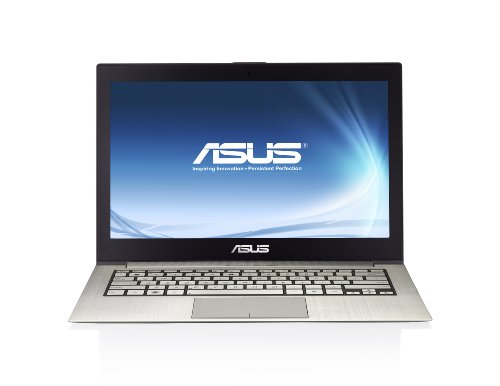
The reviews has been flattering for this machine, but it is more expensive than the previous machines.

Most people have not heard of Ultrabooks yet.  And they haven’t sold all that well either.  Why?  Well, in Ireland, they are typically starting at around €1200 for an i5 machine with a 128 GB SSD.  Without any scientific searching, I can get a normal i5 laptop with a 500 GB traditional drive for under €600.  So the Ultrabook loses on price.

And when a person is paying €1200 or more for a laptop, then they’re probably looking at a MaxBook Air.  Apple products have a certain prestige that Windows machines do not.  It’s more of a fashion statement than anything else.  The person with more disposable cash wants the trendy item, and they see a Windows Ultrabook as being an overpriced laptop, even if the Ultrabook is the same, if not more, is more manageable in the business, and has more/cheaper software available for it.

I think the future for the Ultrabook is not good if the prices don’t come down.  That might happen after the new year (2012) when they are no longer as new as they once were.  I certainly would stump up the cash for one if the price came down so I could tuck it into my carry on camera bag and not have to hide a traditional laptop in my check-in bag (my camera bag is rather large and full with camera gear).

EDIT:

One of the guys in work gave me a demo Sony Vaio VPCZ21M9E to play with for a little while.  Carbon fibre body, i5 CPU, 4 GB RAM (expandable at order time to 8 GB), 128 GB SSD, 1.2 KG weight, VGA and full HDMI video output, USB 2.0 and USB 3.0 ports.   It feels incredibly light.  Apparently it is 17 mm at the thickest point.  Looking at it, I think they are including the rubber feet.  This thing is so thin you could shave with it.  However, it appears to be twice the price of the competition.  But is a very nice piece of kit and it hurt to give it back.

Technorati Tags: ,


Great Article on Hyper-V and NUMA

Any software designer/engineer needs to be aware of how Non-Uniform Memory Access (NUMA) impacts the performance of services that will run on that hardware.  This goes double for virtualisation administrators, and here’s why.

NUMA is a hardware design feature that divides CPUs and memory in a physical server into NUMA nodes.  You get the best performance when a process uses memory and CPU from within the same NUMA node.  When a process requires more memory, but the current NUMA node is full, then it’ll get memory from another NUMA node and that comes at a performance cost to that process, and possibly all other processes on that physical server.

And that’s why virtualisation engineers need to be aware of this.  In Hyper-V we have Dynamic Memory.  In VMware, there are other techs that do similar (but work differently) things to add memory to a VM under the covers.  When there’s contention in a NUMA node, a VM will be given additional memory from a different NUMA node – and then performance will drop.

When present this topic, NUMA causes a lot of confusion.  Microsoft gave us a rather badly out-dated formula for calculating NUMA node sizes.  It’s actually a hardware specification (that all OS’s and hypervisors have to deal with) so the only really accurate way to determine NUMA node layouts is via PerfMon or chatting to the hardware vendor.  In the meantime, I stumbled across this fantastic article by Benjamin Athawes.  Benjamin explains NUMA superbly and talks about how to determine what’s in your hardware.

In the Hyper-V world, we can disable NUMA node spanning in the host settings.  That’s thanks to how Dynamic Memory works – there isn’t an over-commitment that must be lived up to by the hypervisor.  If we see lots of spanning that impacts performance, then we have choices:

  • Reconsider hardware specs to increase the size of NUMA nodes: if there is a lot of consistent NUMA node spanning that is required to supply badly needed memory to VMs
  • Disable NUMA node spanning to prevent this: when NUMA nodes are normally big enough, but occasionally VMs span NUMA nodes and negatively impact performance

In Windows 8 Hyper-V, guests will have will get a new feature where the guest OS can be NUMA node aware.  That’s really requires because we’re jumping to 32 vCPU support which will likely span many NUMA nodes.  With this feature, guest OS processes/memory can be scheduled to take NUMA node placement into account.

CSCtu30346 – Cisco UCS Server Firmware Update for Hyper-V

Cisco has released an update for their UCS (blade servers) software (Cisco UCS Software, Release 2.0) that contains a fix for servers that will run Hyper-V.  The text reads:

After enabling Hyper-V in Windows 2008 R2 SP1 then rebooting, the server no longer shows a black KVM screen and a failure of windows startup and login.

I have not seen Cisco UCS in person (it’s been a HP ProLiants rack/blade history for me), but I know a services company that swears by these servers.  Interestingly, there is even a hardware monitoring management pack for OpsMgr for UCS that you can download from Cisco if you have a support contract.

Confusion About Windows Tablets

I’d say I’ve had more than a dozen people ask me what my Windows Build (Windows 8 DevPrev) “tablet” was like.  I’d show it to them and they’d give me the usual it so big compared to an iPad response.  There is clearly some confusion because it is a slate PC, not a tablet.  So let’s clear it up:

Slate PC

What we got at Build was not a tablet.  It was a slate PC.  A slate PC is pretty much like a slim laptop with a touch screen and no keyboard.  Characteristics include something like an Intel Core i3 or Core i5 CPU, it will have a relatively short battery life (compared to an iPad), and it probably has 2 GB to 4GB RAM … and it can run Windows at this time (Oct 2011).  It is not a tablet, and Microsoft (to their credit) hasn’t tried to call it a tablet.

Tablet

The typical Android tablet and the iPad fall into this category.  The Build slate PC does not.  The key traits of this device type are driven by the need for long battery life.   There is relatively little storage, not much memory, and the CPU is some low power thing like an A5 (iPad) or the Nvidia Tegra (as seen in Motoroal Xoom Android tablets).  Traditional Intel/AMD processors are very different beasts with different instruction sets.

Microsoft currently has no offerings in this market.  Their future in this market is based on the ARM “system on a chip” processor.  This will mean that sometime in 2012 we get the usual x86 (Intel and AMD), x64 (Intel and AMD) media, along with with a new Windows 8 compile for ARM processors.  Various vendors build ARM processors including Nvidia and Snapdragon.  It wouldn’t surprise me to see MSFT set out a standard design for a Windows 8 tablet, much like they have done with Windows Phone 7.x handsets to avoid market fracturing as has happened in the Android world.

I’ve seen (but not used or touched) Windows 8 tablets.  They are about the same size as Android tablets or iPads.  They are nothing like slate PCs.

Ultrabook

Here comes Intel to confuse us some.  I guess they are irked by the arrival into the Windows world of a new low power competitor in the form of ARM.  The ultrabook is kind of laptop.  Quite simply, it is to laptop what MacBook Air is to MacBook.  It’s Intel’s attempt (with OEMs) to supply a lighter, thinner, sexier laptop to compete in the lightweight, long battery life market.

Like I said, it’s a mini laptop.  It has a Core i5 or Core i7 CPU, GBs of RAM, and an SSD.  Typically they are on the smaller side, but bigger than netbooks, at 13.3” (with some smaller variations).  And advantage is the presence of a keyboard, which can be detachable.  This could leave a touch screen device that might be easily confused with a slate PC.

Technorati Tags: ,

Monster Servers, Intel Hyperthreading, and Hyper-V 2008 R2 Maximum Logical Processors

I’ll be honest, the number of 64 maximum logical processors in a host isn’t something I’ve worried about too much in the past.  I’ve never actually seen a Hyper-V host locally that had more than 2 CPUs/sockets with more than 24 total cores.  Other than doing some sizing for a VDI project and seeing a line on hyperthreading in a HP document, I’ve not cared about the 64 logical processor limit in Windows Server 2008 R2 Hyper-V (had to be clear with our new grey area with Windows Server 8 where it is 160/host).

First, what is Hyperthreading?  Wikipedia says:

“Hyper-threading is an Intel-proprietary technology used to improve parallelization of computations (doing multiple tasks at once) performed on PC microprocessors. For each processor core that is physically present, the operating system addresses two virtual processors, and shares the workload between them when possible”.

In Hyper-V world, a logical processor is a thread of execution.  With a 12 core AMD Opeteron CPU you will have 12 logical processors.  With an Intel 6 core CPU with hyperthreading disabled, you will have 6 logical processors.  With an Intel 10 core CPU with hyperthreading turned on (2 threads per core) you will have 20 logical processors.  Yoiks!  And that’s what’s brought be to this subject.

I’m working no a fairly sizeable project, that based on early numbers, seems to indicate that the ratio of CPU to RAM will be higher than normal.  After playing with the HP Power Configuration Utility, I found that the cost of owning X HP DL580’s with 4 * Intel E7 Xeons (10 cores each) was slightly cheaper than owning 2X HP DL380/5 servers with 2 CPUs.  The big box still cost more to buy/power, but it could require a much smaller network.  But all this is meaningless guessing without a MAP assessment/sizing (which is currently running).

But hold on … 4 CPUs, 10 cores each, hyperthreading turned on …. *bang* we have 80 logical processors and we’ve exceeded the 64 LP limit for W2008 R2 Hyper-V.

HP recommends disabling hyperthreading in their monster DL 980 G7 8 socket server.  Can you imagine this with 8 * 10 core CPUs?  it should be OK for Quake!?!?  But that spec would exceed the 64 LP limit so that sucks.  In server virtualisation, we’re told that leaving hyperthreading enabled in a modern CPU doesn’t hurt performance and can give a small boost – it can help quite a bit in VDI.  I’ll be disabling hyperthreading if our MAP 6.0 assessment says that a 4 * 10 core server is the way to go. 

Do you care about this?  These big core CPUs are becoming the norm.  If you’re using the usual 2 CPU hosts in a 3 host cluster, you won’t care.  By the time we get to 24 cores, we’ll probably be restricted by the 160 LP ceiling of Windows Server 8.  When I last compared a pair of 2 socket machines to a single 4 socket one, the 4 socket machine cost more to own. That has since changed.  If you’re looking at 4 * 2 socket hosts or more, you might consider fewer 4 socket hosts, and then the current 64 LP limit is a factor you have to keep in mind. 

Comparing 3 CPU Types in Hyper-V Assessment Hardware Sizing

Measure twice and cut once.

I’m assisting with a very large Hyper-V sizing process at the moment.  It’s a rare one where CPU appears to be the bottleneck instead of RAM.  As such, I’m spending some time comparing the traits and sizing of different CPUs.  Before the real assessment starts, I’ve fired up a small lab just to do a few comparisons between:

  • 2 * AMD Opteron 6180 12 core CPUs
  • 2 * Intel Xeon X5690 6 core CPUs
  • 2 * Intel E7 Xeon E7-4870 10 Core CPUs

The positives for AMD, they have the plus of having more cores (logical processors) with a lower price.  The positives for Intel are that they have 2 threads of execution per logical processor, but that does come at a higher cost.  Who wins?  I’ll let MAP 6.0 decide that:

I came up with 3 server specifications, each using one of the above processor configurations.  I assessed 4 virtual machines and then ran the MAP 6.0 Server Consolidation Wizard to see how much of the host hardware would be utilised by the VMs.  The results were:

2 * AMD Opteron 6180 12 core CPUs

image

2 * Intel Xeon X5690 6 core CPUs

Not surprisingly, the 12 core AMD CPU beats the Intel 6 core CPU.  But the margin is very small.  Those 2 threads of execution per logical processor gives Intel more BHP per core.

image

2 * Intel E7 Xeon E7-4870 10 Core CPUs

This is Intel’s latest CPU.  With it, the VMs are using 2.25% less of the CPU than the AMD 12 core CPU, and 2.36% less than the Intel 6 core CPU.

image

I’m wondering if this CPU going to have the same hardware microcode issues that were associated with Nehalem and Westmere CPUs when running Hyper-V.

Conclusions

I’m not recommending a CPU based on this tiny virtual lab.  What I actually aimed to illustrate was that the sizing feature of the assessment can be used with different hardware profiles to find the right host specification for your environment.  In my real world example, I’ll be doing a week-long performance gathering during what the customer believes will be a busy period, followed by sizing with multiple different host specifications, combined with application support statements (from the discovery) to rule out invalid candidates, and maybe even breaking Hyper-V up into several clusters with different hardware specs.

What you can learn from this post is that you shouldn’t assume anything.  When you assume, then assume that you are wrong. 

And remember, this is a software tool.  It will give us an estimation of physical host utilisation compared to what is measured.  It won’t be perfect, but it’s better than the usual “we know your/our requirements”, “here’s the usual spec for this size site” or “wet finger in the air” because it is scientific.  These other approaches are no better than waiting to see if a rodent sees it’s own shadow when it comes out of a hole.

Remember to add some spare host capacity:

  • Host fault tolerance
  • Future growth & free space for spikes

The Reports Of My Death Have Been Greatly Exaggerated –The PC

I was listening to the Guardian Tech Weekly podcast this morning while driving to the office after a meeting.  I don’t know why I listen to this show any more; the commentators on it are complete dimwits and they make me angrier than news of further banking bailouts.

Anyway … The commentators were proclaiming the death of the PC in favour of the tablet.  Hmm, if the likes of these commentators, the Irish Independent, and various other hype fiends were to be believed then it must be so.  But the facts would contradict this.

Global PC sales every year are in excess of 300 million.  In fact, the Guardian reported that Gartner expected a slow down in growth from 10.5% to 9.3% with just 385 million PCs being sold in 2011.  The Guardian says IDC tends to be more conservative with predictions, estimating the figure will be 361.6 million PCs sold in 2011.  Oh poor old Microsoft; how will they survive!?!?! 

On the tablet front, we all know that Apple rules the roost.  Marketwatch reported that Gartner estimates 19.5 million tablets would be sold in 2011.  For Apple, that’s absolutely monstrous.  But it’s still only 5% of the market, using Gartner figures.

Have PC sales slumped?  Dell issued a warning.  HP is selling/spinning off their PC division but that’s because they make little margin, not because of it being a loser (they are number one overall in this space).  Yes, PC sales are down.  But there is always talk of a slump before a Windows release. 

We’re facing a Windows 8 release in 2012.  People and businesses are not going to buy new Windows 7 PCs now – many of them license using OEM rather than VL or off the shelf.  This expected slump is why you heard “the best path to Windows 7 is Windows Vista” from Microsoft a few years ago, and why you’re hearing “the best path to Windows 8 is Windows 7” from them now.

The PC is not dead.  Will the shape change?  Yes, to some extent.  But lets get real.  Think about ergonomics; who wants to use a foot-wide tablet on their desk, 8 hours a day, 220 days a year?  The big screen, keyboard, and mouse have lasted so long because they work.  The tablet plays an additional role and it is very good at it (I do use an iPad), but you wouldn’t see me wanting to use it in the office all day long. 

The PC is dead!  Long live the PC!

Technorati Tags:

What Hardware Would I Buy in 2011/2012?

In the past I’ve always said that I pick manufacturers based on:

  1. Support for System Center (Operations Manager management packs, Configuration Manager/SCE plug-ins, PRO management packs, etc)
  2. Price/quality/met requirements/etc

HP and Dell always top the chart there, and I’ve tended to prefer HP because:

  1. I know their stuff
  2. The build quality and SupportPack support are excellent

IBM is always bottom of my hardware charts Smile

Ask me last week what servers and storage I’d recommend and I’d have said HP ProLiant rack/blade servers and either P4000 or EVA storage.  Now that has changed.

The announcements of last week leave me thinking that HP is a headless chicken.  They are the number 1 PC maker and they’re getting out of the market.  The morons on the board spent over $1 billion on Palm so they could spend billions more on a tablet that they pulled after 1.5 months of sales, and a phone that was “on sale” (or in warehouses) in Europe for less than a week.  I’d hate to invest in server and/or storage system from HP to find that suddenly they decided to focus on the manufacturing on ice cream – I wouldn’t put it past the former CEO of SAP to do this:

  • SAP effectively fired him by not renewing his contract according to the BBC
  • When you say SAP to me I think of over priced, overrun, and failed projects – funnily enough, HP went through this in 2003 when it was taking up to 6 months just to get a monitor from them, allegedly thanks to a new SAP installation

So now I look to Dell.  I’m not a fan of their build quality compared to HP desktops/laptops.  Storage-wise, the Compellent has been getting great reviews.  The R-series servers are mature – and in the end they use the same NICs, CPUs, and memory as everyone else.  And Dell are “all in” on System Center.

Technorati Tags: