First Impressions of Lenovo Yoga Tablet 8

Last Sunday morning, I was lying in bed in Rome, surfing the web and looking to see if Lenovo had started selling the new Yoga 2 in Ireland.  I saw something that caught my attention – a new tablet with 18 hours battery life!  Whoah!

I dug a little deeper and saw that Lenovo had just launched the Yoga Tablet 10 (up to 18 hours battery) and the Yoga Tablet 8 (up to 16 hours battery).  Both had low horsepower 1.2 GHz MTK quad-core ARM processors running Android Jelly Bean 4.2.  There’s 1 GB RAM and 16 GB internal storage with micro SD expansion.  The display is a 1280 * 800 IPS – not retina but fine enough for me.

But this is not the usual tablet.  Look at my photo – this thing is standing up by itself.

image

What Lenovo appear to have done is designed a tablet for the person who is travelling a lot and is tired of hunting for that power supply that is used by the cleaners in the airport.

image

The bulge at the bottom serves several purposes:

  • It is a rotating hinge (with just the right amount of friction) for a mini-kickstand.
  • This bulge contains the battery.  Combined with just 1.2 GHz CPU, this is how the device gets long battery life.
  • A low centre of gravity keeps the device stable when stood up.
  • If feels like a nice grip when held in portrait mode for reading.  There is an ergonomic slope to the grip for your fingers.

Don’t get me wrong; this is not a productivity device.  Anyone who thinks this type of device is for running Office is a muppet.  This is a consumption device.  It’s for the sofa while watching TV, for watching video while travelling, for checking your email or posting on social networks.  It does have Bluetooth 4.0 and supports a keyboard but you’ll not see me doing that!  There is Miracast support, by the way.

I went for the 8 inch version because that, to me, is the perfect size of a companion tablet.  I have a 16 GB Micro SD plugged into it at the moment with some videos and the picture looks very good.

Price:

  • 8” is €229.99 or 269.99 for the 3G version.
  • the 10” is €289.99 or €329.99 for the 3G version.

At that price, the device must feel cheap in your hands, right?  WRONG!  There is some textured plastic like material on the back, but it feels like a quality material rather than the “Samsung plastic”.  But the majority of the device is aluminium, and the build feels very solid out of the box.  We’ll see how the hinge holds up after 6 months!

Any negatives?  Yes; the speakers are wimpy.  My HTC One phone shames most devices when it comes to speakers but it stomps all over the sound coming out of the Yoga Tablet.  That doesn’t bother me too much; I use Bose headphones when travelling.

I’m travelling quite a bit in the next two weeks (Dublin > Berlin > San Francisco > Seattle > Dublin) so I’ll be putting the Yoga Tablet to the test.  You’ll probably see a few tweets about it during that time.

Note: I am still getting a Windows 8” tablet.  Microsoft would murder me if I used an Android device at one of their events :)  Right now, the 64GB Dell Venue Pro 8 with stylus is my leading candidate.

Here’s Why I Cancelled My Xbox One Pre-Order

Sadly, I cancelled my Xbox One pre-order this morning.  I’d been thinking about this for a few weeks but 2 things pushed me over the edge over the last 24 hours.  Let me summarize all of the reasons:

Games

I don’t play a wide variety of games.  Madden lost me a few versions ago as the controls became over-fiddly.  Most of my gaming time has gone into Rockstar titles, including GTA IV and add-ons, Red Dead Redemption, and GTA V.  I detest random maze first person shooters, from Castle Wolfenstein onwards.  None of the titles for Xbox One grabs my interest.

Performance

I, like many, own a HD TV.  It cost me good money so I like to use feeds that offer 1080p.  It was a real kicker that games companies are announcing that their Xbox One versions will be crippled to 720p because they hardware just can’t keep up.  This morning, I read that Dead Rising 3 will not only be limited to 720p, but will also only run at 30 frames per second instead of the normally expected 60 FPS.   This is where the moron will comment that Dead Rising 3 is the sort of game that I just said I don’t play – true, but it is indicative that this hardware is insufficient for what it is being asked to do.

Clearly, the PS4 is trouncing the Xbox One as a games console.  That’s the purpose of the machine – I couldn’t give a flying fiddlers about Skype/streaming on Xbox because:

  • I rather do social media on a tablet/phone where I have comfort
  • Hardly any services exist outside of the USA
  • My Roku is waaaaay more reliable and simpler for media playback than anything Microsoft has offered so far

The Price

Xbox is inferior hardware to the PS4 – I’m not going to debate that because the results are already in.  The PS4 is $100/€100 cheaper.  Hmm.

Xbox sales started off slow due to stupid restriction policies that were later cancelled.  Then sales went up.  Now I am hearing anecdotal evidence that pre-order cancellations are rocketing.  It seems logical that if you do want to stick with the Xbox platform through the next generation, then you should wait until February when Microsoft will probably be forced to look at unbundling the Kinect and/or reducing the price.

Until then, I’m not willing to spend €500 for inferior hardware.

The Future of Xbox

You would think that Microsoft makes a fortune on Xbox.  The brand is very successful.  Gamers and non-gamers of different generations recognise the brand. Xbox loses a fortune for Microsoft every year.  I read last night that the $2billion/year that Microsoft makes from Android might be used to hide the Xbox losses (as well as those of Bing).  Wow!

I think there are three possible paths Microsoft might take with Xbox:

  1. Do nothing: This is what I call the Vista strategy.  Pretend that everything is fine and keep putting up blog posts to say something like “no, you’re the one with the performance issue”.
  2. Sell/Dump Xbox: Microsoft analyst, Rick Sherlund, says that Microsoft needs to sell off Xbox (and Bing).  If a new CEO does inspect the books and the headlines, then Xbox will look like a gangrenous limb that needs to be amputated.  Xbox is the very public brand that highlights many of the issues in Microsoft right now.
  3. Release Xbox One Point One: Can you imagine the hatred from Xbox One customers if Microsoft released a new console that had the hardware capable of doing what Microsoft is asking of it?  It’s possible that Microsoft could do this – but unlikely I think.

Under Ballmer, history shows us that path one will be taken (EDIT: It was).  What happens with a new CEO?  That depends.  If it’s Elop then I think he’ll do what Ballmer would do and ride Xbox to it’s death.  Other Microsoft candidates might do that, or path number 3.  I think an impartial external candidate (which I doubt will happen) would have the authority from the board (i.e. Bill Gates, which I doubt will happen) to make huge changes, including implementing path number 2.

I’m saddened by what’s happened to Xbox.  I hope there is a future for the console but I’m not very hopeful at the moment.  Here’s wishing that Microsoft proves me very wrong.

Windows Intune “Wave F”

The new version of Windows Intune is not actually called “Wave E”.  I found a presentation by Microsoft Norway that calls the latest release “Blue/Wave F”

image

Some of the slides hint that Intune is doing single sign-on for BYOD.  That’s not strictly true; that functionality is accomplished via new functionality in WS2012 R2:

  • ADFS + PKI
  • Workplace Join via Device registration service
  • Web Application Proxy
  • Work Folders synchronization and selective wipe

Intune can make use of single sign-on for the end user/admin experience to secure, apply policies, audit, remote control, offer support, and deliver apps to Android, Windows (real, RT, and Phone), and iOS.

Intune has pretty much evolved into Microsoft’s mobile device management (MDM) solution, also equally capable of managing the traditional on-premise PC.  Intune gives you a manage-it-anywhere platform that can control devices directly or through System Center Configuration Manager (like an extension of SCCM into the cloud for integrated MDM).  It’s either your BYOD management system and/or your remote device management system, partnering with the advancements in WS2012 R2. 

You can find out more about the new functionality in Windows Intune in this post.

Technorati Tags: ,,

Double-Take Move Partners With Microsoft For Easy Migration From VMware To Hyper-V Via System Center

Makers of Double-Take Move, Vision Solutions Inc, recently released a press release to announce that:

Double‐Take Move®, will help enterprise customers and service providers move from VMware to Windows Server 2012 Hyper-V and/or Windows Azure … With the capabilities of Windows Server 2012, Hyper‐V is becoming the virtualization platform of choice for customers running mission critical applications. Customers and partners are benefiting from significant cost savings over VMware when migrating their datacenters to Hyper‐V, and with Double‐Take Move, the migration is easier and more productive than ever.

The concept of the partnership is that Double-Take Move will integrate into System Center and make it easy for administrators to V2V migrations:

  • Near‐zero downtime migrations (downtime is when the VM comes online after the migration)
  • Automated cutover
  • Test cutover
  • WAN optimization
  • Milestone notifications
  • Automatic VM provisioning

image

According to the data sheet, this is a service-centric approach, leveraging Orchestrator to automate the process and Service Manager to reveal the process as a request to cloud tenants.  There is also a video on the solution.

This will be good news to large organizations that have made big investments in vSphere in the past and want to have an easy switch over to a more efficient platform.

What I Want In A Windows 8.1 Touch Ultrabook

I’m shopping for a new Ultrabook at the moment to last me for the next 2 years and … well … I’m not very happy.  Let me list my requirements:

Haswell Processor

I want a 4th generation Intel Core i processor in my next computer.  I’m depressed by how many 3rd generation CPUs, Intel Celerons and even Pentiums are being sold on the market.  Seriously!?!?!  And OEMs wonder why their sales are falling?  They’re selling lots of shit!

I’m not even after an i7.  An i5 meets my requirements quite happily.

One of the benefits of Haswell: Miracast.

4-8 GB RAM

Nothing fancy there.  I don’t demo from my laptop any more because that’s impossible.

1920 * 1080 screen resolution

Unless you are a golden eagle, a 3200 * 1200 resolution screen will be pretty useless.  When you have to use Windows 8.1 scaling to make the screen usable, effectively bringing the screen resolution down, then mad screens make absolutely no sense to anyone but laptop bloggers and marketers.  Not to mention that the price of these mad Ultrabooks then gets pushed beyond an unrealistic €1800.

Touch

Yeah, I want a touch laptop.  I’ve ruled out otherwise superb machines as my next ultrabook because they don’t have a touch option.

Digitizer Support

Onenote is important to me.  But there are times when I need to draw … whiteboarding, or while taking notes.  No, the camera is not sufficient, otherwise I would, you know, use the camera.

Decent Keyboard

I write quite a bit.  Wet newspaper keyboards such as in the Acer S7 need not apply.

Full-Sized Touch Pad

I want a full sized touch pad with the buttons at the base.  Simple.  And I want a decent driver that is tuned by default to ignore accidental swipes while typing.  And I want the option to turn off Windows 8x gestures.

9+ Hours Battery

We were promised that Haswell processors would had 50% to battery life.  For the most part, the announced machines have not improved battery life.  It seems like the OEMs have cut corners to reduce costs, so 5-7 hours is often the advertised max.  Yes, there are exceptions, but they are exceptions. No need for you to contact me.

VGA

We live in a HDMI world.  Except we don’t.  I present for a living.  Only once have I had to option of connecting to a projector with something other than VGA – and that was because we especially brought in a high end projector to sell it at a trade show!  EVERY hotel and office I’ve been too only offers VGA.  Dongles cannot be depended upon, as I saw again yesterday when I had to borrow a laptop to present at E2EVC Rome.

Full-sized HDMI slot

Micro-HDMI slots are too loose.  Just give me a full sized slot so the cable doesn’t pop out if the dog next door barks.

256 GB SSD

128 GB is not enough.  No, I cannot live in the cloud because the cloud is not everywhere.

SD card slot

An absolute necessity for transfers from camera at speed.  I would love the card to be completely recessed into the machine, like in a camera.  That would make it almost like additional storage.

2 * USB 3.0

Why are companies putting USB 2.0 ports into their machines these days?

RJ45

Not a deal breaker, but I often have to connect to wired networks and once again, dongles cannot be relied upon.

Light & Thin

This is feasible, even with RJ45 and VGA as past Samsung models have shown.  My laptop needs to fit into my Airport Accelerator camera bag without catching the attention of cabin baggage size hawks at the airport.

TPM

I like to secure my laptop.

Support for Windows 8.1

Would you like to join me in the present?

SD card slot

An absolute necessity for transfers from camera at speed.  I would love the card to be completely recessed into the machine, like in a camera.  That would make it almost like additional storage.

Drivers

Share your drivers on your website.  Don’t make me install some crapware to download drivers.

Windows Product Key & Media

This one might be for MSFT.  I should have the right to create recovery media and install my machine.  Please include my product key either on the computer or on the PSU.  You listening Asus?

Other Stuff

After all that you can do your fancy screen twists, turns, disconnects, doo dads and all that jazz, but give me the option of a normal laptop too.

PRICE

How could I forget the price.  In an era when the APPLE MACBOOK AIR has become THE BUDGET OPTION for Ultrabook-style laptops, then you know that things are all messed up.  Nuff said.

I bet I am not alone in wanting the above.  But unfortunately, not one computer meets all those requirements.  Hell, it’s near impossible to even find a machine with Windows 8.1 and Haswell CPUs in the channel!!!  I know; I’ve looked!  I’ve gotten close.  Some otherwise great Ultrabooks fail my test for lack of touch.  It’s gotten so bad that I’ve considered a Macbook Air.  Right now, the Lenovo Yoga 2 is the best candidate, but it fails lots of my requirements too.

Technorati Tags: ,

Some Windows Server 2012 R2 & Exchange 2013 Reading For You

Some of my friends have been very busy lately.

Mastering Microsoft Exchange Server 2013 was recently released.  My photography buddy, former MVP, and Microsoft UK Exchange TSP, Nathan Winters had a hand in this book.

http://exclusivelyexchange.com/files/2013/10/mastering-exchange.jpg

Available on:

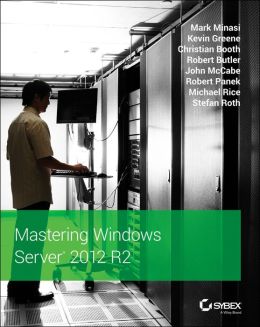
If you want to learn about Windows Server 2012 R2 then Mastering Windows Server 2012 R2 is available on pre-order (print for now, Kindle will follow when it’s released).  I have a number of friends involved in this one: headliner Mark Minasi, Irish MVP Kevin Greene, and ex-MVP and Microsoft Ireland PFE John McCabe.

http://img1.imagesbn.com/p/9781118289426_p0_v1_s260x420.JPG

Available on:

And before you ask, I will not be writing a WS2012 R2 Hyper-V book.  It’s too much work and not enough reward for 9 month’s effort.  I think you’ll find lots of regular authors are dropping out of traditional tech print.  The WS2012 Hyper-V book covers most of what you need.

Hyper-V Server 2012 R2 Is Available

The free version of Hyper-V has been updated to 2012 R2 and released and available to download … for free.  This is the same Hyper-V as you get in the Standard and Datacenter editions minus the GUI and Automatic Virtual Machine Activation (AVMA – Datacenter only). 

You can learn more about Hyper-V Server 2012 R2 here.  Did I mention that it’s free?  And full scalable?  And includes HA, and … and … ?

Windows Server & System Center 2012 R2 Can Be Bought … Now

Generally available (GA) doesn’t mean quite what it used to either.  Although Windows Server 2012 R2 (WS2012 R2) and System Center 2012 R2 were available on the Microsoft Volume Licensing Service Center (VLSC) for Software Assurance (SA) customers, the products could not be purchased.  They can now, as long as you’re in a time zone where it is November 1st 🙂