TechEd NA 2014 – Speaker Idol Qualification

Today I took part in one of the qualification heats of Speaker Idol – think X Factor or American/Pop Idol where you have 5 minutes to audition with a presentation, some judges comment, and you either get through to the final or not. There were 3 heats (Monday to Wednesday), each heat winner goes through, and one wildcard goes through to the final. The overall winner wins a speaker slot at TechEd North America next year.

I competed with a … different presentation.

The funny bit is that I knew that Mark Minasi (a friend) is one of the judges. I didn’t win but I got great comments. I was nervous … but I got the wildcard slot for the final tomorrow (Thursday). I was told to do a tech talk tomorrow – that will keep me occupied tonight. Tomorrow at 12:30 CET (18:30 Irish/UK time) will be be there presenting.

Technorati Tags:

The TechEd North America 2014 Hyper-V Amigo Selfie Game

The following dodgy looking people will be attending TechEd North America 2014 in Houston next week. They will be attending sessions, wandering the halls, and there’s even a speaker in the bunch. Your mission, should you choose to accept it, is to take a “selfie” photograph with ALL FIVE of the below Hyper-V amigos, all of whom are Microsoft MVPs. Take each of the 5 photos and put them together in one image (easy to do in MS Paint) and then tweet me (@joe_elway) with the image.

Tip: the funnier, the better. The use of alcohol won’t hurt.

The best entry will win a copy of Windows Server 2012 Hyper-V Installation And Configuration Guide.

image

Rules:

  • You cannot be a Microsoft MVP.
  • Photos must be taken between Monday 12th 2014 and Thursday 15h 2014.
  • You must have taken “selfie” photos with all 5 of the above Hyper-V amigos.
  • Both you and the Hyper-V amigo must be in each photo.
  • A member of the Hyper-V product group/team cannot win – that would be too easy! But funny entries are still welcome 🙂

May the looniest entrant win!

Please retweet this, post on facebook, post on any social media, and reblog – you have my permission to reuse the content of this post in the context of this game.

Technorati Tags: ,,

Preparing For TechEd North America

I am taking a break from ironing and packing (and sometimes repeating the ironing phase) to share my thoughts on attending TechEd. I’ve been to a number of TechEd conferences over the years, mainly in Europe. Last year I decided to attend TechEd North America which was held in New Orleans, because of the larger scale of the event. I wanted to hear and see more, and network more than was possible in Europe. I’m preparing for TechEd North America 2014, which is being held in Houston next week. Here are my suggestions to having a good TechEd.

clip_image002

TechEd North America 2014 is running in Houston on May 12th to 15th

Use the Schedule Builder

There are lots of tracks and sessions to attend at TechEd, including community-based “birds of a feather”, formal breakout sessions, and hands-on labs. With so much to see, you need to plan, and the schedule builder enables that. You won’t be able to see every desired session in person, but never fear because you can download sessions afterwards.

Be aware that the schedule is subject to change. Sometimes sessions are dropped because of an issue with a speaker. There are times when sessions prove to be extremely popular and they are rescheduled for additional time slots. I have seen flyers handed out with updated schedules. The best way to keep up with events is to follow TechEd North America on Twitter (@TechEd_NA) or on Facebook.

If you’re attending one of the popular sessions, like those of a Mark Minasi or a Mark Russinovich, then get there early. Those rooms fill up quickly and you’ll regret missing and educational and entertaining presentation.

Take Notes – Lots of Notes

Your best friend at TechEd is a laptop or convertible tablet with a great battery. I have a Samsung ATIV Windows tablet that can go all day. I charge it overnight and I can note take on it without getting stressed about finding the all-too-rare free charging station. It docks into a keyboard, giving me a laptop experience, and there’s a stylus that allows me to sketch out diagrams.

You should plan on using OneNote when attending TechEd. I maintain a single notebook for technical events. I open up a tab for each event, and have a page for each day/session. Some companies will choose to send several people to a big event like TechEd. It makes no sense for them to all attend the same sessions; instead, attend different events and share notebooks. This will allow for knowledge sharing, not just between the attendees, but also with those who are back in the office.

I am attending as a member of the media with the Petri IT Knowledgebase, so I will also be taking photographs. I should use my Nokia Lumia 1020 for that, but often I want to quickly embed a photo into a document. The quickest way of doing that, without relying on conference Wi-Fi networks, is to use a compact camera that has an SD card. If your computer has an SD reader then you can quickly copy the photos without dealing with cables.

Meet the Experts

One of the big benefits of TechEd is that you can meet with product experts. You will never get an opportunity like this for the rest of the year; your local Microsoft subsidiary staff are typically not that well informed and this is the best time ask those difficult questions, make feature change requests, and work out problems on a whiteboard.

Each speaker will also be scheduled to staff product booths at one more times throughout the week. They might announce their schedule at the end of their session. Maybe you have a follow up question to ask them? This is the perfect chance to get an answer.

Network

A lot of experts never get the chance to talk at TechEd, but they attend to learn about other content or to discover new solutions. Maybe you read their blog? Possibly you’ve bought their book? There’s a chance they can help you with something. Or more likely, you never even have heard of this person … yet. Get out of your shell and talk to the person beside you in the breakout room before the presentation. Talk to your neighbors during a meal. This is a great chance to learn something new and to make new contacts and friends.

Wear Comfortable Shoes

TechEd New Orleans was a marathon. The venue was a gigantic long hallway and it could take half an hour to get from one location to another. The venue in Houston looks very similar. Be prepared to clock up some miles.

There’s more to the Exhibition Hall than Swag

One of my reasons to attend TechEd is to tour the sponsors’ booths. Yes, they are there to get your contact details and try to sell you something. But many times I have found solutions to problems at these booths. Take the time to wander about. If you don’t know of a company, then look them up. You never know what you might find.

You’ll also find a few other things in the exhibition hall. Sometimes there are special events, competitions, and even some places to sit back and relax. This is where I will spend my time during those slots when there are no sessions on.

Leave Some Room in your Suitcase

OK, you are going to collect swag. Maybe those t-shirts are for the office or for painting your apartment, but you will collect some. You might even find a pop-up Microsoft store selling devices at discount rates. Those of us travelling from outside of the USA will be tempted by lower US prices to visit a local electronics superstore. There is a high probability that you will return home with more than you left with, so leave some space.

I will be live blogging on here as usual, and posting articles on Petri from the event.

Microsoft News Summary – 7 May 2014

Between a bank holiday and some travel, I’ve been unable to post, but I’ve saved up the headlines from those days:

Microsoft News Summary-29 April 2014

There is a lot of reading material this morning.

UK & Ireland MVP Online Cloud OS Event Has Started

EDIT: You might have seen this post and then it “disappeared”. It was the one post that was not exported when I migrated my blog to Microsoft Azure.

The Cloud OS online event presented by British and Irish MVPs has begun. The presentations are pre-recorded and shared on YouTube. You can follow events and ask questions using #UKMVPCLOUD on Twitter.

image

I have two sessions. It was originally supposed to be only one but I had to record a substitute at the last second.

Transforming the Data Centre – What’s New in Windows Server 2012 R2

Transforming the Data Centre – Storage Spaces

Keep following on Twitter and watching the YouTube MVP Rocks channel to see more sessions appearing tomorrow.

UK & Ireland MVPs Present – Microsoft Cloud OS, An Online Event

image

Our daring UK/IE MVP Lead, Claire Smyth, has organized an online event running on March 31st and April 1st to educate about the Microsoft Cloud OS. “What’s that?” you say … well that means you need to learn about how Windows Server 2012 R2, Hyper-V, System Center 2012 R2, Windows Azure, and more can be combined to make private, public, and hybrid cloud IaaS solutions, tailored to your specific needs.

Most of the presenters, such as myself, are MVPs, and we are (as I have to remind some people sometimes) independent experts:

image

This is an event presented by UK and Irish MVPs, but everyone is welcome. Note that the times are UK/Irish, so add 5 hours from US Eastern or subtract 1 hour from Central European.

The agenda for the two days is as follows:

31 March: Transform the datacentre

Time

Topic

MVP Speakers

9.30

Transform the Datacentre with Microsoft Cloud OS

Patrik Bihammar

10.15

What’s New in Windows Server 2012 R2?

Aidan Finn

11.00

What’s New in System Center 2012 R2?

Gordon McKenna

12.15

What’s New in Windows Azure?

Richard Astbury

13.00

PowerShell – Desired State

Jonathan Noble

14.15

Windows Server 2003 Migration – App Migration

Paul Keely

15.00

The hot topic of the moment: Storage Spaces 

Patrick Lownds

16.15

Find out more about SCOM

Kevin Greene

17.00

Understand how to use Service Manager

Steve Beaumont

18.15

Understand more about Azure Pack

Damian Flynn

1 April: Empower People Centric IT

Time

Topic

MVP Speakers

9.30

What is People Centric IT?

Stuart Leddy

10.30

Why Windows 8.1 and Devices Overview

Mike Halsey

11.30

Windows XP End of Support – Why is this important to you?

Mike Halsey

12.30

Operating System Deployment in SCCM

Raphael Perez

13.30

Desktop and App Delivery with Virtual Desktop Infrastructure VDI /RDS

Robert Marshall

14.30

Unified Device Management with SCCM + Windows Intune

Gordon McKenna

15.30

Exploring Bring your own device (BYOD) vs. Choose your own device (CYOD)

Simon Skinner

16.30

Access to corporate apps and data with work folders/dynamic access control/RMS/Direct Access/VPN

David Nudelman

17.30

Identity Management with WS 2012 R2/AD/ADF

Simon Skinner

The sessions are pre-recorded – I just finished editing my one. They will be released on a YouTube channel for each time slot.

To view the MVP videos, please:

Event – Windows Server & System Center 2012 R2 Briefing For Partner Sales

MicroWarehouse are running a breakfast briefing for Microsoft partners in Dublin in a couple of weeks. I’ll be presenting on Windows Server 2012 R2, System Center 2012 R2, and some of the business features of Windows 8.1.  The intended audience is MICROSOFT PARTNERS ONLY:

  • Sales
  • Account managers
  • Technical pre-sales

We’re running the event twice, once in north Dublin and once in south Dublin, to accommodate scheduling conflicts.

Additional events in Belfast, Galway, and Cork will be announced soon, with probably with some additional content.

image

Videos From TechNet Conference (Berlin) 2013

I was recently a part of a group of 20+ MVPs that presented at the excellently run TechNet Conference 2013 in Berlin, spanning Windows Server 2012 R2, System Center 2012 R2, Cloud OS, hybrid cloud, Office 365, and more.  It was a pleasure to participate in the event.

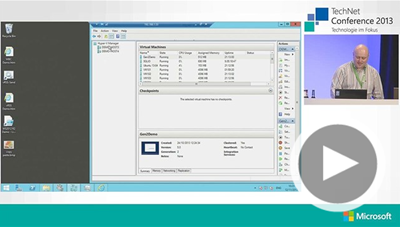
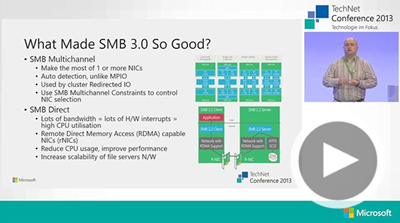
All of the sessions were recorded and professionally produced (better than TechEd IMO!!!) and have just been shared.  Most of the sessions are in German, but you’ll find some by myself (from day 1) and Damian Flynn (day 2) that are in English.

Cool New Hyper-V Features in Windows Server 2012 R2

image

Windows Server 2012 R2 – What’s New in Networking

image

Every time I watch myself back, all I can think is “My God, I am a nerd!” 🙂

TechCamp 2013 Wrap Up

Yesterday we ran TechCamp 2013, the Irish community launch of Windows 8.1, Windows Server 2012 R2, System Center 2012 R2, and Windows Intune.  All the feedback I have heard has been positive – thankfully!  🙂

We kicked off with Dave Northey (Microsoft CAT Program Manager).  Dave was the IT Pro DPE in Ireland for quite some time and has spoken at every launch event since Windows NT.  It would have been wrong not to have Dave in to do the keynote.

 WP_20131128_09_55_43_Pro

After that we broke into two tracks.  I did the WS2012 R2 session and next door, Damian Flynn (MVP) did the Windows 8.1 in the enterprise session.  I wanted to attend Damian’s session – I hear it was excellent, covering the BYOD and mobile worker scenarios.

WP_20131128_13_57_10_Pro

In the desktop track, some speakers from Microsoft introduced the new generation of devices that the various OEMs are bringing to market for Windows 8.1 and Windows RT 8.1, and what Windows Intune now offers for distributed end users, mobile workers, and BYOD device/app management.

Back in the server & cloud track, Paul Keely (MVP) did a session on service automation.

 WP_20131128_12_11_47_Pro

Damian was back on stage in the server & cloud track talking about using SCVMM 2012 R2 and Windows Azure Pack to build a hybrid cloud on Azure and Windows Server 2012 R2.  Kevin Greene (MVP) wrapped up the track explaining how System Center can be used to manage service availability and quality.

WP_20131128_15_29_55_Pro

Niall Brady (MVP), an Irish man living and working in Sweden, wrapped up the desktop & devices track by talking about System Center Configuration Manager 2012 R2.

WP_20131128_15_27_17_Pro

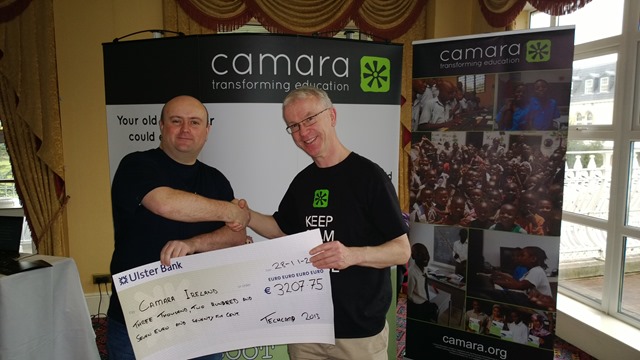
We asked for a small registration fee to encourage legitimate registrations and to get a higher turn-up rate.  That fee went to a good cause, an NGO called Camara.  We had Mark Fox in from Camara.  This gave Mark a chance to tell the audience (after the keynote) about the good work that Camara does.  They take unwanted PCs from businesses, securely wipe the PCs, track them, and reuse those machines to provide a digital education to needy kids.  Education is the best weapon against poverty and war, and Camara is on the frontline. Mark also staffed a stand in the exhibition room, and hopefully businesses found a way to get rid of machines in their drive to rid themselves of Windows XP, and make a difference in the world while doing it.

 WP_20131128_09_42_44_Pro

We have a whole bunch of sponsors to thank:

  • MicroWarehouse: My employers were the primary sponsor.  This event would not have happened without the huge effort by John Moran.  I would have been happy with a projector in a shed (with VPN access to my lab) but John made this a professional event.
  • Microsoft: Thanks for the support from Ciaran Keohane, the help from Michael Meagher.
  • Ergo: One of the leading Microsoft partners in Ireland, regularly winning Server partner of the year.
  • DataOn Storage: One of the manufacturers of certified Storage Spaces hardware
  • Savision: Creating dashboards for System Center that aid IT operations.
  • Toshiba: who had some devices on hand (including their new 8” Windows 8.1 tablet), most of which aren’t even on sale yet!

A big thank you goes out to each speaker who prepared 75 minute sessions (two of them in the case of Damian).  In case you don’t know, that’s probably a couple of days work in preparing slides, demos, and rehearsing, sometimes into the wee hours of the morning.

And finally, thanks to everyone who helped us communicate the event, and of course, came to the event to hear about these new solutions.  I hope the day proved valuable.

We had a number of people ask if we’ll run more events like this next year.  I believe that this is something that we will strongly consider.  There won’t be any launch stuff for us to cover for a while, so maybe we’d look at doing more “here’s how” content.  We’ll have to review and consider our options before we make any decisions.