Your Hub VNet Should Have No Compute

This post is going to explain why you should not be putting any compute into your hub VNet.

Background

I was looking at some Azure Landing Zones (reference architectures) from Microsoft before the end of 2023. I was shocked to see compute (VMs) being placed in the hub. Years ago, I learned that putting any kind of compute in the hub eventually leads to issues that are not obvious at first. I would have expected Microsoft to know better.

I posted something on Twitter and LinkedIn. Sure, there were plenty of people that agreed with me. However, there were respondents from Microsoft and elsewhere who didn’t see the problem. I explained it, as best as one could in a limited chat, but either people didn’t see the responses, were lazy, or something else 🙂

I decided to write this post to explain the problems with placing things in a hub.

Problem Summary

There are two issues with placing things in a hub:

  1. Routing complexity: When one expands to more than one hub & spoke (regional footprints), the network requirements for a micro-segmented security model will become complex. Complexity breaks security eventually. Keep it simple, stupid!
  2. “Shared services syndrome”: Once you place any kind of shared service in the hub, someone will start asking about putting web servers, databases, and file shares in the hub. Then why do you have spokes? And then we make problem 1 even worse.

Routing Simplicity

I want to start with the ideal – simplicity. My hub and spoke design is far from unique. It’s actually quite simple – making it easy to understand, troubleshoot and secure.

Simple Hub and Spoke

The hub contains only the minimum required networking items with no compute. The above hub contains:

  • A GatewaySubnet with Azure VPN and/or ExpressRoute gateway(s)
  • An AzureFirewallSubnet for the Azure Firewall
  • An AzureBastionSubnet for Azure Bastion must go in the hub (for routing reasons) in a VNet hub and spoke scenario where the Bastion will be shared.

There is flexibility:

  • NVA router for SD-WAN
  • Azure Route Server
  • Azure Firewall management subnet (for tunneling today)
  • Swap out Azure Firewall for an NVA (yuk!)

The beauty is the simplicity. The routing model controls the micro-segmentation security. Nothing is trusted.

  • Inbound from on-premises: The UDRs in the GatewaySubnet forces traffic through the Azure Firewall to reach the spokes. Have a look at this BGP-powered alternative using Azure Route Server by Jose Moreno.
  • Egress and East-West: Any traffic leaving a spoke must route through the firewall in the hub – including spoke-to-spoke, spoke-to-Internet(Azure), and spoke-to-LAN/WAN. Routes to Internet and on-prem are present/propagated to the AzureFirewall Subnet and any traffic to those destinations is handled by that subnet.

Two routes control everything for any given spoke. Note that traffic inside of a spoke is subject to the default Virtual Network route (direct from A to B via VXLAN).

What happens if I need to scale out to more Azure regions? I’ll drop in another hub & spoke and peer the hubs. My micro-segmentation model states that nothing trusts anything else, so footprint1 does not trust footprint2. To accomplish this we will peer the hub VNets to force traffic to route via the firewalls.

I’ve dropped in another hub & spoke with a different IP range. Footprint 1 was 10.0.0.0/16. The new footprint, Footprint2 is 10.10.0.0/16. Connecting the footprints is easy – you peer the hubs. The two hub VNets can route to each other. There’s no compute or data in the hubs so I don’t need to do any isolation. But I do need spokes in the two footprints to be able to route to each other.

We can enable end-to-end connectivity with one route per hub. A route table is added to the AzureFirewallSubnet. A UDR for the neighbouring footprint is added, with the next hop being the firewall in the neighbour.

For example, in Footprint1, I want to be able to reach the spokes in Footprint2. Footprint2 is 10.10.0.0/16. In the Footprint1 AzureFirewallSubnet, I will add a UDR to 10.10.0.0/16 with the next hop of the Footprint2 firewall, 10.10.1.4. Now, subject to the firewall and NSG routes, Spoke1 in Footprint1 can route to Spoke3 and Spoke4 in Footprint 2 and vice versa. Simple!

Simplicity is the key to security. Nothing breaks this model as long as I keep the hub empty of compute.

Everything in IT is “shared”. That’s why a “server” serves – it shares something, not only to users but to other servers in the same workload and to other workloads. Where do I place that “server”? All “servers” go into a spoke.

In micro-segmentation, there is no difference between the VNets. They’re all isolated. There are no DMZs. There are no secure zones. All VNets are isolated from all other VNets and there is no trust – we assume breach at all times. Welcome to modern network security following the guidance from various national agencies to combat APTs.

By the way, in this case, if I need a DMZ DNS server (not that it makes sense to have one anymore – that’s another post) – it goes into a spoke 🙂

Putting Stuff In The Hub

Now we will start copying what some of those Microsoft ALZs do: we will put some compute into the hubs.

If you inspect the hubs you will find a new subnet of x.x3.0/24 with some VMs in there – some DNS servers 🙂 Good security practice will mandate that I force traffic from 10.0.3.0/24 to route via the two firewalls. That’s easier said than done.

By default, traffic from the subnets in peered VNets will route directly from the source to the destination. Peering expands the VXLAN connections from a single VNet to peered VNets. There is no automated interpretation of intent. We will have to add a route to the compute subnets to state that the next hop to the remote compute subnet is via the local firewall. Then we need a route in the AzureFirewallSubnet to state that the next hop to the remote compute subnet is the remote firewall.

Oh – one more thing – and the diagram does not show this. Each network resource in the spokes now talks to the compute subnet in the local hub directly without going through the firewall – and vice versa. If that central compute is compromised, then the firewall will play no role in isolating the spokes from it or in detecting the spread of the APT. We will need to add routes:

  • Compute subnet: for each spoke, similarly to the AzureGatewaySubnet
  • Spoke subnets: to force traffic to x.x.3.0/24 via the Azure Firewall to avoid asynchronous routing.

Oh – and just one more thing – which is also not in the diagram. Each GatewaySubnet will require a route to the local x.x.3.0/34 to use the Azure Firewall as the next hop. Otherwise, on-premises (where attacks will likely come from) will have free access to the Compute subnet. You’ll have to make sure that routes from the GatewaySubnet propagate to the Compute subnet to void asynchronous routing.

Now let’s scale that out to 3 or 4 footprints. How complex are things getting now? Is there room for mistakes?

Shared Services Syndrome

I saw this happen years ago. Many moons ago, I followed a reference architecture from Microsoft to create the reference network design for my employer. That reference included compute in the hub. It was a very special compute: domain controllers. I could see the logic: these are special machines that every Windows VM will talk to – they go into the hub.

Not long after, we had customers stating that they wanted databases and file serves to go into the hub. They simply followed our logic: domain controllers are shared services and so are the file server and the database. How do you argue against that.

In v2.0 of my design, which quickly followed v1.0, all compute was stripped out of the hub. The argument to put shared services into the hub was gone.

I can imagine the consultants saying “I won’t allow more compute in the hub”. OK, but what happens when you are gone or a less argumentative colleague who is willing to do stuff for the customer takes your place? Have you done your customer a disservice by setting a bad precedent?

Let’s add another subnet into the hub. Let’s add more. Let’s expand the address space of the hub – a colleague showed me a hub design (by a competitor) where the hub address space was expanded 5 times! Imagine how much compute is in that hub. How many routes must you inject to make that network secure? Is that network even secure at all? It would take quite an audit to discover what is going on there.

Keep It Simple, Stupid (KISS)

I am a fan of simplified engineering. When it is simple and easy to understand, then it is easy to maintain and to secure. To often, engineers are too clever. They want to make exceptions and show off how clever they are. KISS is the best approach to engineering – and to security.
Getting Private Endpoints To WORK In The Real World

In this Festive Tech Calendar post, I am going to explain how to get Private Endpoints working in the real world.

Thank you to the team that runs Festive Tech Calendar every year for the work that they do and for raising funds for worthy causes.

Private Endpoints

When The Cloud was first envisioned, it was made a platform that didn’t really take network security seriously. The resources that developers want to use, Platform-as-a-Service (PaaS), were built to only have public endpoints. In the case of Microsoft Azure, if I deploy an App Service Plan, the compute that is provisioned for me shares a public IP address(es) with plans from other tenants. The App Service Plan is accessible directly on the Internet – that’s even true when you enable “firewall rules” in an App Service because those rules only control what HTTP/S requests will be responded to so raw TCP connections (zero day attacks) are still possible.

If I want to protect that App Service Plan I need to make it truly private by connecting it to a virtual network, using a private IP address, and maybe placing a Web Application Firewall in the flow oc the client connection.

The purpose of Private Endpoint is to alter the IP address that is used to connect to a platform resource. The public endpoint is, preferably, disabled for inbound connections and clients are redirected to a private IP address.

When we enable a Private Endpoint for a PaaS resource, a Private Endpoint resource is added and a NIC is created. The NIC is connected to a subnet in a virtual network and obtains or is supplied with an IP address for that subnet. All client connections will be via that private IP address. And this is where it all goes wrong in the real world.

If I browse myapp.azurewebsites.net my PC will resolve that name to the public endpoint IP address – even after I have implemented a Private Endpoint. That means that I have to redirect my client to the new IP address. Nothing on The Internet knows that private IP address mapping. The only way to map the FQDN of the App Service to the private endpoint is to use Private DNS.

You might remember this phrase for troubleshooting on-premises networks: “it’s always DNS”. In Azure, “it’s always routing, then it’s always DNS”, but the DNS part is what we need to figure out, not just for this App Service but for all workloads/resource types.

The Problems

There are three main issues:

  • Microsoft Documentation
  • Developers don’t do infrastructure
  • Who does DNS in The Cloud?

Microsoft Documentation

The documentation for Private Endpoint ranges from excellent to awful. That variance depends on the team/resource type that is covered by the documentation. Each resource team is responsible for their own implementation/documentation. And that means some documentation is good and clear, while some documentation should never have made it past a pull request.

The documentation on how to use Private Endpoint focuses on single workloads. You’ll find the same is true in the certifcation exams on Microsoft networking. In the real world, we have many workloads. Clients need to access those workloads over virtual networks. Those workloads integrate with each other, and that means that they must also resolve each others names. This name resolution must work for resources inside of individual workloads, for workload-to-workload communications, and on-premises clients-to-workload communications. You can eventually figure out how to do this from Microsoft documentation but, in my experience, many organisations give up during this journey and assume that Private Endpoint does not work.

Developers Don’t Do Infrastructure

Imagine asking a developer to figure out virtual networks and subnetting! OK, let’s assume you have reimagined IT processes and structures (like you are supposed to) and have all that figured out.

Now you are going to ask a developer to understand how DNS works. In the real world, most devs know their market verticals, language(s) and (quite complex) IDE toolset, and everything else is not important. I’ve had the pleasure of talking devs through running NSLOOKUP (something we IT pros often consider simple) and I basically ran a mini-class.

Assuming that a dev knows how DNS works and should be architected in The Cloud is a path to failure.

Who Does DNS In The Cloud?

I have lost track of how many cloud jorneys that I have been a part of, either from the start or where I joined a struggling project. A common wish for many of those customers is that they won’t run any virtual machines (some organisations even “ban” VMs) – I usually laugh and promise them some VMs later. Their DNS is usually based on Windows Server/Active Directory and with no VMs in their future, they assume that don’t need any DNS system.

If there is no DNS architecture, then how will a system, such as Private Endpoint, work?

A Working Architecture

I’m going to jump straight to a working archticture. I’ll start with a high-level design and then talk about some of the low-level design options.

This design works. It might not be exactly what you require but simple changes can be made for specific scenarios.

High-Level Design

Private DNS Zones are created for each resource type and service type in that resource that a Private Endpoint is deployed for. Those zones are deployed centrally and are associated with a virtual network/subnet that will be dedicated to a DNS service.

The DNS service of your choice will be deployed to the DNS virtual newtork/subnet. Forwarders wll be configured on that DNS Service to point to the “magic Azure virtual IP address” 168.63.129.16. That is an address that is dedicated to Azure services – if you send DNS requests to it then they will be handled by:

  1. Azure Private DNS zones, looking for a matching zone/record
  2. Azure DNS, which can resolve Azure Public DNS Zones or resolve Internet requests – ah you don’t need proxy DNS servers in a DMZ now because Azure becomes that proxy DNS server!

Depending on the detailed design, your DNS servers can also resolve on-premises records to enable Azure-to-on-premises connections – important for migration windows while services exist in two locations, connections to partners via private connections, and when some services will stay on-premises.

All other virtual networks in your deployment (my design assumes you have a hub & spoke for a mid/large scale deployment) will have custom DNS servers configured to point at the DNS servers in the DNS Workload.

One intersting option here is Azure Firewall in the hub. If you want to enable FQDNs in Network Rules then you will:

  1. Enable DNS Proxy mode in the Azure Firewall.
  2. Configure the DNS server IP addresses in the Azure Firewall.
  3. Use the private IP address of the Azure Firewall (a HA resource type) as your DNS server in the virtual networks.

Low-Level Design

There are different options for your DNS servers:

  1. Azure Private DNS Resolver
  2. Active Directory Domain Services (ADDS) Domain Controllers
  3. Simple DNS Servers

In an ideal world, you would choose Azure Private DNS Resolver. This is a pure PaaS resource that can be managed as code – remember “VMs are banned”. You can forward to Azure Private DNS Zones and forward to on-premises/remote DNS servers. Unfortunately, Azure Private DNS Resolver is a relatively expensive resource and the design and requirements are complex. I haven’t really used Azure Private DNS Resolver in the real world so I cannot comment on compatibility with complex on-premises DNS architectures, but I can imagine there being issues with organisations such as universities where every DNS technology known to mankind since the early 1990’s is probably employed.

Most of the customers that I have worked with have opted to use Domain Controllers (DCs) in Azure as their DNS servers. The DCs store all the on-premises AD-integrated zones and can resolve records independently of on-premises DNS server. The intereface is familiar to Windows admins and easily configured and managed. This increases usability and compatibility. If you choose a modest B-series SKU then the cost will be quite a bit lower than Azure Private DNS Resolver. You’ll also have an ADDS presence in Azure enabling legacy workloads to use their required authenetication/aauthorisation methods.

The third option is to just use either a simple Windows/Linux VM as the DNS server. This is a good choice where ADDS is not required or where Linux DNS is required.

The Private Endpoint

I metioned that a Private Endpoint/NIC combination would be deployed for each resource/service type that requires private connectivity. For example, a Storage Account can have blob, table, queue, web, file, dsf, afs, and disks services. We need to be able to redirect the client to the specific service – that means creating a NDS record in the correct Azure Private DNS Zone, such as privatelink.blob.core.windows.net. Some workloads, such as Cosmos DB, can require multiple DNS records – how do you know what to create?

Luckily, their is a feature in Private Endpoint that handles auto-registration for you:

  • All of the required DNS records are created in the correct DNS zones – you must have the Azure Private DNS Zones deployed beforehand.
  • If your resource changes IP address , the DNS records will be updated automatically.

Sadly, I could not find anydocumentation for this feature while writing this article. However, it’s an easy feature to configure. Open your new Private Endpoint and browse to DNS Configuration. There you can see the required DNS records for this Private Endpoint.

Click Add Configuration and supply the requested information. From now on, that Private Endpoint will handle record registration/updates for you. Nice!

With a central handler for DNS name resolution, on-premises clients have the ability to connect to your Private Endpoints – subject to network security rules. On-premises DNS servers should be configured with conditional forwarders (one for each Private Link Azure Private DNS Zone) to point at your Azure DNS servers – they can point at a Azure Firewall if the previously mentioned DNS options are used.

Some Complexities

Like everything, this design is not perfect. Centralised anything comes with authorisation/governance issues. Anyone deploying a Private Endpoint will require the rights to access the Azure Private DNS Zones/records. In the wrong hands, that could become a ticketing nightmare where simple tasks take 6 weeks – far from the agility that we dream of in The Cloud.

Conclusion

The above design is one that I have been using for years. It ahs evolved a little as new features/resources have been added to Azure but the core design has remained the same. It works and it is scalable. Importantly, once it is built, there is little for the devs to know about – just enable DNS Configuration in the Private Endpoint.

Tweaks can be made. I’ve discussed some DNS server options – some choose to dispense with DNS Servers altogether and use Azure Firewall as the DNS server, which forwards to the default Azure DNS services. On-premises DNS servers can forward to Azure Firewall or to the DNS servers. But the core design remains the same.

The Digital Intern – Early Experience with Microsoft Copilot

I will share my early experiences with Microsoft Copilot, the positives and negatives, clear up some false expectations, and explain why I think of Generative AI as a digital intern.

What is Generative AI?

The name gives it away. Generative AI generates or creates something from other known things. Examples are:

  • DALL-E: Creating images, such as Bing Create
  • Chat GPT: A text-based interface for finding things and generating text, such as the Copilot brand from Microsoft.

Pre-Microsoft

There are lots of brands out there but the one that’s grabbing most of the headlines is Open AI because of ChatGPT, which is only on of their products. Like millions of others, I’ve played with ChatGPT. I’ve used it to create Terraform code. It was “OK” but I found:

  • Some of the code was out of date.
  • The structure wasn’t great.

I had to clean up that code to make it usable. But ChatGPT saved me time. I didn’t have to go googling. I was able to create a baseline and use my knowledge and ability to troubleshoot/edit to make the code usable.

I also “ChatGPTd” myself – don’t do it too often or you’ll go blind! Most of what ChatGPT wrote about me was correct. But there were some factual errors. Apparently, I’ve written two books on Azure. Factcheck: I have not published any books on Azure.

Some of the facts were also out of date. I have been “an Azure MVP for 2 years”. That was probably pulled from some online source. ChatGPT didn’t understand the fact (it’s just a calculated set of numbers) and therefore hadn’t the logic to use “2 years” and the publication date to recalculate – or maybe put a date in brackets with the fact.

Copilot

Microsoft has just launched Microsoft 365 Copilot and there is a lot of hoopla and hype which is helping Microsoft shares, even with a bit of a slump in the stock market in general.

I’ve been playing with it and trying things out. First up was PowerPoint. Yes, I can quickly create a presentation. I can add slides. I can change images. But the logic is limited. For example, I cannot change the theme after creating the slides.

The usual fact-checking issues are there too. I used Copilot to create a presentation for my wife on company X in Ireland. The name of company X is also used by companies in the UK and the USA. Even with precise instructions, Copilot tried to inject facts from the UK/USA companies.

However, Copilot did create a skeleton presentation and that saved some time. I played around with it in Word, and it’ll generate a doc nicely. For example, it will write a sales proposal in the style of Yoda. Copilot in Teams is handy – ask it to summarize a chat that you’ve just been added to. Outlook too does a nice job at drafting an email.

Drafting is a good choice of words. Because the text is often just mumbo jumbo that is nothing to do with your or your organisation. It’s filler. In the end, it’s up to you to put in the real information that you want to push.

Bing Enterprise Chat is an option too. You can go into Bing Chat and select the M365 option. You can interrogate facts from “the graph” and M365. You can ask your agenda for the day.

Don’t ask Copilot to tell you how many vacation days are in your calendar. It will search your chat/email history for discussions of vacation time. It does not look at items in your calendar. It will not do maths – more on this next.

Prompt Engineering

Go into Bing Create and ask it to create an image of a countryside scene. Expand the prompt in different ways:

  • Add a run-down building
  • Change the time of day
  • Alter the viewing point
  • Add a background
  • Place some birds in the sky
  • Add a person into the scene
  • Make the foreground more interesting
  • Change the style of image

The image changes gradually as you expand or change the prompt. This is called prompt engineering. Eventually, the final image is nothing like the first image from the basic prompt. What you ask for changes things. Think of the AI as lacking in the “I” part and be as clear and precise as you can be – like how one might instruct a toddler.

Custom Data

I decided to do a mini-recreation of something that I saw the folks from Prodata do with Power BI years ago for presentations. I downloaded publicly available residential property sale information for the Irish market and supplied it to Copilot.

“Tell me how many properties were sold in Dublin in 2023”. No answer because that information was not in the data. Each property sale including address, county, value, and description was in the data, but the “Y properties were sold” fact was not in the data. One would assume that an artificial intelligence would understand the question and know to list/count the items that match the search filter but that is not what happens.

I also found other logic issues. “What was the most expensive property sold in 2023” resulted in a house in Dublin for €1.55 million. I then asked it to list all houses costing more than €1 million. The €1.55m house was not included. I tried other prompts and then returned to my list question – and I got a different answer!

Don’t ask Copilot to do any maths – it won’t tell you averages, differences or sums – because that information was not in the “table” of supplied data.

Data Preparation

You cannot expect to just throw your data at Copilot and for magic to happen. Copilot needs data to be prepared, especially custom (non-Office) data. It needs to be in consumable chunks. You also need to understand what people might ask for – and include that information in the data.

I’m wandering outside of my expertise now, but let’s take my property example. I wanted to analyze property values, do summations, averages, and comparisons. The act of preparing this data for Copilot needs to do these calculations in advance and include the results in the data that is shared with Copilot.

Thoughts

I am not writing off ChatGPT/Copilot. There are problems but it is still very early days and things will be improved.

Right now, we need to understand what Copilot can do, and what it is good at/not good at, and match it up with what will assist the organization.

The most important thing is how we consider Copilot. The name choice by Microsoft was deliberate. They did not call it “Pilot”.

Generative AI is an assistant. It will handle repetitive tasks based on existing data. It has no intelligence to infer new data. It cannot connect two facts that we know are logically connected but are not written down as connected. And Generative AI makes mistakes.

Microsoft called it Copilot because the pilot is responsible for the plane. The user is the pilot. The intention is that Generative AI handles the dull stuff but we add the creativity (prompt engineering/editing) and fact-checking (review/editing).

If you think about it, Copilot is acting like a Digital Intern. How are interns used? You ask them to do the simple things: get lunch, research X and write a short report, write a draft document, and so on. Does the intern produce the final product for a customer/boss? No. Is the intern responsible for what comes out of your team/department? No.

The intern is fresh out of school and knows almost nothing. They will produce exactly what you tell them – if the prompt is too general they get lost in the possibilities. You take what the intern gives you and review/edit/improve it. Their work saves you time, but your knowledge, expertise, and creativity are still required.

I might sound like a downer – I’m not. I’m just not on board the hype train. I’m saying that the train is useful to get from A to B right now, but the line doesn’t go all the way to Z yet. It is still valuable but you have to understand that value and don’t get lost in the hype and the Hollywood-ing of IT.

Default Outbound Access For VMs In Azure Will Be Retired

Microsoft has announced that the default route, an implicit public IP address, is being deprecated 30 September 2025.

Background

Let’s define “Internet” for the purposes of this post. The Internet includes:

  • The actual Internet.
  • Azure services, such as Azure SQL or Azure’s KMS for Windows VMs, that are shared with a public endpoint (IP address).

We have had ways to access those services, including:

  • Public IP address associated with a NIC of the virtual machine
  • Load Balancer with a public IP address with the virtual machine being a backend
  • A NAT Gateway
  • An appliance, such as a firewall NVA or Azure firewall, being defined as the next hop to Internet prefixes, such as 0.00.0/0

If a virtual machine is deployed without having any of the above, it still needs to reach the Internet to do things like:

  • Activate a Windows license against KVM
  • Download packages for Ubuntu
  • Use Azure services such as Key Vault, My SQL for Azure SQL, or storage accounts (diagnostics settings)

For that reason, all Azure virtual machines are able to reach the Internet using an implied public IP address. This is an address that is randomly assigned to SNAT the connection out from the virtual machine to the Internet. That address:

  • Is random and can change
  • Offers no control or security

Modern Threats

There are two things that we should have been designing networks to stop for years:

  • Malware command and control
  • Data exfiltration

The modern hack is a clever and gradual process. Ransomware is not some dumb bot that gets onto your network and goes wild. Some of the recent variants are manually controlled. The malware gets onto the network and attempts to call home to a “machine” on the Internet. From there, the controllers can explore the network and plan their attack. This is the command and control. This attempt to “call home” should be blocked by network/security designs that block outbound access to the Internet by default, opening only connections that are required for workloads to function.

The controller will discover more vulnerabilities and download more software, taking further advantage of vulnerable network/security designs. Backups are targeted for attack first, data is stolen, and systems are crippled and encrypted.

The data theft, or exfiltration, is to an IP address that a modern network/security design would block.

So you can see, that a network design where an implied public IP address is used is not a good practice. This is a primary consideration for Microsoft in making its decision to end the future use of implied public IP addresses.

What Is Happening?

On September 30th, all future virtual machines will no longer be able to use an implied public IP address. Existing virtual machines will be unaffected – but I want to drill into that because it’s not as simple as one might think.

A virtual machine is a resource in Azure. It’s not some disks. It’s not your concept of “I have something called X” that is a virtual machine. It’s a resource that exists. At some point, that resource might be removed. At that point, the virtual machine no longer exists, even if you recreate it with the exact same disks and name.

So keep in mind:

  • Virtual networks with existing VMs: The existing VMs are unaffected, but new VMs in the VNet will be affected and won’t work.
  • Scale-out: Let’s say you have a big workload with dozens of VMs with no public IP usage. You add more VMs and they don’t work – it’s because they don’t have an implied IP address, unlike their older siblings.
  • Restore from backup: You restore a VM to create a new VM. The new VM will not have an implied public IP address.

Is This a Money Grab?

No, this is not a money grab. This is an attempt by Microsoft to correct a “wrong” (it was done to be helpful to cloud newcomers) that was done in the original design. Some of the mitigations are quite low-cost, even for small businesses. To be honest, what money could be made here is pennies compared to the much bigger money that is made elsewhere by Azure.

The goal here is to:

  • Be secure by default by controlling egress traffic to limit command & control and data exfiltration.
  • Provide more control over egress flows by selecting the appliance/IP address that is used.
  • Enable more visibility over public IP addresses, for example, what public address should I share with a partner for their firewall rules?
  • Drive better networking and security architectures by default.

What Is Your Mitigation?

There are several paths that you can choose.

  1. Assign a public IP address to a virtual machine: This is the lowest cost option but offers no egress security. It can get quite messy if multiple virtual machines require public IP addresses. Rate this as “better than nothing”.
  2. Use a NAT Gateway: This allows a single IP address (or a range from an Azure Public IP Address Prefix) to be shared across an entire subnet. Note that NAT Gateway gets messy if you span availability zones, requiring disruptive VNet and workload redesign. Again this is not a security option.
  3. Use a next hop: You can use an appliance (virtual machine or Marketplace network virtual appliance) or the Azure Firewall as a next hop to the Internet (0.0.0.0/0) or specific Internet IP prefixes. This is a security option – a firewall can block unwanted egress traffic. If you are budget-conscious, then consider Azure Firewall Basic. No matter what firewall/appliance you choose, there will be some subnet/VNet redesign and changes required to routing, which could affect VNet-integrated PaaS services such as API Management Premium.

September 2025 is a long time away. But you have options to consider and potentially some network redesign work to do. Don’t sit around – start working.

In Summary

The implied route to the Internet for Azure VMs will stop being available to new VMs on September 30th, 2025. This is not a money grab – you can choose low-cost options to mitigate the effects if you wish. The hope is that you opt to choose better security, either from Microsoft or a partner. The deadline is a long time away. Do not assume that you are not affected – one day you will expand services or restore a VM from backup and be affected. So get started on your research & planning.

What is a Managed Private Endpoint?

Something new appeared in recent times: the “Managed Private Endpoint”. What the heck is it? Why would I use it? How is it different from a “Private Endpoint”?

Some Background

As you are probably aware, most PaaS services in Azure have a public endpoint by default. So if I use a Storage Account or Azure SQL, they have a public interface. If I have some security or compliance concerns, I can either:

  • Switch to a different resource type to solve the problem
  • Use a Private Endpoint

Private Endpoint is a way to interface with a PaaS resource from a subnet in a virtual network. The resource uses the Private Link service to receive connections and respond – this stateful service does not allow outbound connections providing a form of protection against some data leakage vectors.

Say I want to make a Storage Account only accessible on a VNet. I can set up a Private Endpoint for the particular API that I care about, such as Blob. A Private Endpoint resource is created and a NIC is created. The NIC connects to my designated subnet and uses an IP configuration for that subnet. Name resolution (DNS) is updated and now connections from my VNet(s) will go to the private IP address instead of the public endpoint. To enforce this, I can close down the public endpoint.

The normal process is that this is done from the “target resource”. In the above case, I created the Private Endpoint from the storage account.

Managed Private Endpoint

This is a term I discovered a couple of months ago and, to be honest, it threw me. I had no idea what it was.

So far, Managed Private Endpoints are features of:

The basic concept of a Managed Private Endpoint has not changed. It is used to connect to a PaaS resource, also referred to as the target resource (ah, there’s a clue!) over a private connection.

Microsoft: Azure Data Factory Integration Runtime connecting privately to other PaaS targets

What is different is that you create the Managed Private Endpoint from a client resource. Say, for example, I want Azure Synapse Analytics to connect privately to an Azure Cosmos DB resource. The Synapse Analytics resource doesn’t do normal networking so it needs something different. I can go to the Synapse Analytics resource and create a Managed Private Endpoint to the target Cosmos DB resource. This is a request – because the operator of the Cosmos DB resource must accept the Private Endpoint from their target resource.

Once done, Synapse Analytics will use the private Azure backbone instead of the public network to connect to the Cosmos DB resource.

Managed Virtual Network

Is your head wrecked yet? A Managed Private Endpoint uses a Managed Virtual Network. As I said above, a resource like Synapse Analytics doesn’t do normal networking. But a Managed Private Endpoint is going to require a Virtual Network and a subnet to connect the Managed Private Endpoint and NIC.

These are PaaS resources so the goal is to push IaaS things like networking into the platform to be managed by Microsoft. That’s what happens here. When you want to use a Managed Private Endpoint, a Managed Virtual Network is created for you in the same region as the client resource (Synapse Analytics in my example). That means that data engineers don’t need to worry about VNets, subnets, route tables, peering, and all the stuff when creating integrations.

Azure Infrastructure Announcements – September 2023

September is a month of storms. There appears to have been lots of activity in the Azure cloud last month too. Everyone working on Azure should pay attention to the PAY ATTENTION! section.

PAY ATTENTION!

Default outbound access for VMs in Azure will be retired— transition to a new method of internet access

On 30 September 2025, default outbound access connectivity for virtual machines in Azure will be retired. After this date, all new VMs that require internet access will need to use explicit outbound connectivity methods such as Azure NAT Gateway, Azure Load Balancer outbound rules, or a directly attached Azure public IP address.

There will be more communications on this from Microsoft. But this is more than a “don’t worry about your existing VMs” situation. What happens when you add more VMs to an existing old network? What happens when you do a restore? What happens when you do an Azure Site Recovery failover? Those are all new VMs in old networks and they are affected. Everyone should do some work to see if they are affected and prepare remediations in advance – not on the day when they are stressed out by a restore or a Black Friday expansion.

App Service Environment version 1 and version 2 will be retired on 31 August 2024

After 31 August 2024, App Service Environment v1 and v2 will no longer be supported and these App Service Environments and the applications running on them will be deleted and any application data associated with them will be lost.

Oh yeah, you’d better start working on migrations now.

Azure Kubernetes Service

Application gateway for Containers vs Application Gateway Ingress Controller – What’s changed?

Application Gateway for Containers is a new application (layer 7) load balancing and dynamic traffic management product for workloads running in a Kubernetes cluster. At the time of writing this service is currently in public preview. In this article we will look at the differences between AGIC and Application Gateway for containers and some of the great new features available through this new offering. 

I know little about AKS but this subject seems to have excited some AKS users.

A Bucket Load Of Stuff

Too much for me to get into and I don’t know enough about this stuff:

App Services

Announcing Public Preview of Free Hosting Plan for WordPress on App Service

We announced the General Availability of WordPress on App Service one year ago, in August 2022 with 3 paid hosting plans. We learnt that sometimes you might need to try out the service before you migrate your production applications. So, we are offering you a playground for a limited period – a free hosting plan to and explore and experiment with WordPress on App Service. This will help you understand the offering better before you make a long-term investment.

They really want you to try this out – note that this plan is not for production workloads.

Hybrid

Announcing the General Availability of Jumpstart HCIBox

Almost one year ago the Jumpstart team released the public preview of HCIBox, our self-contained sandbox for exploring Azure Stack HCI capabilities without the need for physical hardware. Feedback from the community has been fantastic, with dozens of feature requests and issues submitted and resolved through our open-source community.

Today, the Jumpstart team is excited to announce the general availability of HCIBox!

It’s one thing to test out the software functionality of Azure Stack HCI. But the reality is that this is a hardware-centric solution and there is no simulating the performance, stability, or operations of something this complex.

Generally Available: Windows Server 2012 and 2012 R2 Extended Security Updates enabled by Azure Arc

Windows Server 2012 and 2012 R2 Extended Security Updates (ESUs) enabled by Azure Arc is now Generally Available. Windows Server 2012 and 2012 R2 are going End of Support on October 10, 2023. With ESUs, customers who are running Windows Server 2012 on-premises or in other clouds can get three more years of critical security updates from Microsoft to protect their End of Life infrastructure.

This is not free. This is tied into the news about Azure Update Manager (below).

Miscellaneous

Detailed CSP to EA Migration guidance and crucial considerations

In this blog, I’ve shared insights drawn from real-world migration experiences. This article can help you meticulously plan your own CSP to EA migration, ensuring a smoother transition while incorporating critical considerations into your migration strategy.

One really wishes that CSP, EA, etc were just differences in billing and not Azure APIs. Changing of billing should be like changing a phone plan.

Top 10 Considerations for running your workload successfully on Azure this Holiday Season

Black Friday, Small Business Saturday and Cyber Monday will test your app’s limits, and so it’s time for your Infrastructure and Application teams to ensure that your platforms delivers when it is needed the most. Be it shopping applications on the web and mobile or payment gateways or banking systems supporting payments or inventory systems or billing systems – anything and everything associated with the shopping season should be prepared to face the load for this holiday season.

The “holiday season” starts earlier every year. Tesco Ireland started in August. Amazon has a Prime Day next Tuesday (October 10). These events test systems harder than ever and monolithic on-prem designs will not handle it. It’s time to get ready – if it’s not already too late!

Ungated Public Preview: Azure API Center

We’re thrilled to share that Azure API Center is now open for everyone to try during our ungated public preview! Azure API Center is a new Azure service that is part of the Azure API Management platform. It is the central hub where you can effortlessly keep track of all your APIs company-wide, making them readily discoverable, reusable, and manageable.

Managing a catalog of APIs could be challenging. Tooling is welcome.

Generally available: Secure critical infrastructure from accidental deletions at scale with Policy

We are thrilled to announce the general availability of DenyAction, a new effect in Azure Policy! With the introduction of Deny Action, policy enforcement now expands into blocking request based on actions to the resource. These deny action policy assignments can safeguard critical infrastructure by blocking unwarranted delete calls.  

Can you believe that Azure was designed deliberately to not have a deny permission? Adding it after is not easy. The idea here is that delete locks on resources/resource groups become too easy to remove – and are frequently removed. Something, like a policy, that is enforced in the API (between you and the resources) is always applied and is not easy to remove and can be easily deployed at scale.

Virtual Machines

Generally available: Azure Premium SSD v2 Disk Storage is now available in more regions

Azure Premium SSD v2 Disk Storage is now available in Australia East, France Central, Norway East and UAE North regions. This next-generation storage solution offers advanced general-purpose block storage with the best price performance, delivering sub-millisecond disk latencies for demanding IO-intensive workloads at a low cost.

Expanded region availability makes this something more interesting. But, Azure Backup support is in very limited preview since the Spring.

Announcing the general availability of new Azure burstable virtual machines

we are announcing the general availability of the latest generations of Azure Burstable virtual machine (VM) series – the new Bsv2, Basv2, and Bpsv2 VMs based on the Intel® Xeon® Platinum 8370C, AMD EPYC™ 7763v, and Ampere® Altra® Arm-based processors respectively. 

Faster and cheaper than the previous editions of B-Series VMs and they include ARM support too. The new virtual machines support all remote disk types such as Standard SSD, Standard HDD, Premium SSD and Ultra Disk storage.

Generally Available: Azure Update Manager

We are pleased to announce that Azure Update Manager, previously known as Update Management Center, is now generally available.

The controversial news is that Arc-managed machines will cost $5/month. I’m still not sold on this solution – it still feels less than legacy solutions like WSUS.

Announcing Public Preview of NVMe-enabled Ebsv5 VMs offering 400K IOPS and 10GBps throughput

Today, we are announcing a Public Preview of accelerated remote storage performance using Azure Premium SSD v2 or Ultra disk and selected sizes within the existing NVMe-enabled Ebsv5 family. The higher storage performance is offered on the E96bsv5 and E112ibsv5 VM sizes and delivers up to 400K IOPS (I/O operations per second) and 10GBps of remote disk storage throughput.

Even the largest SQL VM that I have worked with comes nowhere near these specs. The customer(s) that have justified this investment by Microsoft must be huge.

Azure savings plan for compute: How the benefit is applied

Organizations are benefiting from Azure savings plan for compute to save up to 65% on select compute services – and you could too. By committing to spending a fixed hourly amount for either one year or three years, you can save on plans tailored to your budget needs. But you may wonder how Azure applies this benefit.

It’s simple really. The system looks at your VMs, calculates the theoretical savings, and first applies your discount to the machines where you will save the most money, and then repeats until your discount is used.

General Availability: Share VM images publicly with community gallery – Azure Compute Gallery feature

With community gallery, a new feature of Azure Compute Gallery, you can now easily share your VM images with the wider Azure community. By setting up a ‘community gallery’, you can group your images and make them available to other Azure customers. As a result, any Azure customer can utilize images from the community gallery to create resources such as virtual machines (VMs) and VM scale sets.

This is a cool idea.

Trusted Launch for Azure VMware Solution virtual machines

Azure VMware Solution proudly introduces Public Preview of Trusted Launch for Virtual Machines. This advanced feature comprises Secure Boot, Virtual Trusted Platform Module (vTPM), and Virtualization-based Security (VBS), collectively forming a formidable defense against modern cyber threats.

A feature that was introduced in Windows Server 2016 Hyper-V.

Infrastructure-As-Code

Introduction to Azure DevOps Workload identity federation (OIDC) with Terraform

Workload identity federation is an OpenID Connect implementation for Azure DevOps that allow you to use short-lived credential free authentication to Azure without the need to provision self-hosted agents with managed identity. You configure a trust between your Azure DevOps organisation and an Azure service principal. Azure DevOps then provides a token that can be used to authenticate to the Azure API.

This looks like a more secure way to authenticate your pipelines. No secrets are stored and a trust between your DevOps organasation and Azure enables short-lived authentication with desired access rights/scopes.

Quickstart: Automate an existing load test with CI/CD

In this article, you learn how to automate an existing load test by creating a CI/CD pipeline in Azure Pipelines. Select your test in Azure Load Testing, and directly configure a pipeline in Azure DevOps that triggers your load test with every source code commit. Automate load tests with CI/CD to continuously validate your application performance and stability under load.

This is not something that I have played with but I suspect that you don’t want to do this against production systems!

General Availability: GitHub Advanced Security for Azure DevOps

Starting September 20th, 2023, the core scanning capabilities of GitHub Advanced Security for Azure DevOps can now be self-enabled within Azure DevOps and connect to Microsoft Defender for Cloud. Customers can automate security checks in the developer workflow using:

  • Code Scanning: locates vulnerabilities in source code and provides remediation guidance.
  • Secret Scanning: identifies high-confidence secrets and blocks developers from pushing secrets into code repositories.
  • Dependency Scanning: discovers vulnerabilities with open-source dependencies and automates update alerts for developers.

This seems like a good direction to go but I’m told it’s quite pricey.

Networking

General availability: Sensitive Data Protection for Application Gateway Web Application Firewall

WAF running on Application Gateway now supports sensitive data protection through log scrubbing. When a request matches the criteria of a rule, and triggers a WAF action, that event is captured within the WAF logs. WAF logs are stored as plain text for debuggability, and any matching patterns with sensitive customer data like IP address, passwords, and other personally identifiable information could potentially end up in logs as plain text. To help safeguard this sensitive data, you can now create log scrubbing rules that replace the sensitive data with “******”.

Sounds good to me!

General availability: Gateway Load Balancer IPv6 Support

Azure Gateway Load Balancer now supports IPv6 traffic, enabling you to distribute IPv6 traffic through Gateway Load Balancer before it reaches your dual-stack applications. 

With this support, you can now add IPv6 frontend IP addresses and backend pools to Gateway Load Balancer. This allows you to inspect, protect, or mirror both IPv4 and IPv6 traffic flows using third-party or custom network virtual appliances (NVAs). 

Useful for security architectures where NVAs are being used

Azure Backup

Preview: Cross Region Restore (CRR) for Recovery Services Agent (MARS) using Azure Backup

We are announcing the support of Cross Region Restore for Recovery Services Agent (MARS) using Azure Backup.

This makes sense. Let’s say I back up my on-prem data, located in Virginia, to Azure East US, in Boydton Virginia. And then there’s a disaster in VA that wipes out my office and Azure East US. Now I can restore to a new location from the paired region replica.

Preview: Save Azure Backup Recovery Services Agent (MARS) passphrase to Azure Key Vault

Now, you can save your Azure Recovery Services Agent encryption passphrase in Azure Key Vault directly from the console, making the Recovery Services Agent installation seamless and secure.

This beats the old default option of saving it as a text file on the machine that you were backing up.

General availability: Selective Disk Backup and Restore in Enhanced Policy for Azure VM Backup

We are adding the “Selective Disk Backup and Restore” capability in Enhanced Policy of Azure VM Backup. 

Be careful out there!

Storage

General Availability: Malware Scanning in Defender for Storage

Malware Scanning in Defender for Storage will be generally available September 1, 2023.

Please make sure that you read up on how much this will cost you. The DfC plans changed recently, and the pricing model for Storage plans changed to include this feature.

Azure Monitor

Public preview: Alerts timeline view

Azure Monitor alerts is previewing a new timeline view that simplifies the consumption experience of fired alerts. The new view has the following advantages:

  • Shows fired alerts on a timeline
  • Helps identify co-occurrence of alerts
  • Displays alerts in the context of the resources they fired on
  • Focuses on showing counts of alerts to better understand impact
  • Supports viewing alerts by severity
  • Provides a more intuitive discovery and investigation path

This might be useful if you are getting a lot of alerts.

Azure Virtual Desktop

Announcing general availability of Azure Virtual Desktop Custom Image Templates

Custom image templates allow admins to build a custom “golden image” using the Azure Virtual Desktop management user interface. Leverage a variety of built-in customizations or add your own customization scripts to install applications or configurations.

Why are they not using Azure Image Builder like I do?

Experts Live Europe 2023

I spoke at Experts Live Europe last week and this post is a report of my experience at this independently run tech conference.

Experts Live

I cannot claim to be a historian on Experts Live Europe (I’ll call it Experts Live after this) but it’s a brand that I’ve known of for years. Many of the MVPs (Microsoft Valuable Professionals) and community experts that I know have attended and presented at this conference for as long as it has been running. It started off as a System Center-focused event and evolved as Microsoft has done, transitioning to a cloud-focused conference covering M365 and Azure.

Previously, I never got to speak at Experts Live. When it started, I had mostly fallen off the System Center track and didn’t feel qualified to apply to speak. Later, as the conference evolved and our interests aligned, I was always booked to be on vacation abroad when the conference was running so I didn’t apply. This was a sickener because the likes of Kevin Greene and Damian Flynn raved about how good this event was for speakers and attendees.

This year, that changed and I applied to speak. I was delighted to hear that I was accepted and was looking forward to attending.

The organisation changed a little, but the central organiser, Isidora Maurer, was still at the helm. I knew that this would be a quality event.

Experts Live is a brand that has expanded and now includes local events across Europe. I’ve been lucky to speak at a couple of those over the years.

Prague 2023

This year’s conference was hosted in Prague, a beautiful city. I’ve spoken in Prague before but it was my usual speaker experience: fly in – taxi to the hotel – speak – taxi to the airport – fly home. This time, because flights home were a little awkward, I was staying an extra night so I could experience the city a little bit.

The conference center is just outside the city centre and the hotels were just next door. Many of the speakers booked into the Corinthian Hotel, a nice place, which was a 2-minute walk across a bridge or through a train station.

Attending

I arrived at the conference center to register on the last day, about 40 minutes before I was due to speak in the second slot. I registered quickly and was told to go upstairs. I did – and the place was a ghost town. I was sure that something was wrong. Whenever you go to a tech event, there are always people in the hallways either on calls or filling time because they don’t like the current sessions. I found the speakers’ room and did my final prep. Then I went to the room I was speaking in next, and it was packed. All of the rooms were packed. Almost no one was “filling time”. I’ve never seen that and it says a lot about the schedule organisers, the sessions/speakers, and the attendees’ dedication.

Another observation – that my wife made afterward while looking at event photos on social media – there were a lot more women at this event than one will usually see at other technical events. The main organiser, Isidora, is a well-known advocate for women in IT and I suspect that her activities help to restore some levels of balance.

My Session

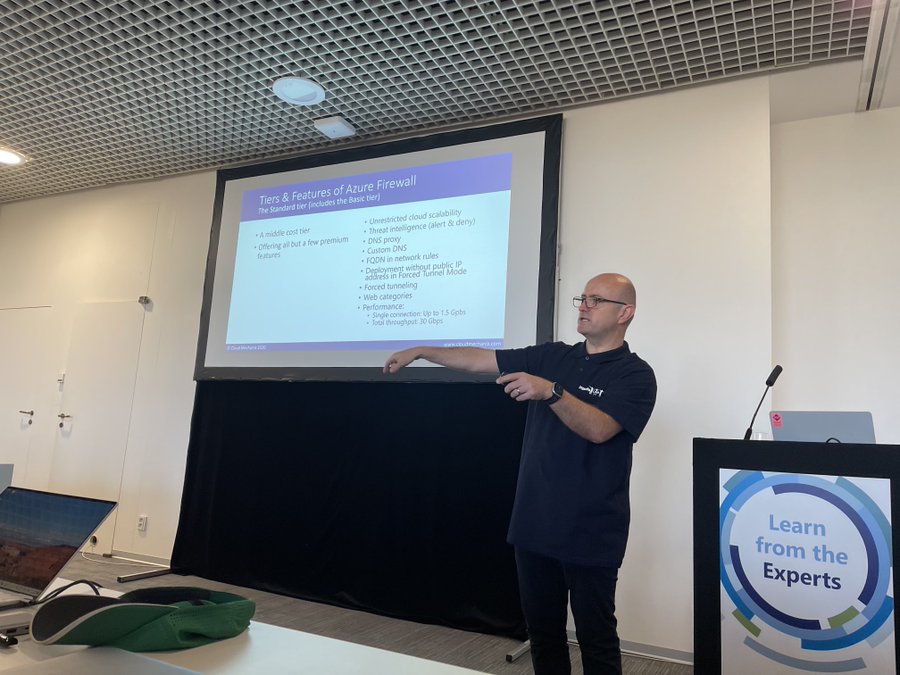
My session was called “Azure Firewall: The Legacy Firewall Killer“. In the session, I compare & contrast Azure Firewall with third-party NVAs, while teaching a little about Azure Firewall features and demonstrate a simple DevSecOps process using infrastructure-as-code.

Credit: Carsten Rachfahl, MVP

I had a full room which was pretty cool and there was lots of engagement after the session – throughout the day!

I attended sessions in all but one slot, catching the end of Carsten Rachfahl’s hybrid session, Didier Van Hoye’s session on QUIC, Damian Flynn’s Azure Policy session, and Eric Berg’s session on Azure networking native versus third-party options. All were excellent, as I expected.

It has been a long time since I’ve had the opportunity to attend technical sessions – the pandemic suspended in-person events for years, I can’t focus on digital events (for several reasons), and Microsoft Ignite is a marketing/vanity event now 🙁

Afterwards

The after-party featured some lovely snacks and drinks with some light-hearted entertainment. It was short – understandably – because many people were leaving straight away.

Entertainment for the evening was hosted for the speakers: we gathered at 19:00 and were taken on a riverboat tour where we had a few drinks and dinner while enjoying the city views in the warm autumn evening. It was quite enjoyable. And maybe, just maybe, many of the speakers continued on in various locations afterward!

Wrap Up

Experts Live is a very well-run event with lots of content spanning multiple expertise areas. I love that the sessions are technical – in fact, some of the speakers adjusted their content to suit the observed technical levels of the audience while at the event. In 2024, if you want to learn, then make sure you check out this conference and hopefully if I’m accepted, I’ll see you there!

Terrafying Azure – A Tale From The Dark Side

This post is a part of the Azure Back to School 2023 online event. In this post, I will discuss using Microsoft Azure Export for Terraform, also known as Aztfexport and previously known as Azure Terrafy (a great name!), to create Terraform code from existing Azure deployments, why you would do it, and share a few tips.

Terraform

Terraform is one of a few Infrastructure-as-Code (IaC) languages out there that support Microsoft Azure. You might wonder why I would use it when Azure has ARM and Bicep. I’ll do a quick introduction to Terraform and then explain my reasoning which you are free to disagree with 🙂

Terraform is a product of Hashicorp available as a free-to-use product that is supported with some paid-for services. Like other IaC languages, it describes and desired end result. The major feature that differs from the native Azure languages is the use of state files – a file that describes what is deployed in Azure. This state file has a few nice use cases, including:

  • The outputs of a resource are documented, enabling effortless integration between resources in the same or even different files – with some effort, outputs from different deployments can be included in another deployment.
  • A true what-if engine that (mostly) works, unlike the native what-if in Azure, greatly reducing the time required for deployments and the ability to plan (pre-review) a deployment’s expected changes.

My first encounter with Terraform was a government project where the customer wanted to use Terraform over Bicep. Their reasoning was that elected politicians come and go, and suppliers come and go. If they were going to invest in an IaC skillset, they wanted the knowledge to be transferrable across clouds.

That’s the big advantage of Terraform. While the code itself is not cloud portable, the skill is. Terraform uses providers to be able to manage different resource types. Azure is a provider, written by Microsoft. Azure AD is a provider – ARM/Bicep still do not support Azure AD! AWS and GCP have providers. VMware has a provider. GitHub has a provider – the list goes on and on. If a provider does not exist, you can (in theory) write your own.

On that project, I was meant to be hands-off as an architect. But there were staffing and scheduling issues so I stepped up. Having never written a line of Terraform before I had my first workload, with some review help from a teammate, written in under a day. By the way, the same thing in Bicep took three days! Terraform is really well documented, with lots of examples, and the language makes sense.

Unlike Bicep, which is still beholden to a lot of the complexity of ARM. Doing simple things can involve stupidly complicated functions that only a C programmer (I used to be one) could enjoy (and I didn’t). I got hooked on Terraform and convinced my colleagues that it was a better path than Bicep, which was our original plan to replace ARM/JSON.

Aztfexport

Switching Terraform creates a question – what do we do with our existing workloads which are either deploying using Click Ops (Portal), script, or ARM/Bicep?

Microsoft has created a tool called Azure Export for Terraform (Aztfexport) on GitHub. The purpose of this tool is to take an existing resource group/resource/Graph query string and export it as Terraform code.

The code that is produced is intended to be used in some other way. In other words, Microsoft is not exporting code that should be able to immediately deploy new resources. They say that the produced code should be able to pass a terraform plan where the existing resources are compared with the state file and the code and say “the code is clean and there are no changes required”.

The Terraform configurations generated by aztfexport are not meant to be comprehensive and do not ensure that the infrastructure can be fully reproduced from said generated configurations. For details, please see limitations).

Azure/aztfexport: (github.com)

Why Use Aztfexport?

If I can’t use the code to deploy resources then what value is it? Hopefully you will see what aztfexport is a central part of my toolkit. I see it being useful in the following ways:

  • Learning Terraform: If you’ve not used Terraform before then it’s useful to see how the code can be produced, especially from resources that you are already familiar with.
  • Creating TF for an existing workload: You need to “terrafy” a resource/resource group and you want a starting point.
  • Azure-to-Azure migrations: You have a set of existing resources and you want to get a dump of all the settings and configurations.
  • Learning how a resource type/solution is coded: My favourite learning method is to follow the step-by-step and then inspect the resource(s) as code.
  • Understand how a resource type/solution works: This is a logical jump from the previous example, now including more resources as a whole solution.
  • Auditing: Comparing what is there with what should be there – or not there.
  • Documentation: The best form of resource documentation is IaC – why create lengthy documentation when the code is the resource?

I did use Aztfexport to learn Terraform more. In my current project, I have used it again and again to do Azure-to-Azure migrations, taking legacy ClickOps deployments and rewriting them as new secure/governed deployments. I’ve save countless hours capturing settings and configurations and re-using them as new code.

The Bad Stuff

Nothing is perfect, and Aztfexport has some thorns too. Notice that the expected usage is that the produced code should pass a terraform plan. That is because in many situations (like with ARM exports) the code is not usable to deploy resources. That can be because:

  • ARM APIs do not expose everything, so how can Terraform get those settings?
  • The tool or the providers using used do not export everything.

One example I’ve seen includes App Services configurations that do not include the code type details. Another recent one was with WAF Policies overridden WAF rules were not documented. In both cases, the code would pass a plan. But neither would re-produce the resources. I’ve learned that I do need to double-check things with a resource type that I’ve never worked with before – then I know what to go and manually grab either from an ARM export or a visual inspection in the Portal.

Another thing is that the resources are named by a “machine” – there is no understanding of the role. Every resource is res-1, res-2, and so on, no matter the type or the role in the workload. That is a bit anonymous, but I find that useful when inspecting dependencies between resources.

A giant main.tf file is created, which I break up into many smaller files. I can find relationships based on those easy-to-track dependencies and logically group resources where it suits my coding style.

One feature of TF is the easy reuse of resource IDs. One can easy refer to resource_type.resource_name.id in a property and know that the resource ID of that resource will be used. Unfortunately, some Aztfsexport code doesn’t do that so you get static resource IDs that should be replaced – that happens with other properties of resources too, so that all should be cleaned up to make code more reusable.

Installing Aztfexport

You will need to install Terraform – I prefer to use a Package Manager for that – the online instructions for a manual installation are a mess. You will also require Azure CLI.

The full instructions for installing Aztfexport are shared on GitHub, covering Windows, MacOS and Linux. The Windows installation is easy:

winget install aztfexport

You will need to restart your terminal (Windows) to get an updated Path variable so the aztfexport binary can be found.

Before you use aztfexport, you will need to log in using Azure CLI:

Open your terminal

Login:
az login

Change subscription:
az account set -subscription <subscription ID>

Verify the correct subscription was selected by checking the resource groups:
az group list

Create an empty folder on your PC and navigate to that folder in your terminal. The aztfexport tool requires an empty folder, by default, to create an export including all the required provider files and the generated code.

If you want to create an export of a single resource then you can run:

aztfexport resource <resource ID>

If you want to create an export of a resource group, then you can run:

aztfexport resource-group -n <resource group name>

Not the -n above means “don’t bother me with manual confirmation of what resources to include in the export”. In Terraform, sub-resources that can be managed as their own Terraform resources would otherwise need to be confirmed and that gets pretty tiresome pretty fast.

Tips

I’ve got to hammer on this one again, the produced code is not intended for deployment. Take the code, copy and paste it into new files and clean it up.

If your goal is to take over an existing IaC/ClickOps deployment with Terraform then you are going to have some fun. The resources already exist and Terraform is going to be confused because there is no state file. You will have to produce a state file using Terraform export for every resource definition in your code. That means knowing the resource IDs of everything, including Azure AD objects, role assignments, and sub-resources. You’ll need to understand the format of those resource IDs – use an existing state file for that. Often the resource ID is the simple Azure resource ID, or a derivation of a parent resource ID that you can figure out from another state file. Sometimes you need to wander through Azure AD (look at assignments in scopes that you do have access to if you don’t have direct Azure AD rights), use Azure CLI to “list” resources or items, or browse around using Resource Explorer in the Azure Portal.

Do take some time to compare your code with any previous IaC code or with an ARM export. Look for things that are missing – Terraform has many defaults that won’t be included and that code is missing because it is not required. I often include that code because I know that they are settings that Devs/Ops might want to tune later.

If you have the misfortune of having to work an existing Terraform module library then you will have to translate the exported code as parameter/variable files for the new code – I do not envy you 🙂

Summary

This post is an introduction to Microsoft Azure Export for Terraform and a quick how-to-get-started guide. There is much more to learn about, such as how to use a custom backend (if resource names in Terraform are not a big deal and to eliminate the terraform import task) or even how to use a resource map to identify resources to export across many resource groups.

The tool is not perfect but it has saved me countless hours over the last year or so, dating back to when it was called Azure Terrafy. It’s one in my toolkit and I regularly break it out to speed up my work. In my opinion, anyone starting to work with Terraform should install and use this tool.

Microsoft Ignite 2023 – I Will Not Be Attending

Microsoft Ignite 2023 has been announced as a hybrid event. Let me explain why I have no interest in attending in person or taking part digitally.

Technical Education

One of the reasons that I became a pretty regular attendee of Microsoft’s technical conferences was to learn. My first time to attend TechEd Europe was a real eye-opener. I took part in hands-on labs, tried out new products, and went to sessions where I learned a lot about products/features that I worked with or was interested in.

When a past manager asked me about my training budget/plan it was quite simple: I had no interest in traditional training because I knew all that I could learn in the necessary areas – I could often rewrite the courses with better content. But attending a conference where the creators of the product/feature stood on stage and got into deep technical detail – that was unmatched.

The TechEd brand was killed off years ago and replaced with the much larger Ignite conference. The immediate noticeable change was that the main breakouts were 99% reserved for Microsoft staff and sponsors – I avoid sponsor sessions because they are 100% advertising. The Microsoft sessions slowly changed away from technical Program Managers to managers, and then to corporate vice presidents (CVPs). That meant that the level of technical content was dropping and there was a shift to marketing.

Pandemic

As we all know, COVID-19 shut the world down and brought down conferences with it. Microsoft switched to a digital format for Ignite. In theory, this should have increased the audience and potentially the breadth & depth of content. However, Ignite “online” featured 30 minute-long sessions (because of “feedback”) that featured only:

  • Bullet point announcements with no technical follow-up
  • Marketing by CVPs.

Sure, Ignite became a glossy, well-produced digital event but it was pointless. I don’t care how many live streams they had – how many of those people were paying attention? I don’t care how many downloads/non-live streams they had – how many of those people finished got more than 1/3 through the session?

I can read bullet point announcements in the blog posts on day 1 of the conference much more easily than I can from a PowerPoint – and there will be links to more detailed information.

I have no interest in some CVP trying to be the next Stephen Elop-style failed techie celebrity, burning up time that would have been better with a program manager sharing knowledge on the new tech that they’ve been working on for months/years.

I remember a few years ago that one group in Microsoft staged their own “Ignite” outside of the official content/site in order to get their news out – that didn’t happen again. I guess somebody squashed that.

Why Attend?

I attended the last few TechEd North America conferences and all but the very first Microsoft Ignite events. I have been in a couple of conversations about attending this year and I’ve made it clear: I have no interest – and that seems to be a common opinion.

It costs a lot of money to travel to such an event. A flight is between €600-€1200. A hotel will clock in at over €2000. The early bird ticket price this year is $1,525 (around €1,424). Don’t forget local expenses like travel and food. If you’re a consultant like me then the company has lost revenue while you are away. And then there is the priceless time away from family and the impact on the partner who has to keep things running while you are far away. Attending a conference is an investment. I always saw attending Ignite as an investment in the following year: I would have knowledge that only a few others in my market had. If the return is near zero then Microsoft Ignite is a bad investment.

OK, can’t I just watch it online? I think I have watched maybe 3 Ignite sessions from the Pandemic years. Last year there was supposed to be a deep dive in one area that I work in. I tuned in live, and it was a CVP in a digital marvel or marketing, uttering words that they probably have never used in that order before. Even the time to watch the online content is not worth the investment.

What Needs To Change?

I don’t think that any of this will happen – there are those in Microsoft who view Ignite as irrelevant (yuk! tech!), a distraction, or a cost. The switch to an online video brochure suits them. I think that sucks. I know that there is an in-person option, but check out the mostly pre-recorded content – are you going to pay to stream the same content as everyone else while sitting in a conference centre?

The presenters need to switch back to the program managers from the teams. These are people who have worked on the products/features since inception and are qualified to talk about the content at a technical level and are trained in public/customer interaction (it’s normally a part of the job description).

The length of session needs to return to either 60 minutes or 75 minutes. As a presenter, I can tell you that it is impossible to bring an audience through a progression from level 200 to level 300/400 in 30 minutes while doing all the necessary steps and delivering any meaningful amount of content. 60 minutes is the minimum. 75 minutes gives the presenter a real chance to drill deep – which a large part of the audience really wants.

Become an expert in automation and AI in 21 minutes during this breakout deepdive!

The content needs to include large amounts of technical sessions. Sure, go ahead and have those level 100-200 sessions for the C-suite or people getting into subjects for the first time. But give us techies a reason to participate, either in person or online.

Give Us TechEd!

The thing that is most missing today is knowledge. There is too much focus on introduction/bullet point announcements/blog posts, training to get a practically useless certification, and documentation that fails to explain the why’s and how’s.

We need technical content from the people who work on the product/features and really know them. I say this as a person who wants to learn but also as a person who witnesses the lack of knowledge or understanding in the market – the iPad generation is trying to use The Cloud without knowing why/how/what’s best/what’s secure because they’re limited to the next-next getting started docs that are the only technical information out there anymore.