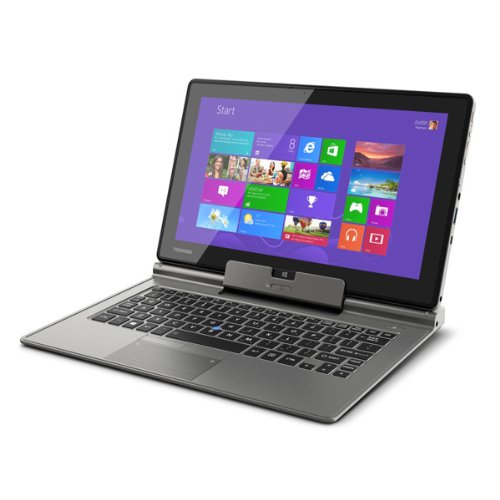
Toshiba Z10t – A Windows 8 Tablet/Convertible Ultrabook For The Business User

It wasn’t until I saw the spec of the new Toshiba Z10t that I realised all of the pro-style Windows 8 tablets were missing something: an RJ45 port that supports PXE boot.  Without it, how exactly are you going to deploy a Windows image to the PC over a PXE (network) boot?

A few months ago we saw the first photos and specs of the Toshiba Z10T, which they are sensibly describing as a convertible ultrabook.  Sure, a “tablet”, that is similar to the Surface Pro and others, undocks from the keyboard and it features a stylus (on select models) and multitouch and all that jazz that you expect.  However, calling something that costs $1000 or more a tablet and then expecting it to compete against $300 offerings from Samsung and the rest … that’s just insanity as we all now know.

The device has all the usual features on the “tablet” and features full sized HDMI (hallelujah!) on the keyboard as well as an RJ45 network port.  I got my hands on one for a few seconds today, booted it into the settings, and a LAN boot was one of the options, OSD fans will be happy to hear.

The model I played with was an i5, with 4 GB RAM and 128 of storage, and 1920 x 1080 screen resolution.  Typing enthusiasts: there is a backlit keyboard.  Like the Surface Pro, the battery is on the lighter side supporting just over 5 hours; it does not have a Haswell CPU.  There are USB 3.0 and SD (full) card slots.  Presentation fans: there is a real VGA port so no more dongles that work 50% of the time in hotel meeting rooms.

The machine is not going to win <insert country here> Top Model.  It is not pretty.  But this is a tool designed to do a job.  The material on the back is a tough textured plastic.  It’s feels like it will last over time.

This is an ultrabook first, tablet second.  It’s intended to be a replacement device and not a companion device. This is the machine you use at your desk, on the road, and for presentations.  There is also an i7 model.  These machines are not cheap.  They’re not to be confused with consumer machines; they are business machines, in my opinion.

KB2846837–Incorrect RSS Core Assignment On Win8 or WS2012 Computer That Has Multi-Core processors

One for you SMB Multichannel freaks out there.  This KB article and hotfix from Microsoft is for when incorrect Receive Side Scaling (RSS) processor assignment on a Windows 8 or Windows Server 2012-based computer that has multi-core processors.

Symptoms

Consider the following scenario:

  • You have a Windows 8-based or Windows Server 2012-based computer that has multi-core processors.
  • You have three or more network adapters installed on the computer. 
  • You enable Receive Side Scaling (RSS) and set a RSS profile to use the "Closest" parameter for the network adapters.
  • You run the following PowerShell command to retrieve RSS properties of the network adapters:

Get-NetAdapterRss

In this scenario, the first two network adapters are assigned processors correctly. However, other network adapters are not assigned correctly.

Cause

This issue occurs because RSS incorrectly uses the maximum processor count that is supported by the computer to assign processors. The expected action is that RSS uses the active processor count during the processor assignment.

A supported hotfix is available from Microsoft.

There’s no mention of this applying if using DVMQ, the cousin of RSS.

Building Storage Spaces On My PC

Currently at home I use a HP MicroServer with Windows Home Server on it to store all my media (music, video, and photos).  I do all my photo editing on a HP tower PC with a nice Samsung monitor.  My camera is a 16 MP DSLR so the RAW files that I am editing are pretty big (around 21 MB each).  It takes quite a while for the thumbnails to load when I browse a folder, and it takes an age to open a RAW file or to save an edited PSD file over the network to the WHS.

I’ve decided to migrate my content from the WHS to my PC.  But the PC only has a 465 GB drive.  That’s too small and it’s a single point of failure.

What I’ve decided to do is deploy Storage Spaces using USB 3.0 drives on the tower PC.  The PC doesn’t have USB 3.0 ports.  So what I did was use some Amazon.co.uk store credit and bought some USB 3.0 ports.  I bought 2 * StarTech.com 2 Port PCI Express SuperSpeed USB 3.0 Card Adapter, available from:

That gives me a total of 4 * USB 3.0 ports on the back of the tower PC.  The cards come with optional power supply leads for devices that draw power from the ports.  They are plugged into the hard drive power lead in the PC. 

Next I’ll be getting myself 2 * 3TB USB 3.0 drives, and plugging one into each USB 3.0 card.  With 2-way mirroring I’ll get just under 3 TB of storage, enough to keep me going for a while, and with room to expand again in the future.

Data access will be much faster than it currently is and I can look at recycling the WHS, possibly turning it into SMB 3.0 storage for my home lab.

Technorati Tags: ,

Surface RT Office & Blurring The Licensing Lines

As usual, don’t bother emailing or commenting with licensing questions. They will be deleted and ignored, no exceptions, and this includes you with your special situation.  Please ask you reseller – that’s why they exist.

As you may be aware, Windows RT (the OS installed on the Surface RT and a few other Windows tablets) comes with a copy of what is effectively (features, license-wise, and rights-wise) Office Home & Student 2013.

Office 2013 has a peculiar limitation because of its relatively low price: you cannot use it in the workplace.  To use Office Home & Student at work, it needs to be “upgraded” to a business version via a license purchase.  This isn’t actually a feature limitation – the versions of Word, Outlook (Windows 8.1 RT has Outlook), etc, all will connect to Exchange, Sharepoint, etc just fine without any upgrades.  What you need is an additional license … something you record that you’ve purchased for that device in a spread sheet (like we need more of those!).

Is there a way to mark a Windows RT device as licensed?  Nope.  I was about to write “Use a custom GPO to add a registry value” but I remembered that Windows RT cannot join a domain.  Is there a way to detect unlicensed machines?  Nope.  Can you stop end users connecting to services with their Windows RT … only if you put in networking measures (NAP, NAQ, etc) to actually prevent BYOD.

Ooooooookay then.  I guess Microsoft are pretty clear on this?  Ehhhhhh actually it’s quite the opposite.  When talking heads go on podcasts they’re saying things like “Surface RT is great in the office because you don’t need to buy additional expensive software like Office”.  That line isn’t uncommon from MSFT out in the world.

This reinforces or reminds a few things:

  • Never EVER listen to a Microsoft person when it comes to licensing Microsoft software.  If that person is allowed to talk to the public then they clearly do not work hands-on with Microsoft licensing policies (read the PUR to understand what I mean).  Taking that person’s word as policy will get you audited, stung, penalised, and fired.
  • Windows RT has no place in business.  It’s a consumer device.  In the long run it’ll be cheaper to buy an Atom tablet (yes, it’s not as powerful as a laptop, but it you want a laptop, buy a laptop instead of a tablet) + Office for business (that can also run other programs) than Surface RT + Office for business + other “paper"-based” licensing controls.
  • Microsoft licensing is a mess.  While things like Server and System Center are pretty easy (if you can’t count then may I suggest a career in drooling?) the new licensing that was added for Windows 8 is a complete and utter cluster-f**k – and yes, that is the official licensing term.

As usual, don’t bother emailing or commenting with licensing questions. They will be deleted and ignored, no exceptions, and this includes you with your special situation.  Please ask you reseller – that’s why they exist.

Upgrading From Windows Server 2012 Hyper-V To Windows Server 2012 R2 Hyper-V

This post is being written before the preview release is out, and before guidance has been written. It is based on what we know from TechEd NA 2013.

Upgrading a non-clustered Hyper-V host has never been easier.  Microsoft did some work to increase compatibility of VM states between WS2012 and WS2012 R2.  That means you don’t need to delete snapshots.  You don’t need to power up VMs that were in saved states and shut them down.  Those files are compatible with WS2012 R2 Hyper-V.

There are 2 ways to upgrade a WS2012 R2 Hyper-V host.

Do An In-Place Upgrade

You log into your WS2012 R2 host, shutdown your VMs or put them in a saved state, pop in the WS2012 R2 media, and do the upgrade.  The benefit is that you retain all your settings, and the VMs are right there in Hyper-V Manager with no effort.  The downside is that any crap you might have had on the Management OS is retained.  Microsoft always recommends a fresh install over an in-place upgrade.

Replace The Management OS & Import/Register The VMs

I prefer this one.  But be careful – do not use this approach if any of your VM files/settings are on the C: drive of the host – I hate those default locations in Hyper-V host settings.

You shutdown the host, pop in the media, and do a fresh install over the C: drive of the host.  This gives you a completely fresh install.  Yes, you have to rebuild your settings but that can all be scripted if you’re doing this a lot.  The final step is to import the VMs using the register option.  This simply loads up the VMs, and then you start up whatever VMs you require.

Upgrading to Windows 8.1 Client Hyper-V

This is a little off-topic but it’s related.  You can upgrade a PC from Windows 8 with Client Hyper-V to Windows 8.1.  The upgrade will automatically put running VMs into a saved state.  After the upgrade, the previously running VMs will be running.

Integration Components

The final step in any Hyper-V upgrade is to upgrade the Hyper-V Integration Components in the guest OS of each virtual machine.

The First 8” Windows 8 Tablet On Pre-Order

Acer has launched the first 8” Windows tablet, available on pre-order on Amazon now.  The spec is:

  • Screen Size 8.1 inches
  • Max Screen Resolution 1280 x 800 pixels
  • Processor 1.5 GHz Atom Z2760 
  • RAM 2 GB SDRAM 
  • Graphics Coprocessor Intel Graphics Media Accelerator
  • Graphics Card Ram Size 64 MB
  • Wireless Type 802.11bgn
  • Number of USB 2.0 Ports  1
  • Average Battery Life (in hours)  8 hours

image

According to Engadget it will be:

… priced at 329 euros for 32GB and 379 euros for 64GB

No dates have been shared.

Technorati Tags: ,


6 Months Of Owning Samsung ATIV SmartPC Windows 8 Tablet

It is just over 6 months since I got my Samsung ATIV Smart PC 500T.  This is an Intel Atom powered device with 64 GB onboard storage (added 64 GB via MicroSD) running Windows 8 (not Windows RT).
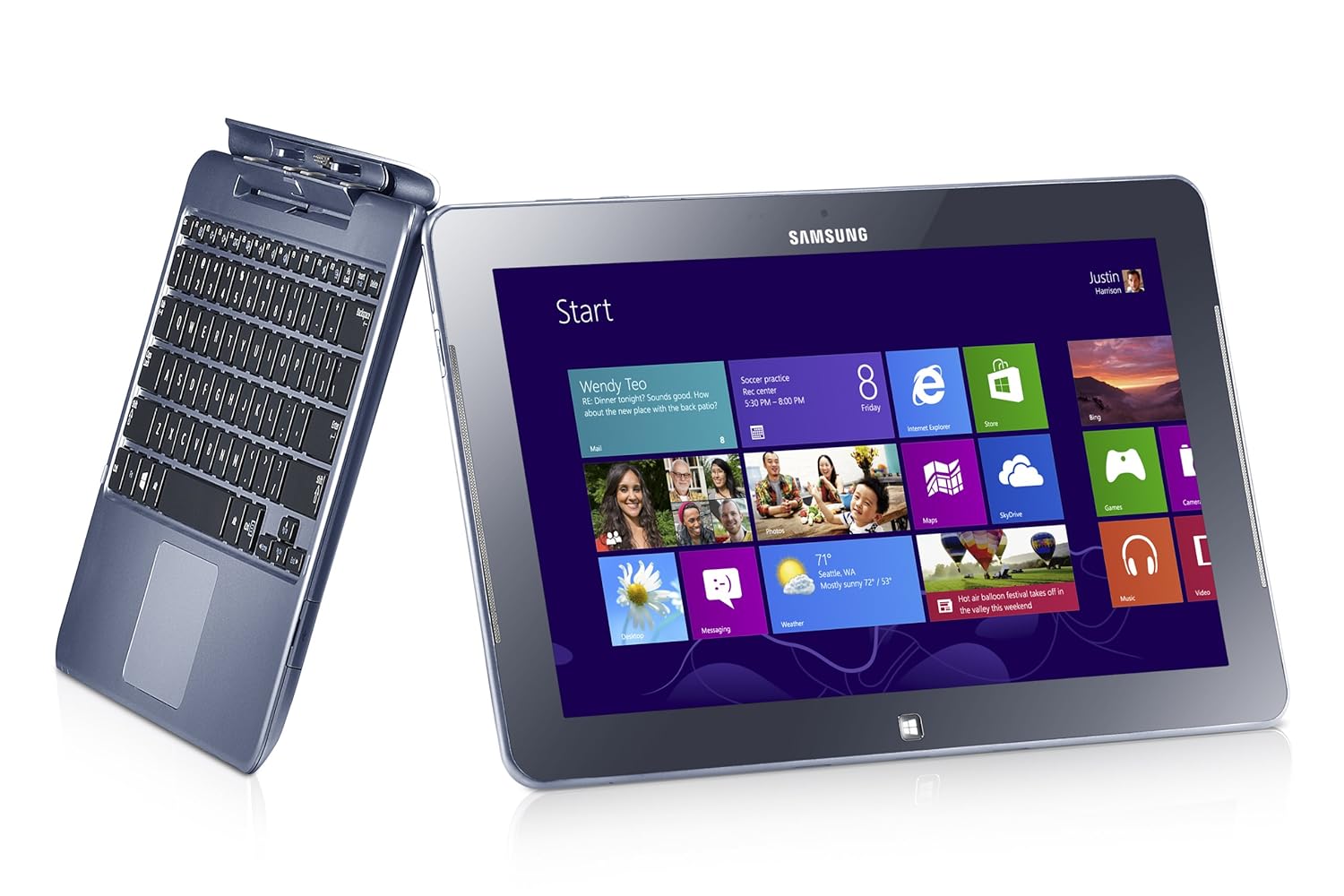
It cost me roughly $1100 pre-tax in Ireland.  You can get it for roughly $600 pre-tax in the USA.  Yes … we are ripped off by the manufacturers.

The device has worked pretty well … but not perfectly.

I never intended it to be a laptop replacement … where I run things like Photoshop CS.  It was an iPad replacement, that I could use at conferences, and hopefully on trans-Atlantic flights.  There it works perfectly.  I’ve regularly used it all day long at events, confidently leaving the power supply at home or in my hotel room.  It works perfectly on my lap when docked into the keyboard, giving me a laptop like experience, unlike a Surface with the floppy-hinged keyboard.  I also found the stylus (not just a Surface Pro feature!) which docks into the tablet to be useful.  Ever sit through a tech event and wish you could draw a diagram?  I can Smile  I’ve switched from Evernote to OneNote (not MX) to make the most of this capability.

The battery goes on and on.  For example, I travelled from Dublin-London-Orlando in February and watched video in Dublin and London and during my flights.  The battery had charge left when we landed.  And this keyboard doesn’t even have a second battery!

The keyboard is pretty good (no, it’s not at the same level as a Lenovo laptop keyboard).  My Asus UX31 has an below par keyboard.  I preferred to use the tablet when writing/editing the latter part of Windows Server 2012 Hyper-V Installation And Configuration Guide

How about presenting?  I talk tech, so white boarding is a big deal.  The stylus with the IsoBoard app are a nice solution to that.  Modern slim machines use full or micro HDMI ports.  This tablet has a micro HDMI port. I bought a VGA connector … hotel meeting rooms tend to have old projectors with just VGA.  That works … sometimes.  If there VGA cable is daisy chained between the podium and the projector then adding the HDMI-VGA converter degrades the signal too much to use.  I’ve since bought a USB-VGA adapter and am waiting on a situation where it’s required – it has worked in a situation where it was not required.

The performance of the tablet cannot match a laptop, and I didn’t expect it to.  It’s a tablet with an Intel processor … stressing the word “tablet”.  If you need more muscle then get a Pro machine with an i5 and 4 GB RAM … and the shorter battery life that goes with it.  I think it’s a bit disingenuous to try compare/contrast a tablet with a laptop.  They have different roles, like a screwdriver and a power tool.

Samsung are regularly releasing updates via the SW Update tool.  I’ve a new driver or firmware every couple of weeks, and they also distribute Windows 8 bug fixes (not to be confused with security fixes).  One bone of contention here: you cannot download any of the Samsung tools from the support site.  That means you cannot install a rebuild.  You must do a refresh from Control Panel and stick with the OEM build.  That is pretty damned awful … and makes the Samsung a consumer device not fit for business use.

There is a flaw with the h/w.  If you push the tablet while docked, it seems to un-plug and play it self from the keyboard.  You get the disconnect sounds in Windows.  It requires a full disconnect and reconnect.  I’m not the only person to experience this.  That is pretty annoying.

I used to mount the SD card in a folder and moved the libaries into the mount folder (on the SD card).  I’ve since rebuilt the machine.  Now I install Office, etc on the SD card.  My libraries are in the default location, and I do a selective sync of SkyDrive to the C: drive.  SkyDrive misbehaved when I synced to the mounted folder, regularly disconnecting and requiring a resync.  Keep it simple, stupid!

The big question: would I buy this device if I had to do it all again?

Good question.  I think I would, for the battery life.  I wouldn’t buy a Windows RT device.  I’ve tried a number of the competitive products, and while some are prettier, the Samsung is nicer, even if Samsung support is awful.  I would consider the Samsung ATIV Smart PC Pro 700T (think Surface Pro, but with docking stylus, and transformer keyboard like above, and twice the battery life of the Surface Pro).  But I do like 12 hours batter over 8 hours and the Ultrabook horsepower of the heavier/warmer device.

It’ll be interesting to see what comes in the coming months.  Pro machines should start to ship with the Intel Haswell processors (new Core i with more battery life) and a new quad-core Atom with better performance/graphics.  We also will see Windows 8.1 sometime this year, as a free upgrade to Windows 8 owners from the Windows Store.  One tablet I’m interested in is the Toshiba WT310, a business oriented machine with a transformer keyboard (VGA and RJ45) and TPM chip (BitLocker).

Technorati Tags: ,

Tip: Legally Deploying Images Windows To OEM Licensed PCs

As usual, I will not be answering licensing questions.  All emails and comments will be deleted without a response.  Please ask your reseller these questions instead – that’s why they add a margin to the license when they sell it to you, so make them work for it.

You cannot legally deploy an image of an OEM media installation of Windows.  According to a Microsoft licensing brief:

Organizations do not have the right to reimage by using OEM media.

An OEM image can only be preloaded on a PC by the OEM during manufacturing. An image can be individually recovered by the organization (or a service provider it chooses) by using the recovery media. The OEM recovery media should match the product version originally preinstalled on the system; no other image can be used to restore the system to its original state

That means a company that buys hundreds or thousands of PCs, intent on using the OEM license, cannot create a custom image from OEM media (assuming OEM media can even be acquired!).  Businesses hate OEM builds because they are full of crap-ware and unmanaged security vulnerabilities.  So what can you do to re-image these PCs?  Do you need to buy a VL for every single machine?  There are benefits to doing that, especially with SA attached, but that’s not for everyone.

There is a little known legal trick that you can apply.  According to Microsoft:

Reimaging is the copying of software onto multiple devices from one standard image. Reimaging rights are granted to all Microsoft Volume Licensing customers. Under these rights, customers may reimage original equipment manufacturer (OEM) or full packaged product (FPP) licensed copies using media provided under their Volume Licensing agreement.

These finer points are detailed in the licensing brief.

Basically:

  • Say you buy 2,000 PCs and want to use their OEM licensing for Windows 7/8 Pro
  • You want to deploy a custom build/image to these machines
  • You buy a single volume license for Windows 8 Pro (includes downgrade rights)
  • You use the MAK/KMS key to create and deploy an image of Windows 7/8 Pro
  • You’re legit!

You must be sure that you understand:

  • The OEM and the VL license must be the same edition, e.g. you cannot deploy a Pro VL image to Home OEM licensed PCs using this licensing technique.
  • You must ensure that the versions are matched, e.g. the OEM license entitles you to Windows 7 (including downgrades) if deploying Windows 7 images.  For example, you can’t deploy a Windows 7 VL image to a PC with a Windows Vista OEM sticker/license using this licensing technique.
  • The languages must be matched as well.

What if you company does not have a VL agreement?  You need to 5 products to start one.  You can buy a single copy of Windows (to get the ISO download and MAK/KMS keys) and 4 cheap dummy CALs – now you have a VL at minimum cost, and you can re-image your OEM-licensed PCs with an image made from your VL media.

Windows 8 Sales Below The Norm, But Will They Spike in FY2014?

A few people have started to figure out that Windows 8 sales are down.  It’s clear that retail sales are down.  Annuity licensing agreements (you always buy the latest volume license version and can choose to downgrade, e.g. Windows 7) and the cheap upgrade offers have boosted numbers, but the 20 million/month norm appears to have slid quite a bit.

I’m not going to get into the whys of this; that’s been talked to death.

I am wondering if we will see a reverse course caused by business customers.  Windows XP end of support is coming in April of next year.  Businesses, who have mostly clung to Windows XP like a zombie Charlton Heston grips his gun, are starting to look at upgrades to Windows 7. 

There is a general misunderstanding with enterprise licensing.  Not every company has an annuity agreement such as OVS (SMEs) or an Enterprise Agreement (EA – larger enterprises) that includes Software Assurance (SA – one of the benefits is upgrade rights).  And even if they do, they will be choosey about what is included: maybe they’ll include a Core CAL or an Enterprise CAL for servers, but they won’t get licensing for the desktop OS.  That might be because they’ve been happy with Windows XP and stuck with the OEM license that came with the PC.  Some of those PCs have Windows 7 stickers (licenses) and some don’t.  My experience is that business PCs hang around for a lot longer than most retail PCs, well after their hardware support expires.

Let’s summarise for a moment:

  • Businesses are using Windows XP, and XP end of support is April 2014, making XP a security risk to the business.
  • Businesses that do have annuity licensing agreements don’t necessarily have licensing for Windows 7.

That means they need Windows 7 licensing for those machines not covered.  They’ll likely get that through volume licensing.  As I said earlier, you can’t buy a legacy version of Windows via VL.  You always buy the latest version (Windows 8 at the moment) and choose to downgrade (e.g. Windows 7).  The estimate is that somewhere around half of business PCs are running Windows XP.  If a significant percentage of those PCs upgrade to Windows 7 (really Windows 8, license-wise) then we could see a big spike in license sales in the coming year.  Microsoft uses the EA Sports calendar, and their new financial year starts in July, therefore we could see big Windows 8 sales from the enterprise then.

And yes, if “Windows 8.1” includes certain features, it could help both consumer and business adoption of “Windows 8.1” (and therefore “Windows 8” sales) in FY14.

Technorati Tags:

Podcast – Talking Windows 8 Client Hyper-V With Run As Radio

I recently recorded a podcast with Richard Campbell of Run As Radio.  The topic was, as you might guess, Hyper-V, but this time we focused on Client Hyper-V, the edition of Microsoft’s hypervisor that comes in Windows 8 Pro/Enterprise.

You can find the podcast episode here, and I would strongly recommend that you scroll through previous episodes too see what else you can learn from this valuable resource.  The podcast has been on my iTunes subscriptions for quite a while now, and teaches me loads while out on road trips for work.