Double-Take Move Partners With Microsoft For Easy Migration From VMware To Hyper-V Via System Center

Makers of Double-Take Move, Vision Solutions Inc, recently released a press release to announce that:

Double‐Take Move®, will help enterprise customers and service providers move from VMware to Windows Server 2012 Hyper-V and/or Windows Azure … With the capabilities of Windows Server 2012, Hyper‐V is becoming the virtualization platform of choice for customers running mission critical applications. Customers and partners are benefiting from significant cost savings over VMware when migrating their datacenters to Hyper‐V, and with Double‐Take Move, the migration is easier and more productive than ever.

The concept of the partnership is that Double-Take Move will integrate into System Center and make it easy for administrators to V2V migrations:

  • Near‐zero downtime migrations (downtime is when the VM comes online after the migration)
  • Automated cutover
  • Test cutover
  • WAN optimization
  • Milestone notifications
  • Automatic VM provisioning

image

According to the data sheet, this is a service-centric approach, leveraging Orchestrator to automate the process and Service Manager to reveal the process as a request to cloud tenants.  There is also a video on the solution.

This will be good news to large organizations that have made big investments in vSphere in the past and want to have an easy switch over to a more efficient platform.

Some Windows Server 2012 R2 & Exchange 2013 Reading For You

Some of my friends have been very busy lately.

Mastering Microsoft Exchange Server 2013 was recently released.  My photography buddy, former MVP, and Microsoft UK Exchange TSP, Nathan Winters had a hand in this book.

http://exclusivelyexchange.com/files/2013/10/mastering-exchange.jpg

Available on:

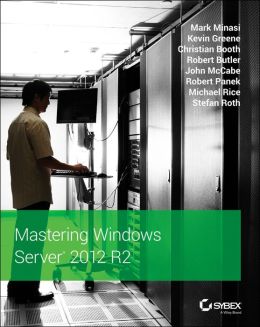
If you want to learn about Windows Server 2012 R2 then Mastering Windows Server 2012 R2 is available on pre-order (print for now, Kindle will follow when it’s released).  I have a number of friends involved in this one: headliner Mark Minasi, Irish MVP Kevin Greene, and ex-MVP and Microsoft Ireland PFE John McCabe.

http://img1.imagesbn.com/p/9781118289426_p0_v1_s260x420.JPG

Available on:

And before you ask, I will not be writing a WS2012 R2 Hyper-V book.  It’s too much work and not enough reward for 9 month’s effort.  I think you’ll find lots of regular authors are dropping out of traditional tech print.  The WS2012 Hyper-V book covers most of what you need.

Hyper-V Server 2012 R2 Is Available

The free version of Hyper-V has been updated to 2012 R2 and released and available to download … for free.  This is the same Hyper-V as you get in the Standard and Datacenter editions minus the GUI and Automatic Virtual Machine Activation (AVMA – Datacenter only). 

You can learn more about Hyper-V Server 2012 R2 here.  Did I mention that it’s free?  And full scalable?  And includes HA, and … and … ?

Windows Server & System Center 2012 R2 Can Be Bought … Now

Generally available (GA) doesn’t mean quite what it used to either.  Although Windows Server 2012 R2 (WS2012 R2) and System Center 2012 R2 were available on the Microsoft Volume Licensing Service Center (VLSC) for Software Assurance (SA) customers, the products could not be purchased.  They can now, as long as you’re in a time zone where it is November 1st 🙂

Event: TechCamp 2013 Windows & System Center Mailshots Begin

Thanks to my employers, and sponsors of TechCamp 2013, MicroWarehouse, a shiny nice mailshot for the Windows Server 2012 R2, System Center 2012 R2, and Windows 8.1 community launch event went out today.

A special thank you to John who is working like mad on this event.

Business people group at meeting seminar presentation

Anyone can register for this 2-track community launch event.  In fact, we are recommending that more than 1 person comes from a company so that they each attend a track and share notes.

Even if you cannot go, please remember it’s a community event.  So help spread the word!!!  RT on Twitter, Facebook, LinkedIn, Google+, smoke signals … it’s all appreciated.

Configuring The Paging File On Hyper-V Hosts

A paging file creates virtual RAM, allowing the OS to “page out” inactive memory and “page in” memory from the file when it is required.  This allows the OS to make better use of the available RAM in a computer.

Hyper-V has little use for a paging file.  Unlike certain hypervisors, Hyper-V does not do blind second level paging.  That’s because Hyper-V’s Dynamic Memory works differently to other memory techniques.  That’s a whole other blog post.  But long story short: the paging file in a Hyper-V management OS (the host OS) is there only for the management OS itself … and that management OS doesn’t need much RAM or performance.  You save capacity and performance for your VMs.

There was a time when we used to advise configuring the paging file on Hyper-V hosts.  But that all changed with the release of WS2012.  Lots of little things that we advised tweaking (like memory reserve) should never be tweaked now.  That’s because Microsoft built in automated management for Hyper-V management OS installations.

Now the official line on the paging file is:

For Hyper-V servers that run Windows Server 2012 or Windows Server 2012 R2, the page file should be left at the default of setting of System Managed. This is per the Hyper-V Product Group.

That comes from a KB article called How to determine the appropriate page file size for 64-bit versions of Windows that gives you guidance on how to setup or configure the paging file on x64 Windows installations. 

So that makes it official & simple: leave the paging file on Hyper-V hosts with the default configuration.

For those of you who mistakenly call their VMs “Hyper-V servers” this guidance has nothing to do with the guest OS of your VMs.  Configure the paging file of your VMs according to best practice for the OS and the services that it is running.

5nine Software Releases V2.0 Of VMware-To-Hyper-V V2V Conversion Tool (FREE!)

5nine Software announced the release of the free 5nine V2V Easy Converter v2.0 yesterday.  This will allow you to convert VMware VMs into Hyper-V VMs with support for VHD and VHDX and the following guest OSs:

  • Windows Server 2008
  • Windows 7
  • Windows Server 2003 (x86 and x64)
  • Most of Advanced Server 2000
  • Ubuntu Linux
  • CentOS Linux

Yes: V2V conversions to Hyper-V for Linux guests!

The last three versions of Hyper-V are supported:

  • Windows Server 2008 R2 SP1 Hyper-V
  • Windows Server 2012 Hyper-V
  • Windows Server 2012 R2 Hyper-V

If you have any questions, please contact 5nine Software Information at info(at)5nine(dot)com or via phone +44 (20) 7048-2021 from 7am to 5pm GMT

Windows Azure Backup Is Generally Available & Other Azure News

The following message came in an email overnight:

Windows Azure Backup is now generally available, Windows Azure AD directory is created automatically for every subscription, and Hyper-V Recovery Manager is in preview.

What does that mean?  Some backup plans charge you based on the amount of data that you are protecting.  Personally, I prefer that approach because it is easy to predict – I have 5 TB of data and it’s going to cost me 5 * Y to protect it.  Azure Online Backup has gone with the more commonly used approach of charging you based on how many GB/month of storage that you consume on Microsoft’s cloud.  This is easy for a service provider to create bills, but it’s hard for the consumer to estimate their cost … because you have elements like deduplication and compression to account for.

The pricing of Azure Online Backup looks very competitive to me. 

Windows Azure Backup is billed in units based on your average daily amount of compressed data stored during a monthly billing period.

Some plans get the first 5GB free and then it’s €00.3724 per GB per month.  In the USA, it will be $00.50 per GB per month.  Back when I worked in backup, €1/GB per month was considered economic.

In other Azure news:

A Windows Azure AD directory is created automatically for every subscription:

Starting today, every Windows Azure subscription is associated with an autocreated directory in Windows Azure Active Directory (AD). By using this enterprise-level identity management service, you can control access to Windows Azure resources.

To accommodate this advancement, every Windows Azure subscription can now host multiple directories. Additionally, Windows Azure SDK will no longer rely on static management certificates but rather on user accounts in Active Directory. Existing Active Directory tenants related to the same user account will be automatically mapped to a single Windows Azure subscription. You can alter these mappings from the Windows Azure Management Portal.

Take advantage of the new Windows Azure Hyper-V Recovery Manager preview.

Windows Azure Hyper-V Recovery Manager helps protect important applications by coordinating the replication of Microsoft System Center clouds to a secondary location, monitoring availability, and orchestrating recovery as needed.

The service helps automate the orderly recovery of applications and workloads in the event of a site outage at the primary data center. Virtual machines are started in an orchestrated fashion to help restore service quickly.

The Euro GA pricing for Hyper-V Recovery Manager was included in the email.  It will cost 11,9152€ per virtual machine per month to use this service.  The website is not updated with GA pricing.

Event: TechCamp2013 – Learn About Windows Server & System Center 2012 R2 And Windows 8.1 (Dublin)

I’m delighted to announce that on November 28th in City West Hotel (just outside the M50 in Dublin), there will be a community launch of:

  • Windows Server 2012 R2
  • System Center 2012 R2
  • Windows 8.1 (in the business)

For all intents and purposes, this is the launch of the next generation of infrastructure products in Ireland.  Community launch means that you’re getting independent experts telling you the facts about these products.  The experts are Microsoft Most Valuable Professionals (MVPs), including:

  • Myself
  • Damian Flynn
  • Paul Keely
  • Kevin Greene
  • Niall Brady

All the details can be found on the event website at http://techcamp2013.wordpress.com/.  The site isn’t finished yet, but I was keen to get information out to you ASAP.  More event, speaker and sponsor information will be added in the coming days. 

You can also follow @techcamp2013 on Twitter to keep up with the latest news.

We’re really excited to present this event to you.  We really hope to see you there!

Notes:

  • There is a small registration fee but all proceeds are going to a worthy tech-related charity
  • The event will be held once in Dublin and will not be repeated or travel.  This is too big of an event to take on the road.
  • We’ve deliberately selected a location outside of the city to make travel easier for long distance travellers.
  • The location, City West Hotel, has pretty economic accommodation and we’ve listed some nearby hotels that offer good rates on the site.
  • There will be no streaming of the event.

Agenda:

This is a two-track event so I’d strongly recommend that you come in pairs, maybe taking and sharing notes in OneNote or whatever your favourite note-taking tool is.

Time

Windows Server & System Center

Windows 8.1 & Device Management

09:00-09:40

Keynote

Speaker: Dave Northey, Microsoft

Learn how the entire package from Microsoft fits together

09:45-11:00

Windows Server 2012 R2

Speaker: Aidan Finn, MVP

What does WS2012 R2 bring to virtualisation, cloud, storage and networking?

Windows 8.1 in the Business

Speaker: Damian Flynn, MVP

How Windows 8.1 Pro and Enterprise can chance user experience an enable BYOD.

11:00-11:30

Break

Get a drink/snack & meet the sponsors.

11:30-12:45

System Center Virtual Manage Manager & Hybrid Cloud

Speaker: Damian Flynn, MVP

Start deploying and taking control of the entire data center with VMM 2012 R2!

Windows 8.1 Devices

Speaker: Microsoft TBA

Devices are a central ingredient to the “Windows 8.1 in the business” story. What are Microsoft and partners doing?

12:45-13:30

Lunch

Get something to eat & meet the sponsors

13:30-14:45

System Center Service manager & Self-Service/Automation

Speaker: Paul Keely, MVP

See how System Center can automate repetitive processes, optimise time planning for IT, and change the business.

Windows Intune

Speakers: Microsoft TBC

Windows Intune is a much bigger solution than you think, including branch offices, BYOD, and covering all kinds of devices (Windows & others).

14:45-15:00

Break

Refuel for the afternoon push & meet the sponsors.

15:00-16:15

System Center Operations Manager & Service Management

Speaker: Kevin Greene, MVP

It delivers a service, but just how is that service performing?

System Center Configuration Manager

Speaker: Niall Brady, MVP

Take control of every device in your enterprise like you’ve always dreamed, but keep the users happy with self-service? That’s not possible, right? Wrong!

Event: UK & Ireland TechDays Online … Featuring Steve Ballmer!

There are going to be 3 days of online coverage of the new Windows 8.1, Windows Server 2012 R2, System Center 2012 R2 (and some dev stuff) running from November 6th until November 8th. 

This event will feature something unique: Microsoft CEO Steve Ballmer will be doing an interview!

Thank God I’m not presenting!  I’ve lots on my plate for November already, plus I have an actual job to do!