Geez, Buying a Smart Phone is … Complicated

Forgetting plans and contracts, just picking a device is a royal pain in the behind.  I’m looking at a bunch of devices, one of which I’d buy next week in New Orleans (factory unlocked):

Apple iPhone 5

I’ve been using the iPhone 4 for 2.5 years (with a 2 week fling with a Nokia Lumia 820).  I fancy … a change.  Maybe IOS7 will bring change, and maybe not.  I’m not that invested in the platform.

Samsung Galaxy S4

It’s probably the best handset on the market.  It’s a pity Samsung put so many cr-apps into the OS that can’t be removed.  To make it worse, you can’t move apps to the SD card.  Only 16 GB models are available, and only 9 GB of that space is usable.  This would be my handset of choice … but this storage space thing is a concern.

HTC One M7 32 GB

This handset has some very good reviews.  There’s plenty of capacity.  The camera, although low MP, also gets good reviews … but I use a DSLR for those occasions when I want a good photo Smile  The UI has some issues apparently.

Sony Xperia Z

Some of the guys in the office have and love this one.  My concern are the reviews that say the screen doesn’t behave well in bright light or from a slight angle.

Nokia Lumia 920

I can’t get an unlocked 925 or 928, so that leaves the 920.  I had an 820 for 2 weeks before giving it to a friend.  The battery in the 820 was … poor.  The 920 is heavy, but solid.  The screen is super.  The OS … is WP8.  Hmm. 

Basically, I am torn.  The safe and boring choice is the iPhone 5.  The follow-the-crowd choice is to get the S4.  The daring choice is a Lumia 920 or the HTC One M7.

Or … do I wait until later in the year when Google releases a Samsung S4 with the base Android OS and no cr-apps?

Technorati Tags:

6 Months Of Owning Samsung ATIV SmartPC Windows 8 Tablet

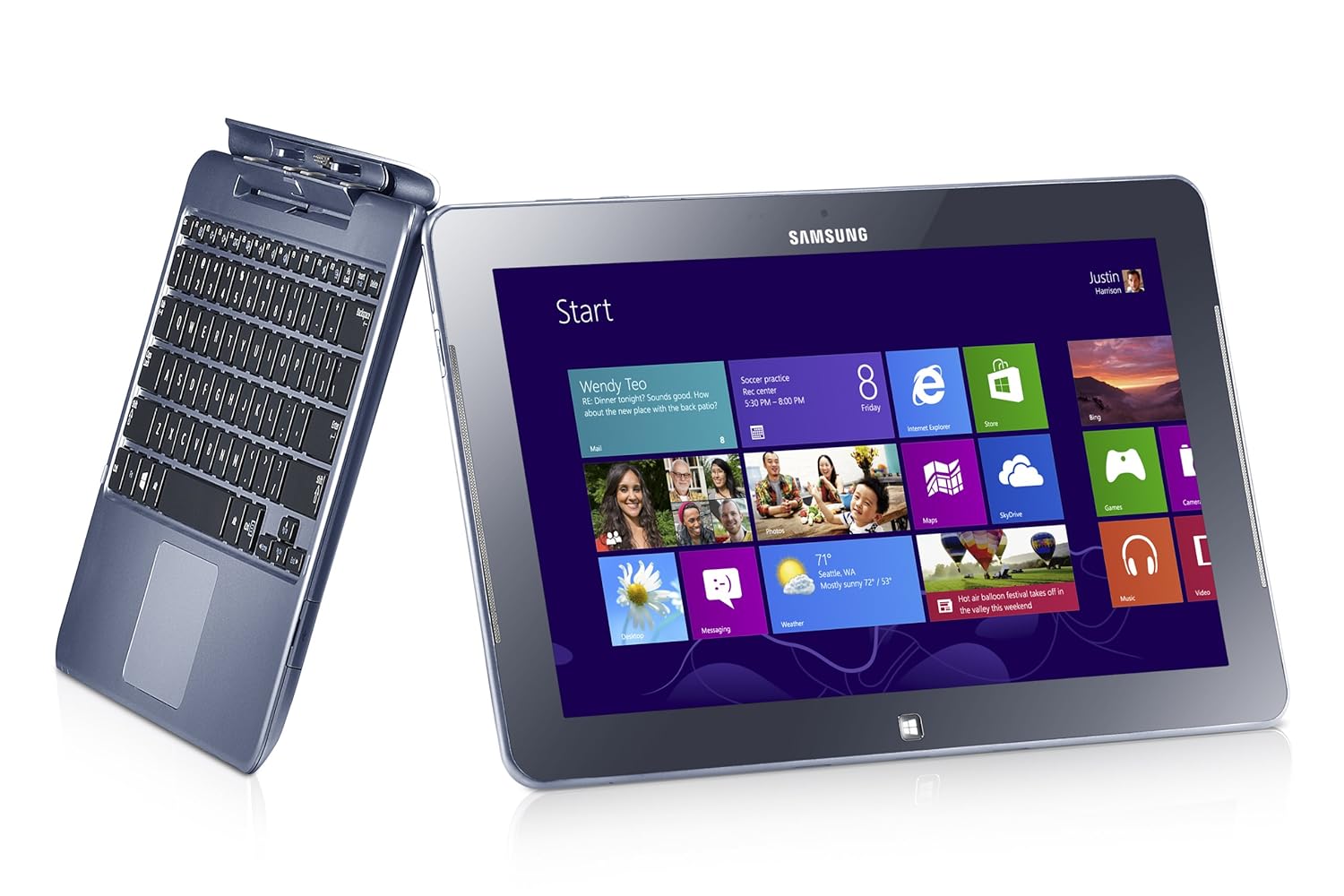
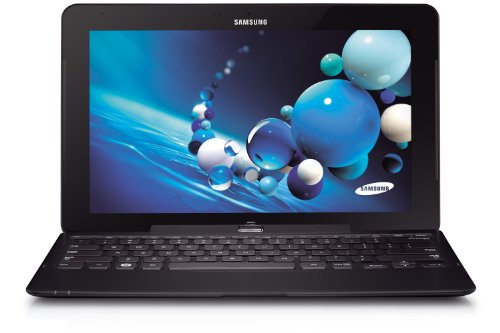
It is just over 6 months since I got my Samsung ATIV Smart PC 500T.  This is an Intel Atom powered device with 64 GB onboard storage (added 64 GB via MicroSD) running Windows 8 (not Windows RT).

It cost me roughly $1100 pre-tax in Ireland.  You can get it for roughly $600 pre-tax in the USA.  Yes … we are ripped off by the manufacturers.

The device has worked pretty well … but not perfectly.

I never intended it to be a laptop replacement … where I run things like Photoshop CS.  It was an iPad replacement, that I could use at conferences, and hopefully on trans-Atlantic flights.  There it works perfectly.  I’ve regularly used it all day long at events, confidently leaving the power supply at home or in my hotel room.  It works perfectly on my lap when docked into the keyboard, giving me a laptop like experience, unlike a Surface with the floppy-hinged keyboard.  I also found the stylus (not just a Surface Pro feature!) which docks into the tablet to be useful.  Ever sit through a tech event and wish you could draw a diagram?  I can Smile  I’ve switched from Evernote to OneNote (not MX) to make the most of this capability.

The battery goes on and on.  For example, I travelled from Dublin-London-Orlando in February and watched video in Dublin and London and during my flights.  The battery had charge left when we landed.  And this keyboard doesn’t even have a second battery!

The keyboard is pretty good (no, it’s not at the same level as a Lenovo laptop keyboard).  My Asus UX31 has an below par keyboard.  I preferred to use the tablet when writing/editing the latter part of Windows Server 2012 Hyper-V Installation And Configuration Guide

How about presenting?  I talk tech, so white boarding is a big deal.  The stylus with the IsoBoard app are a nice solution to that.  Modern slim machines use full or micro HDMI ports.  This tablet has a micro HDMI port. I bought a VGA connector … hotel meeting rooms tend to have old projectors with just VGA.  That works … sometimes.  If there VGA cable is daisy chained between the podium and the projector then adding the HDMI-VGA converter degrades the signal too much to use.  I’ve since bought a USB-VGA adapter and am waiting on a situation where it’s required – it has worked in a situation where it was not required.

The performance of the tablet cannot match a laptop, and I didn’t expect it to.  It’s a tablet with an Intel processor … stressing the word “tablet”.  If you need more muscle then get a Pro machine with an i5 and 4 GB RAM … and the shorter battery life that goes with it.  I think it’s a bit disingenuous to try compare/contrast a tablet with a laptop.  They have different roles, like a screwdriver and a power tool.

Samsung are regularly releasing updates via the SW Update tool.  I’ve a new driver or firmware every couple of weeks, and they also distribute Windows 8 bug fixes (not to be confused with security fixes).  One bone of contention here: you cannot download any of the Samsung tools from the support site.  That means you cannot install a rebuild.  You must do a refresh from Control Panel and stick with the OEM build.  That is pretty damned awful … and makes the Samsung a consumer device not fit for business use.

There is a flaw with the h/w.  If you push the tablet while docked, it seems to un-plug and play it self from the keyboard.  You get the disconnect sounds in Windows.  It requires a full disconnect and reconnect.  I’m not the only person to experience this.  That is pretty annoying.

I used to mount the SD card in a folder and moved the libaries into the mount folder (on the SD card).  I’ve since rebuilt the machine.  Now I install Office, etc on the SD card.  My libraries are in the default location, and I do a selective sync of SkyDrive to the C: drive.  SkyDrive misbehaved when I synced to the mounted folder, regularly disconnecting and requiring a resync.  Keep it simple, stupid!

The big question: would I buy this device if I had to do it all again?

Good question.  I think I would, for the battery life.  I wouldn’t buy a Windows RT device.  I’ve tried a number of the competitive products, and while some are prettier, the Samsung is nicer, even if Samsung support is awful.  I would consider the Samsung ATIV Smart PC Pro 700T (think Surface Pro, but with docking stylus, and transformer keyboard like above, and twice the battery life of the Surface Pro).  But I do like 12 hours batter over 8 hours and the Ultrabook horsepower of the heavier/warmer device.

It’ll be interesting to see what comes in the coming months.  Pro machines should start to ship with the Intel Haswell processors (new Core i with more battery life) and a new quad-core Atom with better performance/graphics.  We also will see Windows 8.1 sometime this year, as a free upgrade to Windows 8 owners from the Windows Store.  One tablet I’m interested in is the Toshiba WT310, a business oriented machine with a transformer keyboard (VGA and RJ45) and TPM chip (BitLocker).

Technorati Tags: ,

Comparing Methods To Implement Converged Fabrics For Windows Server 2012 Hyper-V

I’ve done a lot of posts over the last year on converged fabrics in Windows Server 2012 Hyper-V, not to mention nearly 100 pages on the topic in the new Hyper-V book.  Pretty much all of them center on using PowerShell to create your converged fabric in the management OS of the host itself.  But doing this is just 1 of the 3 ways (that I know of) for creating a converged fabric.  This topic has come up several times in conversation and blog comment over the past month so I thought I’d explore it a bit.

Using Hyper-V PowerShell in the Management OS

The benefit to implementing converged fabrics in the management OS is that with a pretty simple script, you can implement 1 design across an entire data centre no matter what hardware vendor you choose, or if you have rack servers here and blade servers there.  It’s the same every time, depending on physical NIC designs.  It’s also using technology that’s built into the virtualisation solution.  There is no dependency on additional expensive hardware.  And it’s software defined.  We like software-defined-anything right now because it is flexible.  In theory (and in practice as you’ll soon see) we can change it from a central point when the need arises.  That’s not the case with hardware defined solutions.

There is a concern for some about dependability.  All this MSFT networking is very new.  Can you build mission critical systems on it?  Some want to take the time to learn it a bit more before deploying it.

Hardware Network Appliances

An older option that’s been used for quite a while is to use hardware networking appliances to create converged fabrics, such as FlexFabric by HP (and others).  In the case of FlexFabric, with a pair of EUR 18K Virtual Connects you can carve up your 2 * 10 GbE blade server NICs into multiple 1 GbE NICs.  The benefit here is that you do the carving once per blade chassis with up to 8 or 16 blades per chassis.  It’s also a hardware appliance.  That means there is no CPU cost to implementing QoS in the management OS (as minor as that might be).  But importantly, there is a support policy from the hardware vendor – assuming that you (a) pay for the support and (b) the hardware is not more than 3 years old.

On the downside, hardware based solutions are very expensive.  That’s an issue when you’re looking at cloud computing and cross-charging, especially for public clouds where every capital expense makes your customer charges less competitive.  You’re also tied to that hardware vendor (thus impacting your future bid pricing) and possibly even that model of server.  And blades are not the most cost effective way to rack out a data center – walk into any substantial modern cloud and I bet you’ll see a hell of a lot more rack 1U and 2U servers than anything else!  The solution is hardware defined.  That makes it inflexible.  You set it per rack using the tools provided by the h/w manufacturer.  That’s not necessarily the most cloud integrated solution around.  I’d rather have control of the stack form top-to-bottom.

I’ve never used this approach so I don’t know where the NIC teaming is done or if you have to use the not-Microsoft-supported 3rd party software.  In the end, the networking will probably appear like it did in W2008 R2 Hyper-V.

VMM 2012 SP1 Logical Switch

There is a third option … which is related to a blog comment I got recently.  You can deploy a software defined converged fabric from System Center 2012 Virtual Machine Manager SP1 (VMM 2012 SP1).  Instead of deploying the WS2012 Hyper-V converged fabric from within the management OS, you create and deploy a logical switch from VMM.  You can do this in two ways:

  • As a part of bare metal host build
  • Or deploy it to an existing host … and overwrite the existing networking config on that host

Using VMM gives you all the benefits of software defined converged fabrics as in the aforementioned PowerShell option.  However, there’s a lot of stuff to create first in VMM.  But once that’s done, you can deploy that logical switch and the converged fabric design to any host (bare metal or existing) with some mouse clicks from the VMM console.  That gives you top-to-bottom control of the stack from a central point.

Two things to remember here:

  • Not everyone should be a VMM administrator.  That’s why delegation exists.
  • Yes, you can erase the existing networking config on a running host by deploying a logical switch to it.

Choose One or the Other Software Defined Approach

VMM 2012 SP1 does not recognise existing Hyper-V PowerShell deployed converged fabric designs because they aren’t implemented with the VMM logical switch.  This does not mean the host cannot be managed.  You can still create logical networks and IP address pools.  You just lose the central configuration that the logical switch can offer … and you cannot do Network Virtualization in the real world (which requires VMM networking).  My advice: if you are doing Hyper-V software defined converged fabrics then choose 1 method only:

  • Use PowerShell in the management OS if you want simplicity XOR
  • Use the VMM logical switch to push out the configuration, especially if you want central configuration, Network Virtualization, or to use VMM-managed virtual switch extensions

There will be downtime to switch from the PowerShell method to the VMM one.

What’s the Right Solution?

In the end, you should pick the right choice for you or your customer, be it hardware or software defined.  There is no universal right answer.  Shh, there is … do software defined converged fabrics! Winking smile

Non-USA (Including Irish) Businesses Can Bulk Order Microsoft Surface

Mary Jo Foley has reported (lots more information there than here) that businesses can now buy (direct from Microsoft) a bulk number of Surface devices.  The choices vary by country:

image

In the USA you can buy the RT and Pro Surfaces.  In Ireland you are restricted to the Surface RT:

image

Note that when you add our VAT (a whopping 23%) then the Surface RT bulk order for business price is exactly the same as the consumer price (at least for the 32 GB RT tablet).

The Pro is the one businesses will want so I don’t see too much biz here for partners outside of the USA/Canada until the Pro model spans other markets.  There is no distribution channel that I know of for partner reselling so it won’t really happen – what partner will buy at retail price to resell at uncompetitive prices?  I expect HP/Lenovo to dominate there until Dell has a suitable Intel model (their new one does not fly IMO).

Go check out Mary Jo’s article if you want to learn more.

Technorati Tags: ,

New “More Affordable” WS2012 CiB From Fujitsu

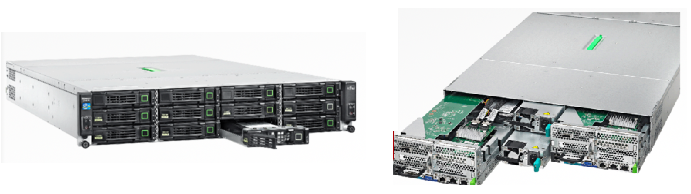
Thanks to a blog comment from “GP Paul” for this one.  Fujitsu has launched the PRIMERGY CX420 S1, a new “more affordable” cluster-in-a-box for Windows Server 2012.

image

Fujitsu describes the CS420 S1 as:

… an out-of-the-box Dual Node cluster server for Microsoft® Windows Server® 2012, enabling small and medium enterprises or multi-site organizations to provide continuous uptime for their business applications and data.

EDIT: In the pictures you can see that the dozen JBOD drives (Storage Spaces) are in the front. At the back you have 2 blade servers and 2 PSUs (in the middle).

They say that:

Highest data and application availability at decreased investment costs are achievable by leveraging the diverse roles and features of Microsoft® Windows Server® 2012, e. g. Storage Spaces and Failover Clustering, altogether avoiding purchase of expensive storage infrastructure.

Features:

  • 2U chassis
  • 12 * 3.5” shared disks (HDD or SSD)
  • 2 hot-plug PSUs
  • 2 blade servers

According to a data sheet:

„CX420 and all its components fully comply to the Microsoft® Windows Server® 2012 certifications, making sure that cluster operations such as failover or recovery of applications and data are working reliably.

The chassis docs don’t seem to mention networking – a minor concern for a cluster! Smile 

The servers are PRIMERGY CX272 S1:

  • 2U half-wide server
  • Intel Xeon E5-2600 family (dual socket, 4, 6 or 8 cores each
  • 16 high bandwidth memory modules expanding up to 256 GB RAM
  • 1 free PCIe Gen3 slot
  • SAS HBA

We can just the “more affordable” because Fujitsu did not share pricing at CeBIT earlier this week.  It is going on sale in central Europe, the Middle East, and Africa this month apparently.

EDIT#1:

I have some updates on packaging and pricing – Thanks to you-know-who!

The CX420-S is specified as follows:

  • 2 cluster nodes each with: 2 * Xeon 4 core (E5-2609) and 24 GB RAM
  • 4 * 1 TB NL-SAS
  • Windows Server Standard
  • Price to be aimed at €15K

The CX420-M is specified as follows:

  • 2 cluster nodes each with: 2 * Xeon 6 core (E5-2630) and 48 GB RAM
  • 8 * 1 TB NL-SAS
  • Windows Server Datacenter
  • Price to be aimed at €25K

I personally would prefer an option without the OS: If I was in this market I’d buy WinServ Datacenter under OVS (with SA to ensure upgrades for the Management and guest OSs plus the other benefits).  I’d buy the lowest spec model and upgrade the RAM from the grey market.  And I’d be interested in hearing from Fujitsu customers if you can buy disks from the grey market (yes – I know they wouldn’t be supported by Fujitsu) because I bet you’d spec up this CiB more economically with 3rd party parts if it was possible.

EDIT#2:

The Register reports that:

The two-node "cluster-in-a-box" starts at under $12,000 in its base configuration; the chassis and its two nodes will ship in North America in June.

My Microsoft Store Experience & The Surface Pro

I thought I’d write about my experience of the Microsoft Store; the stores have limited presence and are just in the USA at the moment.  That means there’s nearly a whole world of people who have never visited one.  We’re also at an interesting time for devices. with Windows 8 driving a major change in interface and form types, and supply of these machines has been limited worldwide.

IMG_0780

It’s MVP Summit week.  That means some 1,200 geeks head to the Pacific northwest of the USA to visit Redmond (Microsoft global HQ) and we typically stay in nearby Bellevue, WA.  Most of the hotels are within walking distance of Lincoln Square, where you will find a Microsoft Store (and an Apple Store just up the escalator).  Every Sunday before the Summit, you’ll see hundreds of MVPs walk into this store and many of them walking out carrying a large bag.  Oh!  And don’t forget that the Surface Pro was just launched, and MVPs are in that niche that would want an ultrabook alternative tablet, with 4 GB RAM, 128 GB+ of storage, and an i5 CPU.

Sure enough, the store was busy just after opening last Sunday.  Myself and two other MVPs went in.  1 wanted to buy a Surface Pro, and the other was interested and open to the idea of a purchase.  As you can see above, the Surface (RT on left, Pro on right) were front and centre, one with a type keyboard and the other with a touch one.  All along the wall on the right were sample Surfaces for you to spend time on.  The other tables (on the right) were populated with alternative tablets and (on the left) with ultrabooks and laptops.  Either all, or close to all, devices featured multipoint touch.

We went straight to the Surface Pro.  It is as advertised.  It is solid as a tank, as is the Surface RT, has a great screen (Surface screen has excellent contrast which we photographers love), and the type keyboard is worth the extra 1.5mm for the typing experience.  The power connector is improved slightly from the RT device.  The stylus attached to this same connector.  The attachment is pretty solid and it takes a good tug to pull it out.  However, with a 4 hour battery life, I can see people needing to remove the stylus, power the device, and ordering many an expensive stylus from Microsoft over the coming years.  I had already told my colleague who wanted to buy a Pro to check out a few things:

  • The typing experience for when you’re on the go or at a conference like TechEd or MMS where you have no table to rest a kickstand
  • The battery life versus the competition

The battery life of the Surface is a serious weakness.  4 hours is very short, shorter than a modern ultrabook by 1.5-4 hours.  He got a stool from another desk and tried to use the Surface Pro keyboard on his lap: fail. 

We tried some other machines.  The Samsung ATIV Smart Pc (what I use) was there.  That “clovertrail” device gets 12 hours of real life but the CPU is limited.  The similar HP Envyx2 was there too.  I liked the feel of it, but I didn’t like the lack of ports and the use of a blank to fill the MicroSD port; that blank will get lost.  The Samsung approach with a nicely fitting flap is much better.  The Samsung ATIV XE700T1C-A01US Smart PC Pro 700T was also there:

  • Same i5m (mobile) as the Surface Pro
  • Same 4 GB RAM as the Surface Pro
  • Stylus with same functionality as Surface Pro that hides seamlessly into a dock in the chassis (so much so that 1 person who bought one of these tablets last Sunday thought he didn’t have a stylus until I showed it to him on Friday)
  • 8 hours of advertised battery life – twice that of the equivalent Surface Pro running the same operating system

The dockable keyboard was not there to try out on the demo table.  The Microsoft Store has lots of sales people available and easy to find in their luminous t-shirts.  We asked for a keyboard to test with, and one appeared a couple of minutes later.  The clamshell (or convertible or transformer) keyboard gave 2 USB 2.0 ports in addition to the USB 3.0 port on the tablet.  My MVP colleague tried the stool test again and was happy with the laptop-like experience.  Here’s where things start to get interesting:

  1. The sales guy told us that the keyboard (clearly different to my one) had an additional 4 hours of battery life.  I was surprised, but had no material to contradict him.  He must have been briefed.
  2. Other MVPs who were trying the Surface Pro out came over and started to ask lots of questions about this Samsung tablet that could also be an ultrabook style machine.  We started to gather a crowd around us.

My colleague was sold and decided to buy the Samsung instead of the Surface Pro … and a few minutes later we saw another guy in the crowd do the same.  I decided to wander the store:

  • Lots of Windows Phone 8 handsets, all locked to networks (ick!)
  • An attractive Asus 15” thin laptop that reminded me of a MacBook Pro
  • The wafer thin Acer ultrabook that journalists have raved about … that features a keyboard with the feedback of wet lettuce.  I would hate this machine
  • Lots and lots of machines with variations to suit anyone

Two great things about buying from the Microsoft Store:

  • You get a 2 weeks, no questions asked, return policy.  You don’t like it, you can bring it back and get your money back.
  • Every machine is rebuilt with a “signature” build so you don’t get crapware that eats up disk space, RAM, and CPU.

We left and spend the day wandering, checking out the Barnes and Noble Nook (a nice machine but with severe region limitations on content availability), seeing some of our books for sale on the shelf (happy dance!).  We met more of our MVP colleagues that night, many of whom had bought the Surface Pro, and some were having buyer’s regret.  We told them that it wasn’t too late to return the device and look at alternatives, such as the Samsung.

The next day was the start of the Summit and some more Samsungs appeared where the owners had a Surface until the night before.  Hmm!  And the trend continued.  The no-questions-asked returns policy was being tested and passing with flying colours as people switched to an alternative device.  And this went on for the week.

Myself and another colleague looked into the question of the keyboard having an additional battery.  I was doubtful – and our research confirmed my suspicions.  We went back to the store when we had a free moment … my colleague with the new Samsung explained what had happened to another sales person.  We’re used to a “who give a flying f**k” attitude from sales people back home.  They’d tell us that’s our problem.  Not so in the Microsoft Store; the sales person was apologetic and gave my colleague two kick stands for his new tablet … no questions asked.

I’ve got to say that the Microsoft Store is the best PC shopping experience that I’ve had.  Great modern stock, and helpful sales staff.  I really hope they expand internationally … and soon.  Right now they have a limited presence and that allows the Best Buys of the world (we went there and it was a very different experience) to continue unchanged.

By the way: there were only 64 GB Surface Pros available until mid-week.  A discount was being given to anyone who bought one and additional expandable storage in the Microsoft Store.  I know lots of MVPs bought a Surface Pro this week, and most of the folks we talked to weren’t very happy with them.  Battery life was an issue.  Meanwhile, another VM MVP was using his machine all day long on battery to take notes, keep up with email, etc, and my original colleague from this story managed to get 9 hours with the machine sleeping here and there as a tablet does.  My lesser clovertrail machine was coming home with over 25% of available battery with constant usage – I was even leaving the charger in the hotel – who does that with a Windows machine!!!

The Surface Pro is a niche machine.  Who’s going to pay $1100 plus tax for a tablet, other than a Pro who needs an ultrabook style machine that will double as a tablet?  The Surface has name recognition … and that’s mostly all it has over the competition.  The Pro alternatives from the others are much better machines with the same internals, same touch interface, and same operating system.  I get driver and software updates made available to me almost every couple of weeks from Samsung – I have 4 queued up right now.  So that’s not an advantage for Microsoft. 

My advice is: don’t mistakenly assume that Surface is the only machine.  Go out and get the machine that suits you best … and maybe that is a Surface and maybe it is an Asus, a HP, a Lenovo, a Samsung, an Acer, a Dell … and so on … and it runs Windows 8 or Windows 8 Pro.

Technorati Tags: ,

The Windows 8 and Samsung ATIV SmartPC Battery Test

I wrote most of this blog post while flying.  The ending was written in Florida.

When I bought a Windows 8 tablet, one of the things I had in my mind was trans-Atlantic travel.  My iPad 1 barely would make it from Dublin (Ireland) to the east coast of the USA.  Then I’d have to find somewhere to charge to make it to the west coast.  Inevitably, I’d end up having to watch the awful Disney movie on the flickering tube TV with a colour channel missing on the US Airways or Delta flight.

No more.  Windows 8 devices offered great battery life.  My SmarPC survived for over 12 hours one day while I surfed and worked.  Could it do as well playing movies?  Movies hammer the battery more because there isn’t as little time for rest.

Today I am flying from Dublin to Orlando, via London.  I charged the device overnight, topped it up in Dublin Airport, and have been surviving on batter since.  I’m expect a total journey time of just under 17 hours.  Obviously the device has to be off for some of that:

  • Boarding and take-off in Dublin
  • Landing and transfer in London
  • Boarding and take-off in London
  • Lunch during the London-Orlando flight

Will the tablet make it to landing in Orlando?  Ideally, I’d like to have some juice left there … just in case I need to get online to google or book something.

My usage so far:

  • Surfing, tweeting and email for about 20 minutes in Dublin
  • 2 episodes of a 22 minute comedy while traveling to London
  • Another 22 minute comedy in London
  • Numerous 42 minute shows in flight, followed by some reading, some emails, and blogging.

We are over Quebec right now, with about 4 hours 12 minutes to go.  My battery has 33% left.  It is around 12 hours since I topped up the charge in the tablet.

In Florida:

I’m in Florida now.  The batter got down to around 4% while we were still 2 hours out of Orlando.  While I might have gotten 12-13 hours out of the device with general usage, it is quite clear that watching videos does hammer the battery.  I dimmed the screen for the last hour or so but I don’t know if this made much or any difference.

Please keep in mind that there were airplane/security mandated shutdown/reboots and they probably sucked more battery than a simple sleep/wakeup.

Technorati Tags: ,

Managing Apple iOS Devices From Windows Intune

This was the most exciting thing I saw at MMS 2012.  I knew what System Center was capable of, but I wasn’t expecting to see iPhones and iPads (as well as Android, etc) being managed by Microsoft from the cloud, using the same solution for managing PCs.

This week I’ve been setting up a demo environment in Windows Intune “Wave D” (thanks to my colleagues at work for the help in setting up the “partner”).  It’s one thing to manage PCs, but you really score points with customers when you can show a Microsoft product managing the rivals.  I use Ubuntu as my guest OS when showing of Hyper-V.  I want to show of an iPad Mini being managed by Windows Intune Smile

The process is “documented” on TechNet, with links from the Windows Intune console.  I use “documented” very loosely.  The information incomplete in my opinion.  So here are my notes:

A step I missed in this documentation is choosing your mobile device management solution.  I chose the Windows Intune option, instead of using System Center with Windows Intune, which was under Tasks in Administration > Mobile Device Management.

The Push Notification Certificate

The first requirement for managing iOS devices is that you have an Apple ID for your company.  There is no cost to this.  This contrasts with the €75/year cost of signing up for a Windows Phone developer account for managing Windows Phone 8.

Now open the Windows Intune admin console and browse to Administration > Mobile Device Management > iOS > Upload an APNs Certificate.  Confusion point: there is more to this than a simple upload.  Here’s how.  Click Download The APNs Certificate Request.  This downloads a .CSR file certificate request.

Now you browse to the Apple Push Certificates Portal.  Here is where you upload the .CSR file that you just downloaded from Windows Intune.  If like me, you’re using IE, you will likely be prompted about a .JSON file.  Ignore that.  Refresh the page (I muddled about here trying to figure out the JSON thing) and you should end up with something like the below:

image

Click Download to get a file called MDM_ Microsoft Corporation_Certificate.PEM; this is the certificate that you will be uploading to Windows Intune.  It will uniquely identify your organisation to managed iOS devices (or something like that). 

Return  to Windows Intune where you downloaded the .CER file, and click Upload The APNs Certificate. Browse in the dialog and select the .PEM file you just got from Apple.  You also need to supply the Apple ID name that was used in the Apple Push Certificates Portal to create the PEM file.

image

That all sounds messy.  I agree.  But you only have to do it once in your portal … every year.  Check the previous Apple screenshot and look at the expiry date for the APN certificate.  It only lasts for 1 year.  Set a recurring reminder in your (and your colleagues) calendar to repeat this process in advance of the expiration (you don’t want to be digging up email addresses and passwords).  And document what accounts/passwords are being used.  Please use a strong passphrase for your Apple ID.

Create User Accounts

You create user accounts in the Windows Intune Accounts site.  You can set up AD synchronisation instead of manually creating your users.  A warning: management of the devices will not work unless you add the users to the Windows Intune user group in the Accounts site.  Open the user, click Group, and check the Windows Intune box:

image

Enroll the Device

This is a crude mechanism.  You need to supply the IOS device user (probably via email) with the following information:

At this point there’s a whole bunch of crap that happens from the Apple side.  You have to OK lots of things to enable the device to volunteer to be managed: Install, Install, Install Now, Install, and then Done.  A Company Portal “app” (it’s actually a web shortcut that opens the mobile site in Safari) is installed on the iOS device.  Now the user can open the Company Portal, log in using their Intune account, and install company supplied apps.  Here’s a screenshot of a user browsing a serious business app on an iPad Mini in the Windows Intune catalog.

image

You can add apps from the Apple App Store (just links which open the App Store and allow the user to install apps as always) or you can develop in-house apps and side-load them directly from Windows Intune, bypassing the app store completely.  Good news: you use the exact same tool for managing apps on all types of devices, including PCs.  And it’s pretty simple to use too.

The Management Profile

Part of the configuration on the device is setting up the Management Profile.  You can find this under Settings > General > Profile – Management Profile.

image

You can expand More Details to see more information (might be useful for troubleshooting certificates).  You can remove management of the device by Intune (“returning” the device to the user) by clicking Remove.  It takes a few seconds to remove the profile.  Management Profile should disappear from Profile after this and Windows Intune is now nothing to do with the machine again.

Device Not Appearing In the Console

The “documentation” says:

To enable iOS devices to receive notifications using a wireless connection, make sure that port 5223 is open.

There is no mention if this is an inbound or outbound port requirement, or if it is TCP (probably) and/or UDP.  You could also read it as a firewall requirement on the actual iOS device itself (which it isn’t).  I had the devices on the lab at work and, while I could pull down apps from and browse the Company Portal, the devices refused to appear in the console.

Want to check if it’s working OK?  Log into the Company Portal on the device in question, and browse to Support.  If the name of the device appears there then comms seem to be OK and the device is registered … at least in my experience – I have no idea if that’s a valid indicator but it works for me … so far.

image

On the Wi-Fi in the company lab, the devices refused to register.  I put them onto 3G and they registered pretty quickly, and you can see lots of information for each device.

Reinstalling The Management Profile

I decided to remote the management profile and try to re-add the iOS device to Windows Intune.  I could not get the device to re-register to Windows Intune using the above process.  I believe the correct procedure is to log into the Company Portal, hit Support, click Change, and click Add Another Device.  This has worked for me a couple of times.

Policy

You can create Mobile Device Security Policy objects in the admin console.  There are some generic and some iOS specific settings:

image

image

image

Summary

The certificate stuff is a bit fiddly but you’ll only have to do that once per company, per year.  I can’t be sure, but I guess that is an Apple restriction on the validity of the APN certificate.  After that, it’s a pretty simple process.

Enrolment of these consumer style devices will always (with any product) be user driven.  You can’t push management onto a consumer (or BYOD) device.  If necessary, you could do the sneaker-net thing.  I can envision helpdesks doing a lot of that for BYOD management.

Some of the Apple folks in the office were very impressed with this solution.  Centralised management of mobile (particularly iOS) is a hot topic right now.  Windows Intune does a nice job.  Does it have all the bells and whistles of a Zenprise?  No, but Intune has a nice price at around €4.89/user/month (with 5 devices/user).  Throw in Software Assurance (€8.98/user/month) and those Windows PCs can be upgraded to the rights of SA, including Windows 8 Enterprise.

Thumbs up!

Technorati Tags: ,,

Fujitsu President Masami Yamamoto is Wearing His A$$ As A Hat

I just read on TabTaimes that Fujitsu president, Masami Yamamoto, is blaming weak demand for Windows 8 on poor hardware sales. Huh!?

Bloomberg reports that Yamamoto told Japanese press that:

Fujitsu Ltd. (6702), Japan’s biggest provider of computer services, … will miss its annual shipment target for personal computers amid slow demand for Microsoft Corp. (MSFT)’s Windows 8 operating system

How many Fujitsu Windows 8 machines have I seen in my tour of retail outlets in Germany, UK, and Ireland? Exactly: zero.  I’m sure if they were out there, they’d be snot green like the classic 1990’s laptops I had to use when I worked in a Fujitsu-owned company Smile with tongue out

Admittedly, demand for traditional form factors has plummeted. People want tablets.  But you cannot get them in the stores.  I’ve seen only 1 Windows RT device on a shelf in Ireland, and it isn’t even a true tablet (Lenovo Yoga).

Dude, you cannot sell something if you do not supply it.  You might have heard of supply and demand?

In the same story, Dell says:

… it’s seeing strong demand for computers and tablets running Windows 8. Interest in the operating system is “quite high,” Dell Chief Executive Officer Michael Dell said at a conference in Austin, Texas.

Technorati Tags: ,

Windows 8 Being Blamed For “Weak” Windows 8 Sales – And Why That’s A Crock Of You-Know-What

There’s been a story floating about since Paul Thurrott reported that Microsoft are unhappy with the sales of Windows 8.  Paul does goes on to offer some possible explanations which I found to be quite reasonable.  In the story that’s been floating about since on several sites, the facts have been twisted somewhat.  Tom’s Hardware’s headline goes like:

Windows 8 Criticized for its Part in Ailing PC Growth

They quote an “expert”:

In a research note from analyst Chris Whitmore, the first reason Deutsche Bank attributed for decreasing its PC estimates this quarter was a "lackluster initial uptake of Windows 8."

Real Reason #1 – Supply

Consumers want tablets.  PC and laptop sales have dropped.  All that people want is tablets, tablets, tablets.  If Windows 8 is to succeed in the consumer market then there needs to be tablets to sell.  I was in stores on the day of the launch and there were plenty of people there …. at 09:00 on a Friday!  They wanted tablets … they circled the tablet desks … and some asked sales about Windows 8 devices.

Maybe Chris Whitmore should go to a shop and try to buy a new touch device, like a tablet, running Windows 8.  How many tablets has he seen on shelves running Windows 8 or Windows RT?  The largest chain in the UK/Ireland has no Windows 8 tablets.  Talking with a fellow MVP this week who had travelled to several of that chains stores in the last few weeks, he didn’t even see any touch laptops.  Personally, all I’ve seen are the expensive AiOs (Lenovo), the AiOs that look like they’re 1950’s TVs, a Sonly T13 touch ultrabook, and an Asus ultrabook clone with a PENTIUM processor … welcome to the 1990s folks!  Can’t blame a distributor for this chain, because this chain is their own distributor, and they often sign exclusive deals for models.  They are big and almost unopposed in retail; if they can’t get them, then how can any other retailer?

It’s not much different worldwide.  In Germany’s second largest chain (in the largest retail family), they had a small number of Asus Windows RT tablets on a Saturday a few weekends ago – and they sold out of those by midday.

I work in the channel (although I have almost nothing to do with retail supply).  I know what supplies of touch Windows 8 devices are like.  There is almost nothing around.  There were plenty of announcements by the hardware manufacturers but no few or no devices made it to the channel.  Our supply has been minimal so we’ve little to sell to retailers.  And retailers want Windows 8 touch devices.  I overhear “Surface” on a regular basis from the sales folks on the floor when they’re talking to our customers.

I wanted a tablet and searched high and low.  I pre-ordered from an online retailer, paid 41% more than the USA retail price, and had to wait nearly 2 weeks.  That online outlets supply is obviously very small.  So far, they’re the only place I’ve found in the UK/Ireland (60-70 million people) markets.

Everything I hear says that manufacturers won’t start to have a stable supply until Q1 2013.

Real Reason #2 – Selling

I’ve toured several of the big 2 in Ireland, and the biggest store of the second largest chain in Germany.  They haven’t a clue how to sell to people.  Windows has always had lots of device options.  Windows 8 makes the selection options almost mind boggling; people who I respect in this business are confused by the options.

Microsoft gets some blame here: they’ve fragmented and confused the market with Windows RT.  A desktop with Office RT (that requires purchase of an Office Pro license for commercial use) but doesn’t allow you to install/run traditional programs (because of ARM) is going to confuse customers.  I wonder how many Surface RT customers knew that?  I wonder how many sales people who do have 2rd party Windows RT devices know that?

Take some time at the weekend.  Go into a large store selling computers and tablets.  Walk over to the Apple section.  There you’ll find clean wood tables, that are clearly signed, lit up using Apple signage, with iPads in one place, MacBooks in another, and Macs in another.  All clean, well laid out, logically placed, and no confusion.  Apple understands retail.  And here’s the thing: if you want to sell Apple (with the tiny tiny margins that they allow you) you must comply with their display rules.

Now take a wander over to the section where you’ll find Windows devices.  I bet it’s like every place I’ve been to: a great big mess of machines scattered all over the place.  The stores that didn’t plan have mixed Windows 7 and Windows 8 machines together … ultrabooks, 17” laptops, convertibles, hybrids, maybe some Win7 slate PCs (almost a tablet but not quite), some with touch (maybe), some with gesture pads, some with no touch at all.  all mixed in a confusing collage of computing.  The sales person here doesn’t know anything about the hardware.  And imagine the poor customer, walking into this and trying to figure out what’s what.  Buying an Apple would be easier …

So why isn’t that all nice and clean like the Apple stuff?  I split the blame on this one.  The retailers are told what the rules are by Apple to be allowed to sell Apple gear.  However, anyone can “sell” Windows because there’s a bazillion of Windows device manufacturers.  Instead of being told how to display/sell, the retailers do as they please.  Want a retailer to display your Windows device a certain way?  You have to pay them to do it.  Yeah – the store owners expect the manufacturer to pay them so that the store owners can make a profit on display product that they will make a profit on if they sell it.  Madness!  Personally, I think Microsoft should start to enforce rules on the manufacturers that forces them to put rules on display at the point of sale.  A universal rule on the most sold category of product will force the retailers to cop on and sort their act out.

Summary

You can’t sell something you don’t have.  Blaming Windows 8 for poor sales is stupid because the devices aren’t there to be sold.  And when they are, they need to be sold in a way that doesn’t confuse the customer.

That’s my personal opinion anyway.

Technorati Tags: ,