KB2549448 – W2008 R2 Clustering Uses Default Time-Out After You Configure Regroup Timeout Setting

Microsoft issued another clustering update for Windows Server 2008 R2.  This one is where:

The Cluster service still uses the default regroup time-out value of 6 seconds after you configure the regroup time-out setting on a computer that is running Windows Server 2008 R2. This time-out value may not be long enough for some cluster nodes to rejoin a large scale cluster after you restart the Cluster service.
Note To obtain the time-out value (ClusSvcRegroupOpeningTimeout), type the following command at a command prompt, and then press Enter:

cluster /prop

Microsoft says you can fix this by Installing the available hotfix.

After you install the following hotfix package, the following regroup settings become effective:

  • ClusSvcRegroupOpeningTimeout
  • ClusSvcRegroupPruningTimeout
  • ClusSvcRegroupStageTimeout
  • ClusSvcRegroupTickInMilliseconds

KB2549472 – W2008 R2 Cluster Node Cannot Rejoin Cluster After Node is Restarted Or Removed From Cluster

Microsoft issued a hotfix over the holidays to deal with an issue where:

  • You configure a failover cluster that has some computers that are running Windows Server 2008 R2.
  • One cluster node is offline or is removed from the cluster.
  • You try to rejoin the cluster node to the cluster after a while.

In this scenario, the cluster node cannot rejoin the cluster.

According to Microsoft, the cause is that:

When a cluster node tries to rejoin a cluster after it is restarted or removed from the cluster, the virtual IP address of the cluster node may be changed. However, other cluster nodes still use old route records in their route database. Therefore, the cluster node cannot rejoin the cluster.

A supported hotfix is available from Microsoft.

Very Important Note on Multichannel & Failover Clusters

SMB Multichannel is when SMB 3.0 can automatically (no configuration required) use:

  • Multiple channels over a single NIC (as well as multiple cores on a CPU, instead of just core 0)
  • Multiple NICs between the “client” (an application server such as IIS 8.0, SQL Server, or Hyper-V) and the file server (including a Scale-Out File Server).

SMB Multichannel enables a client and server to make full use of available bandwidth, e.g. you can fill a 10 GbE NIC with SMB traffic, while SMB Direct (RDMA) enables you to do this without the CPU being a bottleneck – by offloading the traffic from Windows.

Jose Barreto (Microsoft) has been writing a series of blog posts on using SMB 3.0 file shares.  The latest post has a very important note in there:

… when using a clustered file server, you must configure a separate subnet for every NIC for SMB Multichannel to use the multiple paths simultaneously. This is because Failover Clustering will only use one IP address per subnet, even if you have multiple NICs on that subnet. This is true for both classic file server clusters and the new Scale-Out file server clusters.

That means that your client access networks on the Scale-Out File Server cluster nodes (and the corresponding “clients”) must be on different subnets, or SMB Multichannel will not make use of them.  Remember: the SOFS role uses the IP addresses of the cluster nodes.

Make sure to check Jose’s latest post and his blog to learn more.

KB2575625 – W2008 R2 Cluster Starts Failover After 80 Seconds When You Shutdown Active Node

Microsoft has released a hotfix for when the cluster service initiates a failover after a delay of about 80 seconds when you shutdown the active node in Windows Server 2008 R2.

Consider the following scenario:

  • You configure a failover cluster on some computers that are running Windows Server 2008 R2.
  • You add a crossover cable between two nodes of the cluster.
  • You shutdown the active node of the cluster.

In this scenario, the Cluster service initiates a failover after a delay of about 80 seconds.
Note The Cluster service usually initiates the failover within 5 seconds.

This issue occurs because the Cluster service incorrectly waits for Global Update Manager (GUM) updates.

A hotfix has been released to fix this issue.

KB2652137 – Communications Fail When You Use W2008 R2 Provider Package With WS2012 iSCSI Target

Another hotfix last night, this time for a scenario when communications fail when you try to use the Windows Server 2008 R2 provider package to communicate with a Windows Server 2012 iSCSI target.

You have a Windows Server 2008 or a Windows Server 2008 R2 server that runs applications such as Microsoft SQL Server. You have a Windows Server 2012 server that is configured for the iSCSI Software Target. When you try to use the Windows Server 2008 or the Windows Server 2008 R2 provider package to communicate with the iSCSI target, communications fail.

This problem occurs because the DCOM Remote Protocol is no longer used for the iSCSI Software Target in Windows Server 2012. The WMI interfaces are now used in the provider to communicate with the iSCSI target.

The resolution is to:

To resolve this problem, install a Windows Server 2012-aware provider package on the iSCSI initiator. The new provider package implements the iSCSI Software Target WMI Provider to communicate with the iSCSI target service.

The update, “iSCSI Target Storage Providers (VDS/VSS) for downlevel application servers”, supports installation on Windows Server 2008 Service Pack 2 (SP2) or Windows Server 2008 R2 Service Pack 1 (SP1).

EDIT#1:

If you are installing the WS2012-aware provider package on down level operating systems then you really should read this blog post by Jane Yan, paying particular attention to the credential configuration step.  Credit: Andreas Erson.

KB2727972–W2008 R2 Cluster Node Crashes When You Restart A Node

Microsoft has posted a hotfix for a scenario where a cluster node crashes when you restart a computer in a Windows Server 2008 R2 environment.

  • You deploy a failover cluster in a Windows Server 2008 R2 environment.
  • You enable the Volume Shadow Copy Service on a cluster disk.
  • You replace a host bus adapter (HBA) on a cluster node.
  • You restart the cluster node.

In this scenario, the cluster node crashes.  This issue is triggered by a deadlock that occurs when the computer restarts.

A supported hotfix is available from Microsoft.

Server Posterpedia –Windows Server Poster App

A new app that features the feature poster apps for a number of server products, not just Hyper-V, has been released. You can download this app from the Microsoft Store for Windows 8.

image

Click on a poster, and it’s displayed for you:

image

You can zoom and scroll through the poster. Cleverly, the actions that you can run from the app will link you to additional information on TechNet. And there is even a link to download the original poster.  What a handy way to start learning the features of server products.  This is worth installing Windows 8 for!

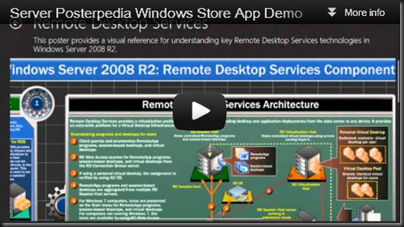
Ben Armstrong posted about the app overnight, including a video of the app in action.

image

Migrating iSCSI Target 3.3 Settings Before Upgrading W2008 R2 to WS2012

Considering how many people have downloaded my guide on how to build a Hyper-V cluster using the Microsoft iSCSI v3.3 target, I thought you might want to know about this new KB article from Microsoft: “Migrating iSCSI Target 3.3 settings before upgrading Windows Server 2008 R2 to Windows Server 2012”.

Consider the following scenario:

  • You have a computer that is running Windows Server 2008 R2 or Windows Server 2008 R2 Service Pack 1 (SP1)
  • You have configured Microsoft iSCSI Software Target 3.3
  • You start the upgrade of the operating system to Windows Server 2012.
  • When you proceed through the Upgrade wizard, the compatibility report shows the following message: Installing Windows will affect the following features:
    Setup has detected that Microsoft iSCSI Software Target or Microsoft iSCSI VDS/VSS providers are installed on this computer. They will no longer function after the upgrade and configuration settings will be lost You must follow the instructions at <Link> prior to the upgrade to ensure they can continue to work after successful upgrade.

In this scenario, setup gives you a warning that, Microsoft iSCSI Software Target 3.3 or Microsoft iSCSI VDS/VSS providers may not be functional after the upgrade. It is best to uninstall the feature, then enable the feature after upgrade the server to Server 2012.

Cause: In Windows Server 2012, the Microsoft iSCSI Software Target and Microsoft iSCSI VDS/VSS providers are available as a built-in sub feature of the File and Storage Services Role.

Check out the original article for the solution.

Technorati Tags: ,

PowerShell 3.0 For Windows 7 SP1, Windows Server 2008 R2 SP1 & Windows Server 2008 SP2

The Windows Management Framework 3.0, or PowerShell 3.0 for legacy operating systems including Windows 7 SP1, Windows Server 2008 R2 SP1 & Windows Server 2008 SP2, has been made available to download.

This package will update:

  • PowerShell
  • WMI
  • WinRM
  • Management OData IIS Extensions
  • Server Manager CIM Provider

The new features in Windows PowerShell 3.0 include:

  • Workflow: Windows PowerShell Workflow lets IT Pros and developers apply the benefits of workflows to the automation capabilities of Windows PowerShell. Workflows allow administrators to run long-running tasks (which can be made repeatable, frequent, parallelizable, interruptible, or restart-able) that can affect multiple managed computers or devices at the same time.
  • Disconnected Sessions: PowerShell sessions can be disconnected from the remote computer and reconnected later from the same computer or a different computer without losing state or causing running commands to fail.
  • Robust Session Connectivity: Remote sessions are resilient to network failures and will attempt to reconnect for several minutes. If connectivity cannot be reestablished, the session will automatically disconnect itself so that it can be reconnected when network connectivity is restored.
  • Scheduled Jobs: Scheduled jobs that run regularly or in response to an event.
  • Delegated Administration: Commands that can be executed with a delegated set of credentials so users with limited permissions can run critical jobs
  • Simplified Language Syntax: Simplified language syntax that make commands and scripts look a lot less like code and a lot more like natural language.
  • Cmdlet Discovery: Improved cmdlet discovery and automatic module loading that make it easier to find and run any of the cmdlets installed on your computer.
  • Show-Command: Show-Command, a cmdlet and ISE Add-On that helps users find the right cmdlet, view its parameters in a dialog box, and run it.
Technorati Tags:

UK and Ireland MVP YouTube Channel For Windows Server 2012

The leader for the MVP program in UK and Ireland, Claire Smyth, got a bunch of us together after the Windows Server Rocks events to prepare some videos to support the Windows Server 2012 launch.  Myself (my previously blogged videos), Patrick Lownds (Hyper-V MVP), Damian Flynn (Cloud and Datacenter MVP), and Thomas Lee (PowerShell MVP) contributed videos to this new UK/IE MVP YouTube channel.

image

Technorati Tags: ,