Ben Armstrong posted about EMC’s new VPLEX for spreading storage across multiple sites, e.g. a multi-site Hyper-V cluster. It sounds kinda like the functionality you get from HP Lefthand or Compellent but I’m no EMC expert.
Tag: Virtualisation
Webcast: Understanding The Virtual Machine Servicing Tool
This is a webcast for the System Center Influencers. I’ll do my best to blog as it goes along. It follows the recent beta release of VMST 3.0. This is the release I’ve been waiting for. Prior to this, it really only handled VM’s stored in an offline state in the library. But now there is patching for:
- Offline virtual machines in a SCVMM library
- Stopped and saved state virtual machines on a host
- Virtual machine templates
- Offline virtual hard disks in a SCVMM library by injecting update packages (DISM)
- Automated patching of Windows Server 2008 R2 failover cluster hosts running Hyper-V (using Live Migration for zero VM downtime)
Now that’s what I’m talking about!!! We’re very slowly moving towards some of the cool patching functionality for templates that is in VMM v.Next. That last one is a biggie!
The Challenges:
- Dormant VM’s miss patch Tuesday.
- When they wake up they are non-compliant and vulnerable to network threats.
- Patching without VMST is a manual process which is a waste of effort.
OVMST 2.1
- Works with stored VM’s in the VMM library
- Patches via WSUS & ConfigMgr with VMM
- Move VM to maintenance host, start VM, patch it, shutdown, move to library.
- Uses VMM PowerShell cmdlets.
- Supports Hyper-V and Virtual Server 2005 R2 SP1
VSMT 3.0 Beta
Note that it is no longer called the “Offline …” tool. See the previous features for the reason why.
The offline VM process works as usual, by moving it onto a maintenance host, starting, patching, shutting down and restoring it to the library.
Demo of Configuration and Offline Servicing
We see a VMM library with offline VM’s and template VHD’s. There are 2 hosts. Some VM’s are stopped, some are in saved state. One host is labelled as being a maintenance host. The VMST GUI is the usual System Center MMC “wunderbar” GUI. The VMM server is selected, along with ConfigMgr and/or WSUS. The maintenance host is selected in the wizard. Credentials for servicing offline VHD’s is entered. Timeouts for copies and updates are also entered (be careful with service pack updates which can be VERY time consuming – lesson learned from SMS updating process back in 2005).
You can create groups for VHD’s, from VM’s in the library, from VM’s in template groups, and from VM’s in host groups. You now create a servicing job for selected VM’s from the group(s). You can also specify if the VM should use its own configured virtual network or from a selected VLAN (maintenance network). A schedule is entered for the job, e.g. now, later or on a recurring basis. You can track the job process in VMST or in VMM.
Servicing Shutdown VM’s on a Host
The VM is moved from the production host to a maintenance host. Here it is started and patched. The VM is shutdown and returned to the original host. The configuration is pretty similar, just using a “stopped VM group” instead. You can include VM’s with a saved state – these VM’s will lose their saved state. This is because the VM is powered (woken) up and powered down.
Patching Virtual Machine Templates
These are files stored in the VMM library along with metadata in the VMM SQL database. Patching these requires using a different method. VMST creates a “gold VM” from the template and maintains a mapping to it. The gold VM is started on the maintenance host. The gold VM is updated. The gold VM is cloned (not moved or new template). The cloned VM is sysprepped and replaced the template VHD. The gold VM is left in place for the next patching.
In the demo, you can select a pre-existing VM from the template that you are going to maintain. This means you need to deploy 1 VM from each 1 template you keep in the library. You can choose to backup the template in the library (1 version only per template), just in case the patching breaks the template.
Patching Offline (not template) VHD’s
The VHD can be mounted using Diskpart on a maintenance host (not necc. Hyper-V: W7 or W2008 R2) and DISM is used to inject the update packages into the VHD.
Patching W2008 R2 Clustered Hyper-V Hosts
Must be W2008 R2 hosts and must be clustered. It puts a host into VMM maintenance mode –> Live Migrates the VM’s to another host. It patches the host and removes VMM maintenance mode. The process repeats through the cluster nodes.
There is no integration with OpsMgr so you’ll need to configure a scheduled maintenance mode (by yourself) there for all of your hosts in the cluster to prevent all sorts of nasty alerts.
Summary
This was a good presentation – very demo focused which I like. The product is now at a point where I think all VMM users should implement it.
Hyper-V Calculator
I previously wrote a Hyper-V RAM Calculator spreadsheet. During the process of writing Mastering Hyper-V Deployment, I decided that I needed to put together something that covers more than just RAM. The new Hyper-V Calculator spreadsheet covers RAM, disk, clustering and CPU. The CPU stuff is a little rough so you should use it more as a rule of thumb than anything else.
As usual, no promises are made. Use it if you want and do so at your own risk. You can download it from here.
Technorati Tags: Hyper-V,Virtualisation
Minasi Conference 2010 – My VMM 2008 R2 Presentation
I flew back home from Minasi Conference 2010 over the weekend. The line up and variety of speakers was impressive.
- Roger Grimes (security guru at MS) pulled a Todd Lammle and scared the ***** out of us, basically saying that there’s no defence against most of the threats on the Internet now other than pure dumb luck. For example, much of the advertising that is online contains attacks. You might think you are on a safe site but they simply auction of advertising space which is infected. A certain “fair and balanced” right-wing American news site was mentioned.
- Steve Riley came and did a sales pitch on Amazon. We go the stock answers on compliance with European data protection acts. Sure – they won’t handover data to the US government when pressured to do so ;-) Strange – Steve did mention that AWS does keep 30 days of your database transaction logs … purely for your own good, of course.
- Eric B. Rux did a couple of sessions; one on Home Server and the other on getting into writing. The latter was interesting because a number of us in the audience (authors, editors, journalists) were able to contribute.
- Todd Lammle did a pre-conference training class that proved to be quite popular and extremely good value. All attendees got two copies of his books.
- Claus Neilson caused a few jaws to drop with his PowerShell presentation. I was impressed with an audit script he had that populated an open spreadsheet in Excel.
- Michael B. Smith did an afternoon on how to get from W2003 AD and Exchange 2003 to W2008 R2 AD and Exchange 2010.
- Laura E. Hunter (now joining MS internal IT) did a session on Forefront Identity Manager.
- And of course, Mark Minasi did a few sessions, including (as usual) a preview of what he’s working on for future classes and the upcoming conference season.
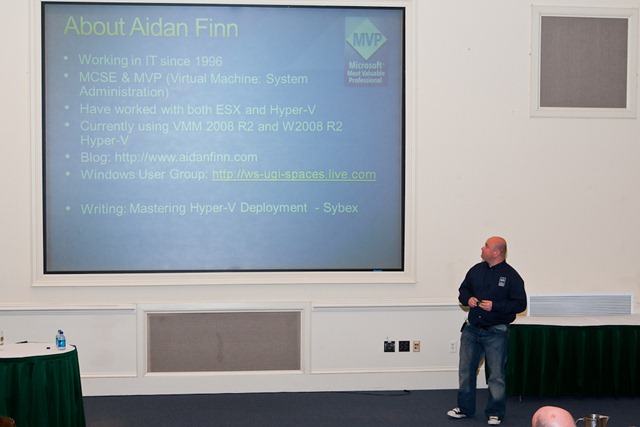
I did a presentation on System Center Virtual Machine Manager. It’s something that could take 2 days but I squeezed in the essentials into 70 minutes. My slide deck is online at Slideshare (below).
Unusually for me, I was able to get this done a little ahead of time. I did go through my demo (the end-to-end of a VM’s life cycle, templates, delegation, and self service) pretty quickly. That allowed me to talk about where organizations can go in the future with Hyper-V. Visual Studio empowers the tester/developer to work with Hyper-V via the environment/tools that they are comfortable with. VMM v.Next’s new App-V for Servers support, patching without reboot potential for VM’s, and model deployment. All this opened a few eyes. The idea of self service from VMM 2008 R2 onwards really made quite a few people think because they hadn’t heard of it before – and I’m talking about respected MVP’s!
My slides are just a cue card for me so there’s not much content in there. As you’ll see, I just mentioned the new features coming in W2008 R2 SP1 for Hyper-V. There was no discussion on how the stuff works. Keep an eye on the MS Virtualization blog and Ben Armstrong’s (Virtual PC Guy) for that info. My animations won’t work in this either. That’s a pity; they made Avatar pale in comparison.
A good time was had. The newcomers all commented on how weird it was to be at an IT conference where there was a social atmosphere. Most of us know each other at this event so there’s always something going on somewhere.
My next appearance will be at PubForum 2010 in Frankfurt in June. It’s another “small” conference that is very low cost for the attendees. The speakers are … wow! There is a lot of stuff happening at it this year. I’m doing a 2 hour class on Hyper-V best practices and I’m also doing a 1 hour session on the new stuff in Hyper-V.
Irish Tax Breaks on Energy Efficient Dell Servers
IrishDev reports that the Irish government has added 5 Dell servers to the Accelerated Capital Allowance (ACA) scheme. This allows the purchaser to write off 100% of the purchase price of energy efficient servers against the profits of that year. The models in question (there are limited specifications) are:
- PowerEdge R210 with Intel X3470
- PowerEdge T310 with Intel X3470
- PowerEdge R410 with Intel X5570
- PowerEdge R610 with Intel X5570
- PowerEdge R710 with Intel X5570
You might know that I prefer Dell and HP (my personal favourite) servers to everyone else purely because of the level of System Center integration that is available. If you’re a Dell house and you are considering a virtualization project (Hyper-V, Xen, VMware) then these are the models to consider to make the most of your energy, minimise your carbon footprint, and maximise consolidation.
You can search for approved products on the SEI site. It appears the only approved storage systems are from EMC and only 2 HP servers (HP DL360 G6 5570 and HP DL380 G6 5520).
So … What Exactly Am I Writing?
You can tell I’m pretty busy because my usual high rate of blogging has dropped significantly in the last month. Apologies for that. The blogging has become writing. I am involved in 2 book projects. I’ve just seen on Twitter that details on one of those has just gone public. I actually just saw the tweet seconds after I sent off a chapter I just finished.
Earlier this year I proposed an idea for a Windows Server 2008 R2 virtualization book to Wiley Publishing/Sybex. It took quite a bit of work to tune the proposal. It requires an understanding of the subject matter, the audience, and ideas on how it can be marketed. You could think that a brief overview on the subject matter would be enough. But no, the publisher needs much more detail. You pretty much have to provide a detailed project plan for every heading (3 levels deep), page estimates and time estimates. The proposal evolved over the weeks and eventually went through a couple of reviews. I then got the news: an ISBN number was assigned and contracts were on the way – I was going to be a lead author on my own book for the very first time!!!! I did get drunk that night – I think.
The deadlines are very tight. I was considering seeking help. My contact in Sybex advised that I outsource some of the chapters to a co-author. I knew the person I wanted to bring in. Wilbour Craddock is a technical specialist in the partner team with Microsoft Ireland. Will (Irish folks will know him as the crazy Canadian who is always wearing shorts) is also a former SBS MVP. His job has him spending a lot of time working with Hyper-V and Microsoft System Center, making him a perfect co-author to work with on this project. Thankfully, Will agreed to hop on board the crazy train of book writing.
Another MVP (I won’t say who yet because I don’t have permission to name him) is the technical editor under the employment of Sybex. He’s an ace at this stuff and will make sure everything we do is up to scratch.
The book is called Mastering Hyper-V Deployment. I won’t go into the details of it yet. But you can bet that it is based on our collective experience and knowledge of the product set involved in a Hyper-V deployment. I saw a gap in the market and figured I could probably write (or a good chunk of) the book to fill it. The estimated release is in November 19th of this year. That means we need to finish writing in July. It has started to appear on some sites for pre-order.
I’m two chapters in a the moment. I’m really pushing my hardware at home to its limits and am “this close” to buying more. Will is ahead of schedule and has one chapter nearly done.
I am also working on another book project as a co-author for a friend’s book. It’s another on-subject book that is turning out to be a good experience. I’ve one chapter done on that and am 50% through the other. I’ll talk more about that when the time is right.
As you may have read in my previous posts about my chapters in Mastering Windows Server 2008 R2, the original draft edit is just the very start of the process. There are numerous technical, language, layout and copy edits for each and every chapter. It’s a lot of work but it’s a great experience. And I can’t wait for the buzz to see my name as the lead author of a book in a book shop. I had to really try when I saw Mastering Windows Server 2008 R2 in Barnes & Noble over in Belleview WA back in February.
New Linux Integration Components Beta
A while ago, I asked for some feedback on Hyper-V and VMM. Some of the strong feedback came on the Linux guest side. In particular, the integration components:
- The lack of shutdown integration.
- Only 1 virtual CPU supported.
- The lack of time synch between host and guest recently affected me.
Never fear, MS was ahead of me. Ben Armstrong just let the public know that new integration components are in the works and you can download these new beta (test) IC’s from Connect now. The IC’s are for the usual supported Linux distros (SLES and RHEL). Supported is different to “it works”, i.e. these will probably work just as well on Ubuntu and CentOS but MS cannot support them. They will also support all Hyper-V variants. The new features are:
- SMP support for up to 4 virtual CPU’s (Yay!)
- Shutdown integration between host and guest, e.g. host shutdown or from VMM
- Clock synch between host and guest (no more run away clock and NTP fixes)
Ben also says that the new functionality will be submitted to the Linux kernel. Here’s hoping the Linux distros keep up to date.
MS Ireland Virtualization Summit
Yesterday, MS Ireland held the local instance of the Virtualisation Summit that MS is running in many cities around the world. It was keynoted by Ian Carlson, a senior program manager from Redmond (nice guy too).
The usual slide decks were presented, probably the first time many of the attendees (around 140 I think, standing room only) had seen them. For those of us “on the inside” this can be a bit tiresome but that’s what happens when you attend every MS event going to get your free cup of coffee and pastry for brekkie! The end of the morning session feature Gerry from Lakeland Dairies, an interesting case study because they make the most of System Center and use the Compellent SAN to replicate their VM’s across their campus for DR. They are also a fine example of a company that had a plan and knew their requirements going into the project, allowing them to make good decisions.
After the break there was a split into desktop virtualization and server virtualisation. *I must stop using Z’s in the American way – too much writing for Sybex* Ronnie Dockery from MS and Citrix ran a breakout on desktop virtualisation and VDI. Wilbour Craddock, a techie in the MS Ireland partner team, ran the server virtualisation breakout and went through a number of best practices and tips on a successful solution. Maybe 60% went into the desktop room.
I did the last 15 or so minutes in the server room, talking about our Hyper-V, OpsMgr, VMM and HP deployment at C Infinity. I talked through the relevant bits of the infrastructure and had a cool snazzy animated slide deck to talk through how HP SIM, OpsMgr, VMM and highly available Hyper-V VM’s allowed for no interruption of service back in January when we detected a degraded memory board (via HP SIM agent and OpsMgr management pack), got the alert, used Live Migration to move VM’s from the host, HP (via RedStone) replaced the affected board within the 4 hour support response window and we continued on without missing a beat. Some talk of PRO was also in there. I also stressed how Hyper-V with System Center makes this a solution for applications, which is what the business really cares about – not NIC’s and memory boards.
I haven’t posted the slide deck – animations don’t work on Slideshare, and to be honest, my slides are nothing but cue cards for me to rattle on until someone rings a bell to shut me up.
I talked to a few people afterwards and the response to the morning was positive. I think a lot of people either got a fresh view on hearing about the complete solution (it’s more than “just” hardware virtualisation) or were happier after hearing the experiences of two Irish customers using the suites – not just the usual “Here’s XYZ Giganto Corporation from the USA or Germany” that Irish customers cannot relate to. MS Ireland does a great job on that.
Big Virtualisation Announcements By Microsoft
A press release was issued today by Microsoft. It has a whole bunch of new statements on the MS front, including licensing, new features, and requirements changes. The big ones are:
- Hyper-V Dynamic Memory will be added in W2008 R2 SP1.
- A new smoother VDI experience for VDI customers in W2008 R2 SP1.
- VDI licensing for SA customers won’t require and additional license for PC clients.
- XP Mode will no longer require CPU assisted virtualisation.
That last one was a pain in the butt when it came to Virtual PC for Windows 7. You had to dig deep to find out if your Dell, HP, etc, machine had a supported CPU. And manufacturers like Sony produced machines quite recently that hid the functionality if it was there. This change by Microsoft removes the guess work.
No schedules were announced. Check out the press release to see all of the announcement.
Credit to Mark Wilson (MVP) for making me aware of this.
Considering This For A Hyper-V Cluster At Home
One of the things I need to do at home is do some Hyper-V clustering. As you can guess, I have not won the lottery so a C3000 blade chassis with LeftHand storage is not on the cards. If I do get around to this it will be done on a shoestring. Here’s what I am considering:
- HP Microtower 3010 * 2: I checked and the 2.8GHz CPU has Intel-VT and DEP features.
- Intel 1GB NIC * 6: I want 4 NIC’s per host. The 3010 has 3 * PCIx1 slots.
- A Netgear 16 port GB switch.
- I’ll use an old PC as a iSCSI target.
I want Live Migration to work. 4 NIC’s (parent, private network, VM network and iSCSI) should do the trick. The total price comes in at around €1500 retail including tax.
Any opinions on a better solution?