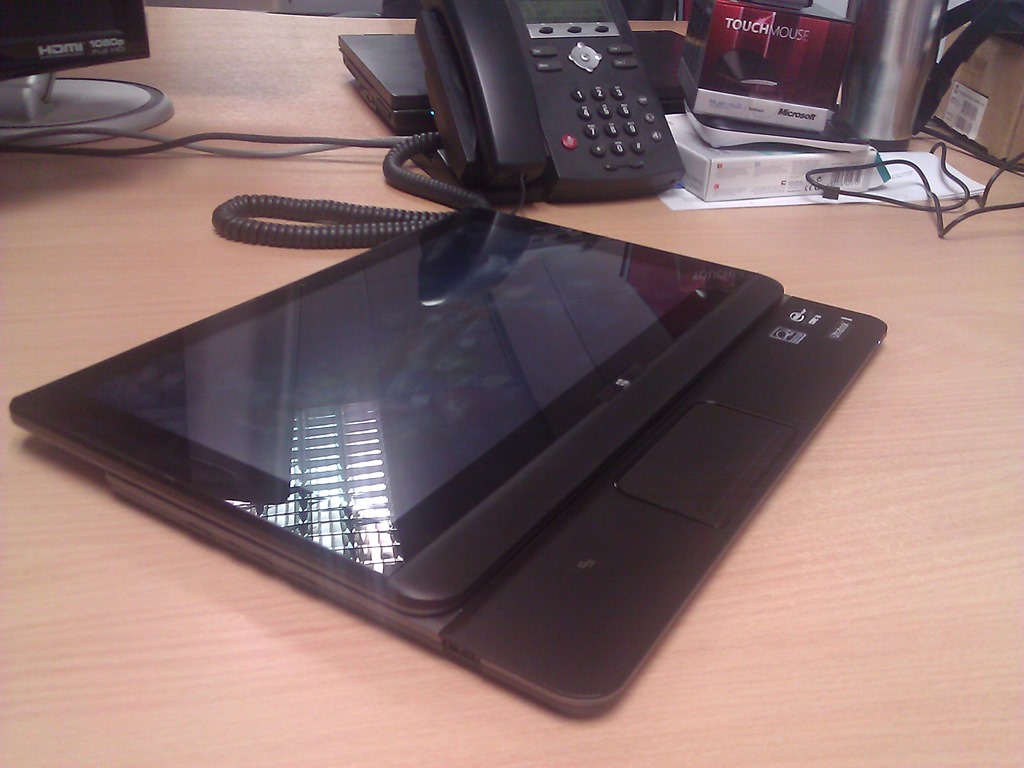
Windows 8/8.1 Tablet Screen Keeps Dimming & Brightening

  • Myself and some friends noticed something weird on Windows 8 months ago. I was using a Build slate and they were using the Samsung Series 7 slate (Build slate is based on it). The screen would appear to randomly darken and brighten. I didn’t pay too much attention to it; I thought it might be a driver thing that might get sorted after RTM.

Then it started happening on my new Windows 8 tablet. I noticed it never happened during the the bright of day or in the well lit office at work. However, it happened all the time at home at night. It just started happening here where I have the curtains pulled and the TV on.  Then I figured it out … if the ambient light is dim, the light sensor in the devices are getting confused, and the auto-brightness feature of Windows 8 misbehaves. The screen going dark/bright every few seconds can get really annoying.

You can disable this feature.  Change the Adjust My Screen Brightness Automatically to off.  You can find this setting here in Windows 8:

  • Open the new control panel: Settings – Change PC Settings
  • Browse to General
  • Under Screen

In Windows 8.1 browse to PC Settings (the new Control Panel):

  • PC & Devices
  • Power & Sleep

Now you have an always bright screen (or a dimmed screen), depending on the configuration of your active power plan.

EDIT#1

Apologies if you have Windows 8.1 Update (patched since April 8th 2014). That’s because the setting has disappeared and I cannot find it. I hope you like constantly darkening screens.

Technorati Tags:

Altaro Giving Away 50 Free PC Backup Licenses To All Hyper-V Administrators!

I’ve gotten some very exciting news from Altaro, makers of Altaro Hyper-V Backup (that supports Windows Server 2008 R2 Hyper-V and Windows Server 2012 Hyper-V).  Altaro wants to give away for free 50 copies of their desktop backup product, Oops!Backup, to each Hyper-V administrator that can prove that they run Hyper-V.  Here’s the press release:

Altaro Software, a fast-growing developer of backup solutions for Microsoft Hyper-V, today announced that it is giving every Microsoft Hyper-V administrator 50 free licenses of Oops!Backup, their desktop backup solution.

“Following the success of our Hyper-V Backup solution this year, we wanted to give something back to the Hyper-V community during the holiday season” commented David Vella, CEO of Altaro. “Hyper-V admins can give out these licenses to their colleagues, friends and family, for use at work or at home.”

Oops!Backup is a popular desktop backup solution that allows users to preview & restore versions of their files from different points in time.

Any network administrator who uses Microsoft Hyper-V is eligible for the free license keys, they simply need to visit the Altaro website, send in a screenshot of their Hyper-V Manager and expect an email with their respective keys.

To claim the 50 free licenses go here. Thanks Altaro!

Note: Giveaway expires on Monday December 24th. Licenses are Not-For-Resale (NFR) keys.

Windows 8 Being Blamed For “Weak” Windows 8 Sales – And Why That’s A Crock Of You-Know-What

There’s been a story floating about since Paul Thurrott reported that Microsoft are unhappy with the sales of Windows 8.  Paul does goes on to offer some possible explanations which I found to be quite reasonable.  In the story that’s been floating about since on several sites, the facts have been twisted somewhat.  Tom’s Hardware’s headline goes like:

Windows 8 Criticized for its Part in Ailing PC Growth

They quote an “expert”:

In a research note from analyst Chris Whitmore, the first reason Deutsche Bank attributed for decreasing its PC estimates this quarter was a "lackluster initial uptake of Windows 8."

Real Reason #1 – Supply

Consumers want tablets.  PC and laptop sales have dropped.  All that people want is tablets, tablets, tablets.  If Windows 8 is to succeed in the consumer market then there needs to be tablets to sell.  I was in stores on the day of the launch and there were plenty of people there …. at 09:00 on a Friday!  They wanted tablets … they circled the tablet desks … and some asked sales about Windows 8 devices.

Maybe Chris Whitmore should go to a shop and try to buy a new touch device, like a tablet, running Windows 8.  How many tablets has he seen on shelves running Windows 8 or Windows RT?  The largest chain in the UK/Ireland has no Windows 8 tablets.  Talking with a fellow MVP this week who had travelled to several of that chains stores in the last few weeks, he didn’t even see any touch laptops.  Personally, all I’ve seen are the expensive AiOs (Lenovo), the AiOs that look like they’re 1950’s TVs, a Sonly T13 touch ultrabook, and an Asus ultrabook clone with a PENTIUM processor … welcome to the 1990s folks!  Can’t blame a distributor for this chain, because this chain is their own distributor, and they often sign exclusive deals for models.  They are big and almost unopposed in retail; if they can’t get them, then how can any other retailer?

It’s not much different worldwide.  In Germany’s second largest chain (in the largest retail family), they had a small number of Asus Windows RT tablets on a Saturday a few weekends ago – and they sold out of those by midday.

I work in the channel (although I have almost nothing to do with retail supply).  I know what supplies of touch Windows 8 devices are like.  There is almost nothing around.  There were plenty of announcements by the hardware manufacturers but no few or no devices made it to the channel.  Our supply has been minimal so we’ve little to sell to retailers.  And retailers want Windows 8 touch devices.  I overhear “Surface” on a regular basis from the sales folks on the floor when they’re talking to our customers.

I wanted a tablet and searched high and low.  I pre-ordered from an online retailer, paid 41% more than the USA retail price, and had to wait nearly 2 weeks.  That online outlets supply is obviously very small.  So far, they’re the only place I’ve found in the UK/Ireland (60-70 million people) markets.

Everything I hear says that manufacturers won’t start to have a stable supply until Q1 2013.

Real Reason #2 – Selling

I’ve toured several of the big 2 in Ireland, and the biggest store of the second largest chain in Germany.  They haven’t a clue how to sell to people.  Windows has always had lots of device options.  Windows 8 makes the selection options almost mind boggling; people who I respect in this business are confused by the options.

Microsoft gets some blame here: they’ve fragmented and confused the market with Windows RT.  A desktop with Office RT (that requires purchase of an Office Pro license for commercial use) but doesn’t allow you to install/run traditional programs (because of ARM) is going to confuse customers.  I wonder how many Surface RT customers knew that?  I wonder how many sales people who do have 2rd party Windows RT devices know that?

Take some time at the weekend.  Go into a large store selling computers and tablets.  Walk over to the Apple section.  There you’ll find clean wood tables, that are clearly signed, lit up using Apple signage, with iPads in one place, MacBooks in another, and Macs in another.  All clean, well laid out, logically placed, and no confusion.  Apple understands retail.  And here’s the thing: if you want to sell Apple (with the tiny tiny margins that they allow you) you must comply with their display rules.

Now take a wander over to the section where you’ll find Windows devices.  I bet it’s like every place I’ve been to: a great big mess of machines scattered all over the place.  The stores that didn’t plan have mixed Windows 7 and Windows 8 machines together … ultrabooks, 17” laptops, convertibles, hybrids, maybe some Win7 slate PCs (almost a tablet but not quite), some with touch (maybe), some with gesture pads, some with no touch at all.  all mixed in a confusing collage of computing.  The sales person here doesn’t know anything about the hardware.  And imagine the poor customer, walking into this and trying to figure out what’s what.  Buying an Apple would be easier …

So why isn’t that all nice and clean like the Apple stuff?  I split the blame on this one.  The retailers are told what the rules are by Apple to be allowed to sell Apple gear.  However, anyone can “sell” Windows because there’s a bazillion of Windows device manufacturers.  Instead of being told how to display/sell, the retailers do as they please.  Want a retailer to display your Windows device a certain way?  You have to pay them to do it.  Yeah – the store owners expect the manufacturer to pay them so that the store owners can make a profit on display product that they will make a profit on if they sell it.  Madness!  Personally, I think Microsoft should start to enforce rules on the manufacturers that forces them to put rules on display at the point of sale.  A universal rule on the most sold category of product will force the retailers to cop on and sort their act out.

Summary

You can’t sell something you don’t have.  Blaming Windows 8 for poor sales is stupid because the devices aren’t there to be sold.  And when they are, they need to be sold in a way that doesn’t confuse the customer.

That’s my personal opinion anyway.

Technorati Tags: ,

Adding an SD Card To Windows 8 Tablet

Windows 8 tablets typically have a MicroSD card expansion port, allowing you to easily add more storage.  Some have an SD card.  I splashed out on a 64 GB MicroSD card with an SD adapter that arrived this morning.  I added it to my tablet.  The plan was to move my libraries to there so I can use the on-board 64 GB for programs and apps, and use the expansion for SkyDrive sync (my documents), photos, videos, and music.

Problem: you cannot move libraries to removable storage.  Solution: mount the MicroSD card in a folder in the C: drive, as Paul Thurrott has a guide for.  I removed the old folders from the libraries, relying totally on the MicroSD.  Now I need to make sure that I don’t remove or lose the MicroSD card (it’s in a covered port).  And my content is synced to SkyDrive and on my other machines anyway.

I’ve installed the SkyDrive program which is in Live Essentials.  And I’m now syncing my content.

To speed things along, I’ve plugged the USB/RJ45 network adapter dongle from my Asus UX31 ultrabook into the tablet.

So what’s going on here that iPad can’t do?

  • I can plug in USB devices – up to 3 with my tablet docked in the keyboard.  So I can reuse existing investments without relying on specialist dongles.
  • I can add additional storage. I can envision a day when 128 GB MicroSD is around and affordable.  Some of the “pro” tablets have 2 MicroSD ports!
  • I am using Windows 8 Pro so I can install the SkyDrive program (as well as the Windows Store app) and sync my content locally.
  • I’m using the familiar Windows storage system, not some locked down & inflexible in-app storage that can’t be shared between apps.
  • I’m using my free SkyDrive allocation to sync between my tablet, PCs, and laptop, with all programs able to use all data.
  • Any apps I use to create/use data on my Windows 8 Pro tablet are also available on laptops/PCs

In other words, my tablet is allowing me to work & play the way that I work & play, rather than me having to bend to the will of some h/w designer.

Technorati Tags:

Samsung ATIV Smart PC 500T Windows Tablet & Keyboard

On Friday I took delivery of my new Samsung ATIV Smart PC 500T.  This is an Intel Z2760 powered Windows 8 Pro tablet; it’s not Windows RT like in the Surface.  I wanted something that I could install Visio, VLC, codecs, etc, on.

The Review

The device has an 16:9 ratio 11.1” screen, making it bigger than the Surface or an iPad.  But, it’s lighter than a Surface because it has a plastic back instead of VaporMG.  It feels smoother in the hand than a Surface to me.  The processor is an Intel, but it’s not a Core i processor.  Instead, it’s been saddled with the awful Atom brand.  It is not the Atom of old.  It’s Intel’s answer to ARM.  And that’s why there are no vents, no fans, and the body has no heat, even after 6 hours of usage.  There is 2 GB RAM which is enough for Windows Store apps and for my Office 2013 usage.  If you need more, then look at the “pro” tablets with Core i CPUs and 4 GB RAM (much shorter battery life).

The screen has 5 point multi-touch and stylus support.  The stylus comes with the tablet and slides into the back.  It’s moulded in such a way that is hidden in the body of the tablet (9.9 mm at the thickest point).  You’ll hear Apple say that a stylus is not required for a modern tablet.  I say it is useful; I spent this morning in a briefing taking hand written notes on a lined page in OneNote 2013 on my tablet without any concern over battery, knowing that my note will be synced onto SkyDrive when next online.

I also bought the optional keyboard.  The tablet docks into the keyboard giving you a work and travel friendly ultrabook experience, something that the Surface floppy hinged keyboard can only do on a flat surface such as a table.  The keyboard also gives you an extra battery.  The life of my device listed at 14 hours, or 10 hours video play.  I used it most of Saturday and Sunday to watch video, read Kindle, surf, play games, etc, and it lived up to the promise that was made.  Docking the tablet is a process of pushing it down (after removing the sticky “feet” from the slots in the tablet), and waiting for the audible plug and play response.  A big button gives a click to release the tablet from the two locks.

The touch pad is a gesture pad with Windows 8 support.  Unusually for a touchpad, it is not sensitive to accidental touch.  In fact, it’s the opposite, requiring a more forceful touch than I’m used to.  Being an 11.1” screen device, the keyboard is an OK size, not much different than I’m used to.  You get an extra 2 USB ports on the keyboard.

The speakers are shit.  You’ll need that audio jack on the top.  There’s a USB port on the tablet, as well as a MicroSD port to extend your storage.  Devices with a modem can take advantage of the SIM slot on the top.  And there’s a micro-HDMI port on the left hand side under the audio control.  Unlike the Surface, there is also a handy auto-rotate disable/enable button. 

The screen quality is good.  I give the Surface the edge; it’s hard not to because the Surface’s screen is one of the best around – we photographers value contrast and “pop” rather than pixel counts (as in retina).

As a device, I’m very happy.  I expect this to become my primary device, unless I’m in photography mode and I want something with more RAM and CPU for Photoshop.  I’ve ordered a 64 Gb MicroSD card to extend the storage so I can sync SkyDrive, another thing you can’t do with Windows RT.

My Experience

I bought the device from Misco.ie (also trading as Misco.co.uk).  I prefer to buy from a brick shop in case big ticket items have a problem, but these were the only guys I could find with stock.  The device arrived on Friday afternoon in the office.  And it would not power up.  OK, maybe the battery was flat.  I charged it for about 90 minutes and still nothing.  So I was left to think it was Dead on Arrival (DOA).  I called Misco.ie and part way through a call, I was hung up on.  I called back, was put through to a non-English speaking person in Samsung’s support desk who had never heard of the device, and was hung up on again.  Now I was angry.  I called Misco (they are in England) again and the support desk person had a real attitude, a real “innit” geezer.  I was promised he’d called Samsung, arrange a collection, and call me today.  So far, nothing.  I don’t expect a call from them.

But as you’ve figured out by now, I got the device working.  I brought it home from the office and sat it on the charger from 18:00 until 22:45.  I was about to give up: I picked it up (still charging) and was tapping the power button.  Nothing.  I looked up at the TV, kept tapping (inpatiently), and noticed a blue light.  The power LED came on.  I pulled the power and it still ran.  I shut it down, powered it up, restarted, etc.  I can’t be sure what was wrong, but it appears to me that the tablet was resting on the power button during shipping and drained the battery.  Maybe it wouldn’t start until it was 100% charged!?!?!?!  3 days later and it’s working perfectly.

But my advice:  Don’t buy from Misco.  Ever.  Seriously: Never.

By the way, the price of the tablet is approximately 69% more expensive in Europe than you can get it in the USA on Amazon.com.  That is pure robbery, Samsung.

Technorati Tags: ,

Windows 8 VDA Licensing For VDI

I won’t be answering any questions on this post.  If you have any questions then ask your reseller, LAR, or distributor (if you are a reseller) – that’s what you pay them for.  The other important note that this post is correct (or as correct as I can verify) based on how things are at this time (written on 14/Nov/2012).
 
Microsoft has made some great improvements with licensing.  Windows Server licensing is simple, and virtualisation has been simplified no end – those of you who disagree with the latter really need to stop overthinking things because it is simple.  Windows 8 started out great too; a nice small set of SKUs.  But then they started figuring out licensing for virtual desktop infrastructure (VDI) and Windows To Go … and this stuff is a mess.  Start reading and you’ll soon see why I’m redirecting everyone to bring their their unique scenarios and questions to their reseller/LAR/distributor.  I just don’t have the time.
 
One thing that didn’t change was the need for VDA (Virtual Desktop Access) in some form.  You cannot just buy a copy of Windows XP/Vista/7/8, install it in a VM, and let people have at it.  You need to license your VDI client devices with VDA (in some form), and that’s what has changed.
 
There are a number of scenarios, depending on the client device:
Windows PCs
 
There are two ways to license this:
 
  1. You attach Software Assurance (SA) to company PCs using Windows 8 Pro. This gives you Windows 8 Enterprise and the many benefits of Software Assurance.  This includes VDA.
  2. You do not attach SA to your PCs.  This might be because you don’t want to buy SA, or because the client PCs are the users’ home PCs.  In this case, you have to buy VDA for each VDI client device.
Company Owned Windows RT Tablets As Companion Devices
This is where:
 
  • The user uses a PC with SA as their primary device AND
  • The company supplies the user with a Windows RT device as their companion device that will be used as a VDI client.
There is a new SA benefit called Windows RT Companion VDA Rights.  With this right, the VDA granted to the primary PC that has SA is also extended to the Windows RT device.
 
Let me be very clear on this:
 
  • The VDA right does not extend to BYOD or employee-owned Windows RT devices.  It only extends to company owned Windows RT devices.
  • The VDA right does not extend to any other kind of company owned tablet, including iPad, Android, or Windows 8 (home or Pro).
Yes, I know; your company is more likely to purchase Windows 8 Pro tablets, which do not get this right, and BYOD is a hot topic, and employee owned devices (even Windows RT) also do not get this right.
Employee Owned Devices Outside The Company Firewall
 
This is where an employee will access the VDI VMs from personally owned devices outside of the company firewall, i.e. from the Internet, and not from inside the office.  There are two options:
 
  1. If you have SA for the user’s primary device (company owned PC + Windows 8 Pro), then you get a right called Roaming Use Rights at no extra cost.  To quote Microsoft: “Roaming Use Rights allow the primary user any licensed device to access a virtual instance of Windows running in the datacenter (VDI) or Windows To Go from non-corporate devices such as personally-owned or hotel business center PCs while away from the office”
  2. Without SA on a primary device, then you have no choice but to buy VDA for the employee owned devices.
Employee Owned Devices Inside The Company Firewall (BYOD To Work)
 
This is when an employee brings their own device to work (inside the company firewall) to access VDI.  Once again, there are two options:
 
  1. If you have purchased your licensing through Select, Enterprise Agreement, Enrollment For Education Solutions, or School Enrollment AND you have purchased SA for the user’s primary device (company owned PC + Windows 8 Pro), then you can purchase a Windows Companion Subscription License (CSL).  This entitles the user to bring up to 4 of their devices to work, and use them as VDI clients.  Note that an SA customer doesn’t need CSL if the devices are being used only from outside of work (the company firewall).
  2. Sorry: if you are licensed via OEM, Open, OV, or OVS, then it appears that you must not want to do BYOD.  You’ll have no choice but to buy VDA for each employee owned device being brought to work for use as a VDI client.
Everything Else
 
Off the top of my head, this appears to be company owned devices such as Windows 8 Pro tablets, company owned iPads or Android, company owned phones, etc, and company owned Windows RT devices where the primary device doesn’t have SA.  In this case, you need to buy VDA for each client device.
 
I know; it’s a mess.  What if BYOD devices are allowed in the office but must be outside the firewall?  I don’t know that one yet.  Why are company owned Windows 8 Pro tablets lesser citizens than Windows RT?  I’m guessing that MSFT must think that a Windows 8 Pro tablet would only ever be a primary device, and that’s a big generalised assumption.  You can find the information here.
 
Technorati Tags: ,,

No Mistakes This Time, Mr. Eurocrat – The Windows 8 Browser Chooser

I’ve not seen the Browser Chooser yet on my Enterprise installations of Windows 8, but it popped up today on the Windows 8 (home) demo machines we got at work last week.  The first screen (below) tells me that I have an important, possibly life altering, choice to make.

image

I’m then presented with my options.  IE10 was the 4th choice both times.

image

You might not notice it, but you can scroll the list of possible browsers to get something different to the first 5:

image

And there’s more:

image

I’ve never heard of most of those browsers.  What the hell is a FireFox? Didn’t Clint Eastwood steal that from the USSR for President Reagan to bomb furniture stores?  Smile with tongue out I picked IE10 and was rewarded with some congratulations:

image

Simples!

Technorati Tags: ,

Reminder – Add Windows 8 and Windows Server 2012 To Your Patching System

Don’t forget to configure whatever patching solution you’re using to support Windows 8 and Windows Server 2012 if you have those OSs deployed.  We got our first security patches for the current OSs this week.  I just ran a check in the office and found I had to do some engineering to get patches deployed.  Oooh – there’s a reason to configure Cluster Aware Updating on your WS2012 Failover Clusters Smile

Sinofsky Leaves Microsoft … And No One Seems Sad About It

The man who ran Windows (desktop), Steven Sinofsky, has left Microsoft, just a few weeks after the birth of his baby, Windows 8.  Mary Jo Foley reports that there might be some intrigue to this one.  Maybe Sinofsky wasn’t the easiest to work with? We have comments out there from the analysts claiming that Windows 8 will make little or no dent in the enterprise, so maybe Ballmer was upset with that?  Who knows – maybe Sinofsky did want to go skateboarding for a few years after being president of Windows?

What news to wake up to!  I checked through a night of tweets and let’s just say that there were very few tears.  I think that there was a good bit of schadenfreude in the social networks.  Certain things about Sinofsky rubbed people (the public, the media, and even Microsoft employees) the wrong way.  We expect Apple to be secretive and non-cooperative.  Microsoft has always been pretty open (too open if we judge it by the Longhorn experience) and programs such as beta and release candidate gave millions of people a chance to give input on product in the past.  The CIA-level secretive, closed, and TAP-only behaviour of the last 13 months is not what we expect from Windows in the Microsoft community.  There’s a huge eco-system of partner technologies (hardware and software) and legacy support is way more important to us, especially in the business.  The 10,000 word diatribes on the death of the start menu which boiled down to “we’re right and you’re wrong” followed by hundreds if not thousands of contradicting comments showed that Sinofsky didn’t listen, he dictated.

Maybe a strong dictator was needed.  Rome actually used to appoint dictators for the duration of a state emergency in the times before Caesar.  Perhaps Microsoft required someone strong to change the momentum of Windows that was threatened by devices that weren’t Windows PCs.  And maybe Sinofsky lived out his purpose at Microsoft.

What I do know is that a person I know predicted back in 2008 certain things about Sinofsky and how he would work that have since come true.

Does the future hold anything different?  I don’t expect that it does.  Mary Jo reports that Julie Larson-Green was “promoted to lead all Windows software and hardware engineering”.  Judging by Larson-Green’s background, she’s been a Sinofsky acolyte from his days in Office (before running Windows).  Expect the Windows 9 schedule to run as follows:

  • Announcement & Developer Preview at Build 2014
  • Customer Preview (not Beta with public feedback) in February/March 2015
  • Release Preview (not Release Candidate with public feedback) in May 2015
  • RTM in August 2015
  • GA in October 2015

Just sayin’.

Technorati Tags: ,

Toshiba u920t Windows 8 Convertible Ultrabook

The final of the demo machines to arrive on my desk is the U920T slider ultrabook from Toshiba. This is a machine that looks like a big tablet one moment, and a classic ultrabook the next. 

When closed, the screen is facing outwards instead of in.  This is a tough, touch screen, supporting 5 touch points.  The material on the case reminds me of the grip on a DSLR camera.  It’s a kind of textured  tough rubberized plastic.  It feels nice to hold, and you feel safe that the ultrabook won’t slip from your hands when using it in “tablet mode” (it’s not a tablet).

WP_000050

The screen slide forward, pushing from the base.  There’s a notch when the trackpad is revealed.  The idea here is that you are in tablet mode, but you can access the trackpad.  The trackpad is smallish compared to ultrabooks, and does not have Windows 8 gesture support.

WP_000051

The next stopping point is when the screen is fully extended.

WP_000053

Now you can tilt the screen up.  There’s no fixed angles; you just rotate the screen until it’s at the angle you want or until it reaches the max, somewhere around 80 degrees (90 being straight up).  Here it is with the screen as vertical as it goes.  BTW, there are both front and back cameras on either side of the screen.

WP_000054

I had 2 worries about the screen tilt mechanism:

  1. How far would it rotate.  Every photo I’d seen showed it at around 70 degrees.  That’s useless for watching Netflix, TV, etc, when you’re in a hotel room.  The angle it reaches is acceptable as long as there is no overhead light.
  2. I was worried about the mechanism.  Would it be strong?  The photos I’d seen made the hinges look flimsy.  Would the screen be rigid or flapping about and rattling?

The hinges are actually nice thick looking steel.  They work with a silent ratchet to keep the screen rigid so it doesn’t bounce when you touch it.

WP_000055

The machine we got has an i3, 4GB RAM (max of 8), 128 GB SSD.  There are 2 USB 3.0 ports, SD card, and  full sized HDMI.  There is no RJ45 (use something like a Dynadock docking station) or VGA (use a HDMI to VGA converter).

There was a bit more Toshiba installed software to uninstall from this machine.  They have their own store (Toshiba Places) on there, some game store (also on the Sony T13), and a bunch of support stuff.  There were more default apps from the Windows Store too … and McAfee (uninstalled immediately).

My impressions?  This is a quality build.  It feels solid, capable of being carried about by a sales person for 3 years.  I don’t think there is a TPM chip.  The battery life is advertised as 4 hours.

I personally would like this type of machine as a presentation platform when coupled with a VGA adapter.  I’m wondering what’s going to happen to it when our run of Windows 8 presentations is over Winking smile

This machine caused quite a bit of interest in the office, even more than the Surface to be honest.  Even our Apple people had to admit it was a nice machine.

Technorati Tags: ,