Microsoft Issues Duqu Workaround (MSA 2639658/CVE-2011-3402)

In the last couple of weeks we’ve heard quite a bit about the alleged “Stuxnet” variant called Duqu.  This Trojan uses a zero-day vulnerability that exploits the TrueType font parsing engine.  The Trojan replicates itself, does whatever it does (still not entirely clear), and removes itself after 36 days to avoid detection.  That last bit is sneaky; it could steal passwords or certs, high-tail it before the heat arrives, and you’d never know to reset anything that was stolen.  Very clever!

While Microsoft are working on a hotfix, they have issued an advisory that contains a workaround to prevent infection.  The actions depend on your operating system, but revolve around changing the permissions of t2embed.dll.

I’ve become very hesitant of these workarounds.  A few months ago I worked on a site that had no choice but to deploy such a workaround for Conficker.

I was installing a ConfigMgr 2007 R3 site server.  I installed ConfigMgr and checked the health of the system (it’s easy to miss a pre-req and get some sort of error).  Then I got the strangest error that I had never seen before; the management point role would not install.  What normally happens is the site server is installed (not far from next-next-next), and then a number of default roles install automatically.  The management point is usually painless.  I googled, binged, you name it, and had no joy.  A day later and 2 things gave me the solution:

  1. I had been told of the Conficker infection and clean up job that was done
  2. I found an obscure post with a similar error that pointed to a system registry key permissions issue.

1 + 1 and I verified this key was a part of the Microsoft Conficker workaround advisory.  Now, I needed to find how this was deployed.  GPMC made it easy to find a GPO that was responsible.  Permission changes via GPO are tattooed so I reversed the edits (AV was up to date).  I forced the policy refresh on the site server, reran the ConfigMgr install and the Management Point installed.  Luckily the customer had used GPO and made this workaround very easy deploy for them, and ID/reverse for me.

By the way, part of the change was changing permissions of scheduled tasks.  It turns out that backup jobs hadn’t been running correctly for a while.

So the lesson is:

  • When there is a zero-day exploit, Microsoft can issue workarounds to prevent infection.
  • Sometimes treatment for an illness can do quite a lot of damage to the patient.  Understand what you are doing and document/communicate it.
  • If at all possible, do what my customer did.  Use a GPO because it is (a) fast to deploy and (b) fast to reverse once the long term defences (patch/AV) are deployed.  And that means impacted systems can be put back to rights.
Technorati Tags: ,

My Official Windows 7 Theme Pack – Raptors

A few weeks ago, a friend (Tim Bolton) pinged me to let me know that Microsoft had started inviting members of the community to submit photos for Windows 7 wallpapers.  And if you were lucky enough, all of your submissions could be used as a theme.  I spent a few hours selecting and preparing some photos.

A few days later I got an email to let me know that over a thousand people had entered photos and I was “the very first person” contacted with an acceptance.  Woohoo!

Click to download theme

Jennifer Shepherd posted more details on the program and the other lucky entrants on Thursday on the Windows Experience blog.

My theme is available to download.  In it you’ll find pictures of various birds of prey: Merlin, Barn Owl, Peregrine Falcon, Osprey (taking a trout), Short-Eared Owl, Red Kite, Little Owl, and a Long-Eared Owl.

clip_image001

SQL 2012 Editions & Licensing Announced … What Are They Smoking?

Every year they promise us simplification.  Let’s see how they’ve score this time around …

The major versions are:

  • Enterprise: moves up to replace the now gone Datacenter, and is only licensed on a per-core basis.  Yup, not server + CAL.
  • Business Intelligence (BI): slots in the middle and is only available under server + CAL (just to confuse).
  • Standard: Available under server + CAL, as well as per-core.

By the way, there is a lovely contradiction about Enterprise being available and limited on server + CAL basis.  But everywhere else, it says per Core only for this edition.  There’s a reason (see later).

image

We are told that:

“SQL Server 2012 will continue to be available in Developer, Express and Compact editions. Web Edition will be offered in a Services Provider License Agreement (SPLA – hosting licensing) model only. Datacenter Edition is being retired with all capabilities now available in Enterprise. Workgroup and Small business Editions are also being retired”.

If you are licensing per core then you buy the licenses in 2-core packs, with a minimum of 4 cores per physical processor.

image

If you are licensing on a per-VM basis then you have two options:

image

Note how they are counting virtual cores?  It used to be that we had a formula to count physical CPUs being used by the VM and licensed that.  Maybe the price works out similarly – I’ll have to check that out later.

More on virtualised SQL 2012:

  • To license a VM with core-based licenses, simply pay for the virtual cores allocated within the virtual machine (minimum of 4 core licenses per VM).
  • To license a VM under the Server + CAL model (for the Business Intelligence and Standard Editions of SQL Server 2012), you can buy the server license and buy associated SQL Server CALs for each user.
  • Each licensed VM that is covered with Software Assurance can be moved frequently within your server farm or to a third party hoster or cloud services provider.
  • The Enterprise Edition with Software Assurance allows you to deploy an unlimited number of database VMs on the server (or server farm) in a heavily consolidated virtualized deployment to achieve further savings.

They note that:

  • Further savings can be achieved by operating a database server utility or SQL private cloud. This is a great option for customers who want to take advantage of the full computing power of their physical servers and have very dynamic provisioning and de-provisioning of virtual resources.
  • Customers will be able to deploy an unlimited number of virtual machines on the server and utilize the full capacity of the licensed hardware.
  • They can do so by fully licensing the server (or server farm) with Enterprise Edition core licenses and Software Assurance based on the total number of physical cores on the servers.  This allows customers the ability to have unlimited virtual machines to handle their dynamic workloads and fully utilize the hardware’s computing power.

In other words, if you will have lots of SQL VMs then you should have a dedicated virtualisation (any platform) cluster for your SQL VMs, and license it using Enterprise per-core licenses with SA.  That’s what we currently advise to save on licensing – you have to do the maths on additional Windows Server + hardware + power + management time/licenses VS SQL license cost reduction.

If you want to license Enterprise SQL via server + CAL then you better move quick:

“New Server licenses for EE will only be available for purchase through 6/30/2011. Additional EE licenses in the Server and CAL license model will not be sold thereafter.

Both newly purchased Server licenses for SQL Server EE 2012 or EE licenses with SA upgraded to SQL Server EE 2012 will be limited to server deployments with 20 cores or less. If you purchased SQL Server 2008 R2 Enterprise Edition in the Server + CAL model with Software Assurance and at the launch of SQL Server 2012 are running on a server with > 20 physical cores, contact your Microsoft representative for help transitioning to the new licensing model”.

The SA upgrade story looks confusing.  I’m not going to try interpret it.  I’ll leave it with this thought …. WTF are they thinking and who OKd this!?!?!  I’ve said it before and I’ll say it in public now: this stuff makes an EU treaty look easy to comprehend.  My advice to MSFT is to burn the licensing rules, and start over.

BTW, I am one to say I told you so:

“Microsoft licensing never stays still for very long. Microsoft licensing is a maze of complexity that even the experts argue over. Microsoft will lose revenue as host/CPU capacities continue to grow unless they make a change. And Microsoft is not in the business of losing money”.

Technorati Tags: ,,

Books for System Center Configuration Manager 2012

I was bouncing about on Amazon and noticed some books for System Center Configuration Manager 2012.

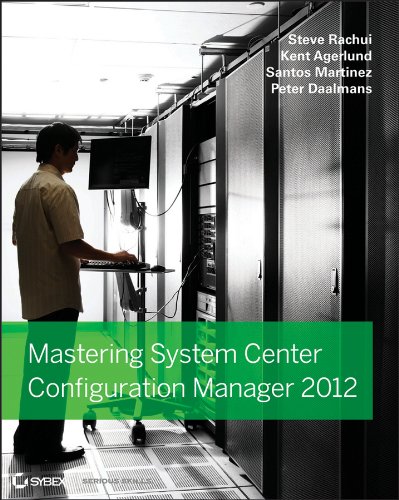
I’ve done some writing for Sybex so Mastering System Center Configuration Manager 2012 (due in March 2012) is the first one I’ll mention.  The blurb:

The latest version of System Center Configuration Manager (SCCM) is a dramatic update of its predecessor Configuration Manager 2007, and this book offers intermediate-to-advanced coverage of how the new SCCM boasts a simplified hierarchy, role-based security, a new console, flexible application deployment, and mobile management. You’ll explore planning and installation, migrating from SCCM 2007, deploying software and operating systems, security, monitoring and troubleshooting, and automating and customizing SCCM 2012 with scripts.

  • Features an unparalleled team of authors, two of whom are insiders at Microsoft and have worked with SCCM since nearly its inception
  • Provides in-depth coverage and offers a hands-on approach to learning all there is to know about SCCM
  • Explores why SCCM 2012 is the most significant update in its 16-year history

Packed with real-world scenarios to show you how to use SCCM in various contexts, Mastering System Center Configuration Manager 2012 covers all aspects of this powerful and complete network software deployment tool.

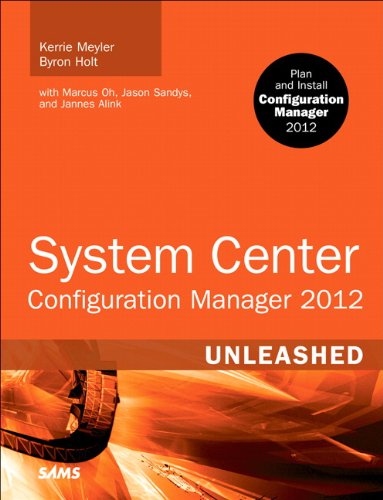
I read the Unleashed book for ConfigMgr 2007 and thought it was good.  This is the successor, System Center Configuration Manager 2012 (due in April 2012).  This book’s blurb is:

This is the first and only comprehensive reference and technical guide to Microsoft System Center Configuration Manager 2012. A team of expert authors offers step-by-step coverage of related topics in every feature area, organized to help IT professionals rapidly optimize Configuration Manager 2012 for their requirements, and then deploy and use it successfully. The authors begin by introducing Configuration Manager 2012 and its goals, and explaining how it fits into the broader System Center product suite. Next, they fully address planning, design, and implementation. Finally, they systematically cover each of Configuration Manager 2012’s most important feature sets, addressing issues ranging from configuration management to software distribution. Readers will learn how to use Configuration Manager 2012’s user-centric capabilities to provide anytime/anywhere services and software, and to strengthen both control and compliance. The first book on Configuration Manager 2012, System Center Configuration Manager 2012 Unleashed joins Sams’ market-leading series of books on Microsoft’s System Center product suite: books that have achieved go-to status amongst IT implementers and administrators worldwide

Best of luck to the authors; they’re probably busy writing away right now with deadlines coming in all directions.

Hmm, I wonder what ISBN 9781118251478 might be …

Technorati Tags: ,