The VMM team some guidance on how to troubleshoot scenarios where VMM has issues communicating with a managed host.
Month: May 2010
EMC VPLEX & Hyper-V CSV
Reminder: Best of #MMS2010 on Monday 17th by MS Ireland
Remember that Microsoft Ireland is hosting a “best of MMS 2010” event next week on Monday the 17th. Speakers from Ireland, Redmond and from MS UK will be presenting on some of the content from the show. I’m most looking forward to the ConfigMgr, Service Manager and Opalis presentations. MS UK is also running something similar so check out your local feeds.
Technorati Tags: System Center,ConfigMgr
Webcast: Understanding The Virtual Machine Servicing Tool
This is a webcast for the System Center Influencers. I’ll do my best to blog as it goes along. It follows the recent beta release of VMST 3.0. This is the release I’ve been waiting for. Prior to this, it really only handled VM’s stored in an offline state in the library. But now there is patching for:
- Offline virtual machines in a SCVMM library
- Stopped and saved state virtual machines on a host
- Virtual machine templates
- Offline virtual hard disks in a SCVMM library by injecting update packages (DISM)
- Automated patching of Windows Server 2008 R2 failover cluster hosts running Hyper-V (using Live Migration for zero VM downtime)
Now that’s what I’m talking about!!! We’re very slowly moving towards some of the cool patching functionality for templates that is in VMM v.Next. That last one is a biggie!
The Challenges:
- Dormant VM’s miss patch Tuesday.
- When they wake up they are non-compliant and vulnerable to network threats.
- Patching without VMST is a manual process which is a waste of effort.
OVMST 2.1
- Works with stored VM’s in the VMM library
- Patches via WSUS & ConfigMgr with VMM
- Move VM to maintenance host, start VM, patch it, shutdown, move to library.
- Uses VMM PowerShell cmdlets.
- Supports Hyper-V and Virtual Server 2005 R2 SP1
VSMT 3.0 Beta
Note that it is no longer called the “Offline …” tool. See the previous features for the reason why.
The offline VM process works as usual, by moving it onto a maintenance host, starting, patching, shutting down and restoring it to the library.
Demo of Configuration and Offline Servicing
We see a VMM library with offline VM’s and template VHD’s. There are 2 hosts. Some VM’s are stopped, some are in saved state. One host is labelled as being a maintenance host. The VMST GUI is the usual System Center MMC “wunderbar” GUI. The VMM server is selected, along with ConfigMgr and/or WSUS. The maintenance host is selected in the wizard. Credentials for servicing offline VHD’s is entered. Timeouts for copies and updates are also entered (be careful with service pack updates which can be VERY time consuming – lesson learned from SMS updating process back in 2005).
You can create groups for VHD’s, from VM’s in the library, from VM’s in template groups, and from VM’s in host groups. You now create a servicing job for selected VM’s from the group(s). You can also specify if the VM should use its own configured virtual network or from a selected VLAN (maintenance network). A schedule is entered for the job, e.g. now, later or on a recurring basis. You can track the job process in VMST or in VMM.
Servicing Shutdown VM’s on a Host
The VM is moved from the production host to a maintenance host. Here it is started and patched. The VM is shutdown and returned to the original host. The configuration is pretty similar, just using a “stopped VM group” instead. You can include VM’s with a saved state – these VM’s will lose their saved state. This is because the VM is powered (woken) up and powered down.
Patching Virtual Machine Templates
These are files stored in the VMM library along with metadata in the VMM SQL database. Patching these requires using a different method. VMST creates a “gold VM” from the template and maintains a mapping to it. The gold VM is started on the maintenance host. The gold VM is updated. The gold VM is cloned (not moved or new template). The cloned VM is sysprepped and replaced the template VHD. The gold VM is left in place for the next patching.
In the demo, you can select a pre-existing VM from the template that you are going to maintain. This means you need to deploy 1 VM from each 1 template you keep in the library. You can choose to backup the template in the library (1 version only per template), just in case the patching breaks the template.
Patching Offline (not template) VHD’s
The VHD can be mounted using Diskpart on a maintenance host (not necc. Hyper-V: W7 or W2008 R2) and DISM is used to inject the update packages into the VHD.
Patching W2008 R2 Clustered Hyper-V Hosts
Must be W2008 R2 hosts and must be clustered. It puts a host into VMM maintenance mode –> Live Migrates the VM’s to another host. It patches the host and removes VMM maintenance mode. The process repeats through the cluster nodes.
There is no integration with OpsMgr so you’ll need to configure a scheduled maintenance mode (by yourself) there for all of your hosts in the cluster to prevent all sorts of nasty alerts.
Summary
This was a good presentation – very demo focused which I like. The product is now at a point where I think all VMM users should implement it.
Hyper-V Calculator
I previously wrote a Hyper-V RAM Calculator spreadsheet. During the process of writing Mastering Hyper-V Deployment, I decided that I needed to put together something that covers more than just RAM. The new Hyper-V Calculator spreadsheet covers RAM, disk, clustering and CPU. The CPU stuff is a little rough so you should use it more as a rule of thumb than anything else.
As usual, no promises are made. Use it if you want and do so at your own risk. You can download it from here.
Technorati Tags: Hyper-V,Virtualisation
Minasi Conference 2010 – My VMM 2008 R2 Presentation
I flew back home from Minasi Conference 2010 over the weekend. The line up and variety of speakers was impressive.
- Roger Grimes (security guru at MS) pulled a Todd Lammle and scared the ***** out of us, basically saying that there’s no defence against most of the threats on the Internet now other than pure dumb luck. For example, much of the advertising that is online contains attacks. You might think you are on a safe site but they simply auction of advertising space which is infected. A certain “fair and balanced” right-wing American news site was mentioned.
- Steve Riley came and did a sales pitch on Amazon. We go the stock answers on compliance with European data protection acts. Sure – they won’t handover data to the US government when pressured to do so ;-) Strange – Steve did mention that AWS does keep 30 days of your database transaction logs … purely for your own good, of course.
- Eric B. Rux did a couple of sessions; one on Home Server and the other on getting into writing. The latter was interesting because a number of us in the audience (authors, editors, journalists) were able to contribute.
- Todd Lammle did a pre-conference training class that proved to be quite popular and extremely good value. All attendees got two copies of his books.
- Claus Neilson caused a few jaws to drop with his PowerShell presentation. I was impressed with an audit script he had that populated an open spreadsheet in Excel.
- Michael B. Smith did an afternoon on how to get from W2003 AD and Exchange 2003 to W2008 R2 AD and Exchange 2010.
- Laura E. Hunter (now joining MS internal IT) did a session on Forefront Identity Manager.
- And of course, Mark Minasi did a few sessions, including (as usual) a preview of what he’s working on for future classes and the upcoming conference season.
I did a presentation on System Center Virtual Machine Manager. It’s something that could take 2 days but I squeezed in the essentials into 70 minutes. My slide deck is online at Slideshare (below).
Unusually for me, I was able to get this done a little ahead of time. I did go through my demo (the end-to-end of a VM’s life cycle, templates, delegation, and self service) pretty quickly. That allowed me to talk about where organizations can go in the future with Hyper-V. Visual Studio empowers the tester/developer to work with Hyper-V via the environment/tools that they are comfortable with. VMM v.Next’s new App-V for Servers support, patching without reboot potential for VM’s, and model deployment. All this opened a few eyes. The idea of self service from VMM 2008 R2 onwards really made quite a few people think because they hadn’t heard of it before – and I’m talking about respected MVP’s!
My slides are just a cue card for me so there’s not much content in there. As you’ll see, I just mentioned the new features coming in W2008 R2 SP1 for Hyper-V. There was no discussion on how the stuff works. Keep an eye on the MS Virtualization blog and Ben Armstrong’s (Virtual PC Guy) for that info. My animations won’t work in this either. That’s a pity; they made Avatar pale in comparison.
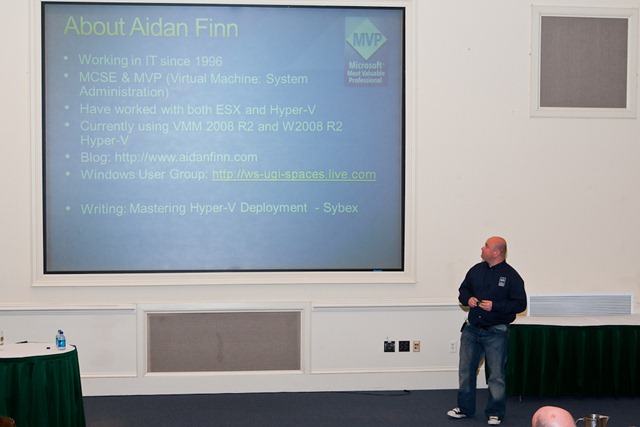
A good time was had. The newcomers all commented on how weird it was to be at an IT conference where there was a social atmosphere. Most of us know each other at this event so there’s always something going on somewhere.
My next appearance will be at PubForum 2010 in Frankfurt in June. It’s another “small” conference that is very low cost for the attendees. The speakers are … wow! There is a lot of stuff happening at it this year. I’m doing a 2 hour class on Hyper-V best practices and I’m also doing a 1 hour session on the new stuff in Hyper-V.