Minasi Conference 2010 – My VMM 2008 R2 Presentation

I flew back home from Minasi Conference 2010 over the weekend.  The line up and variety of speakers was impressive. 

  • Roger Grimes (security guru at MS) pulled a Todd Lammle and scared the ***** out of us, basically saying that there’s no defence against most of the threats on the Internet now other than pure dumb luck.  For example, much of the advertising that is online contains attacks.  You might think you are on a safe site but they simply auction of advertising space which is infected.  A certain “fair and balanced” right-wing American news site was mentioned.
  • Steve Riley came and did a sales pitch on Amazon.  We go the stock answers on compliance with European data protection acts.  Sure – they won’t handover data to the US government when pressured to do so ;-)  Strange – Steve did mention that AWS does keep 30 days of your database transaction logs … purely for your own good, of course.
  • Eric B. Rux did a couple of sessions; one on Home Server and the other on getting into writing.  The latter was interesting because a number of us in the audience (authors, editors, journalists) were able to contribute.
  • Todd Lammle did a pre-conference training class that proved to be quite popular and extremely good value.  All attendees got two copies of his books.
  • Claus Neilson caused a few jaws to drop with his PowerShell presentation.  I was impressed with an audit script he had that populated an open spreadsheet in Excel.
  • Michael B. Smith did an afternoon on how to get from W2003 AD and Exchange 2003 to W2008 R2 AD and Exchange 2010. 
  • Laura E. Hunter (now joining MS internal IT) did a session on Forefront Identity Manager.
  • And of course, Mark Minasi did a few sessions, including (as usual) a preview of what he’s working on for future classes and the upcoming conference season.

I did a presentation on System Center Virtual Machine Manager.  It’s something that could take 2 days but I squeezed in the essentials into 70 minutes.  My slide deck is online at Slideshare (below).

Unusually for me, I was able to get this done a little ahead of time.  I did go through my demo (the end-to-end of a VM’s life cycle, templates, delegation, and self service) pretty quickly.  That allowed me to talk about where organizations can go in the future with Hyper-V.  Visual Studio empowers the tester/developer to work with Hyper-V via the environment/tools that they are comfortable with.  VMM v.Next’s new App-V for Servers support, patching without reboot potential for VM’s, and model deployment.  All this opened a few eyes.  The idea of self service from VMM 2008 R2 onwards really made quite a few people think because they hadn’t heard of it before – and I’m talking about respected MVP’s!

My slides are just a cue card for me so there’s not much content in there.  As you’ll see, I just mentioned the new features coming in W2008 R2 SP1 for Hyper-V.  There was no discussion on how the stuff works.  Keep an eye on the MS Virtualization blog and Ben Armstrong’s (Virtual PC Guy) for that info.  My animations won’t work in this either.  That’s a pity; they made Avatar pale in comparison.
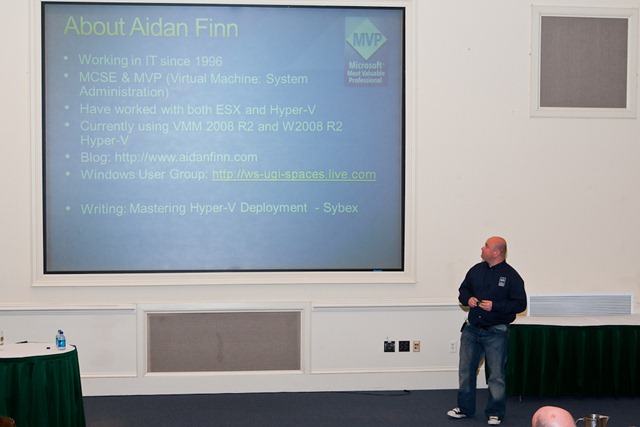
JimiV Me at Minasi2010Picture by JimiV

A good time was had.  The newcomers all commented on how weird it was to be at an IT conference where there was a social atmosphere.  Most of us know each other at this event so there’s always something going on somewhere.

My next appearance will be at PubForum 2010 in Frankfurt in June.   It’s another “small” conference that is very low cost for the attendees.  The speakers are … wow!  There is a lot of stuff happening at it this year.  I’m doing a 2 hour class on Hyper-V best practices and I’m also doing a 1 hour session on the new stuff in Hyper-V.

Configuration Manager 2007 R3 Beta Released

In case you missed it in one of my MMS posts, the beta for ConfigMgr 2007 R3 is now public and is available on Connect.  I received the following in an email earlier today:

“Yesterday at the Microsoft Management Summit, Brad Anderson announced during his keynote the release of ConfigMgr07 R3 Beta. Power management is at the core of the R3 release, it addresses the need that many organizations have to monitor and reduce the power consumption of their computers. ConfigMgr07 R3 Power Management leverages the power management features built into Windows to apply relevant and consistent settings to computers in the organization. There are three major components to power management in ConfigMgr07 R3:

  1. Monitoring and Planning: Power Management collects information about computer usage and power settings for computers in the origination. Reports are provided to allow the administrator to analyze this data and determine optimal power management settings for computers.
  2. Enforcement: Power management allows the administrator to create power plans which can be applied to collections of computers. These power plans configure Windows power management settings on computers, and different power plans can be configured for peak and non-peak working hours.
  3. Compliance: After applying power plans to computers in the organization, the administrator can run reports to validate that power settings were correctly applied and to calculate power and carbon footprint savings across collections of computers.

In addition to power management, ConfigMgr07 R3 will provide customers with enhanced scale and performance support (scale to 300K managed clients per hierarchy, delta AD discovery, dynamic collection updates), as well as enablement of further capabilities for operating system deployment. A full list of the R3 features can be found on Microsoft Connect at the “What’s new in R3” post”.

Technorati Tags: ,

MMS 2010 Keynote: Server Management

I’m tuning into the live webcast of today’s (there’s another tomorrow) Microsoft Management Summit 2010 keynote featuring server management.  I’ll be doing my best to blog about new stuff as it happens.

System Center Service Manager 2010 is announced as RTM.  Sorry dudes!  YEARS of work (and rework) and I thought you’d get more of a launch than that.

Jeez, an hour later and I’ve not got much more to report.  There’s a lot of talk about cloud (nothing new) and a lot of talk about old concepts (using System Center to do more, and more engineering rather than operations).

EDIT: Someone on Twitter counted the number of times “cloud” was mentioned.  The final count was 83.  Cloud OD.

The next generation of System Center data center is based on lessons from Azure and Bing.  Edwin Yuen hits the stage.  Now we’re cooking!

VMM v.Next

It looks quite different!  It has the cleaner v.Next interface rather than the Outlook 2007 one we are used to.  Server application virtualization, SQL models and MSDeploy (IIS) packages live in the library.  The template model is evolved to a service template spanning multiple servers or tiers.  We see a demo of a 3 tier application.  You can drop OS templates (that we know) and “Server App-V”/MSDeploy packages which we can drop into the model.  You can say that you want X numbers of server in a tier in the model.  You can tier your storage to standard or high performance.  So you’ve got X variations of servers made from a few Server App-V images and OS templates. 

Seriously – I could use this right now.  I have recurring deployments that I could model like this.

You can integrate with WSUS and perform a patching compliance report based on the VHD in the library!  You can then remediate this image in the library.  Now – VMM knows which VMM managed VM’s need to be updated!  You don’t need to patch the running VM OS.   You can <Update Service>, to replace the running OS, while keeping the Server App-V package.

Operations Manager & Azure

How you can monitor Azure and on-premises for seamless application monitoring using OpsMgr 2007 R2.  We see a distributed application containing traditional monitored items (including databases and web watchers) and an Azure presence.  OpsMgr integrates into Azure using a soon-to-be-released (“later this year sometime”) management pack to gather performance information.  A task is there to add new web role instances in Azure.  Nice and simple! 

Deployment of more Azure instances is based on real (synthetic transaction monitoring) measured performance data.  Expansion (or withdrawal) of new instances can be easily done through the same monitoring interface based in your site.

That’s the end.  Really only had good content in the last 22 minutes of a 82 minute keynote.  A quite short post compared to what I would do at an MS Ireland event lasting the same time (see last week for a 3 hour session).

MS Ireland Event: Best of MMS 2010

Microsoft Ireland are hosting a “best of” event with content and some speakers from the Microsoft Management Summit that is on this week.  Registration is open now.  The two sessions I’m most looking forward to are the ConfigMgr V.Next one by Jeff Wettlaufer and the Opalis session by Greg Charman.

It sounds like something similar is being done in the UK so you folks should watch the local blogs, events pages and emails.  Considering all the volcano ash disruptions, very few people from Europe who were even registered will get to go.

SCE 2010 and DPM 2010 RTM

Data Protection Manager 2010 and System Center Essentials 2010 were both announced as being released to manufacturing today.

DPM is MS’s backup solution and is the one that has the ability to backup a Hyper-V CSV.  The catch is that it puts the CSV into redirected IO mode.  Thus the preference is to use a storage provider with a supported VSS provider.  That allows you to safely backup running VM’s and maintain database consistency when recovered  -> VSS runs all the way through the stack.  You can even recover single files!

SCE 2010 is the all-in-one package that has the best of ConfigMgr, OpsMgr and now with VMM so you can manage W2008 R2 Hyper-V.  This makes it the ideal systems management solution for small-medium companies.

KB2022557: Selecting RedHat in VMM Fails

Microsoft has posted a fix to enable you to select RedHat as the OS of a VM in VMM 2008 R2, 2008 and 2007.  Without the fix you get this error:

Error (10637)

The virtualization software on host <server> does not support the Red Hat Enterprise Linux 5 operating system.

The problem is that the VMM database needs a tiny adjustment.  You can do this easily enough using SQL Management Studio or SQL Management Studio Express.  First, you should back up the database (don’t come crying to me if you didn’t!).  You then need to create a new query with the following:

update tbl_IL_OS

set OSFlags=0x14

where Name like ‘Red Hat Enterprise Linux 5%’

Run the query and you should be sorted.

Technorati Tags: ,,,

MMS 2010 Keynotes on Tuesday/Wednesday

The Microsoft Management Summit has the reputation of being the MS conference to go to if you can only go to one of them.  It’s aimed at the techies and has techie content.  This year will be an interesting one.

  • Somewhere behind the scenes, ConfigMgr v.Next is taking shape.  We got a sneak peak at TechEd last November.  There’s probably more detail available now.
  • ConfigMgr 2007 R3 should be ready by now.  It was due around the end of Q1.  We’re beyond that.  It wouldn’t surprise me if the announcement was made on Monday, in line with the conference for System Center junkies.
  • DPM 2010 is also due around now.  Don’t be shocked to hear a lot about it next week.
  • We’re about half way through the current release life of OpsMgr 2007 R2.  I wonder if there’s going to be some talk about OpsMgr v.Next?
  • There’s lots of other stuff that if you forced me to guess, I’d say will be happen on Monday too.
  • Attendees will probably start to get some meat on the bones of the new Opalis acquisition.  Everything I’ve read so far seems like it was written by Citrix Marketing: all fur, no meat.  There will allegedly be integrations into other System Center products at the end of the year.

According to a tweet I saw a couple of days ago, the keynotes will be streamed live.  Tuesday will focus on servers.  Wednesday will focus on clients.  I’ll be trying to tune in if it isn’t at some crazy hour locally.

EDIT:

Here are the details of the keynotes:

  • Tuesday, April 20, 8:30 – 9:45 AM PST:  Managing Systems from the Datacenter to the Cloud,  Bob Muglia, president, Microsoft Server and Tools
  • Wednesday, April 21, 8:30 – 9:45 AM PST:  User Centric Client Management, Brad Anderson, corporate vice president, Management and Services Division

Configuration Manager 2007 Dashboard

The ConfigMgr 2007 Dashboard is a recently released free add-on from MS to allow you to quickly view the status of the most important items in your deployment.  The listed benefits are:

  • Actionable information out of the box. The dashboard comes with a wide range of valuable, built-in reports that IT managers can access without using the Configuration Manager console.
  • Centralized, near-real-time access to key information. The graphical dashboard lets customers view any Configuration Manager data set in near-real time—without leaving their desk.
  • Easy to build and configure. The dashboard’s wizard-based tools let customers easily create new dashboards in minutes.
  • Easy to customize. The dashboard can easily be customized to meet the needs of different departments and other groups. Any data set in the Configuration Manager database can be presented on the dashboard, in chart, gauge, and table formats.
  • Flexible & interactive. Users can easily filter data and create ad hoc, custom views. Filters allow users to quickly drill down from high-level to more specific data.

It had been a long time since I’d done any ConfigMgr work.  But recent lab work using a couple of deployments got me hooked with this uber powerful system.  It’s huge, can put it’s fingers (at your control) into everything, and puts you firmly in control.  Pair it with OpsMgr and the network is tamed like a wild horse.  The Dashboard will give you a customisable at-a-glimpse view of what is going on in ConfigMgr, just like you already can do with dashboards in OpsMgr.

Technorati Tags: ,

So … What Exactly Am I Writing?

You can tell I’m pretty busy because my usual high rate of blogging has dropped significantly in the last month.  Apologies for that.  The blogging has become writing.  I am involved in 2 book projects.  I’ve just seen on Twitter that details on one of those has just gone public.  I actually just saw the tweet seconds after I sent off a chapter I just finished.

Earlier this year I proposed an idea for a Windows Server 2008 R2 virtualization book to Wiley Publishing/Sybex.  It took quite a bit of work to tune the proposal.  It requires an understanding of the subject matter, the audience, and ideas on how it can be marketed.  You could think that a brief overview on the subject matter would be enough.  But no, the publisher needs much more detail.  You pretty much have to provide a detailed project plan for every heading (3 levels deep), page estimates and time estimates.  The proposal evolved over the weeks and eventually went through a couple of reviews.  I then got the news: an ISBN number was assigned and contracts were on the way – I was going to be a lead author on my own book for the very first time!!!!  I did get drunk that night – I think.

The deadlines are very tight.  I was considering seeking help.  My contact in Sybex advised that I outsource some of the chapters to a co-author.  I knew the person I wanted to bring in.  Wilbour Craddock is a technical specialist in the partner team with Microsoft Ireland.  Will (Irish folks will know him as the crazy Canadian who is always wearing shorts) is also a former SBS MVP.  His job has him spending a lot of time working with Hyper-V and Microsoft System Center, making him a perfect co-author to work with on this project.  Thankfully, Will agreed to hop on board the crazy train of book writing.

Another MVP (I won’t say who yet because I don’t have permission to name him) is the technical editor under the employment of Sybex.  He’s an ace at this stuff and will make sure everything we do is up to scratch.

The book is called Mastering Hyper-V Deployment.  I won’t go into the details of it yet.  But you can bet that it is based on our collective experience and knowledge of the product set involved in a Hyper-V deployment.  I saw a gap in the market and figured I could probably write (or a good chunk of) the book to fill it.  The estimated release is in November 19th of this year.  That means we need to finish writing in July.  It has started to appear on some sites for pre-order.

I’m two chapters in a the moment.  I’m really pushing my hardware at home to its limits and am “this close” to buying more.  Will is ahead of schedule and has one chapter nearly done.

I am also working on another book project as a co-author for a friend’s book.  It’s another on-subject book that is turning out to be a good experience.  I’ve one chapter done on that and am 50% through the other.  I’ll talk more about that when the time is right.

As you may have read in my previous posts about my chapters in Mastering Windows Server 2008 R2, the original draft edit is just the very start of the process.  There are numerous technical, language, layout and copy edits for each and every chapter.  It’s a lot of work but it’s a great experience.  And I can’t wait for the buzz to see my name as the lead author of a book in a book shop.  I had to really try when I saw Mastering Windows Server 2008 R2 in Barnes & Noble over in Belleview WA back in February.

MS Ireland Virtualization Summit

Yesterday, MS Ireland held the local instance of the Virtualisation Summit that MS is running in many cities around the world.  It was keynoted by Ian Carlson, a senior program manager from Redmond (nice guy too).

The usual slide decks were presented, probably the first time many of the attendees (around 140 I think, standing room only) had seen them.  For those of us “on the inside” this can be a bit tiresome but that’s what happens when you attend every MS event going to get your free cup of coffee and pastry for brekkie!  The end of the morning session feature Gerry from Lakeland Dairies, an interesting case study because they make the most of System Center and use the Compellent SAN to replicate their VM’s across their campus for DR.  They are also a fine example of a company that had a plan and knew their requirements going into the project, allowing them to make good decisions.

After the break there was a split into desktop virtualization and server virtualisation.  *I must stop using Z’s in the American way – too much writing for Sybex*  Ronnie Dockery from MS and Citrix ran a breakout on desktop virtualisation and VDI.  Wilbour Craddock, a techie in the MS Ireland partner team, ran the server virtualisation breakout and went through a number of best practices and tips on a successful solution.  Maybe 60% went into the desktop room. 

I did the last 15 or so minutes in the server room, talking about our Hyper-V, OpsMgr, VMM and HP deployment at C Infinity.  I talked through the relevant bits of the infrastructure and had a cool snazzy animated slide deck to talk through how HP SIM, OpsMgr, VMM and highly available Hyper-V VM’s allowed for no interruption of service back in January when we detected a degraded memory board (via HP SIM agent and OpsMgr management pack), got the alert, used Live Migration to move VM’s from the host, HP (via RedStone) replaced the affected board within the 4 hour support response window and we continued on without missing a beat.  Some talk of PRO was also in there.  I also stressed how Hyper-V with System Center makes this a solution for applications, which is what the business really cares about – not NIC’s and memory boards.

I haven’t posted the slide deck – animations don’t work on Slideshare, and to be honest, my slides are nothing but cue cards for me to rattle on until someone rings a bell to shut me up.

I talked to a few people afterwards and the response to the morning was positive.  I think a lot of people either got a fresh view on hearing about the complete solution (it’s more than “just” hardware virtualisation) or were happier after hearing the experiences of two Irish customers using the suites – not just the usual “Here’s XYZ Giganto Corporation from the USA or Germany” that Irish customers cannot relate to.  MS Ireland does a great job on that.